The US exported 7,592 military drones, narrowly ahead of Iran's 6,800
Iran overtook America in 2025 after US deliveries dropped to 402
Russia received 99% of Iran's exported drones, mostly Shahed-136 attack systems
The United States exported the most military drones between 2022 and 2025, narrowly beating Iran, which ranked second worldwide during the period.
Data from the Stockholm International Peace Research Institute (SIPRI) records 7,592 American exports against 6,800 Iranian deliveries, while Germany ranked a distant third with 1,000 exports.
Together, the US and Iran accounted for 86% of global exports, with Ukraine receiving 95% of American shipments while Russia got 99% of Iran’s deliveries, most of which were Shahed-136 one-way attack drones.
Iran overtakes the US as exports shift
Although Washington maintained the lead across most of the period, annual figures changed significantly in 2025, when Iranian deliveries exceeded American shipments.
Iran exported 2,002 drones that year, compared with 402 delivered by the United States.
The decline of American shipments is due to the suspension of military assistance to Ukraine, which had received most US exports during the preceding years.
Subsequent American deliveries were directed mainly toward Taiwan, marking a change in the destinations receiving these systems.
The figures cover military drones weighing at least 150 kilograms, equivalent to approximately 331 pounds, including loitering munitions and one-way attack aircraft.
Small first-person-view drones and commercial models were excluded, meaning the figures do not capture every type of unmanned aircraft supplied internationally.
One-way attack platforms accounted for 97% of recorded exports, indicating that expendable systems dominated the shipments measured by SIPRI during the period.
Their prevalence also explains why the figures should not be interpreted as a comprehensive count of military drones worldwide.
Poland and others trail the leading exporters
In addition to the top exporters, within the same period, Poland exported 690 drones to take fourth place whileTurkey occupied fifth place with 381 exports, despite supplying customers across a considerably wider international network.
Ankara delivered drones to 28 countries, including Pakistan, Kuwait and Romania, which belong to the North Atlantic Treaty Organization (NATO).
Its Bayraktar TB2 accounted for 58% of worldwide exports of reusable drones, distinguishing Turkey’s position within that category.
The Czech Republic, Sweden and the next seven countries in the rankings collectively exported just 89 drones, considerably fewer than Germany or Poland.
Their combined deliveries also fell far below Turkey’s total, despite the latter ranking behind both European countries in overall export numbers.
The figures therefore distinguish the country’s leading total military drone shipments from those supplying particular categories of aircraft.
However, SIPRI’s weight threshold and exclusion of smaller commercial and first-person-view models limit comparisons with estimates covering the entire unmanned aircraft market.
Mozilla accused Microsoft of using Windows, Edge, Bing, and Copilot to steer users toward Edge
Firefox maker claims stricter EU regulations force fairer browser choice than elsewhere
Browser competition increasingly overlaps with the fight for AI distribution and user reach
Mozilla has accused Microsoft of abusing its dominant position wherever it can to push people towards Edge, and away from other browsers.
The company framed the story as if it wants “better for the people”, while Microsoft only does it when it’s forced to, but is that really the case?
In a newly released blog, Mozilla noted it has now been 100 days since it published Over The Edge 2.0, a report from “leading experts on deceptive design Dr. Harry Brignull and Cennydd Bowles on how Windows, Edge, Bing, and Copilot are designed to steer people away from the browser they choose.”
Better for the people
In the report, Mozilla said that in the European Economic Area (EEA), where the Digital Market Acts (DMA) is being enforced, Microsoft is forced to “play fair”.
Anywhere else around the world, including the US, UK, India, and other parts of the planet, it still uses its “shady tactics”. These include the Windows 10 message “You’re almost done setting up your PC” which allegedly uses “tricky wording” to pull people off the default they picked, Windows Search and Widgets opening links in Edge instead of the default browser, and Windows keeping Edge as the default for common browser file types like PDF and SVG, even after another browser were set up as the default.
Mozilla claims that even within the EU, Microsoft is doing all it can to steer people towards Edge. That includes pre-pinning the browser to the taskbar which, according to the company, “seems to directly violate the ‘principled approach to app pinning and app defaults’, Copilot opening web links in a side-panel instead of in the browser, and Windows Backup “silently” trying to set Edge as the default when it restores a PC and “fails to properly bring the user’s own browser along. “
“Most of the 2024 patterns are still there. The 2026 patterns are worse. Microsoft is using new surfaces like Copilot and the migration to Windows 11 to further undermine user choice,” Mozilla claims.
“We also shared the report with Microsoft and talked to them about the issues raised in the report. We knew that an immediate change was unlikely, but we hoped that, when faced with independent evidence of harmful design practices impacting Windows users, they would also want better for people,” Mozilla said.
“Instead, it became clear that Microsoft will respect user choice only when it is forced to. Microsoft’s standard for respecting people’s choices is legal compliance. Not what’s best for its users. Not its own published principles. Not what’s technically feasible. Not even what it already does for users in Europe.”
A story on AI
Mozilla said it shared the report with Microsoft but did not say if the company replied in any way. We’ve reached out to Microsoft with a request for comment and will update this article when we hear from them.
In the meantime, we believe it is also important to mention what Mozilla said in the blog’s introduction:
“As AI reshapes our online experiences, the stakes couldn’t be higher. Browsers are a key distribution layer for AI tools and services, while still determining many of the privacy and security functionality people rely on every day. Steering people toward one browser can therefore shape which AI services reach users and the protections that come with it.”
So the question becomes - is this really about wanting better for people, or wanting people to use one AI model instead of another AI model? If demanding equal browser opportunity is fair game, then demanding equal AI opportunity is also fair game, so why not just say so? Why hide behind alleged altruistic causes and principles?
In the blog, Mozilla says it has a “simple” ask - to expand the “fairer designs” currently being enforced in the EEA everywhere on the planet, and to “stop the remaining harmful design practices that persist in the EEA.”
The company concluded the blog by saying there will be no more mister Nice Guy. It says it “stepped up” public pressure on the company and has reached out to regulators and policy makers.
“We hope that regulators in the US, the UK, India, and Brazil are paying attention.”
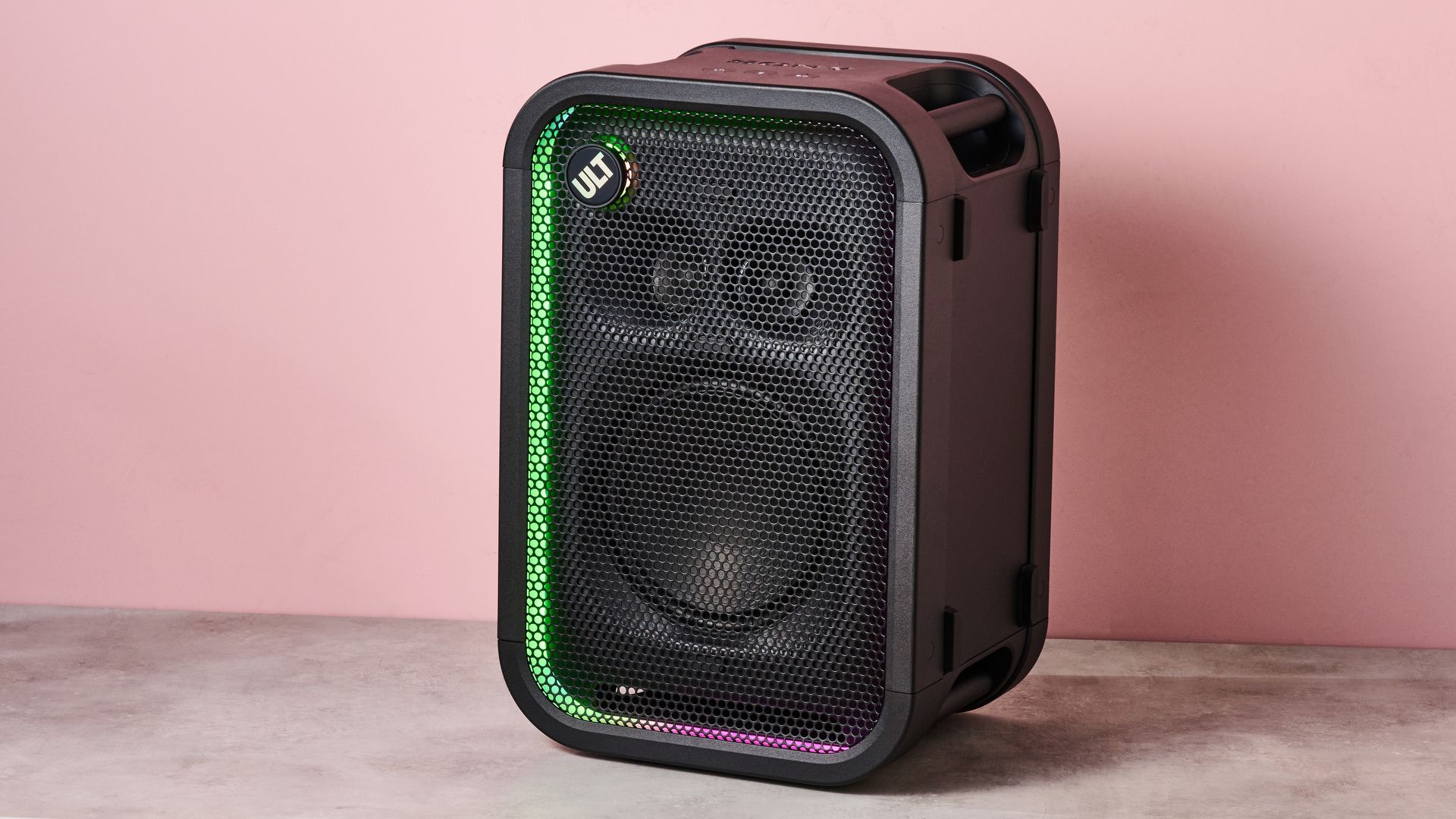
The Sony ULT Tower 5 is one of the stand-out audio products I've reviewed in 2026. In many ways, it defies belief. Despite being pretty small for a traditional party speaker, it produces almighty audio, with the sort of bass you’d expect from a model twice its size. And, what’s more, it's pretty affordable.
Sony has made a bunch of changes to its new ULT range, and they appear to have paid off. Perhaps the highest-profile change is the shift towards newly developed rounded woofers, marking a departure from the almost rectangular X-Balanced woofer units seen on previous ULT models. The tech giant told me that this was in an effort to maximize deep bass — something that’s crucial for a party environment. And this, in my view, was a great choice.
As with all of the best Bluetooth speakers in this size-class, the ULT Tower 5 plates up incredibly powerful yet regimented low-end output. When tuning into Everytime by Jesse Maas, the house track’s pumping deep bass was replicated to an excellent standard — it was agile and rhythmic, while also remaining driven and meaty. And this never came at the expense of other sounds in the frequency range, with electronic elements and vocals in the mid-range given plenty of room to breathe, and higher-pitched drums cutting through with precision.
(Image credit: Future)
Here, I was using the 'ULT 2' EQ mode, which delivers a powerful yet rounded performance. With ULT 1 mode, deep bass is prioritized, and I found this to be ideal for outdoor environments. For instance, when I tuned into First Summer by H.K., I was mesmerized by the richness and rippling power of the low-end, which was undeterred by wind noise, cars driving past, and other ambient sounds. This mode will also work brilliantly for large open indoor spaces, but is ill-suited to the acoustics of smaller rooms. It’s worth flagging that the ULT Tower 5 has a maximum power output of 300W, so it can also get super loud, no matter where you are.
Other energetic tracks, such as What We Got by Midas Field and Marijn Jansen, also sounded impeccable on the ULT Tower 5. The speaker showed off its impressive handling of dynamics with impactful bass drops, produced textured vocals in the build-up, and even created a wide, expansive soundstage for this speaker's size, with the angled tweeters conjuring up an impressive sense of space. However, the ULT Tower 5 does lack the 360 sound that its larger siblings have due to the lack of rear-facing drivers, and I definitely felt like audio wasn't anywhere near as full-sounding when listening from the side or back of the speaker.
This is a party-first speaker, of course, but there is a Flat EQ mode if you want to listen to more stripped-back tracks, and it works well — especially if you want to enjoy resonant and detailed vocal performances. This does take a lot of weight out from the low-end, though, so it's a bit more situational than the ULT 1 and 2 options. There’s also a Live mode, which is intended to create a more realistic replication of live recordings, or a 10-band custom equalizer if you want to make more granular changes — the ULT Tower 5 is incredibly versatile.
(Image credit: Future)
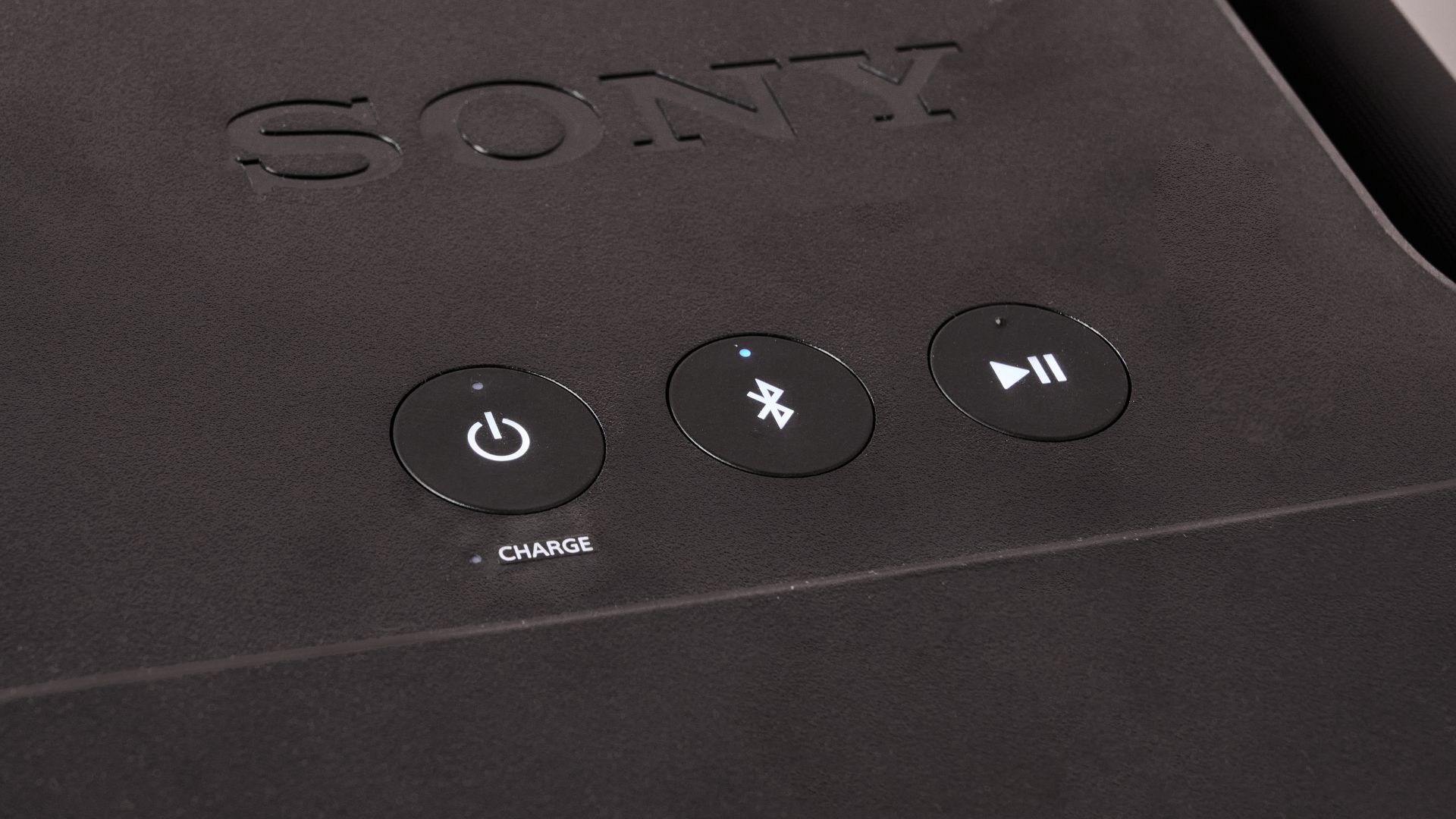
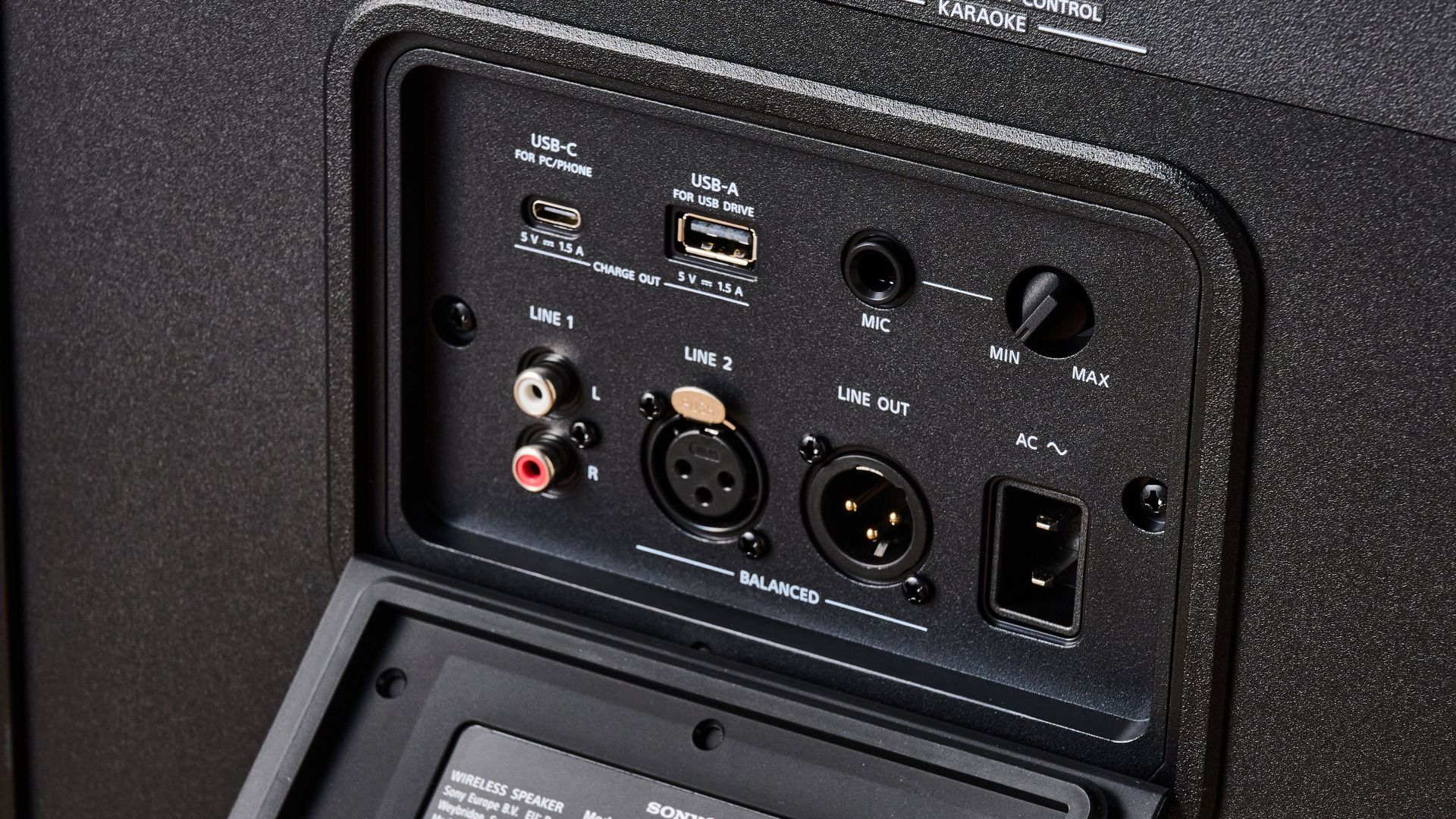
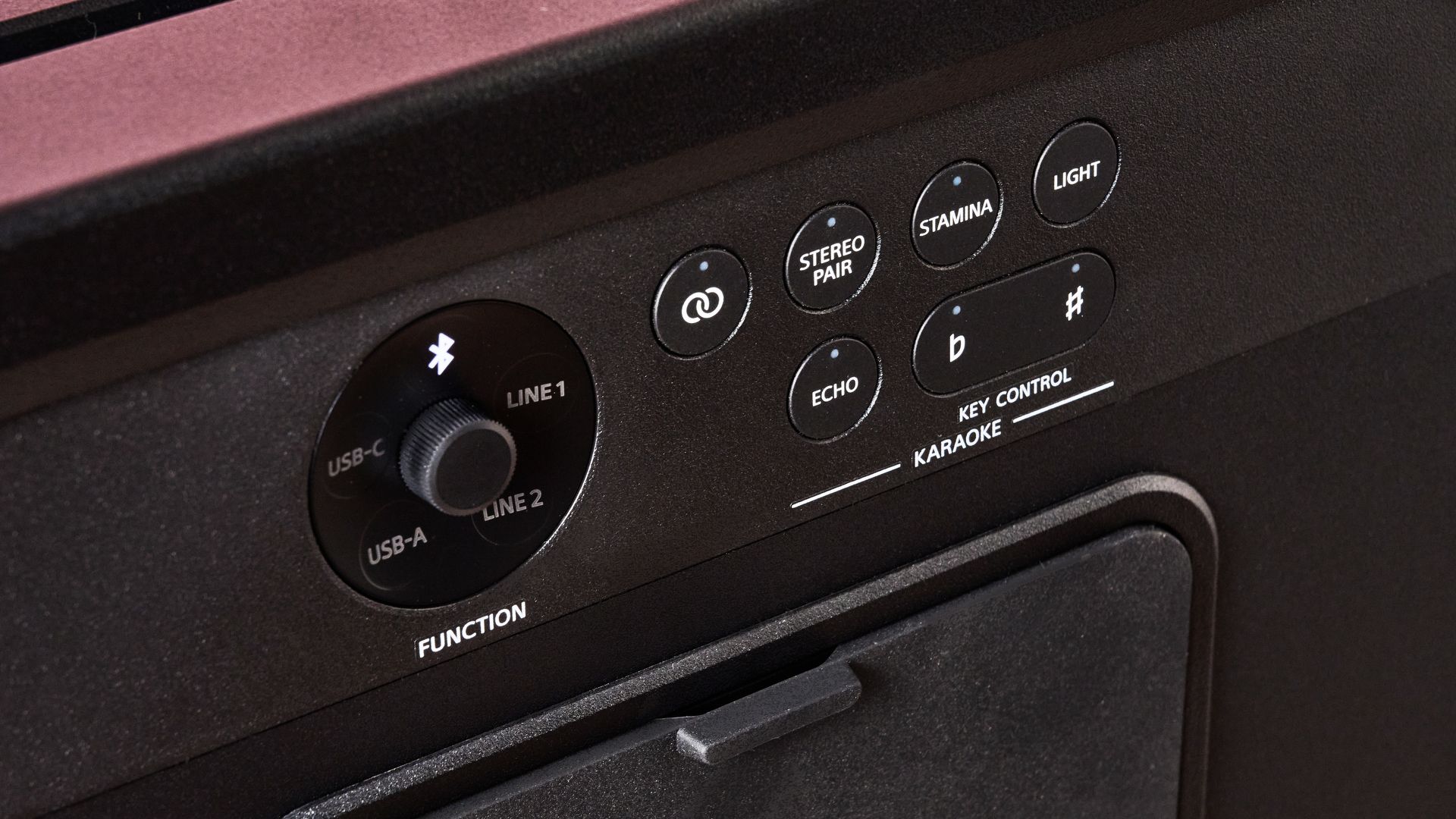
I mainly streamed over Bluetooth when testing, and had Sony’s very own LDAC codec active, which enables higher-res listening if your device supports it — something that a lot of party speakers skip on. However, you can connect to the speaker in so many other ways. There’s a USB-A port if you want to listen to tunes from a USB drive, there’s USB-C, XLR, and even RCA if you want to hook up a DJ controller or turntable. The audio quality and connectivity options available mean that this model is well-suited to casual or even professional use.
There’s also a port that lets you plug in a mic for some karaoke, if that’s your thing. The speaker has built-in effects for karaoke, like a voice changer, echo, and the like. There’s also a party pad for playing sound effects, drum sounds, robotic noises… you name it.
If you have multiple ULT Towers, there’s also the option to link them up with Party Chain. I tried pairing the ULT Tower 5 with the Tower 7, and all it took was a simple button press on each model. It was quick, easy, and produced an even more mighty sound. When I went to a demo for Sony’s new ULT range, I even got to hear ten ULT Towers daisy chained together, which opened up devastatingly powerful sound.
A lot of the functions I’ve described, like EQ tweaking, the party pad, switching connectivity method, and more, are available through the Sony Sound Connect app. While a lot of rival apps have a tendency to be buggy or awkward to navigate, Sony’s control app was phenomenally easy to use, rich in features, and reliable at all times. It also has options like Sound Field Optimization, which automatically detects external noise and adjusts sound accordingly, as well as power conservation and light customization settings.
Let’s talk about the lights, actually, because they’re a big part of this model’s aesthetic. They look fantastic in my opinion — sure, they’re RGB, not the classy stage-style lights of a model like the Marshall Bromley 750 — but they’re still tasteful and flashy. You can customize the pattern and color of the lights in the Sound Connect app or via physical controls, and these can even synchronize to the rhythm of your tunes for a truly immersive experience.
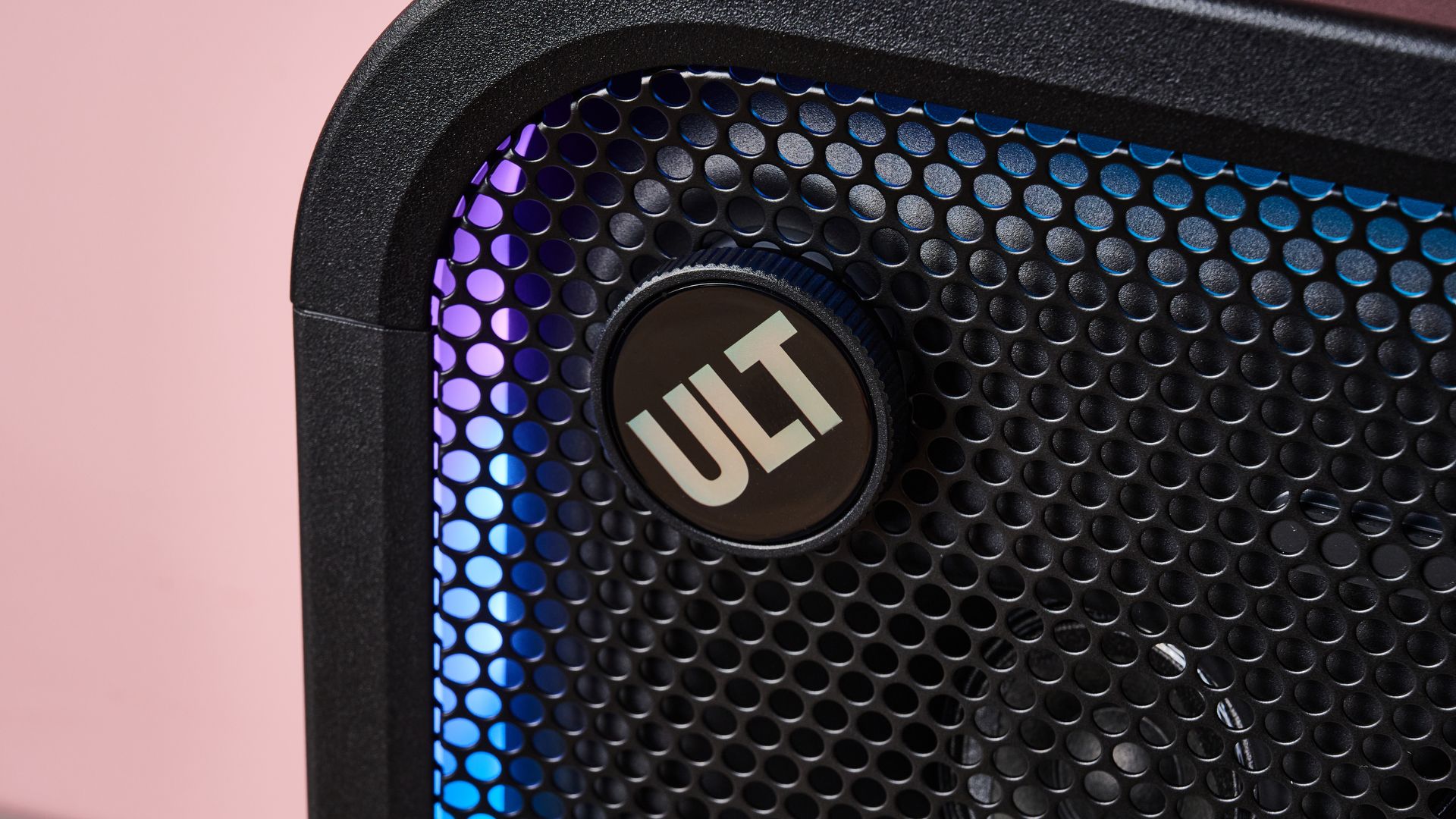
More generally, the build quality of the ULT Tower 5 is strong. Yes, it’s pretty hefty, and doesn’t have a pull-out handle for traveling over longer distances, but it’s nowhere near as cumbersome as its larger sibling, the ULT Tower 7. Its plastic exterior looks surprisingly premium, its rounded appearance is sleek, and even the ULT icon has some appeal — it can be twisted to adjust volume, or pressed to switch EQ mode.
As the speaker is designed for both indoor and outdoor use, it’s also equipped with IPX4 waterproofing. This means that it can survive multi-directional water splashes without issue. Sure, this is fairly standard for a party speaker like this and by no means ground-breaking, but it should be enough to keep the speaker alive if you spill some water on it or if there’s some light rain.
How about battery life? Well, the Sony ULT Tower 5 provides up to 20 hours of playback with its lights turned off, which is good for a model of this size and power. It’s more than a rival like the JBL PartyBox 130 too, which can deliver up to 16 hours. If you need to squeeze a bit more life out of the ULT Tower 5, there’s also a Stamina mode, which gives you extended battery life at the expense of lighting and ULT Power Sound. Still, if you want the full experience, you can still use the ULT Tower 5 while it's connected to the mains, and juicing it back up doesn’t take all too long — you can get about 100 minutes of playback from just a 10 minute charge.
The big question, then, is the Sony ULT Tower 5 worth the money? My answer: absolutely. This model comes in at $449.99 / £349 / AU$549, and for a speaker of this size and power, with so many features and an eye-catching design, I think you’re getting plenty of bang for your buck. When you consider that a far smaller Bluetooth speaker like the JBL Xtreme 5 is just $50 / £20 less than that, the value on offer here is striking.
I’ve tested party speakers that can rival the ULT Tower 5, like the Marshall Bromley 450 for instance. And while that model sounds spectacular and looks even better than the ULT Tower 5, it does come in at about $350 / £200 / AU$500 more. So, if you want a party speaker with great sound and features at an enticing price, then the Sony ULT Tower 5 gets a full recommendation from me.
(Image credit: Future)
Sony ULT Tower 5 review: price & release date
Priced at $449.99 / £349 / AU$549
Released in September 2026
The Sony ULT Tower 5 was released in September 2026 alongside two sibling models, the larger Sony ULT Tower 7, and the gigantic Sony ULT Max. It’s priced at $449.99 / £349 / AU$549, which is a seriously tempting price for a speaker with so much power and such advanced features.
For reference, that’s only about $50 / £20 more than the JBL Xtreme 5 would cost you, which is a far smaller, less meaty model. It’s also in a very similar ballpark to a rival like the JBL PartBox 130, and considerably cheaper than premium alternatives like the Marshall Bromley 450.
Sony ULT Tower 5 review: specs
Weight
28lbs / 12.7kg
Dimensions
14.1 x 21 x 11 inches / 358 x 534 x 280mm
Connectivity
Bluetooth 5.3, RCA, XLR (in and out), USB-A, USB-C, mic input (6.3mm)
Battery life
20 hours
Speaker drivers
1x 230mm woofer, 2x 60mm tweeters
Waterproofing
IPX4
(Image credit: Future)
Should I buy the Sony ULT Tower 5?
Attribute
Notes
Score
Features
Swathe of connectivity methods, broad EQ options, customizable lighting, LDAC for higher-res listening.
5/5
Performance
Excellent bass for the speaker’s size, clean mids and tight highs, lacks 360 sound of larger models.
4.5/5
Design
Striking look with appealing and dynamic lighting, well-built, IPX4 waterproofing is decent but nothing special.
4.5/5
Value
A simply stellar price for the power and quality on offer.
5/5
Buy it if…
You want an all-in one party solution The ULT Tower 5 feels like the definitive, affordable party speaker. It has a wide range of connectivity options, meaning it's good for casual listening, DJing, karaoke… you name it. This model has it all.
You’re looking for a speaker with a striking look I love the look of the Sony ULT Tower 5 — it’s striking, with bold, customizable lighting, a very solid standard of build, and an appealing, curved design. If you want a speaker that stands out, this is a solid choice.
Don’t buy it if…
You’re looking for 360-degree audio Due to the lack of rear-facing drivers, the Sony ULT Tower 5 is unable to whip up top-tier audio from all angles — it only sounds at its best when facing the listener. If you want more convincing 360-degree sound, it's worth checking out the larger ULT Tower 7 or Max models, or going for a speaker like the Marshall Bromley 450, which sounds great no matter where you’re standing.
You need top-tier waterproofing While IPX4 is the standard rating for a party speaker of this ilk, it’s by no means anything special. It should get you through some light spills or rain, but I’ve tested similar rivals that go up to IP55, which protects against dust ingress and low-pressure water jets.
Sony ULT Tower 5 review: also consider
Sony ULT Tower 5
JBL PartyBox 130
Marshall Bromley 450
Price
$449.99 / £349 / AU$549
$449.99 / £349.99 / AU$595
$799.99 / £549.99 / AU$1,079
Weight
28lbs / 12.7kg
24.8lbs / 11.3kg
26.9lbs / 12.2kg
Dimensions
14.1 x 21 x 11 inches / 358 x 534 x 280mm
11.7 x 22.6 x 11.9 inches / 29.8 x 57.5 x 30.3mm
19.4 x 14.2 x 10.3 inches / 492 x 359.9 x 260.9mm
Connectivity
Bluetooth 5.3, RCA, XLR (in and out), USB-A, USB-C, mic input (6.3mm)
Bluetooth 6.0, 3.5mm (in and out), optical, USB-C, 2x mic inputs (6.3mm)
JBL PartyBox 130 JBL is extremely dominant in this segment of the speaker market and it’s not hard to see why. They produce flashy party speakers with impactful bass output, eye-catching lights, and a huge array of connectivity options. And the JBL PartyBox 130 is no exception. It doesn’t quite offer as much battery life as the ULT Tower 5, but it does provide dual woofers, karaoke functionality, and the same IPX4 waterproofing.
Marshall Bromley 450 OK, this one’s considerably pricier than the ULT Tower 5, but it earns its price in a number of ways. First of all, it has a considerably more fleshed-out driver configuration than Sony’s speaker, with dual subwoofers and four full range units (plus a couple of passive radiators). It also has a seriously luxurious look with a stunning faux-leather exterior, stage light-inspired LEDs, and eye-catching golden details. And that battery life… So yes, you get what you pay for with the Bromley 450, but it can’t compete with the sheer affordability of its Sony rival. Read my full Marshall Bromley 450 review.
How I tested the Sony ULT Tower 5
(Image credit: Future)
Tested in our music testing space at Future Labs and outdoors
Mainly streamed tunes over Tidal
Tried Party Chain functionality alongside ULT Tower 7
I spent countless hours listening to music on the Sony ULT Tower 5, which I tested indoors at our music testing room at Future Labs, as well as outdoors in the office parking lot. This enabled me to test the fidelity of audio in a quiet and controlled space as well as a busy, noisy environment.
For the most part, I connected to the ULT Tower 5 over Bluetooth and played tracks via Tidal on my Xiaomi 17 phone, which supports LDAC. To begin with, I sifted through the TechRadar reference playlist, but I also listened to hours worth of tunes from my personal library, including a lot of bass-heavy bangers. On top of this, I tried pairing the ULT Tower with the Sony ULT Tower 7 to test out the Party Chain function.
More generally, I’ve spent years testing audio gear here at TechRadar, where I serve as a Senior Reviews Writer. I’ve reviewed everything from premium wireless headphones like the Sony 1000X The Collexion to Dolby Atmos soundbars, like the JBL Bar 1300MK2. Of course, I’ve also tested a huge array of Bluetooth speakers as well, including party-ready models like the LG xboom Stage 301 and the Marshall Bromley 750.
49ers vs Seahawks kick-off: Sun, Oct 11 at 4.25pm ET / 9.25pm BST / 7.25am AEDT (Mon)
The 49ers vs Seahawks is the game of Week 5 and arguably the game of the 2026 NFL season so far. Not only are they fierce NFC West rivals, but San Francisco are the league's joint-second top-scorers, while Seattle have conceded fewer yards and passing yards than anyone else.
Simply put, if there's a defense that can stifle the 49ers' red-hot Brock Purdy-led offense it's the Seahawks', and if there's an offense that break through Seattle's vaunted lines it's San Fran's.
And then there are the coaches. Kyle Shanahan and Mike Macdonald took no time to forge a mutual aversion, and it's the Seahawks coach who's just about had the upper hand. He was on the losing end of their first encounter two years ago, but the Hawks have since held the Niners to fewer than 11 points per game across four meetings.
And Seattle's two most recent victories over San Francisco were as important as they were emphatic. With the NFC's No.1 seed on the line, they crushed them 13-3 in January, before knocking them out of the playoffs off the back of a 41-6 pasting.
Purdy is yet to be sacked this season, but Leonard Williams and Ernest Jones IV will be throwing everything at him at Lumen Field this Sunday.
Read on as we explain how to watch 49ers vs Seahawks for free.
Can you watch 49ers vs Seahawks for free?
Yes. 49ers vs Seahawks is being shown on free-to-air Channel 5 and 5 in the UK, and on Virgin Media Two and Virgin Media Play in Ireland.
Traveling abroad right now? You can use a VPN to watch 49ers vs Seahawks for free as if you were right at home.
Use a VPN to watch 49ers vs Seahawks live streams
A VPN is a handy piece of software that can make your device appear as if it's back in your home country, so you can unlock your usual streaming services. One of our favorites is IPVanish – it does everything and comes with up to 83% off.
Get IPVanish and stream 49ers vs Seahawks from anywhere.View Deal
How to watch 49ers vs Seahawks live streams in the US
In the US, the 49ers vs Seahawks game is being shown on Fox and Fox One.
Fox One starts at $19.99/month or $99/year after a 3-day free trial.
Fox is carried by several OTT streaming platforms, including YouTube TV, Hulu + Live TV, DirecTV Stream and the Fubo Sports + News plan, each of which offers new customers a free trial and provides near-comprehensive coverage of the NFL this season.
Sling TV's $19.99/month Select plan also include access to the Fox One app, while its $45.99/month Blue plan carries Fox.
Outside of the US?IPVanish can unblock your stream from anywhere in the world.
How to watch 49ers vs Seahawks live streams in the UK
In the UK, 49ers vs Seahawks is free-to-air on Channel 5, with live streaming available via the 5 platform.
If you're traveling outside of the UK, you can make use of IPVanish to access that free 49ers vs Seahawks coverage.
It's also available to watch on Sky Sports Main Event, Sky Sports NFL and Sky Sports Football.
Sky Sports packages start at £35/month, with £24/month pricing available to existing Sky customers. You can also tune in via a NOW Sports membership that carries the Sky Sports channels.
How to watch 49ers vs Seahawks live streams in Australia
In Australia, the 49ers vs Seahawks game is being shown on ESPN via Foxtel, with live streaming available via Kayo Sports.
Kayo Sports subscriptions start at AU$30 per month after a 7-day free trial, as detailed above. Equally, you can get your first month for AU$1.
It's also available to stream live on NFL Game Pass on DAZN, which is showing every remaining game, including the Super Bowl.
Prices start at AU$149 for the season if you pay upfront, rising to AU$34.99/month if you commit to 12 months, and AU$33.99/week on a rolling basis.
Not in Australia right now? You can simply use a VPN like IPVanish to watch the action as if you were back home.
How to watch 49ers vs Seahawks live streams in Canada
(Image credit: Other)
The 49ers vs Seahawks game is available to watch on DAZN in Canada.
DAZN, which is showing every 2026 NFL fixture, starts at CA$24.99/month.
It's also being shown on CTV, which is available for free if you have a TV antenna or cable. CTV requires your TV provider login details, but is also available via pay-TV streaming platform Crave.
If you're out of Canada but still want to tune in, explore the VPN route set out above, which will help you access your accounts from anywhere.
What is the 49ers vs Seahawks start time?
The scheduled 49ers vs Seahawks kick-off time on Sunday, October 11 is 1.25pm PT local time in Seattle, which is 4.25pm ET / 9.25pm BST.
That's 7.25am AEDT on Monday, October 12 in Australia.
What is the 49ers vs Seahawks head-to-head?
The 49ers and Seahawks have faced off on 57 previous occasions, San Francisco winning 24 of those games and Seattle 33.
Can I watch 49ers vs Seahawks on my mobile?
Of course, most broadcasters, like 5, have streaming platforms that you can access through mobile apps or via your phone's browser.
You can also stay up-to-date with the latest NFL news and plays on the official social media channels on X/Twitter (@NFL), Instagram (@NFL), TikTok (@NFL) and YouTube (@NFL).
We test and review VPN services in the context of legal recreational uses. For example:1. Accessing a service from another country (subject to the terms and conditions of that service).2. Protecting your online security and strengthening your online privacy when abroad.We do not support or condone the illegal or malicious use of VPN services. Consuming pirated content that is paid-for is neither endorsed nor approved by Future Publishing.
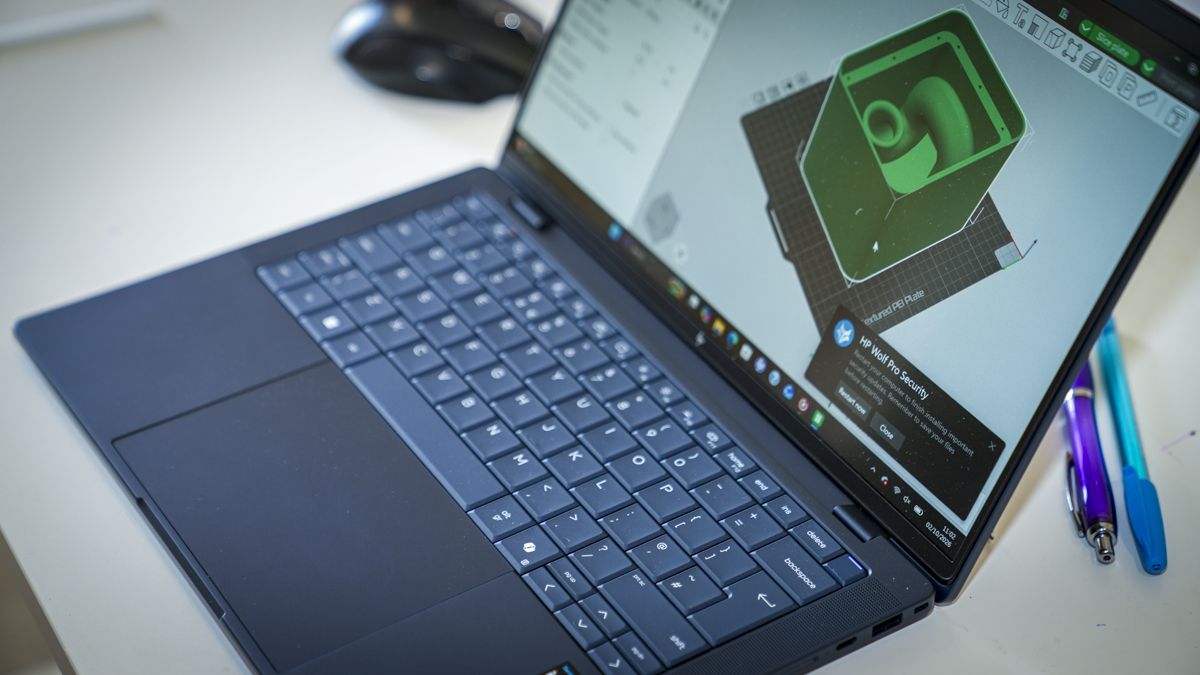
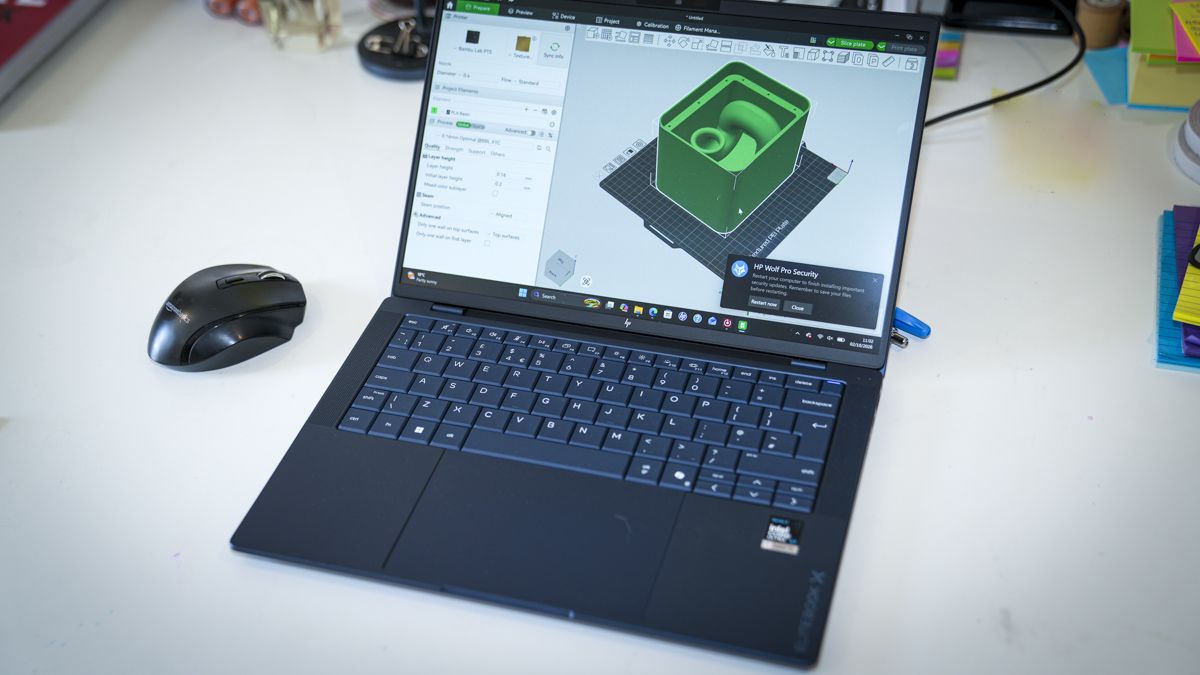
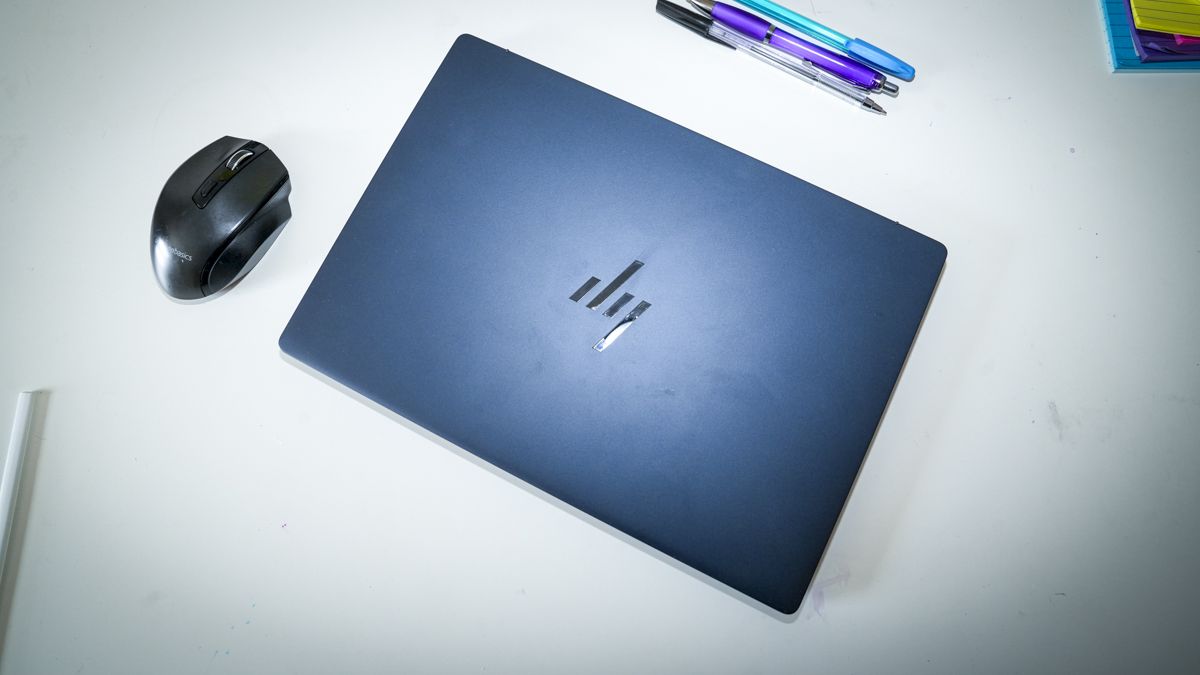
The EliteBook X G2i is deceptively lightweight due to the magnesium alloy that’s been used to make the outer casing, and as I’ve seen before with this material when it’s used in laptops, whilst the material itself is exceptionally strong, there is quite a bit of flex to it, which could be mistaken for a cheaper design.
However, the aesthetics back up the premium pricing of this business-focused laptop, and with its 14-inch screen and weight that comes in just below a kilo, it’s the perfect partner for anyone who travels frequently and needs a high-powered laptop to keep up with all their business dealings.
Inside is the latest Intel Core Ultra X7 358H CPU, which is coupled with Intel Arc B390 integrated graphics, and of course there’s also an integrated NPU to enhance all the AI potential from Copilot and other applications.
This laptop is obviously business-focused. However, that B390 GPU packs in some serious power, and whilst it isn’t gaming-focused, if you do want some downtime on a business trip, then this is very capable of playing some of the latest games. Whilst you might have to dial down some of the graphics, you’ll still get decent gameplay backed up with pretty decent audio.
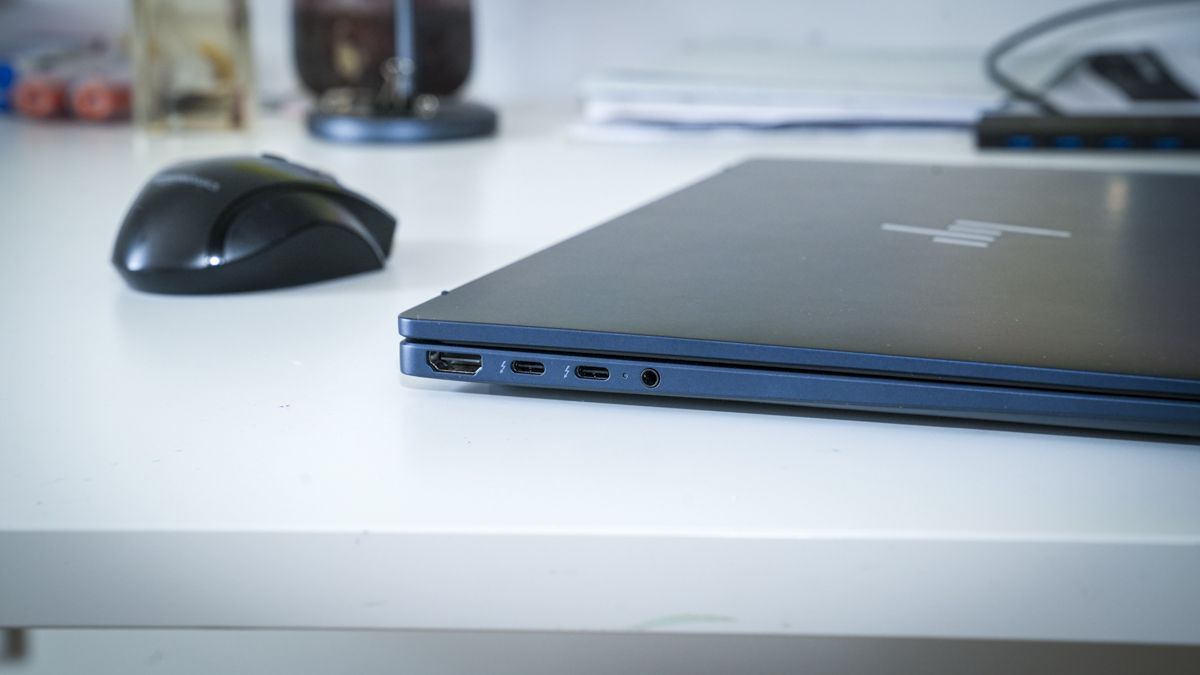
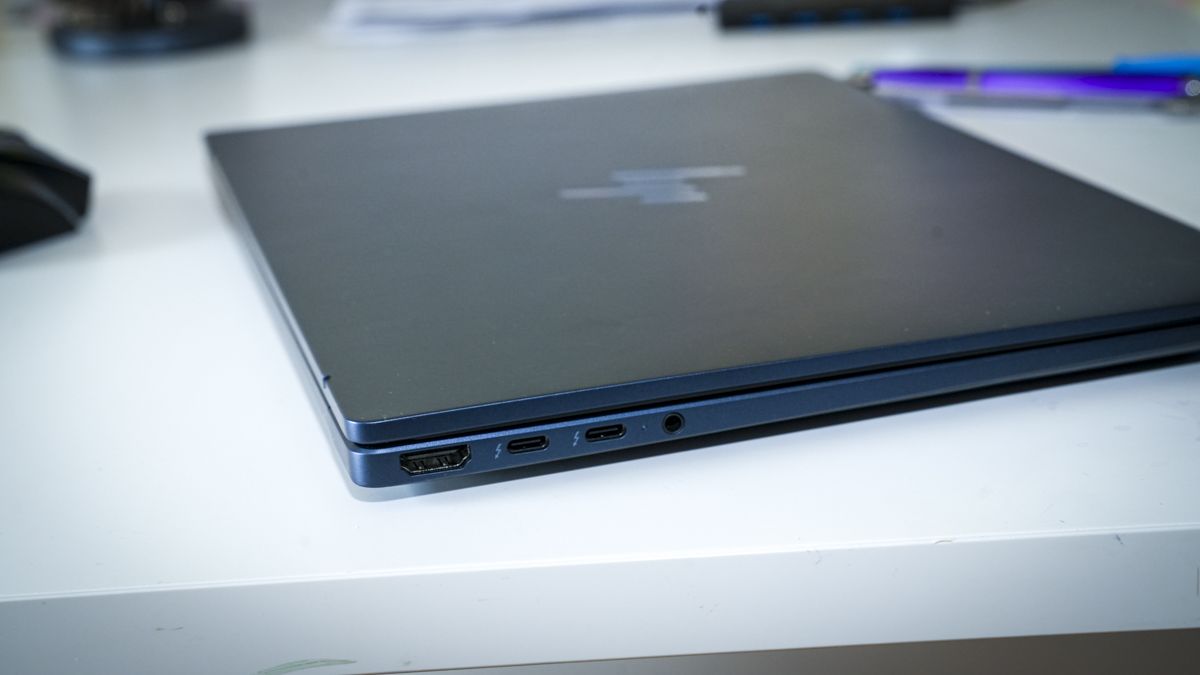
Checking over the body, there’s a select choice of inputs, including the full-size HDMI, so when you arrive at your destination you can plug into larger monitors or displays, including projectors for presentations. There are two Thunderbolt 4 ports that offer up to 40Gbps, so you can plug in larger external drives to expand on the relatively small 1TB internal SSD. On the right-hand side, there are two more ports: standard USB-A and a slower USB Type-C 3.2.
As I ran through the tests, first of all starting off with Microsoft Office, this laptop kept pace with opening Word documents, editing and updating spreadsheets, and creating PowerPoint presentations, and this was all well within the capabilities of this powerful laptop. What was especially relevant here was that 3K-resolution screen, which just gives you that extra bit of real estate so that, when it comes to laying out your work, you’re not struggling to see palettes or the presentation at full size.
As I swapped over to some creative applications, starting in Lightroom then progressing onto Photoshop, again the speed of this laptop really stood out. It handled Photoshop without issue, and Lightroom rendered libraries quickly. As I then progressed onto CapCut and then Premiere Pro for video editing. Whilst I did need to plug in an external SSD to boost the storage, the machine itself was more than capable of handling short 4K edits without missing a frame.
The only time the machine did start to show limitations was as I swapped over to playing games, and whilst it was capable of running Indiana Jones and the Great Circle and Hogwarts Legacy, as I started to crank up the graphics, I could start to see the frame rates struggle and the fans kick in. However, that said, using the standard settings set through the installation for these games, the gameplay was exceptionally good.
The power of this small machine is reflected in the price, and this is by no means cheap, especially when you consider it only has a 1TB hard drive and 32GB of RAM. When you go up to the next level, the price does dramatically increase.
However, I'd rate this as one of the best business laptops for those looking for a machine that goes well beyond everyday work. Yes, it supplies far more power than most people will require, but the balance of ability and cost is exceptionally well considered, and when you take into account just how powerful it is and just how lightweight, if you travel frequently, then this is a great option.
At present, the HP EliteBook X G2i is available for £2,445.59 including VAT, and in the US, a similar configuration to the one that I’ve looked at here retails for around US$3,599. The laptop is widely available either directly through the HP website or through most major retailers, both on the high street and online.
Value: 3.5 / 5
(Image credit: Alastair Jennings)
HP EliteBook X G2i: Specs
CPU: Intel Core Ultra X7 358H, 16 cores/16 threads, up to 4.8GHz Graphics: Intel Arc B390 integrated GPU RAM: 32GB LPDDR5x-9600 onboard Storage: 1TB PCIe NVMe M.2 SSD Display: 14-inch, 2880 x 1800, 120Hz, 500 nits, 100% DCI-P3 Left Ports: 2x Thunderbolt 4/USB-C 40Gbps, HDMI 2.1, 3.5mm audio combo Right Ports: USB-C 10Gbps, USB-A 5Gbps, nano security-lock slot Connectivity: Intel Wi-Fi 7 BE211 (2x2), Bluetooth 6 Audio: Poly Studio, four stereo speakers, dual microphones with AI noise reduction Camera: 5MP IR AI camera with privacy shutter
HP EliteBook X G2i: Design
When it comes to design, the EliteBook X G2i is incredibly understated. It’s finished in a dark blue, which HP has called Atmospheric Blue, which does give it a premium look, although when you first pick up the laptop, the lightweight build and the slight flex that you get with all-magnesium-alloy cases are slightly in contrast to what you expect.
However, having spent a couple of weeks fully testing the EliteBook X G2i and carrying it in my backpack, I’ve been impressed by both its durability and its lightweight design, which is far lighter than my usual MacBook Pro M1 Max, yet the power is easily equal to what the Mac is capable of.
Whilst the overall machine does look relatively small, as you open up the lid it reveals the large 14-inch screen, which is impressive with its 3K resolution, offering 2880 x 1800 resolution and a 120Hz refresh rate. As I sat in a café typing up this review with a bright light streaming in behind me, I was also impressed with the 500-nit brightness and the non-reflective screen that made it exceptionally easy to see the applications, where I have found in the past that some other screens are just too reflective.
Through the test, I planned a small video edit and PowerPoint presentations to create, and having to create these on the move seemed like a perfect time to put the laptop to the test. A couple of points that I noticed as I headed out the door were that the 1 TB SSD, which is fine for PowerPoint and most business-focused productivity, is still relatively small.
As I needed to also edit a video shot on the DJI OSMO Pocket 4P, I packed a Thunderbolt 4 portable SSD just to expand on the internal storage. This is where this laptop and its design really start to come into their own. The power is more than adequate for most productivity, but with that CPU and GPU combo, it’s also an ideal option for light to midweight creative applications such as Adobe Lightroom, Photoshop and Premiere Pro.
(Image credit: Alastair Jennings)
The only downside is that 1 TB SSD is rather limited. However, with those two USB4/Thunderbolt 4 ports on the side of the machine, I was able to connect a larger Thunderbolt 4 SSD to expand the storage, and this is a far cheaper option than opting for the larger-capacity internal SSD when speccing out the machine. The other point that I really like is that the HDMI on the side is full-sized, so when I arrived at the office or was ready for a lecture, I was able to plug the laptop directly into the existing system without the need for any adapters.
While the laptop is small and lightweight and packs in plenty of power, the one thing that impressed me more than anything else about the laptop was the quality of the keyboard. This is one of the best typing keyboards that I have ever come across on a laptop. The actuation of the keys is precise, and it has just a feeling of absolute quality. The keyboard layout is also well thought out, and whilst the cursor keys in the bottom right are half-sized, it’s just a pleasure to use.
When it comes to design, rather than aesthetics, it has a high-quality premium look, and whilst when you pick it up it is lightweight due to the magnesium casing, which does offer a little bit of flex, it is ultimately also extremely robust, just reinforcing its price point and intended use as a high-powered business machine to be used anywhere.
Design: 4 / 5
(Image credit: Alastair Jennings)
HP EliteBook X G2i: Features
The feature set of this business-focused laptop is impressive, with an Intel Core Ultra X7 358H at the heart of the machine. This offers 16 cores and 16 threads and a boost up to 4.8GHz, which is more than enough for any corporate work but is also good for creative use as well as a bit of light to moderate gaming. Graphics are supplied by an integrated Intel Arc B390 GPU.
This is one up from many that we see in this level and type of laptop, which does give everything a little bit more potential. My review sample was equipped with 32GB of LPDDR5X onboard RAM. This means that it’s soldered to the motherboard and can’t be upgraded, but this is plenty for most productivity and even for light to midweight creative image and video use, although you are starting to hit the limits with video editing, and 64GB is generally the preferred amount.
When it comes to storage capacity, there’s a 1 TB NVMe SSD. This is a decent balance considering the cost of the machine, and if you do need more for video or just to store data, then you can pick up a relatively large and fast portable SSD that can be plugged into the ultrafast Thunderbolt 4 ports on the side.
As I’ve seen with a lot of mini PCs and laptops recently, there’s also an integrated NPU, and this is the Intel AI Boost NPU that provides up to 50 TOPS of performance and essentially helps Copilot and Adobe applications run locally without requiring online services for their AI features. If you’re thinking of running a local LLM then you can, but at 32GB RAM the potential is limited.
Impressively, when it comes to connectivity, there’s Wi-Fi 7 and Bluetooth 6, so they're the current generations for both wireless connectivity options. When it comes to more traditional wired connectivity, there are two Thunderbolt 4 ports, which really show the premium level of this machine, and these support up to 40Gbps, ideal if you need to do some video editing.
But video and creative content aside, if you have large documents that you need to transfer to the machine or from one portable drive to another, then again that 40Gbps connection will be extremely welcome. Those ports also enable USB charging and DisplayPort 2.1. On the other side of the machine, there’s a further 10Gbps USB-C connection and a USB-A port for older devices if you need to connect them. This is really great to see on this level of machine, especially with its business focus.
Most importantly for business use is the fact that it offers HDMI 2.1, so if you need to connect up to a monitor, display or projector, then the full-size HDMI is pretty standard, so you shouldn’t need any other adapters. Essentially, you’ve got two different forms of connecting to displays: Thunderbolt 4 or the more standard HDMI.
The internal speakers for the laptop are also a bit of a surprise, and they offer really good audio clarity, both when listening back to meeting presentations and for playing games and listening to music. I also found that these were good, clear and loud for video conference calls, and those I was speaking to were able to hear me nice and clearly.
One of the big features of this new HP laptop is the HP business security suite, and as you start up, you get access to the full suite and its features, which include HP Admin, Sure Click, Sure Recover, Sure Sense and Tamper Lock. These all need to be set up by yourself or your IT team, but to have them all featured here just shows once again the focus on security and business of this laptop.
Features: 4.5 / 5
HP EliteBook X G2i: Performance
(Image credit: Alastair Jennings)
Benchmark scores
CrystalDiskMark Read: 3,470.97 MB/s CrystalDiskMark Write: 3,475.15 MB/s Geekbench 7 CPU Multi: 16,654 Geekbench 7 CPU Single: 2,106 Geekbench 7 GPU: 56,062 PCMark Overall: 7,522 Cinebench 2026 CPU Multi: 3,407 Cinebench 2026 CPU Single: 411 Fire Strike Overall: 13,767 Fire Strike Graphics: 17,305 Fire Strike Physics: 25,084 Fire Strike Combined: 4,289 Time Spy Overall: 6,918 Time Spy Graphics: 6,425 Time Spy CPU: 12,241 Wild Life Overall: 46,556 Steel Nomad Overall: 1,638 Sky Diver: Not recorded Windows Experience Overall: 8.9 Procyon: 1,667
Getting started with the HP EliteBook was all straightforward enough, and as I lifted it from the box, the first thing that struck me was just how lightweight this laptop is. With its magnesium-alloy casing, it had a nice, premium feel. There is a little bit of flex on the top of the machine, which you often get with these lightweight metals. That can be a bit deceptive, since you would normally associate that with cheaper units. However, through the two weeks of solid testing of this laptop, it was very obvious just how durable it is despite that slight flex.
Once the laptop is powered on, I ran through the usual Windows 11 Pro setup, which should take between 10 and 20 minutes depending on the options that you select. It also enables Windows Hello, so you can open and access the laptop using your face rather than needing to type in a password. It’s then a case of setting up any applications that you want, and HP has included its security suite here as well, which prompts you at various stages to complete the setup.
The HP security suite essentially offers lots of different features, including malware threat protection, credential protection, a secure browser, OS resiliency, application persistence and other features. You do need to activate it and register, but for the first year it all seems to be free.
As I started out the test, loading Microsoft Office to check out productivity, and as the Windows Experience score of 8.9 highlighted, this laptop just takes all Windows applications in its stride. Opening up Word, PowerPoint and Excel, running all three and quickly switching between each was as fast as any laptop.
But what really stood out here was that 3K-resolution screen, which just gives you far greater real estate for all the panels, and whilst everything is obviously a little bit smaller on screen, you can see an awful lot. There’s really good, high-quality clarity to the visuals.
A quick run of Geekbench 6 and 7 highlighted just how fast the Intel Core Ultra X7 358H is, and really, for all productivity, this machine is right at the top of what you would need. This was once again reinforced by the PCMark score.
As I progressed from productivity to creative applications and looked at Adobe Lightroom and Photoshop, again the speed of the processor and GPU working together provided a great balance.
The extra resolution that the screen offers over the lower-resolution screens that you often see on this size of laptop really does make a difference, especially in Photoshop, where navigating panels was just that much easier. Opening multiple images open shot on the Canon EOS R5 C, the clarity of the images was exceptionally good, and I was impressed with the overall colour accuracy of the monitor.
The other point here was that, as I opened up Adobe Bridge to view the thumbnails of the images shot, the machine was able to render the thumbnails quickly. Whilst there was still some render time, it kept up with the pace of the scrolling, and there was no point where I had to wait for minutes for those thumbnails to appear.
Opening up palettes, layers and working on images with enhancements was absolutely no challenge to the CPU or GPU, and even when I utilised Generative Expand on a couple of images to take them from 16:9 to 21:9 aspect ratio, the machine was able to process those locally, and the results were exceptionally good.
My only point through editing was the lack of SSD space for images. However, that Thunderbolt port on the side, with a portable SSD connected, expanded the storage easily and cheaply. This storage was again utilised for video editing, as there’s just not enough space on that internal SSD to store much.
But with the Thunderbolt 4 connection offering 40Gbps, Premiere Pro was able to access the drive with speed for both media and caching, and short five-minute video edits were completed with absolute ease, including transitions and rendering.
The one surprise here was that the performance of the internal SSD was far slower than I expected, with read and write speeds around the 3,500MB/s mark, which, considering the premium price tag and the positioning of this laptop, was slower than I had expected, with most laptops these days offering at least 5,000 to 6,000MB/s.
However, for general productivity this speed is more than sufficient, and even for image editing and most video it will keep up with the speed. It’s only when multiple files are being accessed or transferred that you will start to see a slight slowdown.
To finish off the test, I loaded up Indiana Jones and the Great Circle and was pleased to see that, firstly, it loaded without issue, and the gameplay was pretty solid, with smooth motion and graphics, although some of the more advanced effects were turned down. Likewise, Hogwarts Legacy was equally impressive on speed, and again, whilst some of the effects were turned down, the overall quality of the animation and gameplay was superb.
This is a business-focused laptop, and that’s obvious from the aesthetics, design and weight, coming in at less than a kilo, which makes it a perfect option for travel. Whilst many lightweight laptops sit in the premium bracket they can also be underpowered, however, here the Intel Core Ultra X7 358H packs in far more power than much larger laptops, and from productivity to creative work and even gaming, this laptop was more than powerful enough to run them all.
The other point that really impressed me was the fact that there’s a good selection of ports, with Thunderbolt 4 being supplied over the usual USB4 Type-C, and full-size HDMI and a standard USB Type-A, which enable plenty of flexibility for connectivity wherever you are.
However, surprisingly, the feature that really stood out to me beyond anything else was the quality of the keyboard. It felt much nicer to type on and higher quality than I’ve seen on far more expensive laptops, and the typing experience was fluid and swift. For me, when you look at the price, specifications, and quality of the screen and keyboard, that makes this laptop an exceptionally good option for business.
Performance: 4.5 / 5
HP EliteBook X G2i: Final verdict
(Image credit: Alastair Jennings)
This ultralight 14-inch business laptop is powered by Intel’s latest Core Ultra X7 358H processor and backed by Arc B390 graphics. Wow, this laptop is ultra-light. The performance has been levelled up, as there is plenty of power beyond simple office tasks, and whilst it’s perfect for all productivity, its abilities will also stretch to some relatively midweight creative use, including editing video and dealing with the latest AI tasks.
The EliteBook X G2i does sit at the premium end of the laptop range, especially when you consider that it just has 32GB of RAM and a one-terabyte internal SSD. However, the lightweight design is backed by some serious processing and graphics potential. When it comes to pure productivity, there are few other laptops at this price that can match it on power.
There are things that are limited, such as that upper limit of RAM and the storage capacity, and whilst the storage can be boosted due to the fact that it features two Thunderbolt 4 ports, the RAM will be a bit of a limitation if you are looking for a laptop that not only enables you to use all the Microsoft Office applications at the top of their performance but is also a very capable 4K video-editing machine.
Whilst it is able to edit 4K video with relative ease, the internal SSD is a limitation, as is the 32GB of RAM. However, for the lightweight use intended, it will be more than sufficient.
Essentially, what you have here is a very powerful laptop that matches the power that you would usually expect from something a lot larger and heavier, which makes this an ideal option for anybody who travels frequently and needs a powerful laptop that they can always carry with them.
Some of my early worries about the robustness of the build due to some slight flex in the casing were gradually dispelled, and it proved that the magnesium material was robust and strong after lasting out the test as I carried it around in my backpack for a couple of weeks. However, I would’ve preferred, for a laptop at this price, for that top casing just to be a little more rigid.
When you look at competitors at this end of the market, and at this price, the HP EliteBook X G2i is exceptionally well priced. But what gives it the edge is not the power but the keyboard, which I can say is one of the nicest keyboards that I’ve ever used.
Should I buy the HP EliteBook X G2i?
(Image credit: Alastair Jennings)
Value
this is a business-focused laptop, and for its high-powered CPU and GPU, you are paying a premium.
3.5
Design
exceptionally light and slim, perfect for travel, but there is some flex in the casing
4
Features
well-balanced set of features for general use; however, for creative use I’d probably opt for the 64GB version.
4.5
Performance
all-round excellent performance from the CPU, GPU and NPU for both productivity and creative use.
4.5
Overall
if you need a robust, powerful, lightweight laptop for travel, then this is an exceptional option.
4
Buy it if...
Travel is essential
At just under a kilogram, the EliteBook is seriously lightweight, and packing in powerful components, it’s a great option for travel.
Graphics actually matter
The Intel Arc B390 graphics are exceptionally good and proved very capable for both creative use in Photoshop and Premiere Pro, as well as some 3D modelling and rendering within Blender.
Don't buy it if...
Value comes first
This is a business-focused machine, and with that focus come certain features and components that all command premium prices. You can get cheaper machines with just as powerful components for a lesser price.
Gaming is a priority
While the Arc B390 GPU is impressive for general and creative use, if you’re into gaming, then you are going to want a GPU with a little more power.
Apple's most extreme Mac Studio, an M5 Ultra with 512GB of memory aimed at running huge AI models locally, is due to ship in late October. And that might be one reason why I'm seeing the - ahem - "cheaper" M5 Max model dropping $200 in price right now.
• Best for: Creative professionals and AI developers who want Mac Studio power without paying M5 Ultra prices.
• Why it matters: We're expecting to see more of the 512GB M5 Ultra at Apple's upcoming event next week. And I reckon we could be looking at prices starting well above $10,000. That makes the M5 Max Mac Studio the machine most people can realistically buy, and it's now cheaper as the new flagship approaches.
Today's best Mac Studio (M5 Max) deal
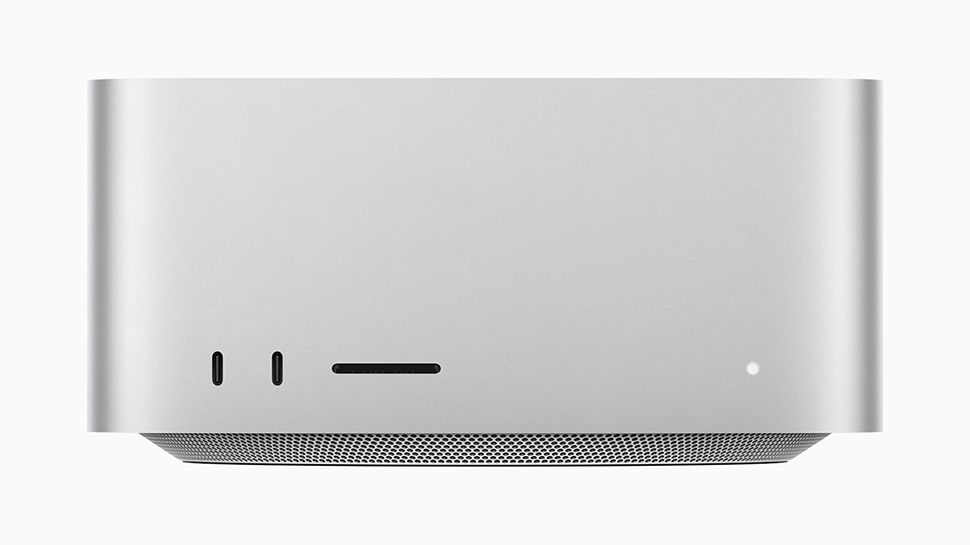
Mac Studio (M5 Max): was $2499 now $2299 This is the base M5 Max configuration, with an 18-core CPU, 32-core GPU and 16-core Neural Engine. It has four Thunderbolt 5 ports, 10Gb Ethernet, HDMI 2.1, an SD card slot and Wi-Fi 7, and B&H notes that supply at this price is limited.View Deal
Why we recommend it
Our roundup of M5 Ultra Mac Studio reviews revealed the Ultra's real strength is local AI, while its multi-core lead over the M5 Max is only about 26% and single-core performance is about the same, which is why the roundup points most creative users to the M5 Max. The M5 Max is the best-suited model for most professionals, as 36GB of memory fits many workflows. However, 1TB is a more practical starting point for storage than 512GB, and that's currently discounted to $2579 (was $2799) on the site.
Price Context & Historical Value
At $2,299, this is $200 (8%) off Apple's $2,499 starting price. Now, Mac Studio discounts may improve in the months after launch, especially around Black Friday, so this may not be the lowest price it reaches - but it's the lowest I've seen right now. As with previous Macs, you can't upgrade the memory in this model later, so make sure 36GB is enough before you buy.
Should you buy it?
✅ Buy the Apple Mac Studio (M5 Max) if...
You want Mac Studio performance for creative work or local AI at around $2,300, and you don't need the M5 Ultra's 512GB memory ceiling.
❌ Skip the Apple Mac Studio (M5 Max) if...
You need the 512GB M5 Ultra for large local AI models, or you want more than 512GB of storage without an external drive.
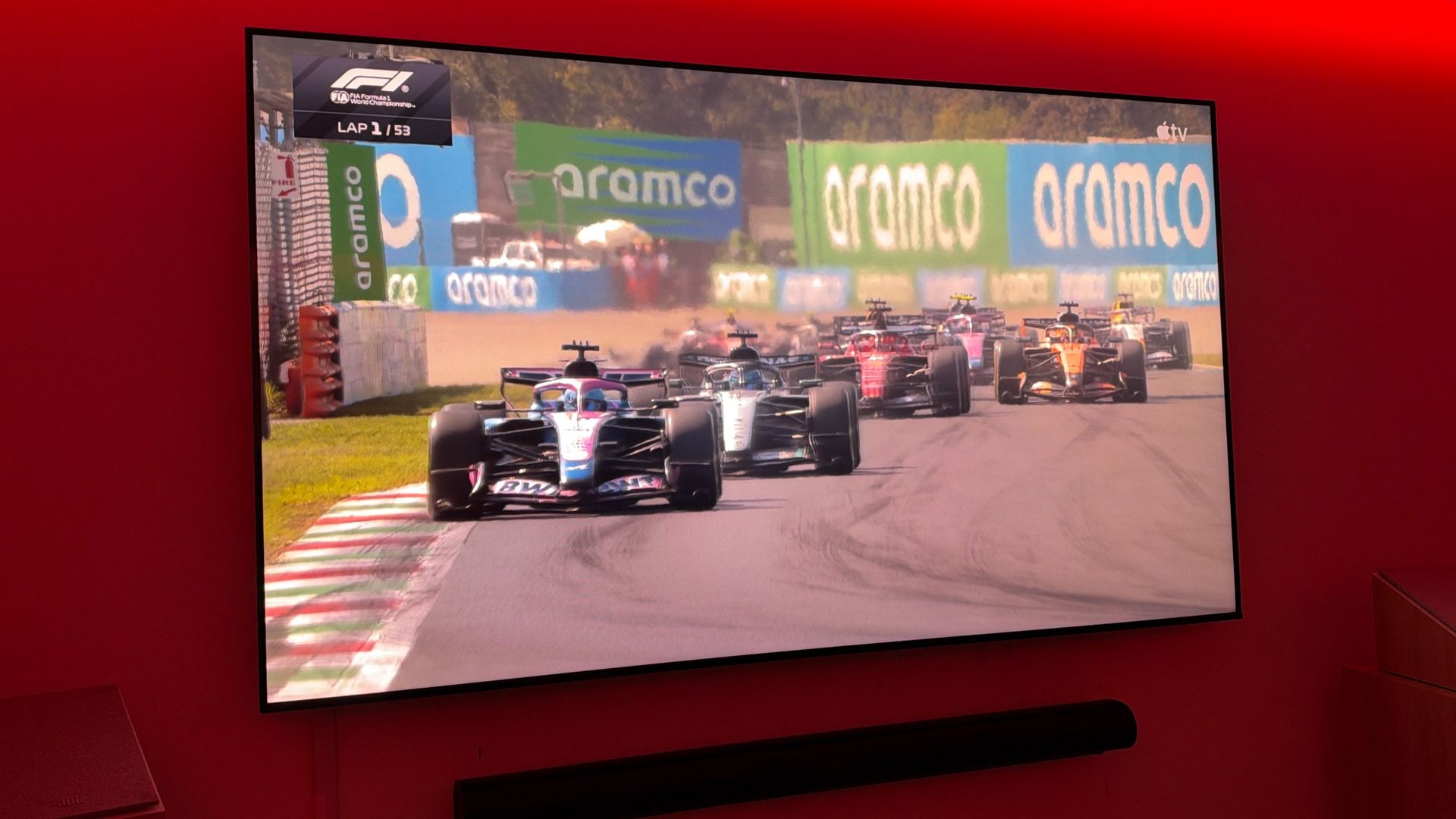
With extended commentary, original content, and more in addition to race coverage, Apple has aimed to innovate and differentiate the experience from what it formerly was. For starters, if you subscribe to Apple TV in the States, you get it for free. On top of that, there's a clean, modern set of visuals around the action, with several view options, including the ability to customize your own multi-view setup, and, most notably, Dolby Vision support.
Apple wants to up the immersion, though, and is deepening its partnership with Dolby to bring Dolby Atmos to its live broadcast of Formula 1 races, starting with the United States Grand Prix in Austin, Texas. Notably, it doesn't require changing microphones or the existing race-broadcast setup.
Speaking with TechRadar, Jim DeLorenzo, Apple's Global Head of Sports, noted that this innovation had been on the vision board for quite some time. "One of the things that we thought about for quite some time is the audio side of that... how can we get to a point where we have not just Dolby Vision, but Dolby Atmos."
And Apple isn't swapping out the microphones used around the track to make it happen. "We don't change the mic array for this," DeLorenzo told TechRadar. Instead, Apple is working with the existing microphone setup used for the F1 broadcast.
If we can bring a little bit more of this into somebody's viewing experience when they're not at the track, that's going to help connect them a little bit more
Jim DeLorenzo
DeLorenzo said sound is a big part of what makes a live event feel different from watching at home. "Any sporting event, when you're there, one of the things that is so impactful on the experience is the sound," he said. "Because the sound in an F1 race is so visceral... if we can bring a little bit more of this into somebody's viewing experience when they're not at the track, that's going to help connect them a little bit more."
(Image credit: Future/Jacob Krol)
"We are always trying to figure out, how do we break down that barrier a little bit between the people who can go to the event and the people who are watching at home?" DeLorenzo added. "Because the reality is, the vast majority of people are not going to the live sporting event that they're watching, right? They're watching at home. So, we want to try and break that down so people can have that same kind of experience and feel like they're there."
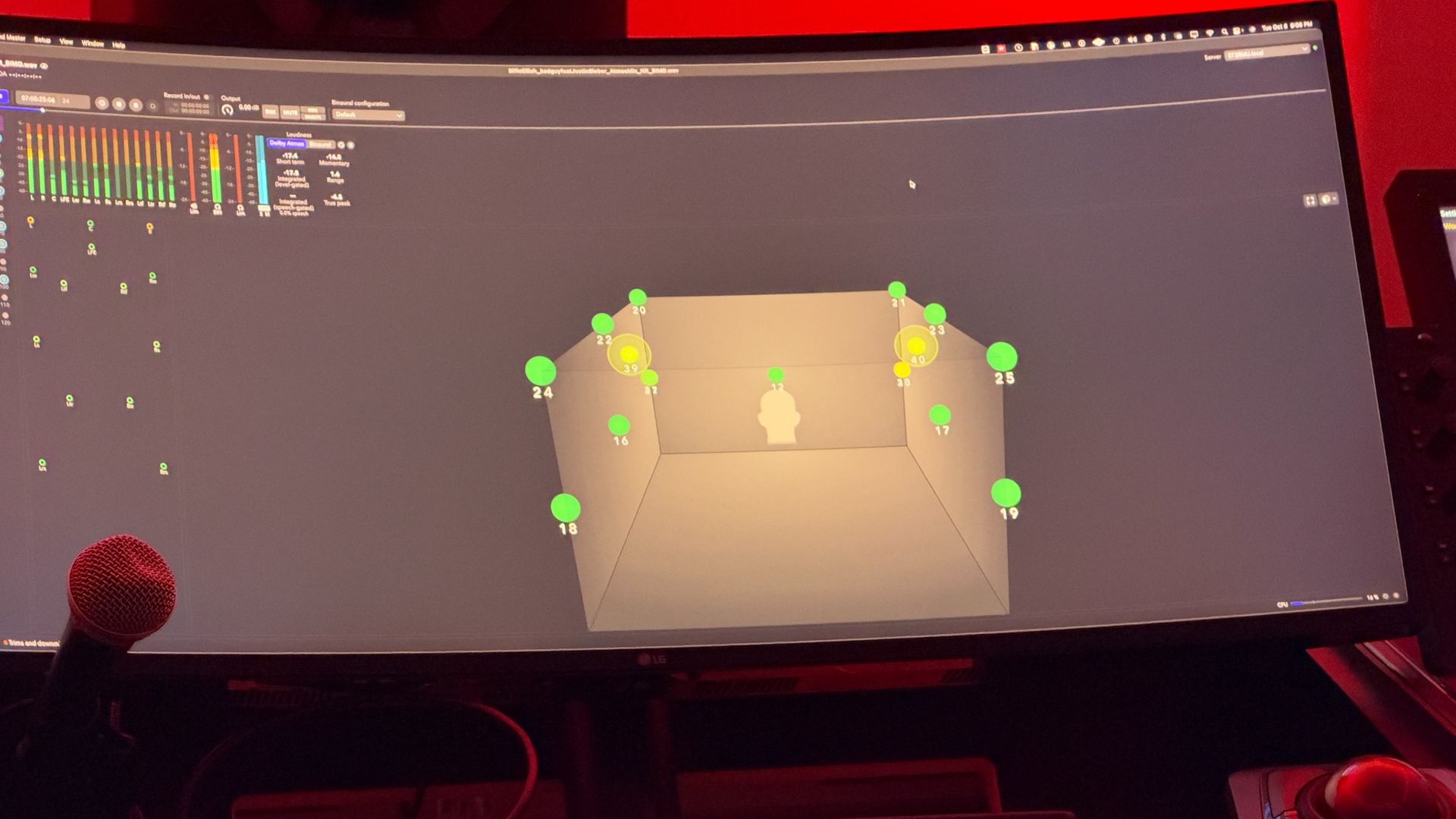
I got to hear a Dolby Atmos mix of some previous races, played as a clip at an event in New York City. Unsurprisingly, it's a night-and-day difference, one that not only adds spatial audio, especially in a room outfitted with a full 9.1.4 setup, but also pulls you into the action. If cars zoom left to right across the screen during a turn, you hear them move that way.
It's similar to the Spatial Audio experience on AirPods Max or Beats 360, but the Dolby Atmos mix is even more impressive for live sport because it pulls you in. You hear the roar and rumble of the engines, the crowd's cheers, and the general atmosphere of the track.
It will never be the same as being in the grandstands or the paddock, but it gives you a better sense of what's happening in a given scene, and you can spot a leading car, or one making a move in a turn ,a bit more quickly. The audio matches the visuals for a more immersive, closer-to-the-stands feel. You can even hear it in the footage I filmed of the engineers switching from the stereo mix to the Dolby Atmos mix.
DeLorenzo says the production team was excited about it: "This one is pretty cool in that it's never been done before with F1," he said. "When you can do something that's never been done before... it raises the bar even more."
(Image credit: Future/Jacob Krol)
Dolby Atmos with Formula 1 broadcasts is a first, but whether that eventually extends to MLS or Friday Night Baseball remains to be seen.
However, judging by other firsts, as with Friday Night Baseball being shot with the iPhone 17 Pro and iPhone 17 Pro Max, and then Apple TV expanding that to MLS, it’s clear that innovations tend to be spread around.
We're trying all kinds of stuff that hasn't shipped yet
Jim DeLorenzo
As for what comes next for Formula 1, Apple isn't saying. "It's still just year one," DeLorenzo noted, and the company is "always trying to see how we innovate and go bigger and make the experience better for fans."
While Apple isn't saying what those next steps might be, DeLorenzo teased that things are already happening behind the scenes. "We're trying all kinds of stuff that hasn't shipped yet, that we hope to ship at some point," he told me.
Might that mean a truly immersive experience fit for Vision Pro, as we’ve seen with select NBA games or Friday Night Baseball? Or maybe it’s mounting an iPhone on a Formula 1 car or at the finish line, or even pulling just the sensor similar to F1 The Movie?
Time will tell, but for now I'm excited to hear them punch it in Dolby Atmos for the United States Grand Prix in Austin come October 22.
A new dark web monitoring service has been launched for Netgear customers
Netgear Dark Web Monitoring is available on Netgear routers supporting its Armor and Armor Plus plans
Expert analysis of the dark web shows that over 15 billion personal records are available to purchase
Netgear has announced a new service whicht conducts dark web monitoring and notifies you when your stolen data is found lurking in someone else’s database.
Announced as part of its Armor and Armor Plus plans, the Dark Web Monitoring service is available to subscribers via the Netgear app.
The dark web is the hidden arena of the internet where various “out of sight” transactions are conducted. While it has legitimate uses (such as dissidents accessing resources via Tor), it is also the home of a black market in data – typically stolen from large organizations, companies, and governments in successful hacking attempts.
Collection of tools
Owners of the data should be notified by law when their information is stolen. However, often it isn’t until personal information (and more valuable data such as company secrets or software engines) hits the dark web that companies are even aware that they have been hacked. This makes dark web monitoring services such as Netgear’s new feature particularly attractive.
Netgear’s service is added to its existing collection of tools for Armor and Armor Plus subscribers. These include protection against malware and exploits, intrusion, anomaly, and DDoS detection and protection, and a VPN with adblock and anti-tracking.
The dark web monitoring feature adds to these by offering continuous monitoring of the dark web for emails, phone numbers, and financial details lost during a data breach. National Insurance numbers are also monitored.
If anything is found, Netgear Dark Web Monitoring sends alerts and recommends actions. It also offers an Identity Protection Score to illustrate exposure, and as households improve their security the tool tracks their progress.
Finding exposed data
While free services can uncover data that has been exposed in data leaks, the dark web is home to stolen information that may not yet be disclosed. This could be because the organization that has been hacked hasn’t got around to sharing the breach with their customers – or because they don’t know it has even happened.
This makes an active monitoring service like Netgear Dark Web Monitoring particularly valuable.
“Most people think about network security as something that happens within their home,” says Jonathan Oakes, Senior Vice President and General Manager of NETGEAR’s Home Networking Division. “But your details can end up exposed somewhere else entirely, in a breach at a company you’ve never even dealt with directly. Dark Web Monitoring means finding out while there’s still time to act.”
Netgear Dark Web Monitoring is available with its routers’ Armor ($99/year) and Armor Plus ($149.99/year) plans, available to be purchased via the Netgear app.
The discounts are available across the Fire TV Stick range, from the budget-friendly Fire TV Stick 4K Select to the range-topping Fire TV Stick Max.
We'd recommend looking at all of the offers here, not just the very cheapest or the biggest discount. That's because there are some crucial differences between Fire TV models. For example, if you want the most cinematic experience with Dolby Vision HDR and Dolby Atmos, the Fire TV Stick 4K Plus or Max are the ones to buy.
Here are our picks of the Fire TV Stick 4K Prime Day deals, with the US ones listed first and the UK ones immediately afterwards.
Today's best US Fire TV Stick deals
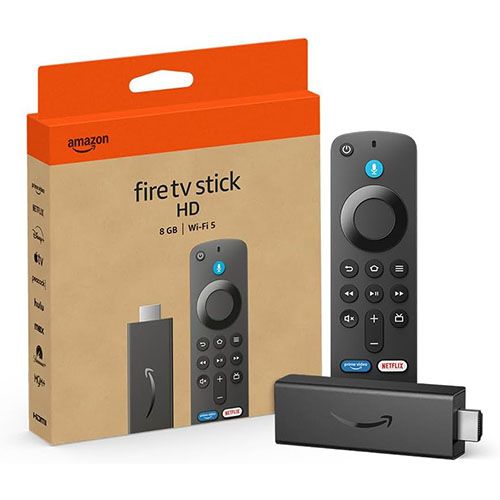
Fire TV Stick HD (newest model): was $39.99 now $15.99 The Fire TV Stick HD is cheap and cheerful, and this version is the fastest HD streaming stick that Amazon has ever made. It delivers full HD resolution and supports Wi-Fi 6 for smooth streaming, and it comes with the full Fire TV Experience with personalized recommendations from Alexa+. Its tiny size makes it a good option for travelling too: it's powered by your TV's USB port so it doesn't need a dedicated power adapter.View Deal
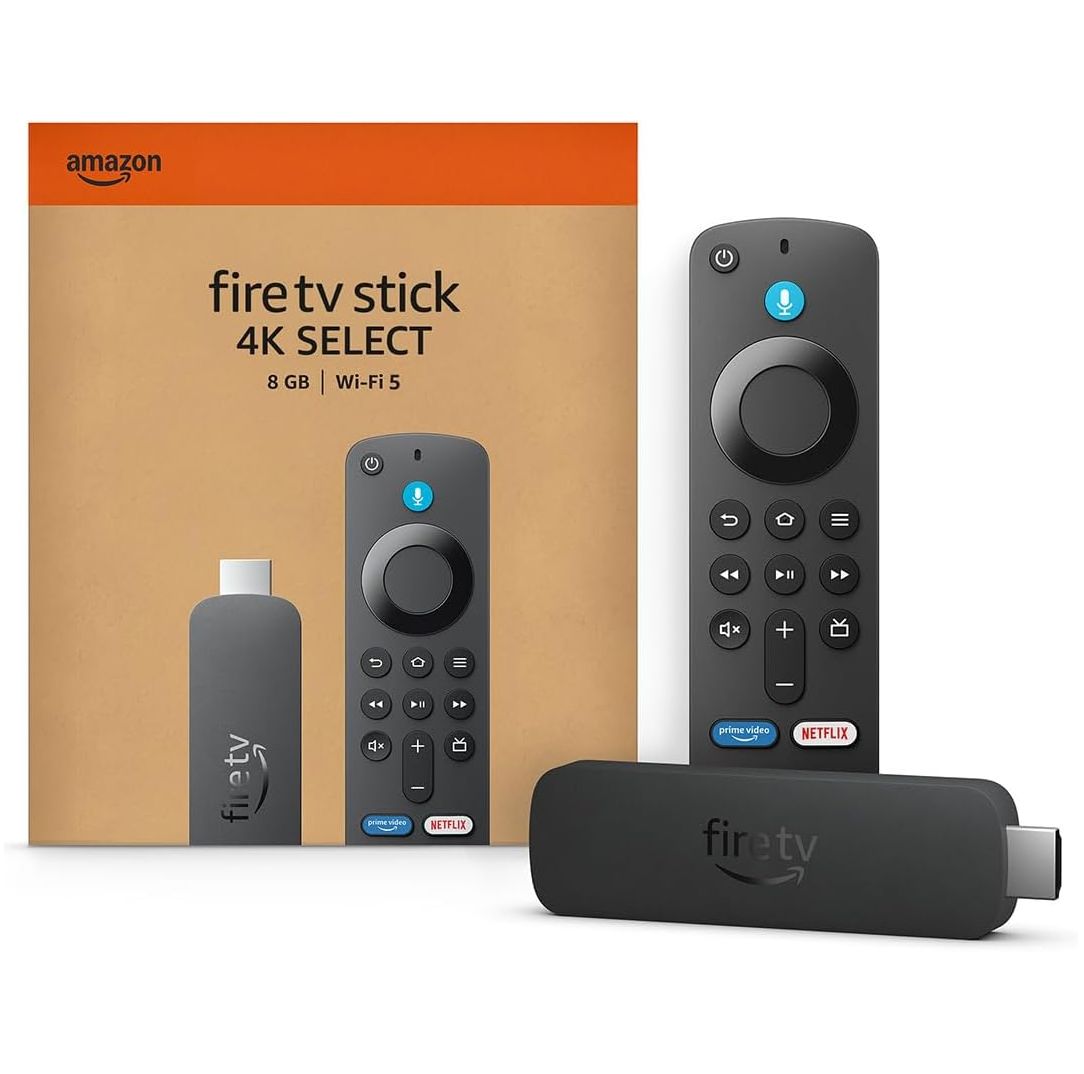
Fire TV Stick 4K Select: was $49.99 now $17.99 With a whopping 64% off the usual list price this is one of the deepest Fire TV Stick discounts we've seen. 4K streaming for under 20 dollars is incredible value, although it's worth noting that this model doesn't have Dolby Atmos or Dolby Vision support: you need the Plus or Max for that. But if that's not an issue this is a really good deal on an AI-powered 4K streamer with HDR10+ and all the key streaming apps.View Deal
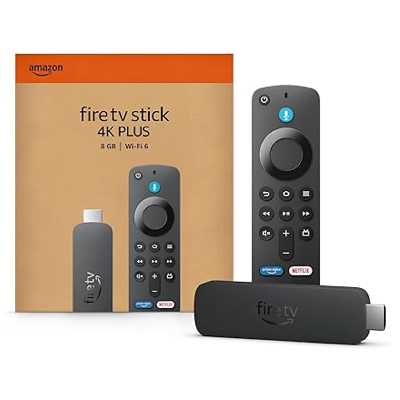
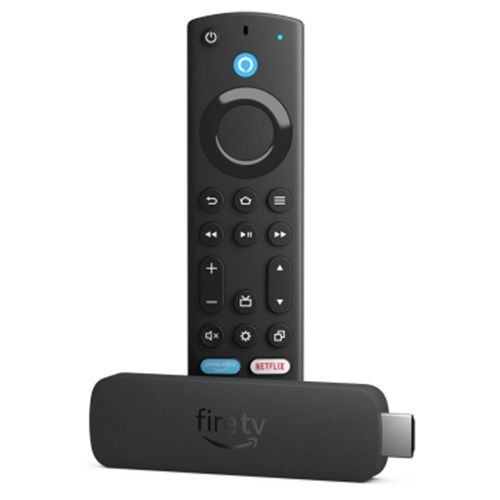
Optimized for 4K TVs, the Fire TV Stick 4K Plus is currently discounted by 37%. This is a really good one for gamers, because you can connect your Xbox Game Pass account and Xbox controller to stream big-name titles via the cloud. There's also support for Amazon's own Luna gaming service. The Plus also gives you Alexa+, AI-powered suggestions, Dolby Vision and Dolby Atmos.View Deal
Fire TV Stick 4K Max (newest model): was $84.99 now $44.99 With 44% off, the Fire TV flagship is a very tempting buy. It's the fastest, most powerful model in the range, with Wi-Fi 6E, Xbox and Luna gaming, Dolby Vision, Dolby Atmos, the Fire TV Ambient Experience to turn your TV into an art gallery and 16GB of storage for apps, games and downloads. View Deal
Fire TV Stick HD (newest gen): was £59.99 now £19.99 With a whopping 67% off the usual RRP, this is the cheapest Fire TV Stick 4K in the Prime Day deals and it's an excellent way to add streaming to any HD TV. If you don't need 4K there's no need to buy a more advanced model: this one has Wi-Fi 6 for smooth streaming, the latest Fire TV Experience, all the key apps and easy connection via your TV's USB and HDMI ports. The included Alexa Remote can control not just your Fire TV Stick but your TV and soundbar too.View Deal
Here's another huge discount: 66% off the Fire TV Stick 4K Select. It takes the key features of the Fire TV Stick HD and upgrades it to 4K picture resolution with HDR 10+. You get the same Fire TV Experience along with all the key streaming apps, easy connection and Alexa voice search.View Deal
Fire TV Stick 4K Plus: was £79.99 now £34.99 We've upgraded from HD to 4K; the Plus adds Dolby Vision HDR, Dolby Atmos and cloud gaming from Amazon's own Luna service and Xbox Game Pass (subscription and controller required). That makes this a really good option for gaming, not least because with Game Pass you're getting Xbox gaming without having to spend £400-plus on an Xbox.View Deal
Fire TV Stick 4K Max (newest gen): was £99.99 now £46.99 The Max is the most powerful Fire TV Stick, but at a smidgen under £100 it was a tough sell compared to the much more affordable Fire TV models. But this Prime Day deal takes it under the £50 mark, so it's only £12 more expensive than the Plus. It ups the Wi-Fi from 6 to 6E, turns your TV into an art gallery with the Fire TV Ambient Experience and once again delivers Game Pass and Luna gaming, Dolby Atmos and Dolby Vision HDR.View Deal