Hackers can now steal people’s cryptocurrency wallet seed phrases, even when they are stored as an image file, experts have warned
When a user sets up a new crypto wallet, they get a “seed phrase” - a set of 12 or 24 random words, which can later be used to restore the wallet in a new app or device (in case of loss or theft). Crooks that happen to steal a seed phrase can manage the money found in the wallet however they like.
But when a person saves the seed phrase in an image file (for example, with a screenshot), it makes the criminals’ job that much harder.
A highly potent threat
Enter Rhadamanthys version 0.7.0, recently introduced and carrying new, important bells and whistles. Recorded Future's Insikt Group recently analyzed this new version and released an in-depth report, which states that the infostealer now comes with Artificial Intelligence (AI) capabilities, and allows for optical character recognition (OCR).
Together, these two tools are called "Seed Phrase Image Recognition" which, in the above context, is pretty self explanatory.
"This allows Rhadamanthys to extract cryptocurrency wallet seed phrases from images, making it a highly potent threat for anyone dealing in cryptocurrencies," Recorded Future's Insikt Group said in its analysis. "The malware can recognize seed phrase images on the client side and send them back to the command-and-control (C2) server for further exploitation."
Even before the new features, Rhadamanthys was a potent, and popular infostealer. It was first discovered back in 2022, and has since grown into one of the most formidable pieces of malware. Hackers can subscribe to the service, paying $250 a month for the infostealer (or $550 for 90 days).
The latest version was released in June 2024, and comes as a "complete rewrite of both client-side and server-side frameworks, improving the program's execution stability." Recorded Future concluded.
When 2025 rolls around, I’ll have been a professional fitness writer for ten years, and a professional technology writer for five. In my long career writing about fitness and fitness tech, I’ve tried almost every category of workout equipment and health-based technology you can imagine.
I really mean it.
I’ve tried all manner of gadgets in the name of a review, from smart glucose monitors that require needles in your arms to smart sleep masks that play soothing sounds. I’ve tried intelligent insoles that slip into your shoes to tell you about your running gait, and AI-powered cameras that help you work out with dumbbells.
Smart workout mirrors? Smart rings? Peloton classes? Electro-stimulation to improve muscle tone? Bone-conduction headphone technology? All boxes checked.
It’s a far cry from reviewing the best fitness trackers and best running shoes on the market. In that time, amongst all the gadgets I’ve tested, there’s only a handful of pieces of hardware that I really use in my personal life on a regular basis.
It almost says a lot about the state of the industry that each piece of wellness tech is marketed as a game-changer, a problem-solver, yet I keep coming back to the same old bits of kit. As someone with unfettered access to all the gear in TechRadar towers, that says a lot. So, without further ado, below I’ve listed the only pieces of tech I go back to time and time again.
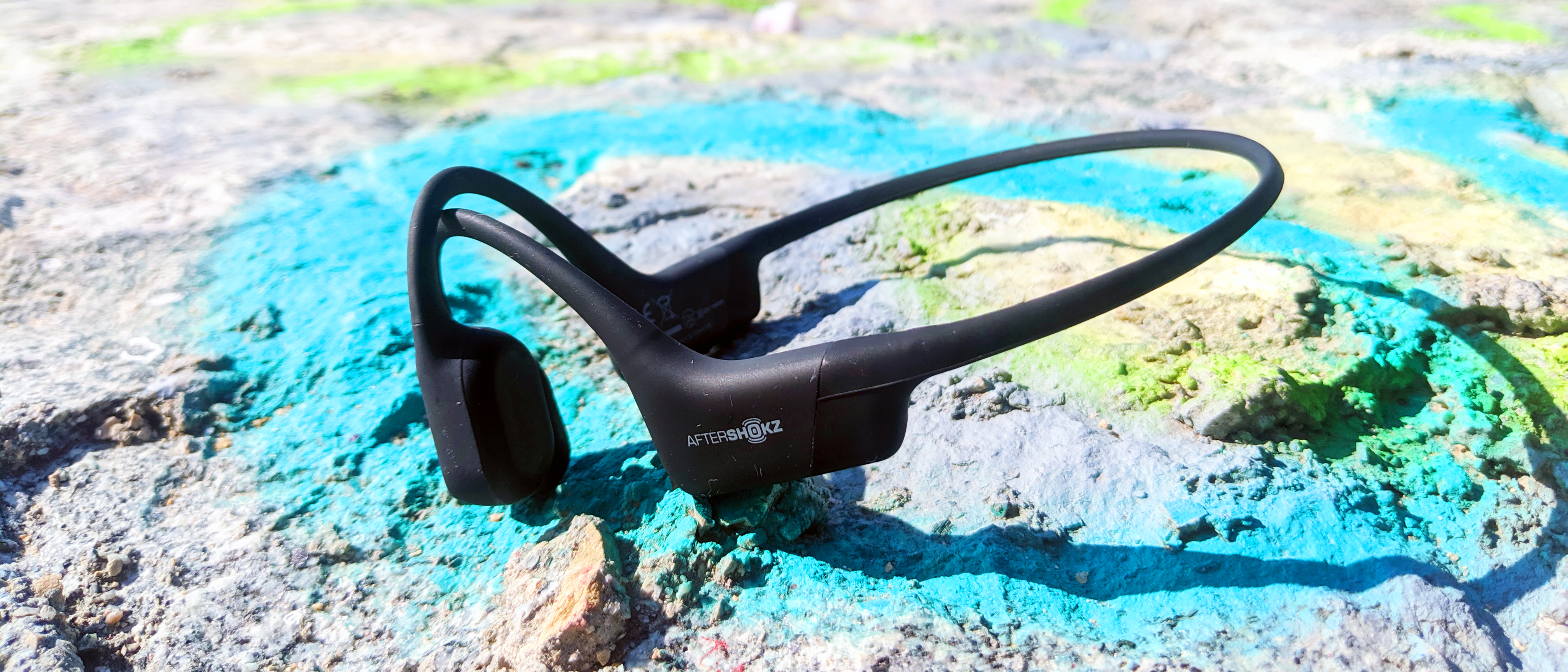
Bone conduction headphones: Shokz OpenRun
(Image credit: TechRadar)
Whether you’re running, cycling or doing any form of exercise outdoors, it pays to be aware of your surroundings.
I’ve used Shokz OpenRun for years as a way to listen to music or podcasts broadcasting from my phone during runs without sacrificing situational awareness. You could technically do the same thing with AirPods or other workout headphones using their HearThrough or Conversation modes, but the best bone conduction headphones are built to leave your ears free.
While the OpenRun Pro are more expensive, offering faster charging and longer life, I still use the original OpenRun and have experienced no problems with the battery even after all this time.
They’re comfortable to wear for long periods and during very long runs, I also call my wife or family to break up the monotony and they can hear me just fine.
This is the set of headphones that got me through two marathons over two consecutive years.
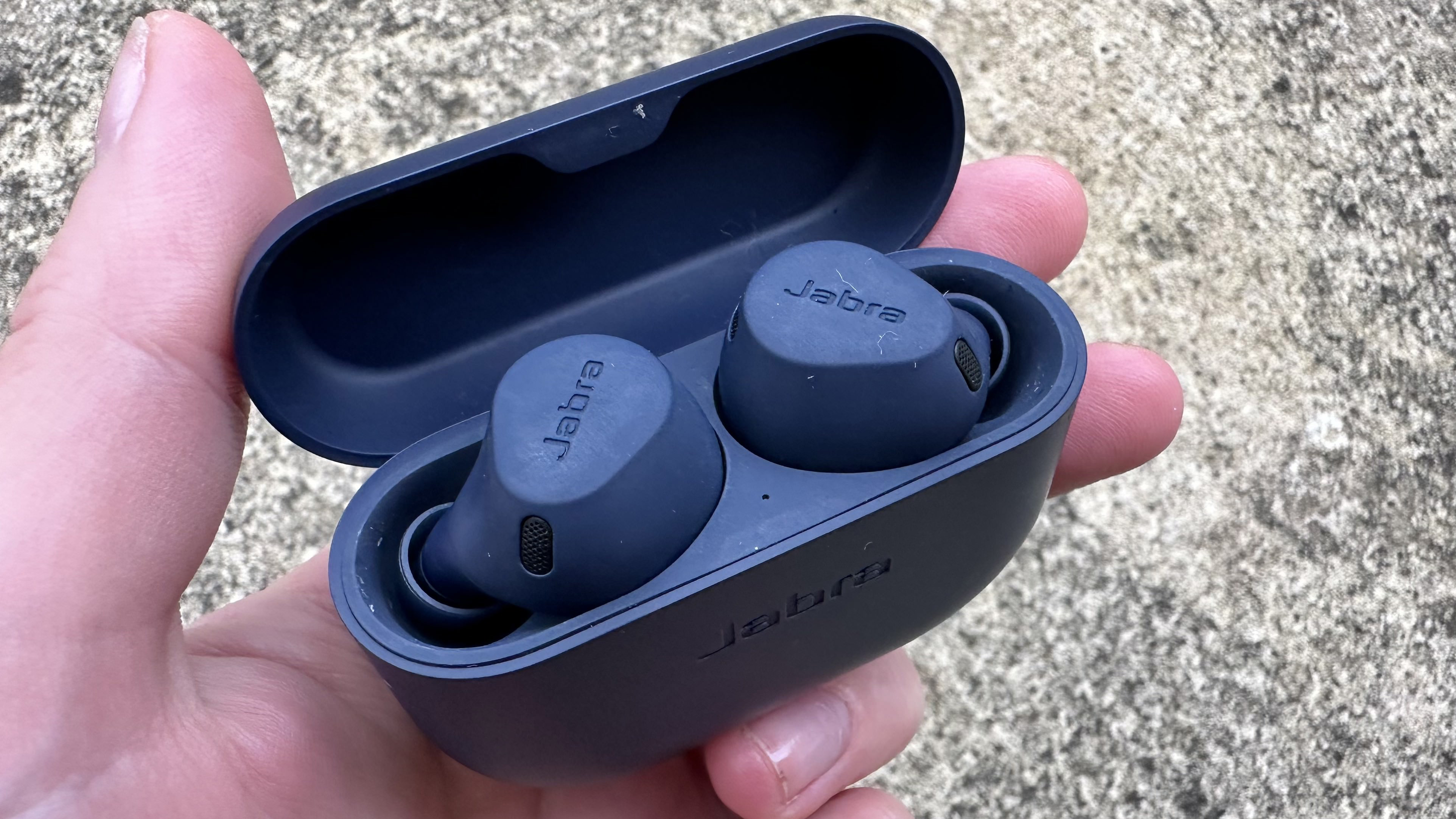
In-ear headphones: Jabra Elite 8 Active
(Image credit: Becca Caddy)
In my marathon off-seasons, I like to hit the gym in order to regain the muscle mass I lose when running takes over my life.
This is where a lot of gear falls down for me to use: even the best smart rings, for example, are at risk of scratching and being damaged when I’m lifting weights, so I use a watch instead.
Likewise with bone conduction headphones: while outside I like to be able to hear my surroundings, in a commercial gym you need headphones to kill the gym’s music and the noise of other gym-goers to focus on your own workouts.
I used to use a cheap pair of Anker Soundcare P20s for this, but when those finally died, I switched to a pair of Jabra Elite 8 Active, the best workout headphones on the market right now, and haven’t looked back.
They’re comfortable, tough, completely waterproof (they survived a glass of water, at any rate), and have Active Noise Canceling I can switch on and off if I need to ask a staff member a question, or another lifter if I can work in. Easy to set up, simple to use, tough as nails, and long-lasting.
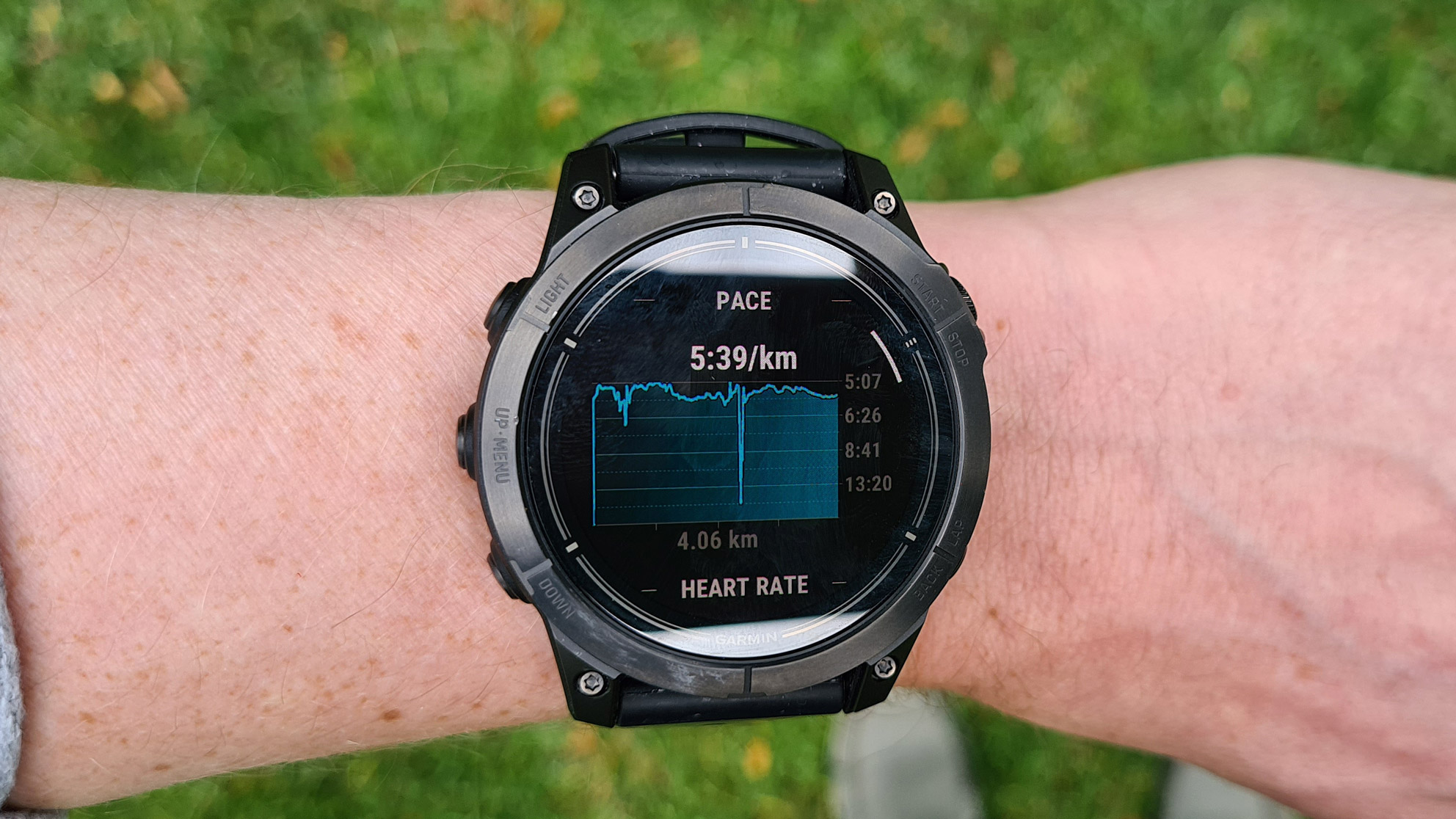
Smartwatch: Garmin Epix Pro
(Image credit: Future / Matt Evans)
I really want to recommend the Apple Watch Ultra 2 here as it’s functionally fab, but short battery lives on smartwatches continue to be a frustration for me.
The Garmin Epix Pro lasts for ages, and it has the running tool I use most: route creation. For hikers, runners, and cyclists yet to plan routes using Garmin Connect and follow the directions on your watch, it’s a game changer. It’s the single smartwatch feature that’s made the most difference in my training.
I also like big, chunky watches and dislike charging watches often, so the Fenix range (including the Epix Pro) fits the bill nicely. Although I know some people find smartwatches uncomfortable to wear in bed, I don’t mind at all.
Plus, even though I don’t tend to use my smartwatch to formally track sets and reps in the gym, it doesn’t get in the way of my weight-based workouts in the same way that a smart ring does, so it’s passively tracking activity and calorie burn in the background and factoring it into my recovery metrics.
If you’re having a hard time falling asleep at night, sleep headphones can help. Here are some of the best Bluetooth headbands and noise-canceling earbuds on the market.
US trade restrictions have created significant obstacles for Chinese companies, limiting their access to advanced AI hardware needed to remain competitive globally.
Nvidia’s H20 GPUs, scaled-down versions of the powerful H100, were developed to meet export control requirements but still come with a hefty price tag of around $10,000 per unit.
Even at that price, the availability of these GPUs is limited, compounding the difficulties Chinese companies face. This shortage has fueled a thriving black market for Nvidia’s high-end chips, such as the H100 and A100, where prices continue to rise due to overwhelming demand. However, global companies, particularly ByteDance - the parent company of TikTok, already under intense scrutiny in the US - cannot afford the legal and reputational risks associated with engaging in such illicit markets.
Two AI chips
ByteDance has made significant investments in AI, reportedly spending over $2 billion on Nvidia's H20 GPUs in 2024, and now according to The Information, the company is looking to develop its own AI GPUs to reduce dependency on Nvidia.
The report adds these chips will include one designed for AI training and another for AI inference, and both will be produced using TSMC’s advanced N4/N5 process, the same technology used for Nvidia’s Blackwell GPUs.
Broadcom, recognized for its AI chip designs for Google, will reportedly lead the development of these GPUs, which are expected to enter mass production by 2026. While several Chinese companies have developed their own AI GPUs to reduce reliance on Nvidia, most still depend on Nvidia’s hardware for more demanding tasks. Whether ByteDance can fully transition to its own hardware - and whether it would want to - remains to be seen.
The move will certainly not be without challenges. As Tom's Hardware notes, “The company now relies on Nvidia's CUDA and supporting software stack for AI training and inference. Once it goes with its AI GPUs, it must develop its software platform and ensure its software stack is fully compatible with its hardware."
Popular gaming hardware manufacturer Razer has announced a batch of new products at its annual RazerCon event.
The headlining products are the Razer Kraken V4 Pro and the Razer Freyja. The former is a seriously premium addition to the brand's gaming headset lineup, while the latter is described as "the world's first HD haptic gaming cushion."
That right, it's a vibrating seat cushion for your gaming chair.
The Kraken V4 Pro joins the headset's fourth-generation lineup alongside the standard Kraken V4 and the wired Kraken V4 X which Razer revealed last month. The Pro model looks like quite the step up in terms of features (and price, but we'll get to that). Razer's bespoke Sensa HD haptics are included here, causing the headset to react to in-game activities with directional haptic feedback.
A handful of games will directly support the technology, including Final Fantasy 16, Stalker 2: Heart of Chornobyl, and Silent Hill 2. I got to test the haptics for myself at a Razer briefing last week and they definitely felt like an improvement over the Razer Kaira Pro's HyperSense feedback, feeling much more nuanced and, well, less like you had a bee in your headset.
The Kraken V4 Pro also includes a PC-compatible OLED Control Hub that allows for on-the-fly tweaks to your settings as well as the monitoring of volume, battery life and other metrics. You're getting customizable Chroma RGB on the ear cups, dual audio support and instant switching between 2.4GHz and Bluetooth (handy if you need to take a quick call while gaming), 40mm drivers supported by THX spatial audio and a retractable mic.
The Razer Kraken V4 Pro is available to buy now from Razer's website and other retailers, but it doesn't come cheap. Expect to pay $399.99 / £399.99 which is a pretty giant step up from other models in the Kraken V4 lineup. Still, it's in with a chance of landing in our list of the best PC gaming headsets with its stacked feature set and intelligent Sensa HD haptics.
(Image credit: Razer)
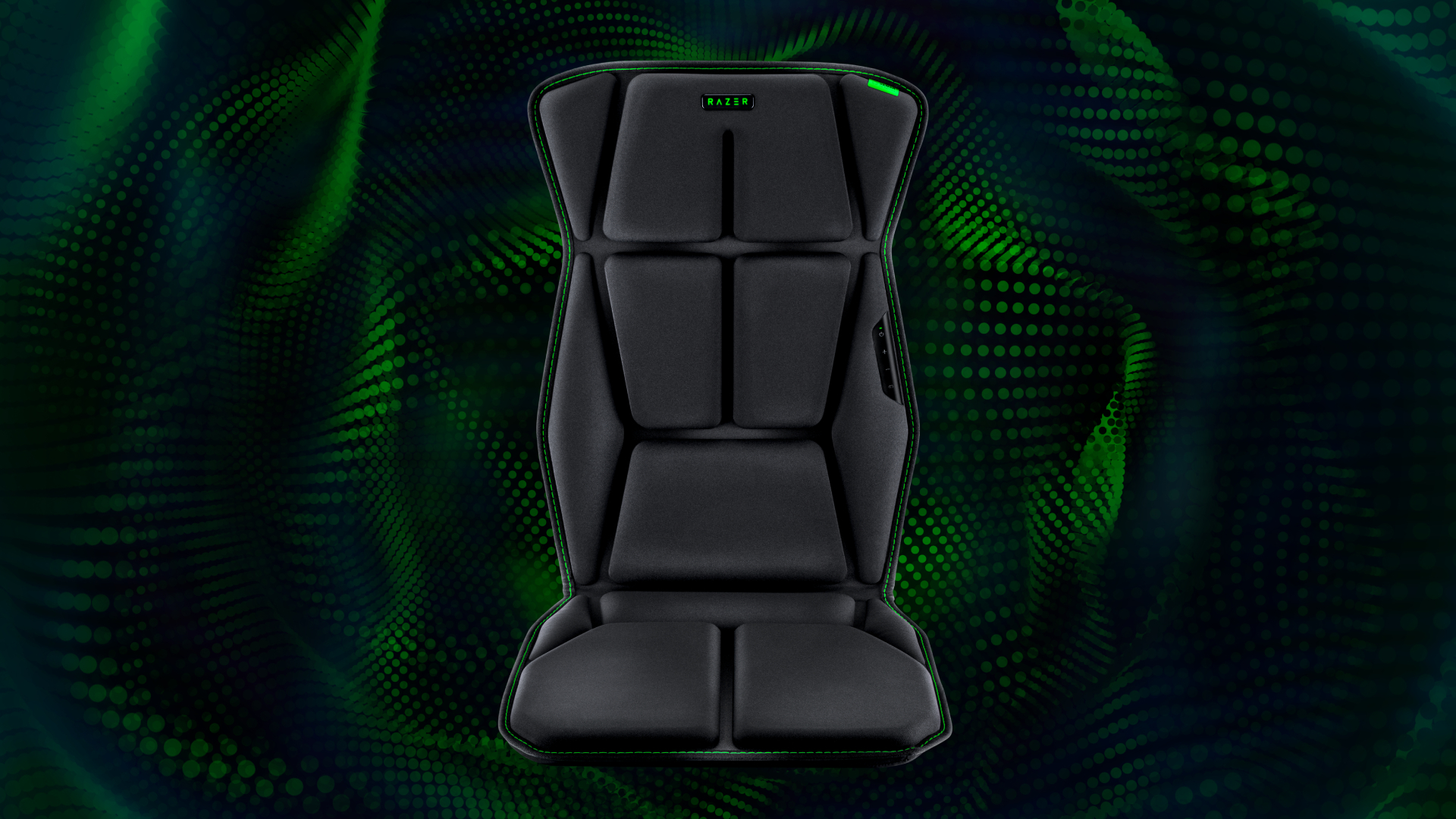
The other major reveal from this year's RazerCon is the all-new Razer Freyja. This is a seat cushion that'll fit any of the best gaming chairs that, much like the Kraken V4 Pro, is powered by Sensa HD haptic feedback. That means the chair's multi-directional haptics (with six motors: four behind you, and two where you sit) react to everything from light drizzles to sword slashes and chunky explosions.
Testing this at the Razer briefing last week, I found the default settings to be a little intense. Thankfully, you are able to adjust the haptics' strength on the fly, which made the experience much more tolerable. That said, the Freyja is certainly going to have niche appeal. It doesn't really offer anything to your play session aside from some neat haptics. It is at least very comfy, but I did notice the haptics here were incredibly loud.
If you live with family or housemates, you might want to consider investing in some soundproofing for your room if you're buying the Freyja. It's also available now from Razer's website for $299.99. The product is unfortunately not available for purchase in the UK at this time.
With macOS Sequoia, Apple introduced a feature whereby users are asked to regularly approve access for apps to be allowed to record their screen - which has not gone down too well with some folks, although there’s now a solution (albeit a third-party one).
From Apple’s perspective, this move was made to improve security in apps like Zoom where you might share your screen (or indeed screenshot utilities). The recurring permission requests for such apps first started appearing early in beta testing macOS 15, and they were introduced on a weekly basis initially, but later (following many complaints) Apple revised that to monthly prompts.
And to be fair, I could still see these pop-ups being bothersome, even on a monthly basis, and you might prefer not to see them at all (or just the once, rather, when you first use the app). Luckily, there’s now a workaround that MacRumors spotted in the form of an app called Amnesia.
Once installed, Amnesia can be used to stop the monthly screen recording permission requests on an app-by-app basis. The software is pay-what-you-want, so you can give the developer whatever you feel is an appropriate payment for the convenience of the app.
(Image credit: Future)
There's another potential workaround - but will Apple do something itself?
The original version of Amnesia was for macOS 15 only, but since that release, support for macOS 15.1 (beta) has been introduced. You can check out Amnesia’s changelog (a record of updates made to the app) to see all the recent additions and adjustments for the software.
Alternatively, if you’re a little more of a techie, as MacRumors points out, you can also achieve the same result as Amnesia via the Terminal app by following instructions provided by tech blogger Jeff Johnson. Just as with Amnesia, this workaround makes it so that the screen recording reminders are turned off on an app-by-app basis.
I hope Apple considers revising this repetitive request for permissions. I’m not saying that the company has to get rid of it entirely, but maybe give macOS 15 users the option to switch to quarterly or biannual requests instead. I understand that Apple is trying to cover itself and its customers from a security perspective, but I think there’s more give here in terms of striking a balance that satisfies keeping macOS a safe environment, while annoying users less.
As far as we're concerned, you don't need a good reason to sign up for a food or drink subscription. These 17 food and drink subscription boxes make the perfect gift for family and friends.
Samsung says it has begun the mass production of its 1Tb quad-level cell (QLC) 9th-generation V-NAND, an industry first. The development follows the company's production of triple-level cell (TLC) 9th-generation V-NAND earlier in 2024, and reflects a broader industry shift from TLC to QLC technology to meet the growing demand for higher-capacity and more efficient storage solutions.
The new QLC V-NAND incorporates innovative technologies such as Channel Hole Etching, which enables a higher layer count through a double stack structure, resulting in approximately 86% higher bit density compared to the previous generation of QLC V-NAND. Samsung says the increase in density allows for greater storage capacity in the same physical space, addressing the needs of applications that require large amounts of data storage.
Designed Mold, Predictive Program, and Low-Power Design technologies boost reliability by 20%, double write performance, improve input/output speed by 60%, and reduce power consumption during read and write operations by up to 50%.
A shift from TLC to QLC
The industry is experiencing a shift from TLC to QLC NAND flash memory, driven by the need for higher storage capacities and cost efficiencies. QLC NAND stores four bits per cell instead of three, effectively increasing storage density. This transition enables manufacturers to produce SSDs with larger capacities at potentially lower costs, which is particularly important for data centers and AI applications that require vast amounts of storage.
“Kicking off the successful mass production of QLC 9th-generation V-NAND just four months after the TLC version allows us to offer a full lineup of advanced SSD solutions that address the needs for the AI era,” said SungHoi Hur, Executive Vice President and Head of Flash Product & Technology at Samsung Electronics. “As the enterprise SSD market shows rapid growth with stronger demand for AI applications, we will continue to solidify our leadership in the segment through our QLC and TLC 9th-generation V-NAND.”
Applications of the QLC V-NAND will start with branded consumer products before extending into mobile Universal Flash Storage (UFS), PCs and server SSDs for customers, including cloud service providers.
Considering that the Google Pixel Watch 3 launched on September 10, 2024, in two sizes, new Fitbit integrations, and running Wear OS 5, it was likely only a matter of time before some of its software features began to trickle down to previous Pixel Watches.
Like clockwork, Google has announced that the latest Pixel Watch Update brings Wear OS 5 to the original Pixel Watch and the Pixel Watch 2. The update is just beginning to roll out now and is being done in phases, so you may not see it immediately available as an over-the-air update.
It also brings with it more than just bug fixes and security patches.
Wear OS 5 arrives on the Pixel Watch 1 and 2
Google’s latest version of WearOS isn’t necessarily a redesign or a rethinking, but it brings a few changes that Pixel Watch wearers can take advantage of. Beyond bug fixes, you can expect new colors for watch faces and more widgets – aka complications – to pick from. You can also put different data metrics on the watch face from the developer side.
Like the Pixel Watch 3, the new app grid launcher will arrive on the first- and second-generation, making it easier to find and view all the apps. Better Camera Controls are arriving, so you can use your Pixel Watch as a viewfinder for your connected smartphone's camera. It becomes more practical and less of a gimmick. Pixel Recorder will also arrive on the wrist.
Google promises many quality-of-life improvements in WearOS 5, such as squashing bugs and ‘performance updates.’ To be eligible to receive the WearOS 5 update, you’ll need to ensure that the first-generation or second-generation Pixel Watch is running either Wear OS 3.5 or Wear OS 4.
WearOS 5 is housed within the September 2024 update, which is now rolling out in waves, so it might appear immediately. If you’re inclined to check, you’ll swipe down from the watch face on the Pixel Watch and tap Settings. From there, navigate to System then System Updates to check for an update. If one is found, you can install it and wait as the Pixel Watch goes through the motions of downloading, installing, and restarting.
No matter how you get WearOS 5, it's great to see Google continuing to support its previous generation Pixel Watches.
New research involving 26,000 participants has revealed the vital importance of movement for office workers, confirming that continuous desk work can have a drastic impact on your mental health.
A new study commissioned by ASICS, dubbed 'State of Mind,' has revealed "a strong connection between sedentary behavior and mental well-being with State of Mind scores declining the longer individuals remain inactive."
We all know that sitting behind a desk can get pretty tiring and draining after a while, but just how bad is the problem? Turns out it's pretty bad. The research concluded that "after just two hours of continuous desk work State of Mind scores begin to drop and stress levels rise."
And after four hours of uninterrupted desk work, workers' stress levels increased by nearly 20%. Help is at hand, though, thanks to a new Desk Break experiment.
15 minutes of movement is all it takes
Dr. Brendon Stubbs from King's College London has conducted a study examining the impact of movement on the mental well-being of office workers. Participants took daily 5-minute movement breaks and 15 minutes of exercise after three to four hours of work.
After just one week of movement breaks, State of Mind scores went up by more than 22%, with confidence increasing as well as anxiety and perceived stress levels dropping by double digits. It's not just a feel-good factor, either. Just 15 minutes of exercise during the workday boosted productivity by fully one-third, and focus by more than 28%.
"We have shown previously that just 15 minutes of exercise in leisure time can result in a meaningful improvement in people's State of Mind scores," Dr Stubbs concluded. "But what surprised us with the Desk Break experiment was how powerful the 15-minute movement breaks were in improving well-being and reducing stress. It even changed people's perceptions of their workplace for the better."
If that's too many numbers after a long day at the office, just watch ASICS new 'The Desk Break' public service announcement, starring an angry Brian Cox. (Above)
ASICS is calling for office-based employees around the world to take a Desk Break for their mental health. Luckily, there's plenty of tech on hand to help you get a head start.
One of the best standing desks on the market might help you with mobility, posture, and overall activity, but part of taking a desk break is leaving your workspace to help clear your mind. Many of the best smartwatches on the market, such as the Apple Watch Series 10, come with built-in 'time to stand' reminders that can remind you to get up and stretch your legs.
On a lunch break, why not use Garmin Connect to put together a quick 25-minute walk or run over lunch? You could even try Hugh Jackman's 7-minute workout (twice, preferably) or a quick Apple Fitness Plus activity. You'll also get some benefits from an under-desk treadmill, which can be handy during calls, meetings, or training, but remember actually to get away from your screen at some point, too.