YouTube is going to help its creators reach an international audience as the platform plans on introducing a new AI-powered dubbing tool for translating videos into other languages.
Announced at VidCon 2023, the goal of this latest endeavor is to provide a quick and easy way for creators to translate “at no cost” their content into languages they don’t speak. This can help out smaller channels as they may not have the resources to hire a human translator. To make this all possible, Amjad Hanif, vice president of Creator Products at YouTube, revealed the tool will utilize the Google-created Aloud plus the platform will be bringing over the team behind the AI from Area 120, a division of the parent company that frequently works on experimental tech.
Easy translation
The way the translation system works, according to the official Aloud website, is the AI will first transcribe a video into a script. You then edit the transcription to get rid of any errors, make clarifications, or highlight text “where timing is critical.” From there, you give the edited script back to Aloud where it will automatically translate your video into the language of your choice. Once done, you can publish the newly dubbed content by uploading any new audio tracks onto their original video.
A Google representative told us “creators do not have to [actually] understand any of the languages that they are dubbing into.” Aloud will handle all of the heavy lifting surrounding complex tasks like “translation, timing, and speech synthesis.” Again, all you have to do is double-check the transcription.
Future changes
It’s unknown when the Aloud update will launch. However, YouTube is already working on expanding the AI beyond what it’s currently possible. Right now, Aloud can only translate English content to either Spanish or Portuguese. But there are plans to expand into other languages from Hindi to Indonesian plus support for different dialects.
Later down the line, the platform will introduce a variety of features such as “voice preservation, better emotion transfer, and even lip reanimation” to improve enunciation. Additionally, YouTube is going to build in some safeguards ensuring only the creators can “dub their own content”.
The same Google representative from earlier also told us the platform is testing the Aloud AI with “hundreds of [YouTube] creators” with plans to add more over time. As of June 2023, over 10,000 videos have been dubbed in over 70 languages.
You can join the early access program by filling out the official Google Docs form. If you want to know what an Aloud dub sounds like, go watch the channel trailer for the Amoeba Sisters channel on YouTube. Click the gear icon, go to Audio Track, then select Spanish. The robotic voice you’ll hear is what the AI will create.
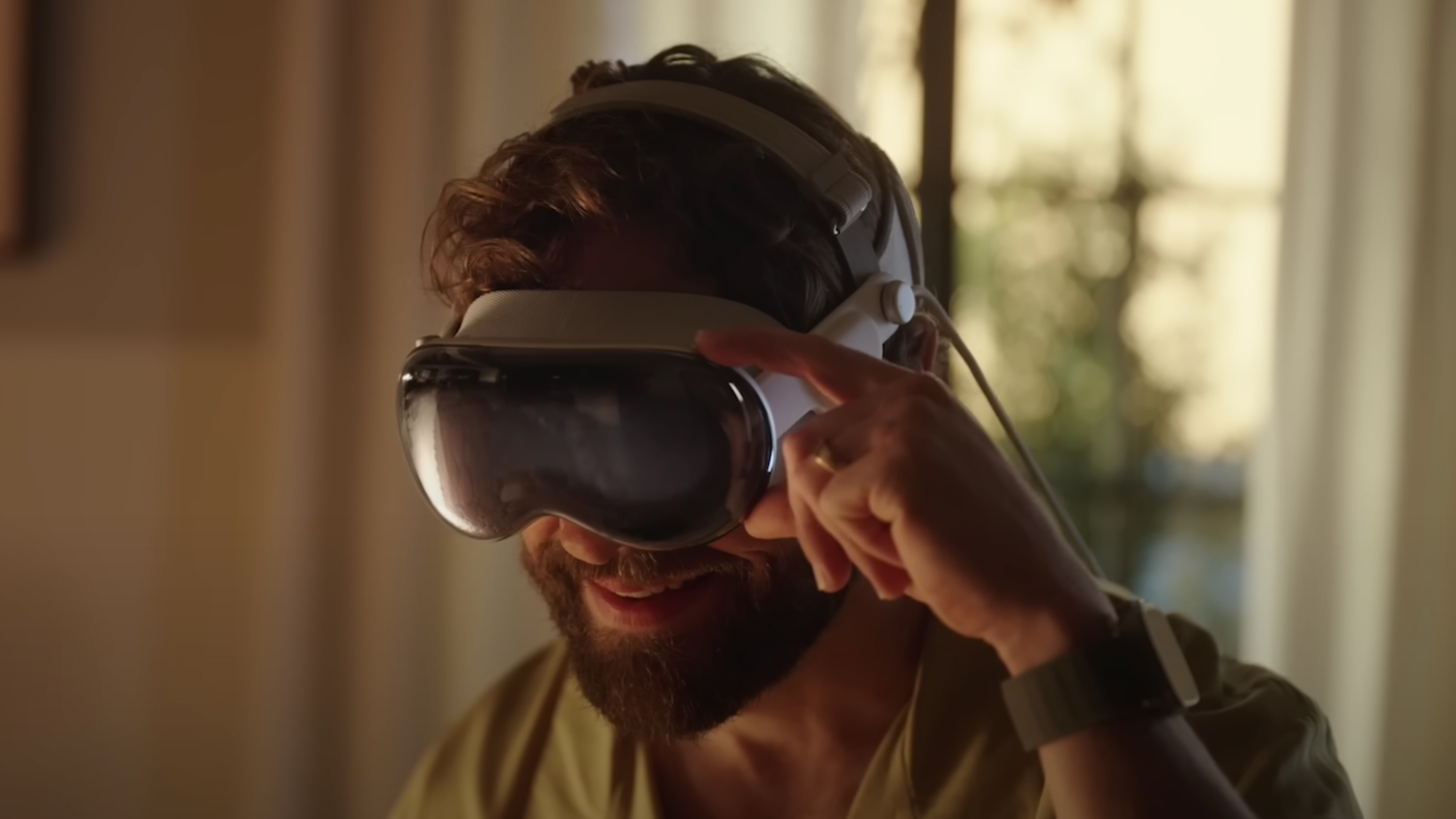
Apple has launched its first-ever beta for visionOS – the operating system the upcoming Apple Vision Pro mixed-reality headset will use – giving us a glimpse at what its new gadget should be capable of at launch.
As explained in the Apple Developer blog post making the announcement, the launch of the visionOS SDK will give developers the chance to start working on spatial computing apps for the Vision Pro. It will also help developers understand the Vision Pro's capabilities. Even better, the SDK provides a visionOS simulator so that developers can test out their 3D interface in a number of room layouts with various lighting conditions. And those tests have already revealed a number of details about what the Vision Pro will and won’t be able to do at launch.
This is only the first beta, and users are accessing the simulator via a PC rather than a headset – so expect some changes to be made to visionOS before it officially launches. With that said, here’s what we’ve learned so far about the Apple Vision Pro from the visionOS beta.
You can use the Vision Pro to scan real-world objects and text(Image credit: Apple)
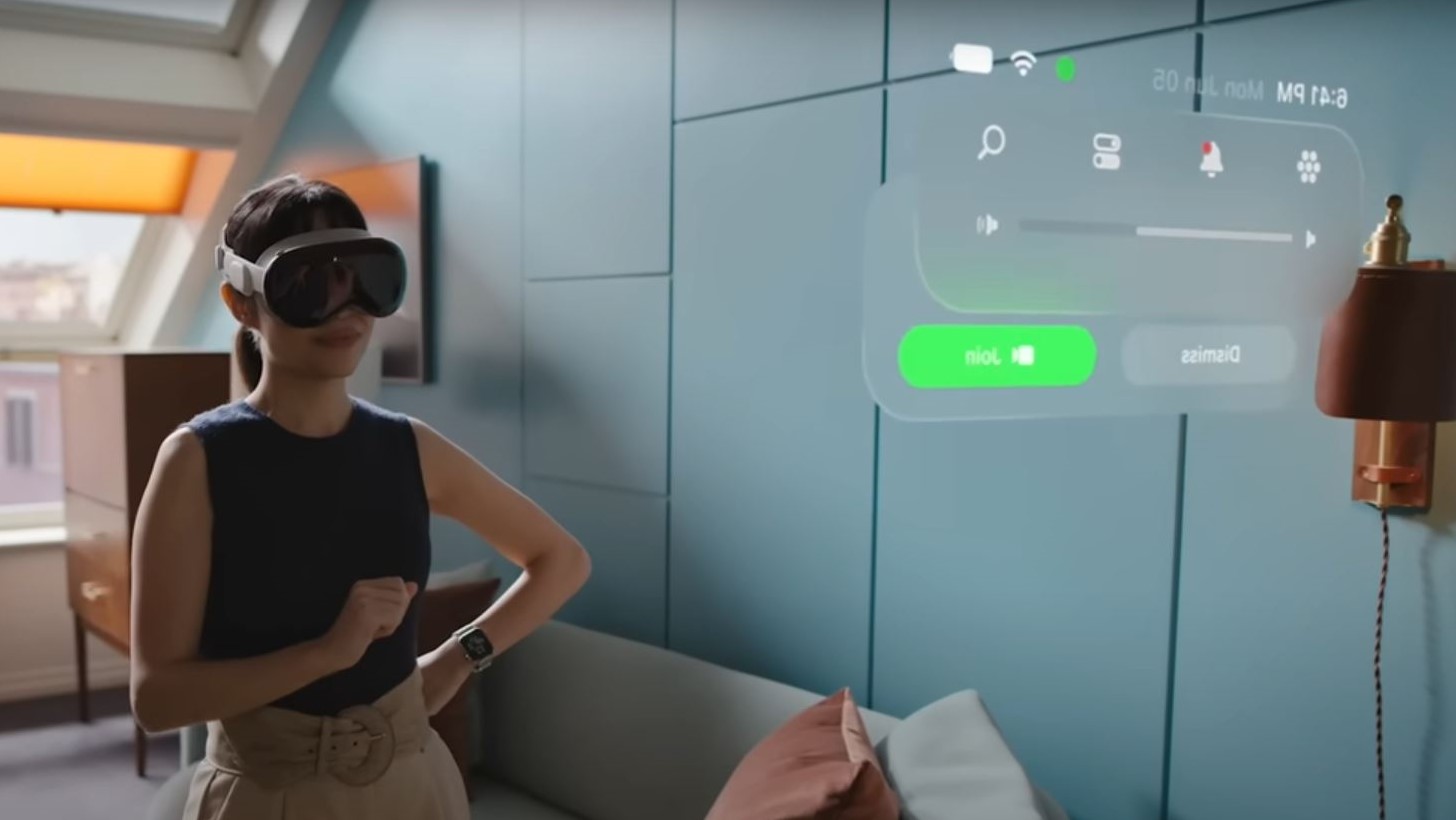
According to info found in the visionOS beta, Vision Pro headset wearers will be able to use the headset’s cameras to find information about an item they scan and to interact with real-world text. This includes copying and pasting the text into Vision Pro apps, translating it between 17 supported languages, and converting units (like grams to ounces, or meters to feet). This sounds pretty neat, but unless you’re wearing your Vision Pro headset all the time while traveling abroad or baking with a recipe we aren’t too sure how often you’ll rely on these features.
2. The OS is intuitive
While not the most flashy feature, intuitive OS design and windows management in 3D space will be crucial for the Vision Pro. The idea of having loads of software windows floating around us seems neat – it'd be like we’re a real-world Tony Stark – but if it's a pain to position them how we want, it’ll be easier to stick with a traditional PC and monitor.
Thankfully, it looks like it’s super easy to move, resize, and hide app windows in Vision Pro, as shown off by @Lascorbe on Twitter.
visionOS, super intuitive so far:- You move the window with the bottom bar- When moving if the window touches other apps they dim- There’s a button to hide rest of apps (unsure how to bring them back yet)- Pointing at the corner of a window make the “resize handler” appear pic.twitter.com/ZHkA0I04SCJune 21, 2023
See more
The video also shows that you aren’t moving the apps on a fixed cylinder around you; you can take full advantage of the 3D space around you by bringing some windows closer while moving others further away – and even stacking them in front of each other if you want. While dragging a window it’ll turn translucent so you can see what’s behind it as you decide where to position it.
3. Porting iOS to visionOS is easy
According to developers (like @lydakisg on Twitter) that have started working with visionOS, it’s incredibly easy to port iOS apps over to the new system – so many of the best iPhone apps could be available on the Vision Pro at launch.
Just wow. I've been working on a private location journaling app for iOS, and simply by adding a new deployment target, my app can now function on visionOS without any additional changes! pic.twitter.com/Vg1TnfFVE4June 21, 2023
See more
This is great news for people that were worried that the Vision Pro might not have an app library comparable to the Quest Store found on Meta’s VR headsets like the Meta Quest Pro.
The only downside is that the ported iOS apps appear in a floating window as they would on a Mac rather than being a fully-fledged immersive experience. So while your favorite appears can easily appear on the Vision Pro, they might not take advantage of its new tech – at least not without the developers spending more time working on a dedicated visionOS version.
4. Battery percentages return
Battery percentages are a sore spot for many iPhone users. When the iPhone X was released over five years ago it changed the battery status symbol – the percentage disappeared and only a steadily emptying symbol of a battery remained. While this symbol does give a visual indication of how much charge your phone has left, it’s not always as clear as a number; as such, it's been a constant request from iPhone users for Apple to bring back battery charge percentages – which it did with iOS 16 when the iPhone 14 launched.
The Vision Pro trailer shows a battery icon with no percentage(Image credit: Apple)
Unfortunately, a brief section of Apple’s Vision Pro intro video showed us that the Vision Pro might make the iPhone X’s mistake by using a battery status symbol without a number.
Good news! The battery percentage does show on visionOS! https://t.co/Cvk2Xd2W6b pic.twitter.com/I00THVA0knJune 21, 2023
See more
Thankfully for fans of Apple’s more accurate battery symbol, users like @aaronp613 on Twitter have found that battery percentages do show up on Vision Pro. It’s not a massive win, but an important one for a lot of people.
5. Apps can use unique control schemes
The visionOS beta not only gives developers tools to create their own Vision Pro apps and to port their existing iOS software to the system; they’re also given details, sample code, and videos showing off the kinds of projects they could create for the upcoming Apple hardware.
One such game is Happy Beam, a video of which has been shared on Twitter by @SwiftlyAlex.
check out this game built for visionOS 👀 pic.twitter.com/thibhlZ3DjJune 21, 2023
See more
Happy Beam doesn’t look super interesting in and of itself – one Twitter commenter noted it looks like the sort of AR game you could play on the Nintendo 3DS – but it shows that the Vision Pro is able to recognize different hand gestures (like forming a heart) and translate them to different in-game controls.
We’ll have to wait and see how developers use these capabilities in their creations, but we can already imagine a few possible implementations. For example, rather than using button prompts you could make a scissors gesture with your hand to cut images and text from one document, then clap your hands to paste it in a new spot.
It also appears that Apple is conscious that its headset should remain accessible. As shown in the Happy Beam demo, there are alternative controls that allow Vision Pro users to rely on simpler gestures or controllers to play the game – with it serving as a reminder to other developers to consider similar alternative control schemes in their software.
This gameplay video shared by @wilburwongdev on YouTube shows how the game changes when not using your hands.
6. Fitness apps are discouraged
One last tidbit that has been spotted not in the visionOS beta but in the developer guidelines for the operating system. In its guidelines, Apple says app makers should “avoid encouraging people to move too much” while immersed in the headset. The wording is a little vague, but it seems as if Apple is against the development of fitness apps for Vision Pro at this time.
One notable omission from the Vision Pro reveal trailer was that there were no fitness apps featured. Many people (some of our writers included) use VR headsets for working out, or even just getting a bit active. There’s Beat Saber and Pistol Whip for more gamified workouts, or FitXR and Litesport for more traditional fitness options. These developer notes make the omission seem more intentional, suggesting fitness and activities involving a lot of movement are not in Apple’s current plan for the Vision Pro. We’ll have to wait and see if this changes when the device launches.
Smartwatch brand Amazfit recently launched two wearables specifically designed for runners: the aptly named Cheetah and Cheetah Pro.
What’s unique about them is they both come with a generative AI called Zepp Coach that can create your very own running plan. The workout routine it generates is based on information entered into the Zepp mobile app. It takes into consideration a person’s own characteristics as well as their personal goals. Amazfit states these plans can even help you train for a big race as every week the smartwatches will adjust the training plan to push you further.
It's worth mentioning Huawei has done something similar before as the tech brand added its own AI coach to the Watch GT Runner. But unlike Huawei, the Zepp Coach smartphone app now includes an AI Chat tool to answer any fitness-related questions. The company claims interacting with the chatbot will be like having a personal trainer 24/7. Be aware this tool will only be available “for a short demo period” in select regions before becoming a “subscription-based service.”
We reached out to Amazfit for more clarifying information on this chatbot, including where it is available, how long will the demo last, and more. This story will be updated if we hear back.
Make your own route
To help with your workouts, both Cheetah wearables are equipped with a highly-accurate GPS technology called MaxTrack which is able to follow runners through environmental obstacles from skyscrapers to tall trees. Using the collected data, users can create their own running route by importing the file from the Zepp app onto the watch if they want to follow the same path at a later time. Additionally, you can overlay the route on the device’s Offline Map to see other potential paths nearby.
Other notable features of the Cheetah line include a heart rate tracker plus the ability to share running routes via third-party apps such as Google Fit. Battery life on the devices can last up to two weeks on a single charge, but it can be drastically lowered depending on how often you use it. For example, under heavy usage, the battery will only last about a week.
Availability
Differences between the two models can be seen in the specifications and a few exclusive features.
The watches have an HD AMOLED display with a peak brightness of 1,000 nits for easy reading even in harsh sunlight. However, the Cheetah Pro comes out on top as its 1.45-inch screen can output a resolution of 480 x 480 pixels. The base model has a smaller 1.39-inch screen with a resolution of 454 x 452 pixels. The Pro watch is also a bit lighter at 43g whereas the regular Cheetah weighs 47g.
As for exclusive tools, the Cheetah Pro supports Bluetooth calling and offline music playback that can be listened to either through a connected pair of headphones or the on-device speaker.
You can purchase the Amazfit Cheetah in Speedster Grey on the company’s website for $229.99/£229.90. For the Cheetah Pro, you can buy it in a slightly different version of the base Cheetah model, sporting a square-shaped watch face.
It'll be interesting to see how Garmin responds to the Cheetah series since two of its rivals have launched wearables with generative AI on board. Perhaps the next Forerunner will have an OpenAI-powered chatbot.
Having claimed to have achieved its first milestone towards a quantum supercomputer, Microsoft reckons it will take less than a decade for it to have built its own.
Comparing it to the revolutions caused by the Iron Age and the Silicon Age, Redmond reckons quantum computing will have significant impacts on the way we live, enabling the transportation industry to develop more efficient and powerful batteries as we transition to EVs and beyond, the chemistry industry to discovery safer compounds, and the pharmaceutical industry to develop better drugs.
Most importantly, Microsoft hopes that quantum supercomputers, including its own, will help to solve “society’s most pressing challenges,” such as climate change and food insecurity.
Quantum computing coming sooner than you think
Speaking to TechCrunch, Microsoft VP of advanced quantum development, Krysta Svore, said: “We think about our roadmap and the time to the quantum supercomputer in terms of years rather than decades.”
Expressing similar optimism, CEO Satya Nadella said at the Azure Quantum: Accelerating Scientific Discovery virtual event: “Our goal is to compress the next 250 years of chemistry and materials science progress into the next 25.”
Microsoft’s first step, creating quantum systems that run on noisy physical qubits, has already been realized with quantum machines available in the cloud via Azure Quantum.
In its roadmap to quantum supercomputing, Microsoft outlines a further two steps: reliable logical qubits, and engineering with scale. Drilling in with more detail, the journey to the next step will be to engineer hardware-protected or topological qubits, to improve and finesse their quality, and to create a multi-qubit system.
Like its voyage into AI, Microsoft stresses the importance of security, safety, and privacy, which are all set to get equal attention as quantum computing begins to threaten existing IT landscapes.
First, Your Library will have a new home on the left-hand side of the desktop window for quick access to “music and podcast collections.” Spotify states the new location will help users save time by making it easier to switch between playlists, plus it offers a “better overview" of said collections. Saved content can be displayed in the standard list view or you can switch to a grid arrangement if you want bigger thumbnails. The desktop app also allows people to create folders where they can store multiple playlists.
On the right side is the revamped Now Playing view which will now display more information beyond pointing out what you’re listening to. It adds listings for upcoming tour dates as well as merch you can purchase from your favorite artists. For some podcasts, Spotify will offer transcripts so people can follow along as they listen. The company doesn’t state which podcasts will have the transcript, although we did ask. This story will be updated if we hear back.
Availability
Besides the two, Spotify is moving the Friend Activity feed to the friends icon, which sits next to your profile picture in the top-right corner of the main screen. This update is currently making its way to all desktop users across the globe so keep an eye out for the patch once it reaches you.
With most Spotify stories, we tend to ask, “When will high-fidelity audio launch on the platform?” It’s been two years since the original tease. Well, as it turns out, we may not have to wait very long as a recent Bloomberg report states hi-res audio will be a part of a new subscription tier releasing later this year.
Solar companies offer different solar panels, inverters, batteries, warranties and service. See how they compare and which we crowned the best solar company.
TOPDON, a leading provider of automotive diagnostic solutions, has launched its latest product, TopScan. Designed to meet the needs of both automotive DIYers and professional technicians, TopScan revolutionizes the way car diagnostics are performed. It’s a powerful and versatile diagnostic tool that offers an array of features and benefits for car enthusiasts and technicians alike, and thanks to its user-friendly interface and comprehensive functions, it enables users to diagnose and solve vehicle problems with ease.
One of the key features of TopScan is its extensive Repair Data Library, which provides a wealth of maintenance knowledge and guidance. For beginners, the OBD2 DTC Repair Guide offers clear explanations of fault codes and step-by-step repair instructions. Additionally, technicians can access original technical service bulletins specific to each vehicle, ensuring accurate and efficient diagnostics. TopScan's unique advantage lies in its ability to cater to a wide range of users.
For car DIYers, the Lite Version, priced at $59.99, provides an affordable entry point with the option to upgrade to the Pro Version or purchase professional-level features such as IMMO for secure immobilizer features for your vehicle. Professional technicians can benefit from the advanced capabilities of the Pro Version, available at $99.
TopScan has undergone an extensive testing and optimization phase, involving seven months of rigorous evaluation and feedback from over 1,000 beta testers. This meticulous process ensures that the product has been thoroughly validated and refined to deliver the best performance and user experience. The valuable insights and suggestions provided by the dedicated beta testing community have played a pivotal role in shaping the final version of TopScan.
"We are excited to introduce the TopScan to car enthusiasts and technicians worldwide," said Mike Zhou, CEO of TOPDON. "Our goal is to make automotive repair easier and more accessible for everyone, and our TopScan tool embodies that vision. Whether you're a DIYer or a professional, TopScan has the abilities you need to diagnose and repair vehicles effectively."
Additional features
In addition to its comprehensive diagnostic functions, TopScan offers a range of other benefits:
Bi-directional Control: Access vehicle-specific subsystems and component parts to analyze and locate faults accurately.
Full Systems Diagnosis for 60+ Brands: Scan all vehicle systems, including engine, transmission, airbag, ABS, ESP, TPMS, immobilizer, gateway, steering, radio, and air conditioning.
Diagnostic Reports: Generate comprehensive diagnostic reports to track repairs and monitor the effectiveness of fault code resolutions.
AutoVIN & AutoScan: Streamline the diagnostic process with automatic vehicle identification and system detection.
Powerful, yet pocket-sized: Compact and lightweight, TopScan is designed for both home garage projects and professional jobs on the go.
Multilingual support: Available in multiple languages, including English, French, German, Spanish, Portuguese, Russian, Japanese, and Italian.
Performance test: Conduct vehicle performance tests and record acceleration data accurately.
Get All the OBD2 Data: Access crucial information on various vehicles with full OBD2 functionalities.
As part of its commitment to customer satisfaction, TOPDON offers extensive customer support and a user-friendly experience.
TOPDON is a leading provider of automotive diagnostic solutions dedicated to making automotive repair easier and more enjoyable. With a focus on persistence, passion, and professionalism, Topdon offers a comprehensive range of diagnostic tools and services, supporting clients from problem identification to resolution.
With TopScan, users can expect reliable and accurate diagnostics to enhance their automotive repair journeys. For more information about TopScan and other TOPDON products, visit www.topdon.com.
from TechRadar - All the latest technology news https://ift.tt/Pk8MzUx