Microsoft has always been unwavering on its repair policies in the past. However, the tech giant is considering supporting more research and policies so users can more easily repair devices like the Surface Pro 8 and its other Windows tablets, after receiving pressure from an investors group.
In June 2021, the company held an investor’s meeting with investor advocacy nonprofit As You Sow. The results of that meeting cemented Microsoft’s commitment to researching the “environmental and social benefits” making it easier for users to repair their own devices. This would include making parts, information, and other resources more readily available to consumers.
This is the first time a US manufacturer has agreed to such conditions after investor pressure, but most likely won’t be the last if recent patterns are any indication. For example, back in September mutual fund company Green Century filed two right-to-repair resolutions. The first was with Apple and the second was with Deere & Co., an agricultural equipment manufacturer.
What does this mean?
Microsoft agreed to look into how 'right to repair' would affect its contributions to climate change and electronic waste, with the study evaluating the social impacts and serving to “determine new mechanisms to increase access to repair, including for Surface devices and Xbox consoles," as stated by a recent news release from As You Sow. Microsoft will then be required to share a summary of those findings by May 2022 and act on them by the end of 2022.
In statements given to both Grist and Tom’s Hardware, a Microsoft spokesperson stated “We believe customers are entitled to repair options that are safe and reliable. We currently provide customers with repair services that ensure the high quality of repairs, safeguard customers’ privacy and security, and protect customers from injury.”
It's too early to say whether this will mean Surface devices will be easier to upgrade in the future, but it's looking good. The Surface Pro 8 has a user-replaceable SSD that's pretty easy to access, so hopefully it's a step in the right direction for Microsoft.
You’ve probably heard of Raycon earbuds from YouTube, as many of the streaming site’s biggest names have at one time or another endorsed them for their great sound and even better prices.
While that’s obviously paid sponsorship on behalf of Raycon, you can’t help but wonder what they’re really like and, more importantly, if they’re worth buying over other true wireless earbuds from Sony, Samsung, LG and Apple.
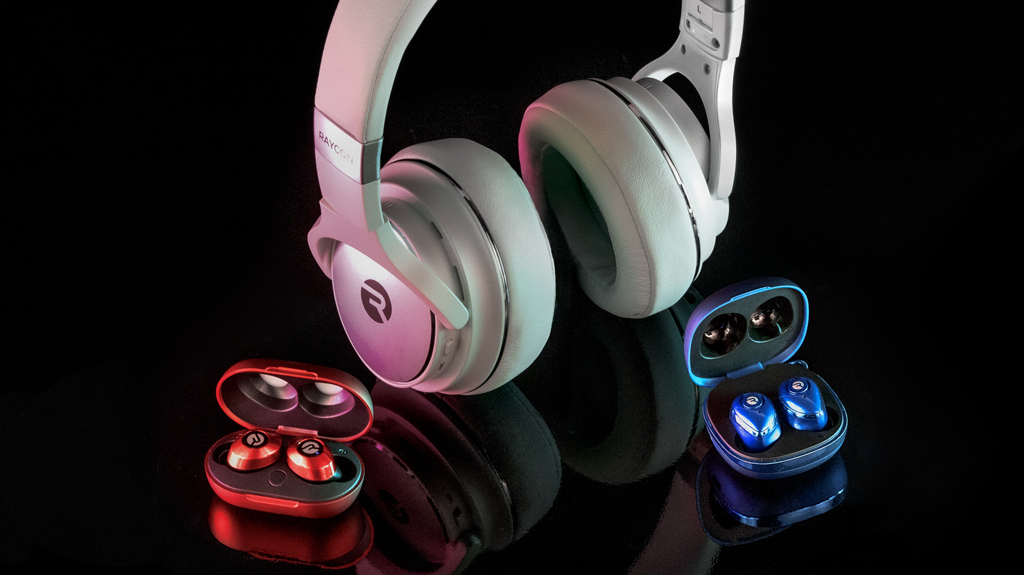
To put them to the test, we reached out to Raycon to get a pair – their high-end active noise canceling The Work Earbuds. At $149.99 (around £100, AU$200), these cost as much as a pair of Apple AirPods or Sony WF-SP800N but come with a few extra features that might, on paper, make them feel like the better deal.
The same could be said for many of Raycon's other headphones and earbuds like the Raycon Everyday models, The Performance earbuds and The Fitness Earbuds. All of them seem like great deals when compared to similarly specc'd buds from the major players – and that's what's made many folks stop and take notice.
Let’s dive into the drawbacks and advantages of the earbuds – of which there are many – and then we’ll get into their pricing and specs, and close out with an overview of the company and how it got so popular.
Should I buy a pair of Raycon earbuds?
The reason you were likely drawn to the earbuds in the first place was because they seem like a great cheap alternative to the Apple AirPods or Google Pixel Buds – and if you’re only referring to the Everyday or Performance earbuds, you’d absolutely be right.
At just $79.99 (around £60, AU$100), the Raycon Everyday has great specs and an 8-hour battery life on-board. It also includes a wireless charging case that provides another 24 hours of use. They’re IPX6 water and splash-resistant, which makes them good for workouts, and users are typically wowed by their sound quality – which is pretty impressive for the price.
Moving a step up to the Raycon Performance earbuds, you get a slightly better fit thanks to the built-in wing that hooks into your outer ear and a better overall battery life with the case. They’re a bit more expensive than the Raycon Everyday earbuds at $110 (around £80, AU$150) but they seem like a better option if you’ve had problems with earbuds falling out during a workout.
Pictured: A woman wearing Raycon earbuds on a blue background.(Image credit: Raycon)
After The Performance buds are Raycon's new The Fitness true wireless earbuds that have an IPX7 rating that make them better for working out at the gym. The earbuds come with a number of stabilizer fins that help them stay in your ears better than Raycon's other models, but they are more expensive at $119.99.
Last up is the highest-end Raycon The Work earbuds. They are certainly the most expensive of Raycon’s earbud lineup, and therefore they really have to offer the most for their sticker price. To help justify the cost, these are the only earbuds to feature active noise cancellation and stems to really give you that AirPods-style look. They come with memory foam eartips – a nice bonus – and use six microphones to offer good call quality (hence the reference to work in their name).
The problem with the earbuds is that users sometimes report issues with connectivity – an issue we also had with our pair – and getting the fit just right. Having tested hundreds of earbuds over the years, Raycon’s The Work are some of the most finicky, even when you use the included foam tips that should conform nicely to your ear canal. Audio performance is good, however it requires a great fit to get that beefy bass response, something that’s tough to achieve when the buds don’t fit correctly.
We’d recommend starting with the Performance earbuds and only stepping up to The Work if you absolutely need the active noise cancellation for your commute. Otherwise a good passive seal with the Performance buds will get you just as good of sound quality and we think you'll like them more than the Google Pixel Buds.
Raycon The Everyday Headphones (center) next to Raycon The Everyday Earbuds (left) and Raycon The Performance Earbuds (right).(Image credit: Raycon)
How are the Raycon Everyday Headphones?
We didn’t lump them in with the earbuds because, well, they’re headphones, but we also got our hands on The Everyday Headphones to test out as well.
What the headphones promise is active noise cancellation in a pair of over-ear headphones with the same sound signature as the earbuds. Raycon says they’ll last about 22 hours with ANC turned off but less when you’ve got it turned on. They’re also relatively cheap for over-ear noise-canceling headphones at only $99 (around £70, AU$135).
So what’s not to like? Mostly they deliver on good sound, with surprisingly good stereo separation, but the sound spectrum definitely caters more to bass than anything else. The noise cancellation itself isn’t all that powerful, especially when stacked against the leaders in the space like Bose or Sony, and it doesn’t support any of the better audio codecs – you’re stuck with SBC and AAC.
At their price, they’re seated nicely in the middle of the pack, but we wouldn’t recommend them over any of the best noise-canceling headphones from our guide.
Pictured: Ray J, American rapper turned entrepreneur and co-founder of Raycon. (Image credit: Raycon)
What is Raycon? Is it a good company?
Raycon is co-founded by Ray J, the American rapper turned reality TV star, alongside the other Ray, Ray Lee. The pair joined forces to create a wireless headphone company that aims to undercut the major players in the tech industry with more affordable options – though it currently only sells them in the US.
Raycon as an entity has been around since 2017, and rose in popularity thanks to its mix of celebrity endorsements and YouTube affiliates. That, coupled with its already low prices and even further discounts have really paved the way for its success amongst the bigger players.
On its website, users give Raycon’s earbuds glowing reviews en masse and we found that largely to hold true with our testing, though many don’t mention the downsides of the earbuds. Overall, Raycon is trustable company that makes decent products – but, like every company, those products aren’t quite as perfect as they’re made out to be.
If you have a PC, picking the best PC power supply for your build is critical, as it will make sure it runs at optimum efficiency. Especially now that the best graphics cards and processors are more expensive than ever, you're going to want to protect your investment by ensuring you have a PSU that's fit for the job.
If you’re building a new PC, remember that PC power supplies can make or break your PC so you shouldn’t scrimp on quality just to save money. Otherwise, it could lead to your components not working the way they should or worse, failing completely, which will cost you even more money.
Luckily, a quality PSU won’t cost you as much as the sexier components. So, go ahead and get one of the best ones 2021 has to offer. Here are our top picks below.
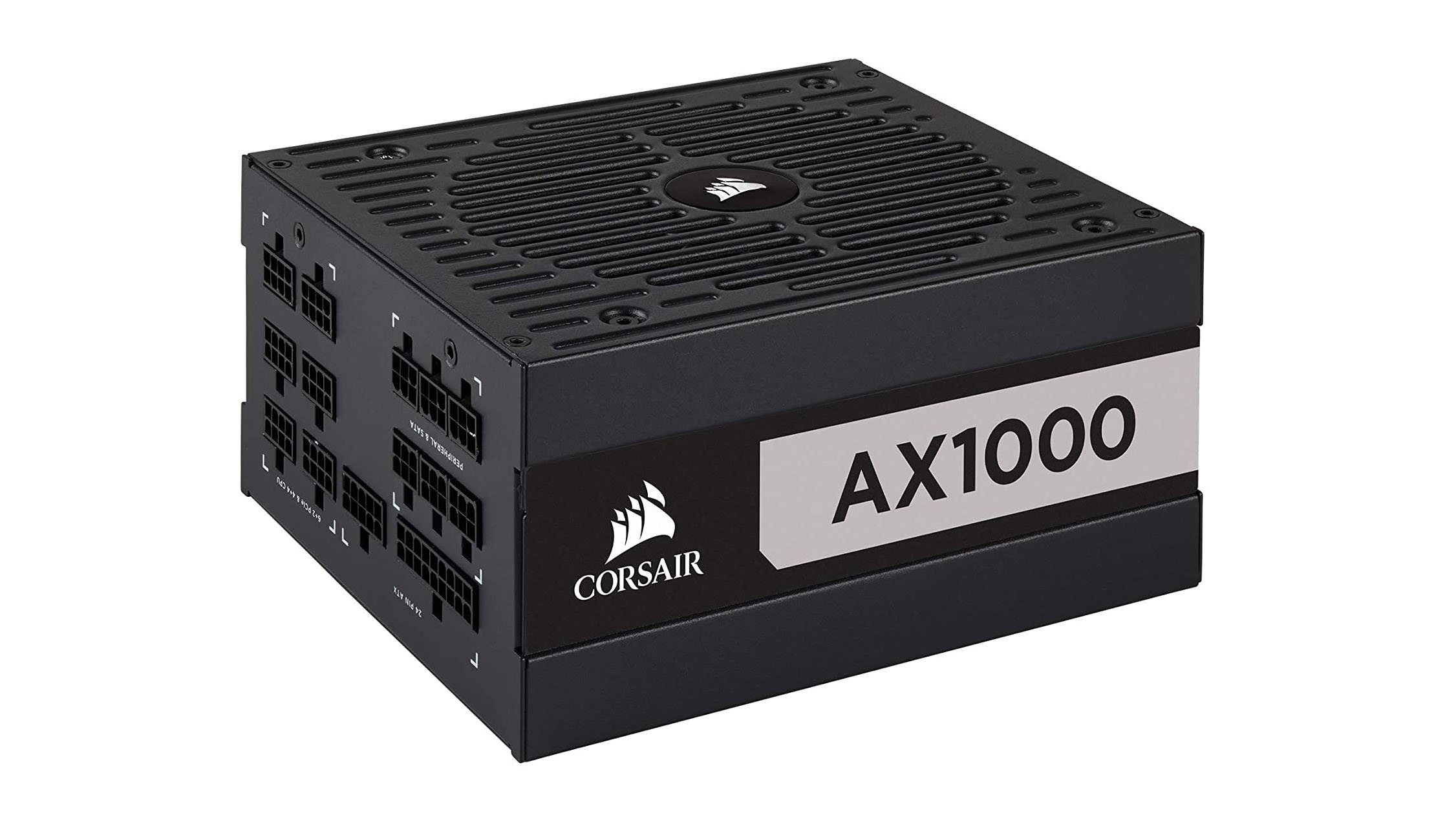
The Corsair AX1000 boasts performance and quiet operation that's worthy of the price.(Image credit: Corsair)
1. Corsair AX1000
The best PC power supply
Form factor: ATX | Capacity: 1000W | Efficiency rating: 80 Plus Titanium | Modularity: Full | Warranty: 10-year
Excellent performance
Extremely quiet
Solid build quality
Cables a bit stiff
Not cheap
The Corsair AX1000 may be among the priciest on this best PC power supply list, but it’s well worth the money for your next build thanks to its performance and quiet operation. It boasts a solid load regulation, super high efficiency levels and excellent benchmark results, an ace for ATX’s specification requirements. It’s fully modular as well, with eight PCIe & two EPS connectors to boot.
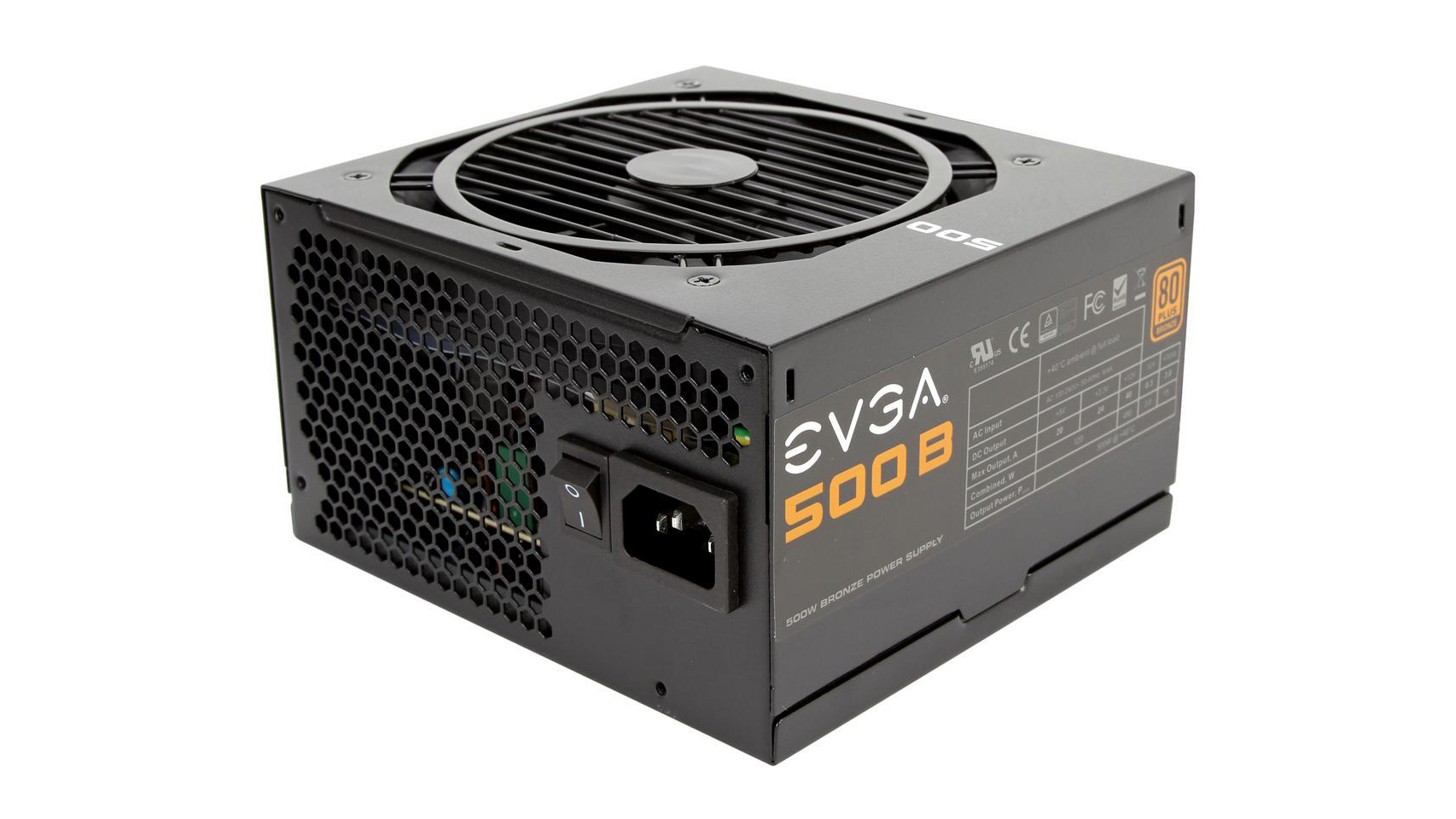
An economical power supply like the EVGA 500 B1 may be right up your alley. (Image Credit: EVGA)
2. EVGA 500 B1
Best budget power supply
Form factor: ATX | Capacity: 500W | Efficiency rating: 80 Plus Bronze | Modularity: None | Warranty: 3-year
Low price
6 SATA cables
500w rating
If you’re on the market for an affordable power supply that doesn’t cut too many corners, there aren’t a lot of options right now. So, an economical power supply like the EVGA 500 B1 may be right up your alley. For less than the price of a new game, you’ll get a full 500 watts of power transmitted through several SATA cables and two PCIe cables. This is hands down one of the best power supplies because it covers the bare essentials and nothing more, which is exactly what a budget PC component needs to do. The three year warranty is a nice touch, as well.
This product is only available in the US and UK at the time of this writing. Australian readers: check out a fine alternative in the Corsair RM750x
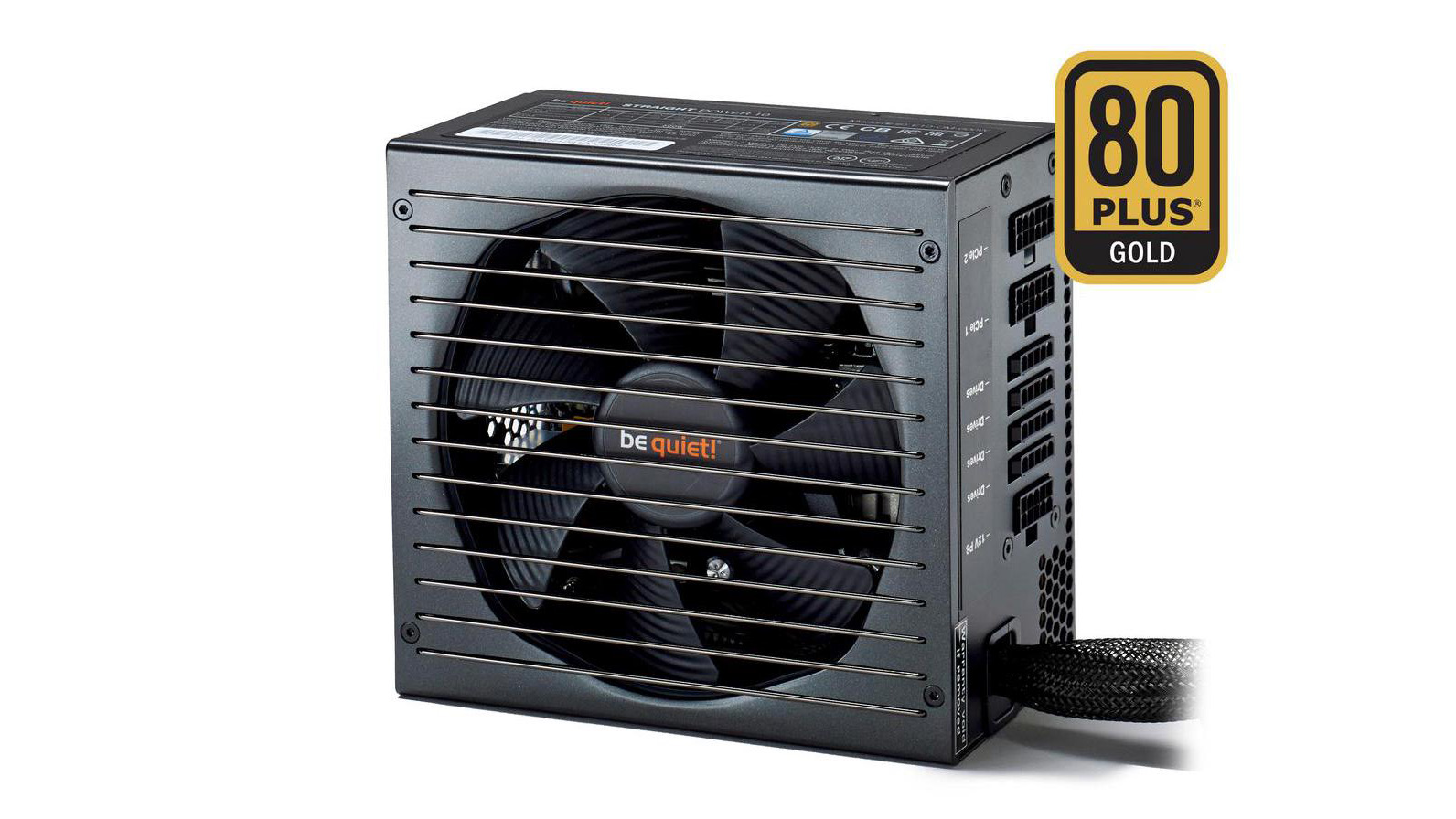
be quiet! Straight Power 10 runs nice and quiet. (Image Credit: be quiet!)
3. be quiet! Straight Power 10
Best silent power supply
Form factor: ATX | Capacity: 400W – 700W | Efficiency rating: 80 Plus Gold | Modularity: Semi | Warranty: 5-year
Quiet ATX and EPS support
A little pricey across capacities
Even the best PSUs seem to have extremely loud fans, and unlike case fans, it’s not exactly easy to replace them. Luckily, the Straight Power 10 line-up runs nice and quiet. Options range from 400w to 700w, and they’re SLI and Crossfire certified. They’re also modular, meaning you only need to use the cables that are necessary for your build.
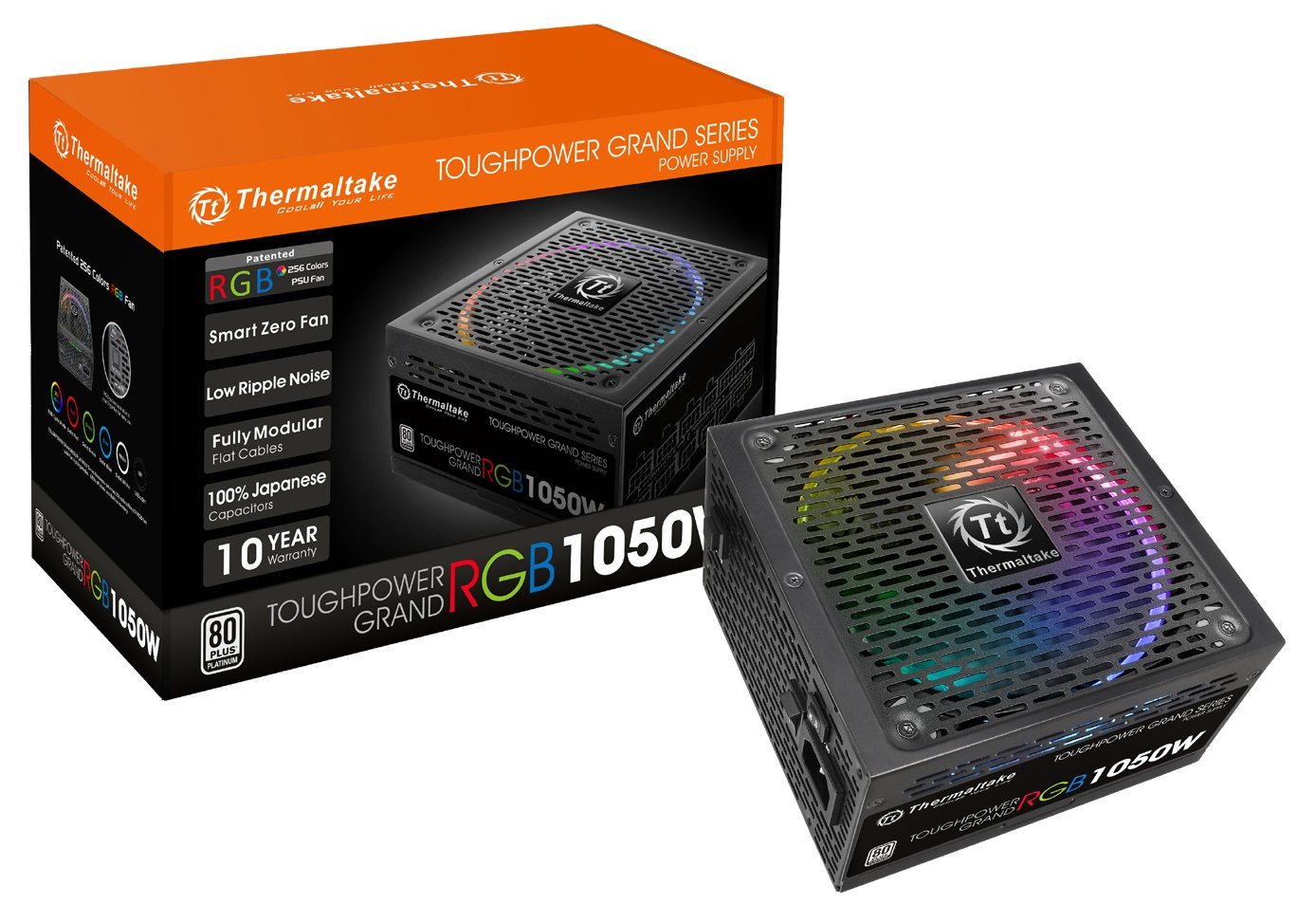
Thermaltake Toughpower Grand RGB 1050W Platinum delivers high overall performance.(Image credit: Thermaltake)
4. Thermaltake Toughpower Grand RGB 1050W Platinum
Best PSU with advanced platform
Form factor: ATX | Capacity: 1050W | Efficiency rating: 80 PLUS Platinum, ETA-A (88-91%) | Modularity: Full | Warranty: 10 Years
Efficient
Fully modular
Weird fan profile
No Over Temperature Protection
Thanks to the advanced and reliable platform it uses, the Thermaltake Toughpower Grand RGB 1050W Platinum delivers high overall performance. It also boasts five vivid RGB lighting modes – controllable via a button in the back, a built-in memory function and a Smart Zero Fan that’s ultra quiet.
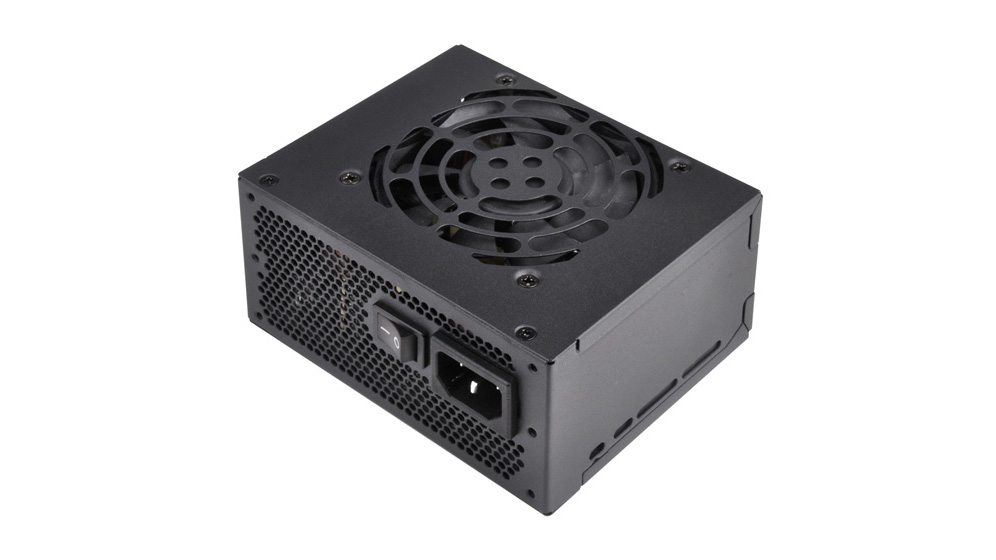
Silverstone SFX SST SX550 is a compact power supply that fits in plenty of cases. (Image Credit: SilverStone)
5. Silverstone SFX Series SST-SX550
Best compact power supply
Form factor: SFX | Capacity: 550W | Efficiency rating: 80 Plus Gold | Modularity: None | Warranty: 3-year
Compact size
ATX and EPS support
Limited number of connectors
The best PC power supplies unfortunately tend to be giant hunks of metal that don’t fit into smaller PC cases. However, the Silverstone SFX SST SX550 is a compact power supply that fits in plenty of cases. It’s half the size of most of the other PSUs on this list, allowing for more room for better airflow. This makes it an easy pick for anyone building a mini ITX or micro ATX build, and you can even slide it into a mid- or full-tower, if you feel like it. It’s easy to see why the Silverstone SFX is one of the best PC power supplies.
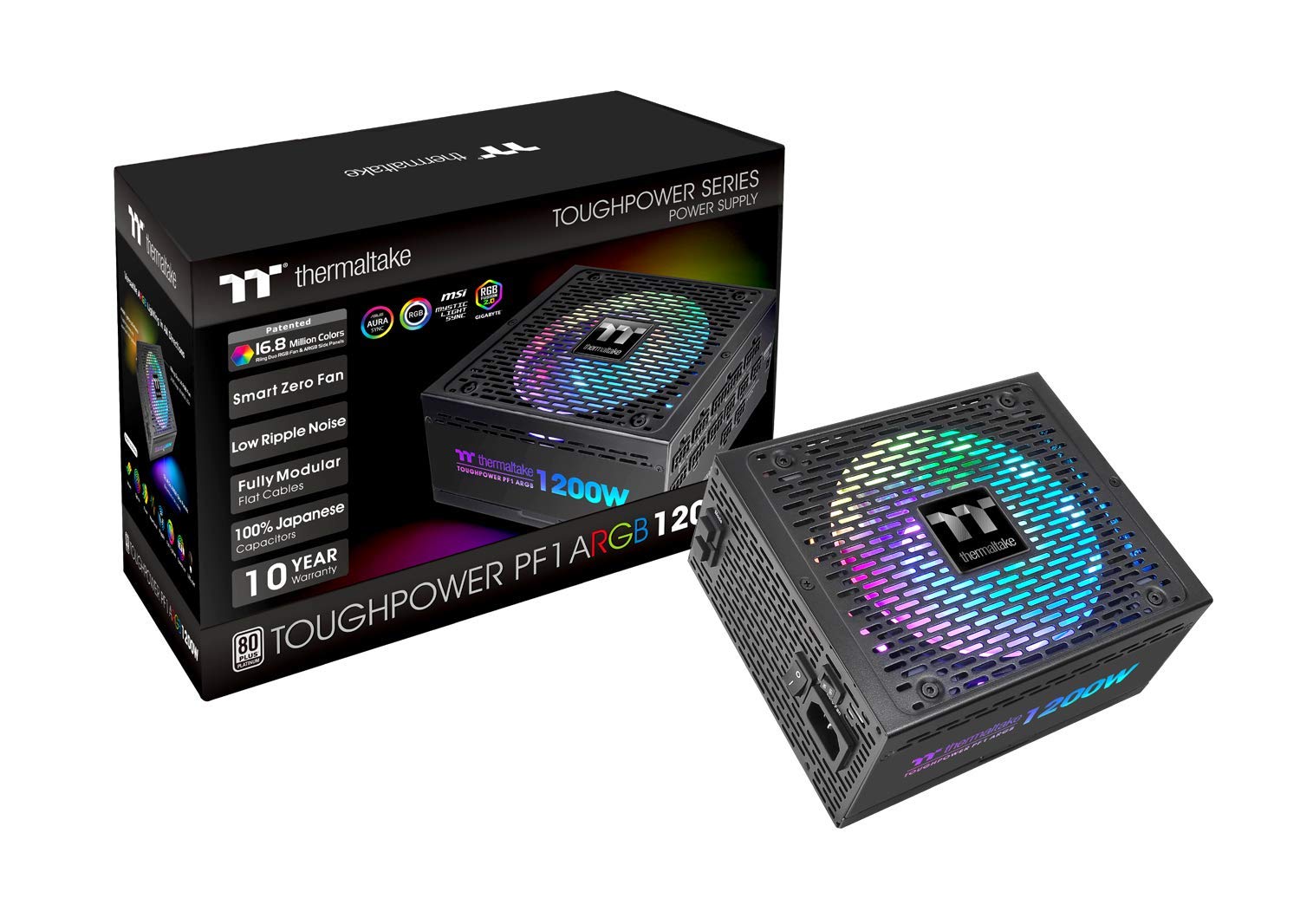
If you’ve got a high-powered mirrored setup, the Thermaltake Toughpower PF1 ARGB 1200W is the best PC power supply for you. (Image credit: Thermaltake)
6. Thermaltake Toughpower PF1 ARGB 1200W
Best built
Form factor: ATX | Capacity: 1200W | Efficiency rating: 80 PLUS Platinum, ETA-A (88-91%) | Modularity: Full | Warranty: 10 Years
Very good transient response
Fully modular
Noisy
Expensive
The Thermaltake Toughpower PF1 ARGB 1200W is braun and beauty rolled in one, delivers high performance with RGB lighting features. If you’ve got a high-powered mirrored setup, this one’s the best PC power supply for you. Better yet, it’s fully modular and built like a tank so it’ll last you a long time. All these high-end features come at premium price, but if you happen to have extra cash lying around, it’s completely worth it.
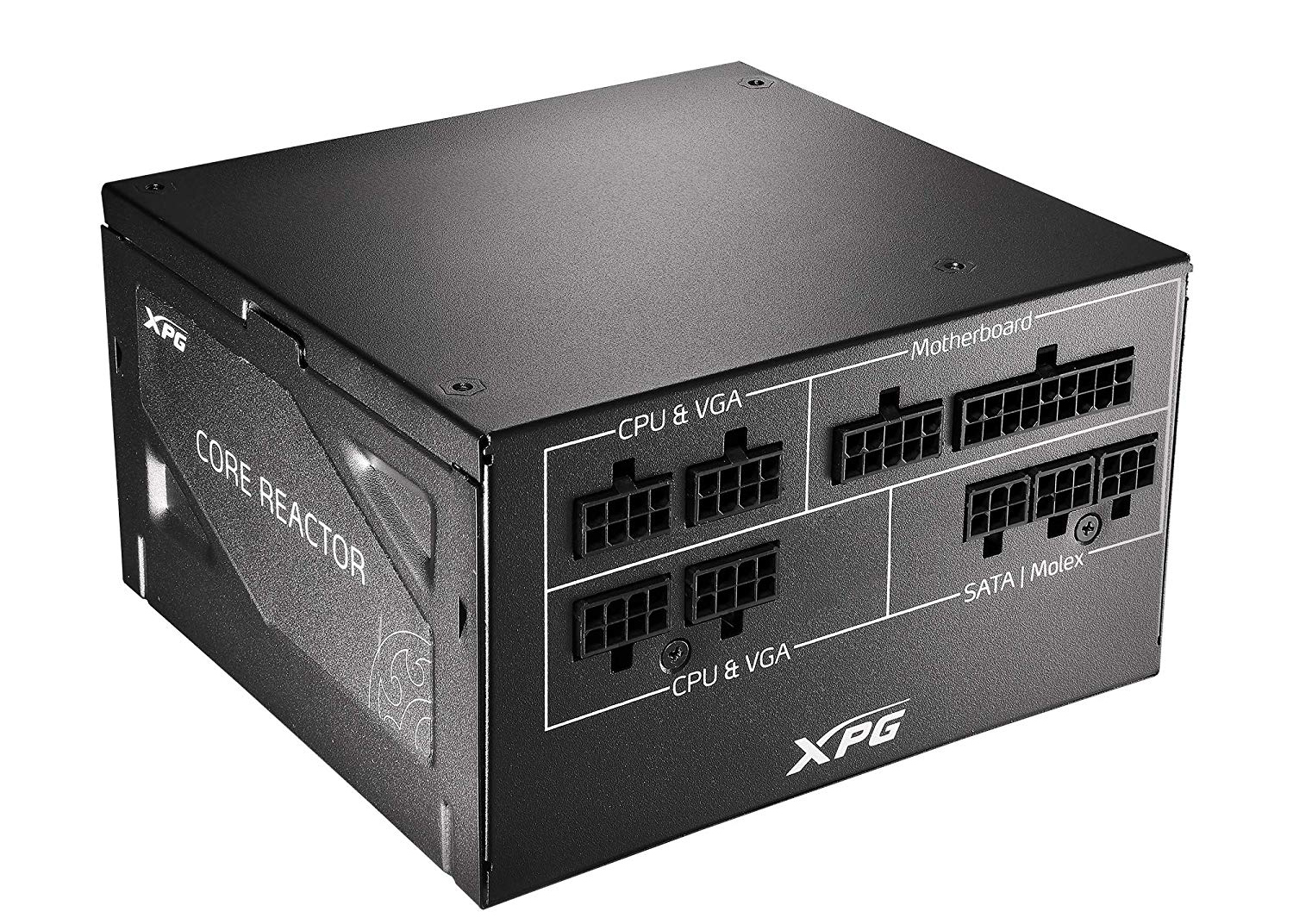
XPG Core Reactor 750W is a mighty PSU with higher quality parts and high performance.(Image credit: XPG)
7. XPG Core Reactor 750W
Best for new ATX specifications
Form factor: ATX | Capacity: 750W | Efficiency rating: 80 PLUS Gold, ETA-A (88-91%) | Modularity: Full | Warranty: 10 Years
Full power at 47 degrees Celsius
Efficient and silent
Good transient response
Expensive
The XPG Core Reactor 750 may have some pretty tough competition out there, like the Corsair RM750x, for example. It’s high price tag doesn’t help. However, it’s a mighty PSU with higher quality parts and high performance. In addition, it’s also one of the very few power supplies that’s fully-compatible with the new ATX specifications. And, it’s pretty compact, ideal for more compact computer setup.
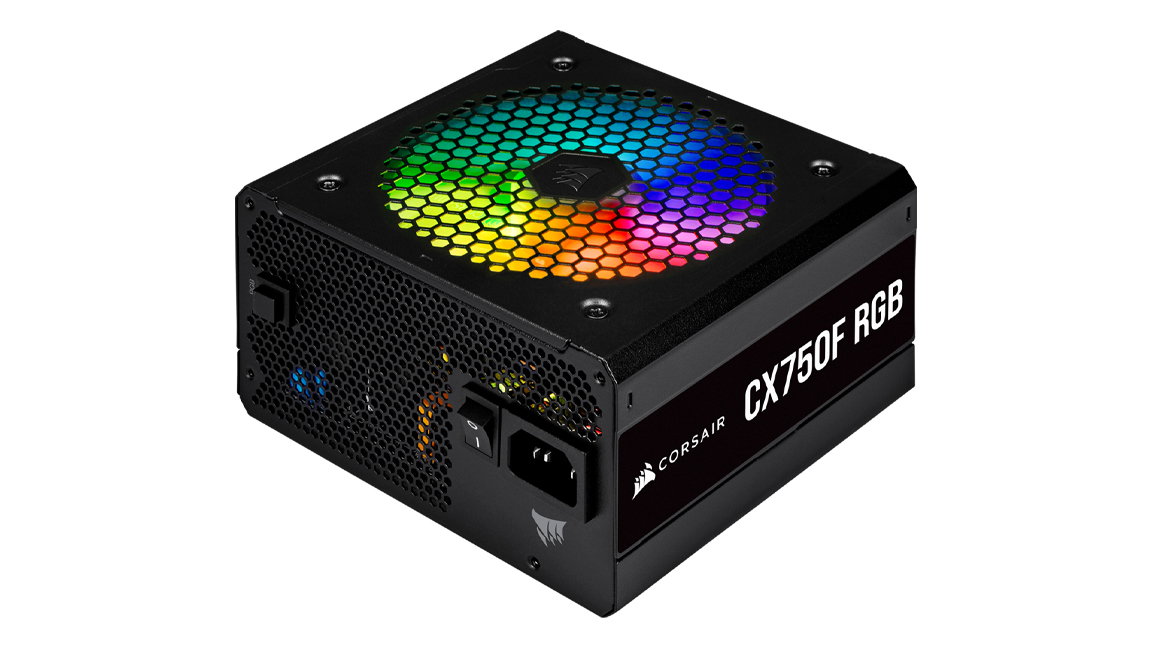
The Corsair CX750F RGB combines a modular design with a bronze 80 Plus efficiency rating and a relatively low noise fan(Image credit: Corsair)
8. Corsair CX750F RGB
Awesome RGB power supply
Form factor: ATX | Capacity: 750W | Efficiency rating: 80 Plus | Modularity: Fully Modular | Warranty: 7-year
Customizable RGB lighting
Modular
Not enough for top-of-the-line builds
With the Corsair CX750F RGB, the company has come up with a winner. The PSU combines a modular design with a bronze 80 Plus efficiency rating and a relatively low noise fan for a perfect PSU for under a hundred bucks. Add to that, RGB lighting that can be controlled three different ways and you can’t really go wrong with this one. While it won’t power the most muscular of builds, it should handle most just fine.
If less power is needed, you can also take a look at the CX550F RGB White, which delivers 500W power and comes in a pristine white color that simply looks fantastic with the RGB light on.
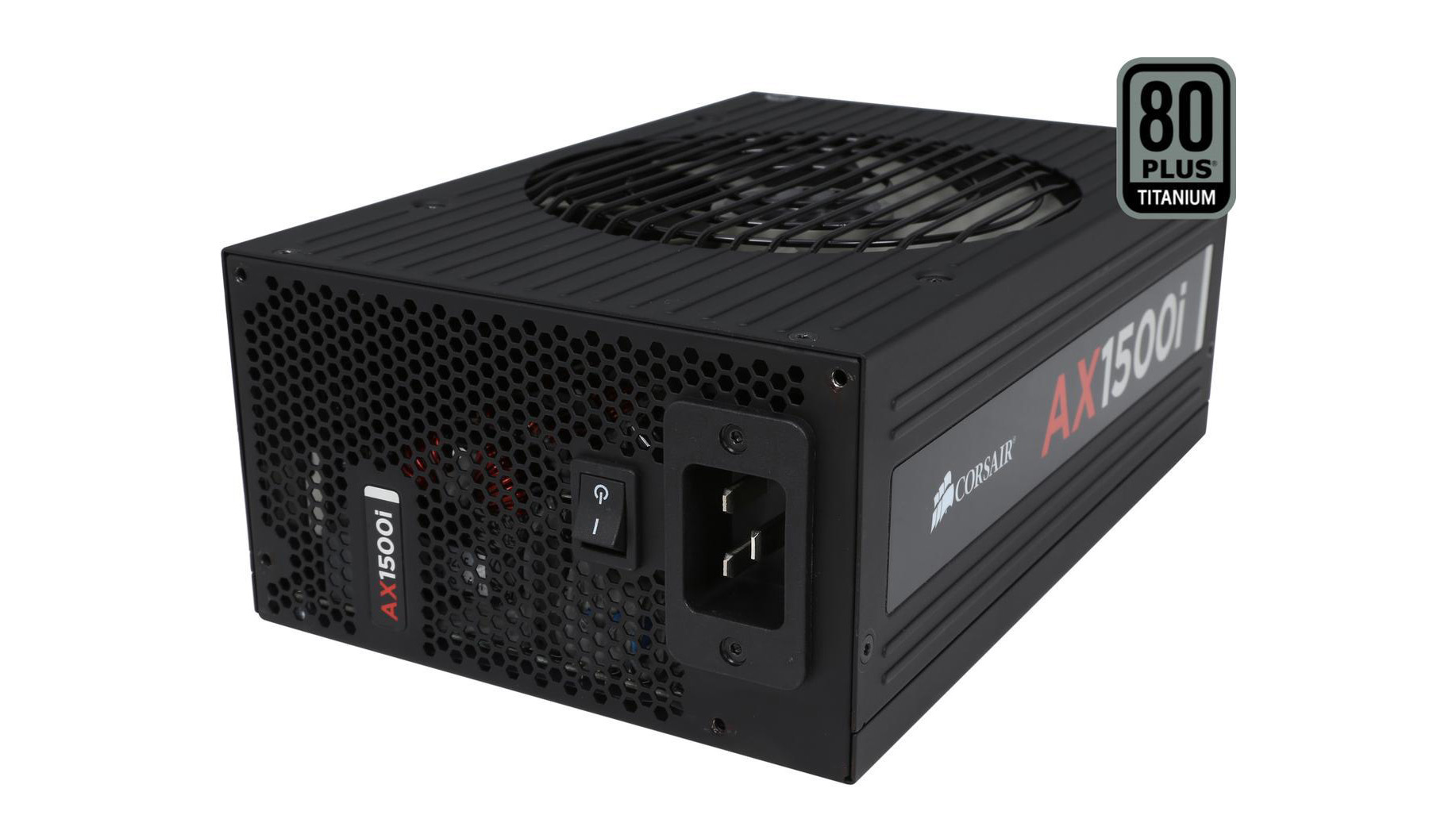
Corsair AX1500i can power an absolute behemoth of a rig. (Image Credit: Corsair)
9. Corsair AX1500i
Best high capacity power supply
Form factor: EPS | Capacity: 1500W | Efficiency rating: 80 Plus Titanium | Modularity: Fully | Warranty: 10-year
Titanium efficiency rating
Monster capacity
Huge price tag
Enormous size
If you’re a serious builder that plans on building an absolute behemoth of a rig, with multiple graphics cards, cooling systems on top of some healthy overclocking, the Corsair AX1500i is the best PC power supply for you. It has the highest possible 80 Plus Titanium efficiency rating, and is fully modular, so you only need to add the cables your build actually requires.
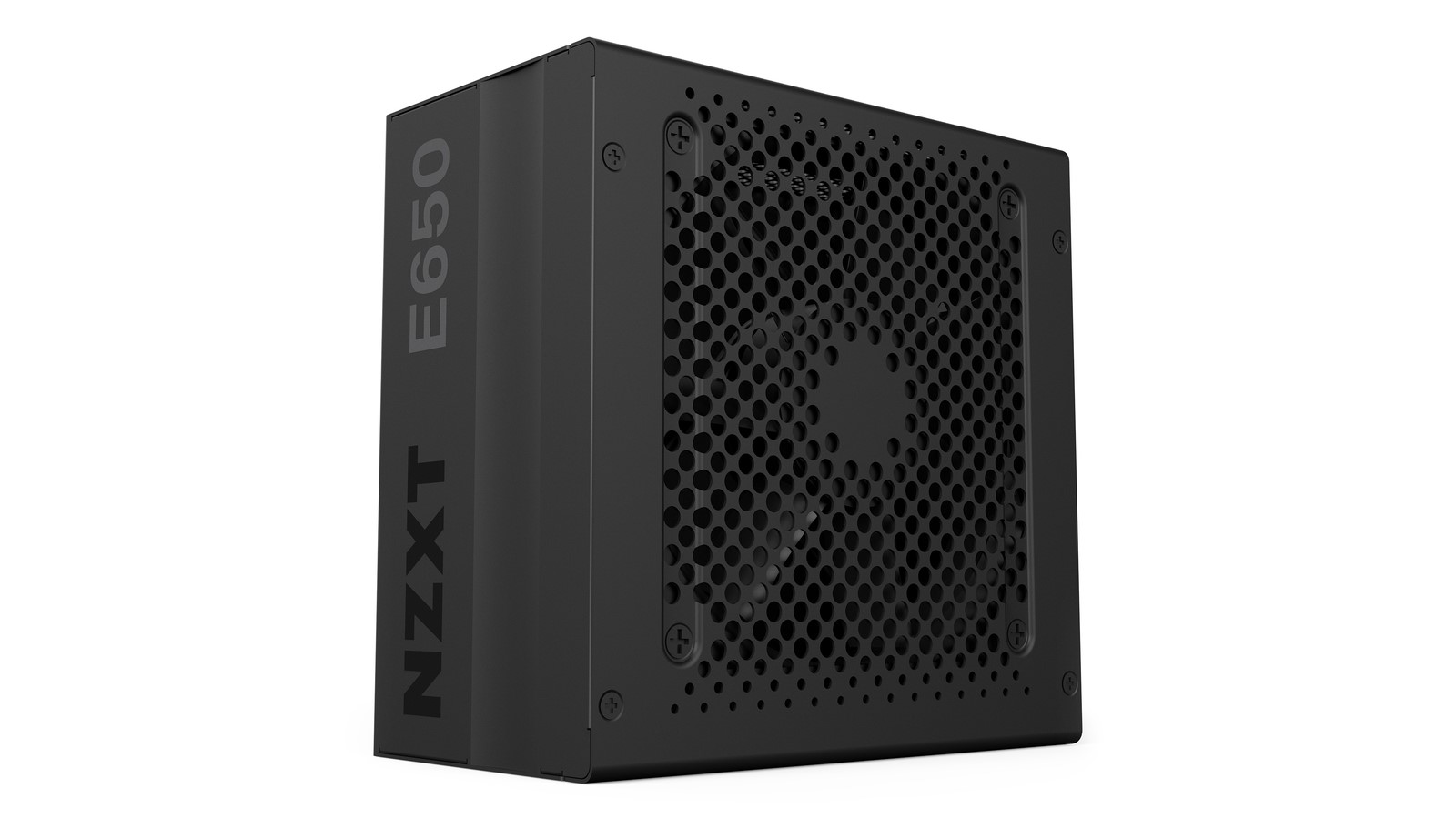
NZXT E650 is a fully modular power supply. (Image Credit: NZXT)
10. NZXT E650
Best modular power supply
Form factor: ATX | Capacity: 650W | Efficiency rating: 80 Plus Gold | Modularity: Full | Warranty: 10-year
Stylish
10 year warranty
On the expensive side
If you’re really trying to maximise the visual appeal of your build, a modular power supply is almost essential – you can avoid all of those messy looking wires cluttering up your case. The NZXT E650 takes things a step further. Not only is it a fully modular power supply, meaning you only need to connect the wires you actually need, but it’s also extremely attractive itself, begging to be shown off in your case. This is all topped off with an 80 Plus Gold efficiency rating and a 10-year warranty – not only will it look good, but it’ll deliver power efficiently and last forever while it does it.
How do I choose a PC power supply?
When you're looking for a PC power supply, there are really two things to take into consideration: wattage and efficiency rating. For most people, a 500W power supply will be plenty, but if you're using high-end gaming components, you're going to want to get something with a bit more juice – for instance, you'll want at least an 850W PSU if you're getting an Nvidia GeForce RTX 3080.
For efficiency, we'd recommend going with a PSU with at least an 80 Plus Bronze rating. And, if you want the most efficient power, going with an 80 Plus Gold or an 80 Plus Platinum PC power supply is going to be the way to go.
from TechRadar - All the latest technology news https://ift.tt/34EkyFz