We'll fill you in on all the remaining pay dates for this year's checks, plus what you need to know about missing payments, eligibility and how to cancel future payments.
Keeping all of your online accounts and their passwords secure can be difficult especially if you're not using a password manager which is why Google plans to enable two-factor authentication (2FA) for an additional 150m users by the end of the year.
The search giant checks the security of 1bn passwords each day to protect the accounts of its users from being hacked. One of the ways that Google does this is through its password manager which is built directly into Chrome, Android and the Google App.
Not only does the company's password manager use the latest security technology to keep your passwords safe across all of the sites and apps you use, it also contains a password generator that makes it easier to create strong, unique passwords on all of your devices.
While Google's password manager offers improved protection on Android smartphones, iPhone users can select Chrome to autofill saved passwords in other apps in iOS. However, the company is planning to roll out an update that will allow iPhone users to take advantage of Chrome's strong password generation feature for any iOS app in a similar way to how Autofill with Google works on Android.
Auto-enrolling users in 2FA
Although using strong and unique passwords can help protect your online accounts, having a second form of authentication dramatically decreases an attacker's chances of gaining access to them. For years now, Google has been innovating in two-step verification (2SV) which is quite similar to 2FA.
However, 2SV is the strongest when it combines “something you know” like a password with “something you have” such as your smartphone or a security key. In fact, Google was even able to fight off phishing attacks by having its own employees use 2SV with their accounts.
After announcing its plans to make 2FA mandatory to commemorate World Password Day back in May, the company has provided further details on its plan to enroll even more users in a new blog post. While Google has begun to automatically configure its users' accounts to use 2FA, by the end of 2021 the company plans to auto-enroll an additional 150m Google users and require 2m YouTube creators to turn it on.
The search giant is aware that today's 2FA options aren't suitable for everyone which is why its working on technologies to provide a convenient, secure authentication experience and reduce the reliance on passwords in the long-term.
Google is currently auto-enrolling Google accounts that have the proper backup mechanisms in place to make a seamless transition to 2FA and interested users can take the company's Security Checkup to see if their account already has the right settings in place.
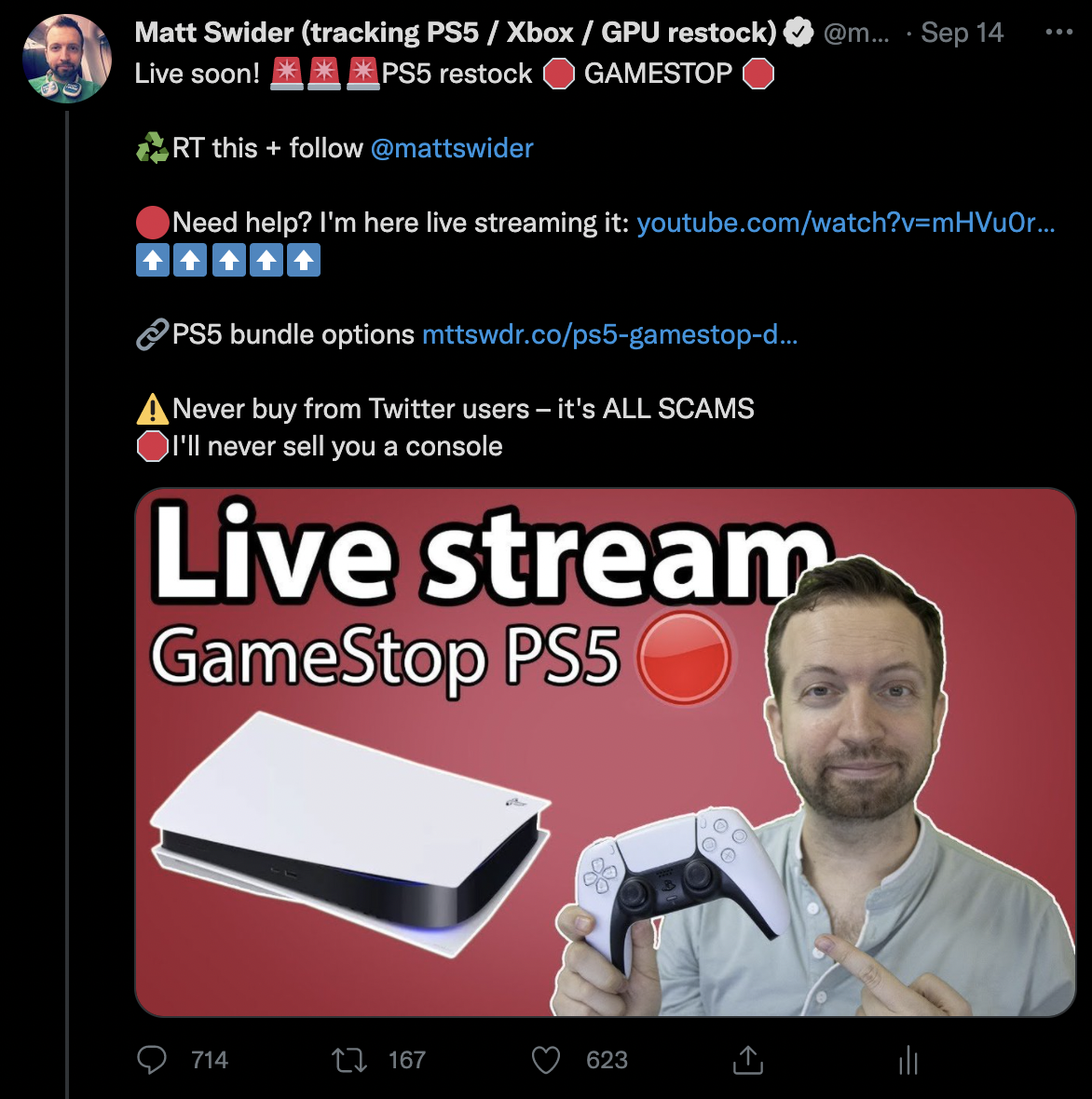
GameStop has become the preeminent source of PS5 restock opportunities, and if you follow our PS5 restock Twitter tracker Matt Swider– follow and turn on notifications – you'll get alerts when we find PS5 in stock anywhere in the US.
But how did GameStop become the go-to source over other top American retailers, including Best Buy, Walmart and Target? There are a number of changes GameStop made in 2021 that gave it access to more consoles and, at the same time, prevented resellers and bots from scooping up its valuable inventory.
Now, GameStop isn't the perfect restock retailer for everyone, mainly for the same reasons it's the best place to shop for others. Not everyone wants bundles, or to sign up for a year-long membership – some people will never use it. But for desperate gamers who aren't resellers, this is the best advice we have to offer today.
Look out for this GameStop PS5 restock alert in among your Twitter notifications:
► Never buy from other Twitter users – ever. They're all scams. Only buy from the US stores Matt alerts you about. No one will sell a PS5 for just $550.
GameStop always has PS5 for sale bundled with PS5 games, accessories, PlayStation Plus and/or GameStop gift cards. This causes the $499 PS5 Disc console to inflate in price, anywhere from $705 to $750, according to our exclusive data.
Yes, that puts the PS5 above MSRP, but everything included is at face value – for the most part (one time, one of the included games had gone on sale for $20 off at other retailers and was still at its original price in a fluke situation). So it's a good deal for gamers who intend to buy PS5 games anyway (that's the point).
Who's it a bad deal for? Mostly resellers who can't make a profit off of PS5 bundles. It's harder to sell an in-demand PlayStation 5 console when you also have to find someone who likes Ratchet & Clank: Rift Apart at full price when that game (and all games and accessories) are readily available.
We can't emphasize this enough: PS5 bundles, while seemingly anti-consumer at first, are actually a helpful way to cut out the resellers and their bots. In-person restocks also see resellers, often using stand-ins, but not at GameStop when it's PS5 bundles for sale.
2. GameStop actually announces PS5 restock times
The GameStop PS5 restock date and time are actually known at least 90 minutes in advance of orders going live. This allows Matt Swider to send a quick alert in the morning (warning people about the restock) and set up a YouTube live stream in order to walk people through the add-to-cart and checkout process in real-time.
Because of this GameStop PS5 restock live stream, we've seen more success from GameStop than any other retailer in 2021, with more than 2,000 next-gen consoles being bought through our alerts alone. Walmart comes close to rivaling that, but not topping it.
3. GameStop restock for PowerUp Pro Rewards members
This is another reason why GameStop has become our primary recommendation for true gamers (and their spouses and parents) to get their hands on a PS5 restock: it requires a membership to the PowerUp Pro Rewards.
The cost? A reasonable $15 a year (not per month) and it comes with benefits like a $5 monthly reward certificate (can be used online or in-person at GameStop; totals $60 in savings over the course of a year), extra trade-in credit for your old games, and a gaming magazine subscription.
Note: there's a $20 version of PowerUp Rewards Pro for the print-based magazine, but you can save $5 by going with the digital edition. The more expensive membership won't make a difference.
Again, like the bundles, this is a minor barrier-to-entry rewards gamers, displeases resellers and makes GameStop some money (they make little to nothing off of console sales). That $15 eats into resellers' profit, especially when it becomes harder to buy multiple consoles under a single paid account (so they'd need multiple accounts all paying $15).
4. GameStop – sometimes – lets you take back bundled PS5 games
We've done it before and so have some of the followers of Matt Swider. It depends on the GameStop employee behind the counter that day.
You can take back games included in your bundle, say if you don't want NBA 2K22 and want Demon's Souls when they're both the same price these days if you go for the pre-owned version of Demon's Souls.
Some GameStop employees won't do this for you – try another GameStop or even a different employee at another time – and some will ask you to open up the game to turn it in as a used game for something like $30 – don't do that either.
GameStop's official policy is that bundled games and accessories can't be taken back without returning the entire bundle, but we've found enough nice employees who are happy to see gamers happy with their PS5 purchase.
(Image credit: Matt Swider / Instagram)
5. GameStop did in-store PS5 restocks... once
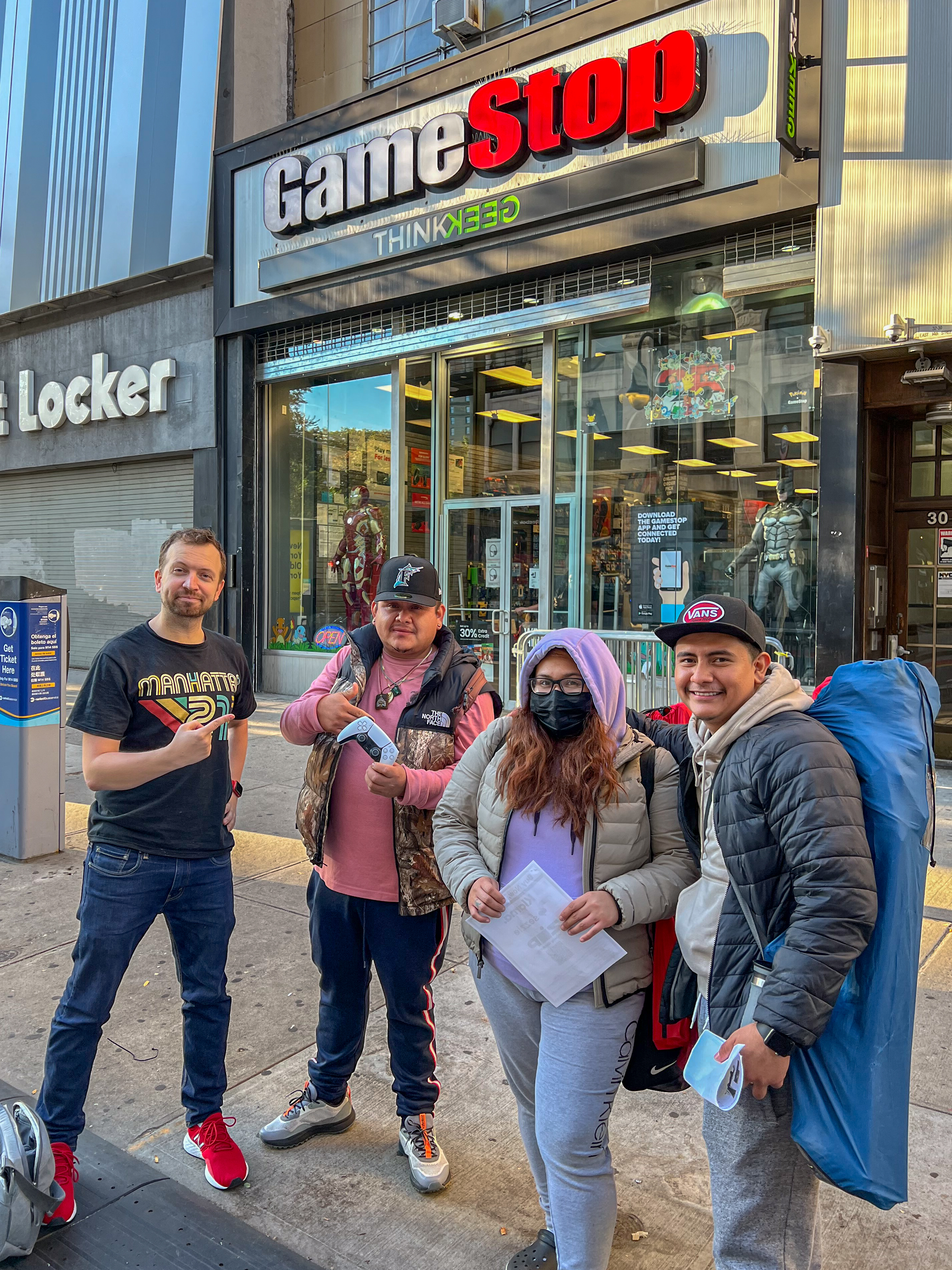
The big news from last week (Thursday) was that there was a GameStop PS5 restock in-store event, and TechRadar was there to report on it in New York City.
No, the PS5 wasn't on store shelves – that probably won't happen until 2022 due to the global chip shortage, according to market analysts. But people lined up days in advance to be first in line for the in-person restock.
But, again, because GameStop has been forcing PlayStation 5 bundles (in this case it was $705 for gift cards and PlayStation Plus at face value, no actual games), people who showed up at the store right before they opened at 7:30am were able to get the last of the restock (and didn't have to camp out overnight).
We're still going to advise everyone to check online – in-store restocks remain rare in 2021. There's only been one other restock, and that was the Best Buy PS5 restock in stores the week prior. But it's a good sign for things to come.
Microsoft has now begun the process of rolling out Windows 11 to compatible devices, a large proportion of which will be used for work-related activities.
Beyond a sleek and curvaceous aesthetic, reorganized start menu and new-look taskbar, Windows 11 also offers a number of new features that will catch the eye of business users in particular.
The new OS has clearly been optimized for hybrid working, whereby employees split their time between the home and office, with new options designed to allow users to multitask and pick up where they left off.
According to Microsoft, Windows 11 also sets a new benchmark for performance and security, which will help businesses optimize for productivity and shield employees against an ever-changing roster of cyberthreats.
“Windows is a driving force for innovation. It’s an enduring platform for each one of us to create. And it’s home for over a billion people to do their jobs, live their dreams and connect with the people they love,” said Panos Panay, Chief Product Office at Microsoft.
“With the shift to hybrid work, where work is constantly changing, we understand the importance of an operating system that is flexible, consistent, secure and works how you do.”
However, Windows 11 is also likely to create a few headaches for businesses too. The confusion surrounding hardware requirements is yet to be fully resolved, for example, and it looks like users are already encountering a few bugs at launch, so businesses will need to think carefully about when to pull the trigger on Windows 11.
Collaboration and productivity
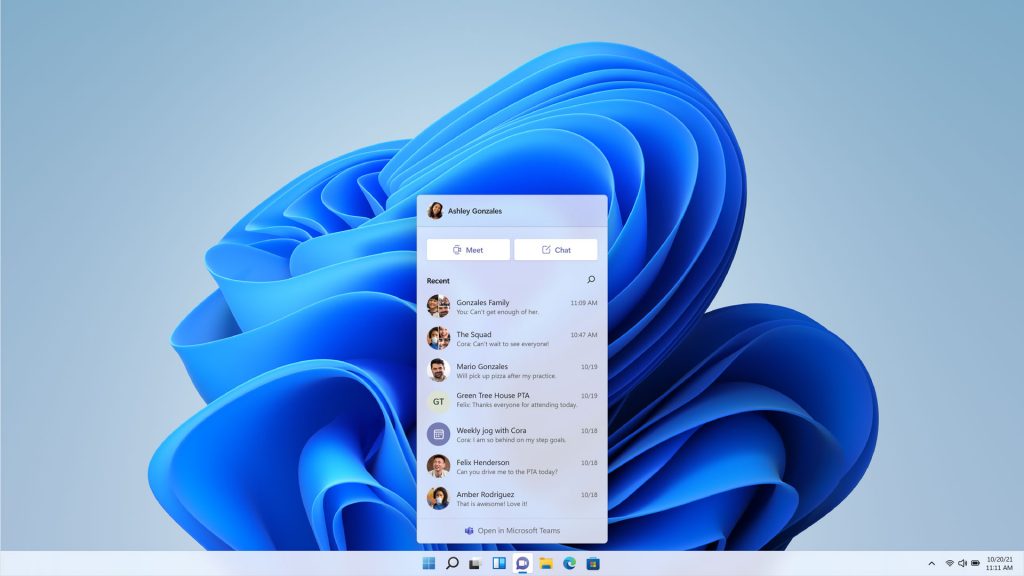
One of Microsoft’s main focuses in the run-up to the Windows 11 launch has been the new level of interoperability with collaboration platform Teams, which has been built into the core of the new OS (and has also received a Windows 11-flavored visual overhaul).
In Windows 11, users can launch directly into Teams chats and meetings with a single click or touch, via an icon that takes a front-and-center position in the taskbar. The new system tray also hosts a mute button for easy access, addressing one of the most common pandemic faux pas.
New Microsoft Teams integration in Windows 11(Image credit: Microsoft)
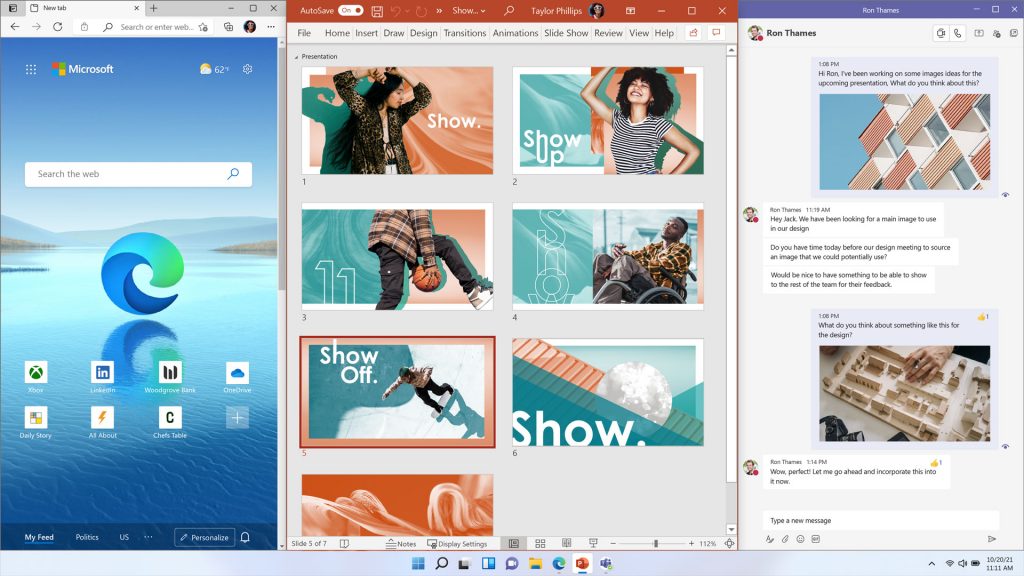
Microsoft has also introduced a series of upgrades designed to help users maximize productivity at work. For example, Windows 11 offers a new feature called Snap Layouts, which gives users a greater range of orientation options when multitasking across multiple windows or applications.
When reconnecting a laptop or tablet to an external monitor, meanwhile, a feature called Snap Groups can be used to restore all windows to their previous location and orientation, making it easy to jump straight back in.
“These new features are designed to help you organize your windows and optimize your screen real estate so you can see what you need just the way you want in a layout that’s visually clean,” says Microsoft.
Custom window layouts in Windows 11(Image credit: Microsoft)
Performance and security
During the development of Windows 11, another area Microsoft honed in on was performance and security, two qualities that will top the priority list for any business.
Although the company has not provided hard data, it says Windows 11 boot times are significantly faster, and so is authentication service Windows Hello. Navigating the web and web-based services is also said to be much snappier, and not just on Edge.
The new OS reportedly uses less energy too, which should translate to longer battery life when employees are working on their travels.
Separately, Microsoft has made a point of highlighting Windows 11’s security credentials, with new protections added at a chip and cloud level to ensure company assets remain secure no matter where employees are located.
“Key security features like hardware-based isolation, encryption, and malware prevention are turned on by default. We have also made going passwordless easier by simplifying the steps to deploy Windows Hello for Business,” explained the firm.
“And all these components work together in the background to keep users safe without sacrificing quality, performance or experience.”
With security front of mind, Microsoft has also introduced a strict new set of hardware requirements for Windows 11. For example, all Windows 11-compatible CPUs must feature an embedded TPM, and support secure boot, virtualization-based security (VBS) and specific VBS capabilities.
However, while these requirements will shield users against attack (particularly at a firmware level), they are expected to create serious headaches for businesses too.
Hardware requirements
Microsoft has confused just about everyone with its minimum hardware requirements for Windows 11. At the heart of the confusion is a piece of technology known as a Trusted Platform Module, or TPM.
The job of TPM chips is to perform cryptographic operations that provide security at a hardware level and verify the authenticity of a system at launch. They also feature various mechanisms to make them resistant to tampering.
Among other specifications relating to the CPU, RAM and storage, Windows 11 will require all machines to feature TPM 2.0 support, either built into the CPU or in the form of an additional chip connected to the motherboard.
A TPM chip(Image credit: Quiet PC)
A recent report from device audit company Lansweeper suggested that only 44.4% of workstations are eligible to receive the automatic Windows 11 upgrade. And while Windows 11 can technically be deployed on incompatible machines, the installation process is manual (and therefore a giant undertaking for IT teams) and the devices will not receive the regular level of support from Microsoft.
The picture is even more bleak when it comes to virtual machine workstations, only 0.23% of which have TPM 2.0 enabled. And as for the hypervisors themselves, only a few are currently able to meet the necessary requirements to run Windows 11.
According to Microsoft, VMs created using the company’s own service (which comes bundled for free with Windows 10 Pro) will run Windows 11 just fine, provided they are set up as “Generation 2” VMs. And, anecdotally, VMware Workstation Pro is also said to meet the TPM requirement.
However, other companies in the space will have to find a way to adhere to the rules. Oracle told TechRadar Pro it is working on a new version of its VirtualBox VM software, but Citrix did not return our request for comment.
All this means that upgrading to Windows 11 will be far from smooth sailing in many scenarios.
To install, or not to install
System requirements aside, Microsoft says it has done everything in its power to ensure upgrading from Windows 10 to Windows 11 as easy as possible for IT staff. For example, the company was careful to maintain consistency across the various Windows management tools - such as Endpoint Manager and Windows Update for Business - so everything should feel familiar to administrators.
However, when a new operating system arrives, many businesses choose to delay before rolling it out far and wide - and for good reason. Although Windows 11 will have undergone extensive testing, both in the lab and during early-access, bugs are already beginning to crop up post-launch.
So far, users have reported a variety of issues after installing Windows 11; some say they are experiencing poor Wi-Fi performance, some have found the Start menu search function is broken, and others are having problems with File Explorer. Perhaps most worryingly, it has been reported that Windows 11 suffers from memory issues that will eventually begin to cause slowdown.
All in all, Windows 11 offers plenty for businesses to be excited about, from features that support new ways of working to additions designed to keep employees secure, no matter their location. And if Microsoft is able to deliver on its promises, Windows 11 will deliver value to businesses of all kinds as they look to capitalize on new opportunities in the post-pandemic landscape.
That said, IT teams and business leaders will need to think carefully about whether these benefits are worth the inevitable hassles that early adopters face. Sometimes, after all, slow and steady wins the race.
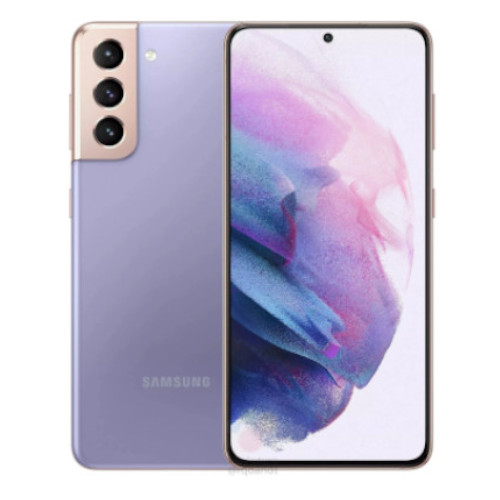
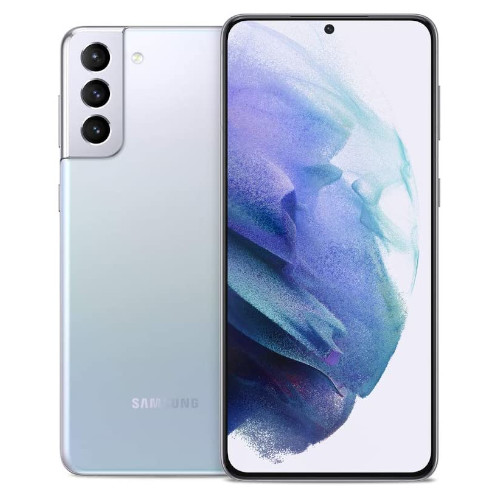
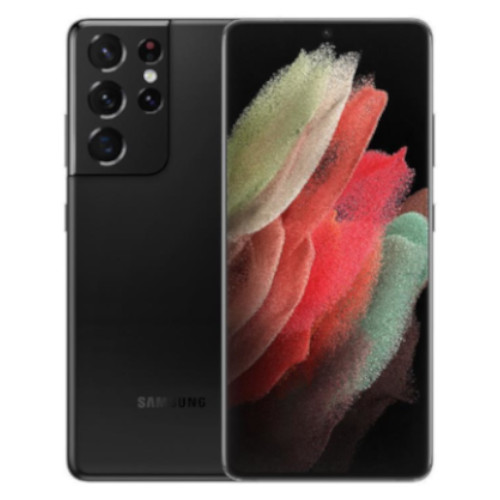
If you've been hanging out for a chance to buy one of Samsung's flagship handsets, now's your chance as Vodafone's discounting the whole range of Galaxy S21 phones by a solid AU$500 – that includes the S21 Plus and S21 Ultra.
What's more, there are some sweet extra incentives Vodafone is offering on its plans, including half-price discounts for the first three months on most of its plans as well as a AU$20 discount on the telco's recently launched unlimited data plan. The handset discount offers end Monday, October 11.
The most affordable of Samsung's trio of flagship devices gets the biggest price cut (percentage-wise) bringing it down to just AU$749, so pairing it with one of Vodafone's more affordable plans made sense to us. You'll score 40GB of data, access to Vodafone's 5G network, and get an extra AU$20 plan discount for the first three months to boot.
The Galaxy S21 Plus packs in a larger display and battery and does so without too much of a price bump, but shaving AU$500 off to bring it down to AU$1,049 is especially appealing. Pair it with this 80GB plan from Vodafone and score a AU$22.50 monthly discount for the first three months as well as access to the 5G network.
For the ultimate Samsung flagship experience, the S21 Ultra is the go, and we've picked the 256GB storage model for its well-balanced value. Pair this with Vodafone's unlimited data Ultra+ plan and never worry about going over your limit again. You'll save AU$500 on the handset (bringing it down to AU$1,449) and reduce AU$20 from the plan itself, taking it from its usual AU$85 monthly cost to just AU$65.
Total cost over 24 months: AU$3,105.12
Caveats and conditions
As always, there are some caveats that are worth mentioning for those hungry for deals. First and foremost, you can only score the Samsung handset discount if you pair it with one of Vodafone's plans and stick with it for either 24- or 36-months.
The same goes for the plan discounts – the AU$20 monthly reduction to the unlimited data Ultra+ plan, and the half-price discount on the initial three months across all plans only apply to 24- and 36-month plan signups.