Sunday, May 30, 2021

Latest Tech News

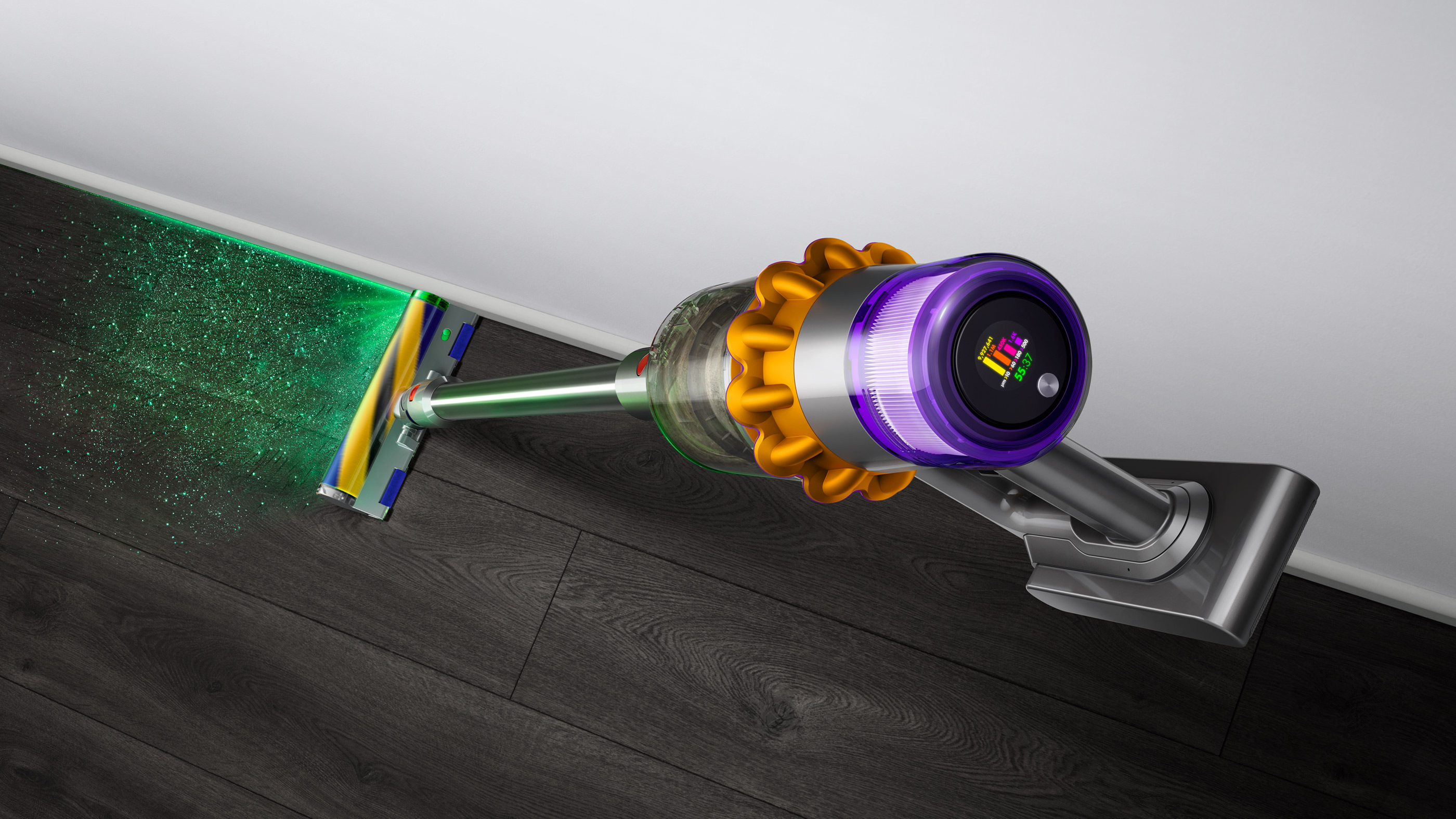
Just days after Dyson’s most innovative cordless vacuum to-date, the Dyson V15 Detect (that comes with lasers, no less), went on sale the floorcare stalwart has dropped another new cordless vacuum. 

The Dyson Omni-glide is a new type of cordless vacuum cleaner that’s designed for hard floors and is more compact and lighter than any of Dyson’s cordless cleaners to date.

The biggest upgrade is the cleaner head that has not on,e but two, brush bars meaning cleaning takes less time. 

The cleaning head also sits on four 360-degree castors so it can move in any direction, and the vacuum cleaner can even lay flat, making it good for hard to reach corners and ensuring areas under furniture are dust-free. 

But aside from their differing cleaning heads, you’re probably wondering exactly what the differences are and whether they’re both among the best vacuum cleaners on the market right now - and we've tested both in depth to find out.

Best Dyson V15 Detect and Dyson Omni-glide deals 

Read on to find out just how these cordless vacuums compare – or, if you know which Dyson cleaner device you want, check out the best prices right now for both products below: 

Dyson Omni-glide

(Image credit: Dyson)

Price

At $399.99 / £349.99 / AU$599.99, the Dyson Omni-glide is Dyson’s most affordable vacuum cleaner to date, although it’s still relatively expensive compared to many other cordless vacuums, and is available to buy now in the US and Australia, and will go on sale in the UK in July.  

In contrast, the Dyson V15 Detect, which is known as the V15 Detect Absolute in the UK and the V15 Detect Total Clean in Australia, is priced at $699.99 / £599.99 / AU$1,399

There are two variants of the V15 available. In the US the second model is called the Dyson Outsize Absolute+ and is priced at $899.99 while in the UK it's known as the Dyson Outsize Absolute and costs £699.99

It has a larger 0.5-gallon / 1.9-litre dust bin, although it can’t count and sort the dust particles, and the US model comes with two batteries. 

In Australia, the Dyson V15 Detect Absolute Extra is also available and comes with a free-standing dock, for a cost of AU$1,449

Dyson V15 Detect

The Dyson V15 Detect (Image credit: Dyson)

Design

The Dyson Omni-glide and Dyson V15 Detect certainly look different from each other. 

While they both have a main section that contains the motor, cyclones - which generate centrifugal force to keep dust and dirt in the canister - and a dust canister, the Dyson Omni-glide is much smaller and more compact than the V15 Detect.  

The Dyson Omni-glide has a vertical handle, which houses the swappable battery, rather than the traditional trigger-style handle found on the V15 Detect, which is also where the swappable battery is fitted. 

The Omni-glide’s power button, which can be found on the front of the handle, ensures the vacuum cleaner runs continually until it’s turned off, while the trigger on the V15 Detect means it’s only powered when this is held down.

The dust canister on the Omni-glide holds 0.05 gallons / 0.02 liters, compared to the 0.2 gallon / 0.75 liter dust canister on V15 Detect. Both cordless vacuums can be used in stick mode, with a wand and cleaning head attached to the canister, or converted into handheld mode and used with any of the tools they come bundled with. 

Because of the long handle, we found the Omni-glide cumbersome to use in handheld mode. On that note, the Omi-glide comes with one cleaning head, and three tools, while the V15 Detect has two cleaning heads, and six tools bundled with it. 

Battery life and power

The runtimes of each vacuum vary wildly too. During testing, the Omni-glide lasted 20 minutes on the lowest power setting, although this dropped to just shy of 18 minutes on maximum power. 

Meanwhile, the  V15 Detect lasted a respectable 59 minutes between charges on the lowest-power mode. We were also disappointed that the Omni-glide has no real way of gauging the battery level, whereas the V15 has an (awesome) LCD screen that shows the remaining runtime, as well as any blockages and a breakdown of the dust it’s collected thanks to the piezo sensor (more on that below). 

When it comes to suction, the Omni-glide has two power levels while the V15 Detect has three, meaning the latter is more adept at sucking around the house.

More suction power means the vacuum is better at pulling up ground-in dirt from carpets, making cleaning your floors a much quicker task - but when you consider the Omni-glide is designed solely for hard floors while the V15 Detect can be used on carpet as well as hard floors, this reduced suction isn’t really an issue. 

On test, we found both vacuums whipped away fine dust and cereals from hard floors in just one slow sweep, so the reduced suction on the Omni-glide certainly hasn’t hampered its cleaning ability. 

Dyson Omni-glide

The Dyson Omni-glide (Image credit: Dyson)

Features

The Omni-glide and the V15 Detect both have cleaning heads that offer very different functions.  

The Omni-glide’s cleaning head has two as two brush bars covered in soft nylon to capture large particles without damaging hard floors, while anti-static carbon fiber filaments collect fine dust at the same time. 

The head sits on four 360 degree castors that, along with an articulating neck, allow the vacuum cleaner to be steered in any direction. It can also lay completely flat, making it great for cleaning under low-lying furniture and in tight spaces. 

On test we were impressed at just how smoothly the cordless vacuum glided on hard floors and how easy it was to steer around a circular trash can in the kitchen, and underneath a sideboard in the living room.  

The V15 Detect’s hard-floor cleaning head can’t be steered in any direction and only has one brush bar, but it does feature a laser, which shines a beam of green light in front of the head, to highlight hidden dust that can’t be seen by the human eye. 

The V15 Detect is also fitted with an acoustic piezo sensor that can count and identify the size of the dust particles it collects, displaying the information on the LCD screen - not something the Omni-glide offers but a handy feature if you want evidence just how thorough your clean has been.  

Finally, the V15 Detect also ships with a High Torque cleaning head that can be used on carpet as well as hard floors. 

When this head, which has 56 polycarbonate teeth that shred hair into small sections so they won’t get tangled around the brush bar, is used on Auto mode, the vacuum cleaner will adjust the suction power to suit the floor type it’s being used on automatically.

Verdict

When it comes to choosing between the  Dyson Omni-glide vs the Dyson V15 Detect, the type of flooring you have in your home will affect which cordless vacuum cleaner is best for you. 

If you have only hard floors then the Dyson Omni-glide will be a great buy. If you have carpet, the Omni-glide won’t be your main vacuum cleaner, but it will work as an additional vacuum for quick cleans. 

The V15 Detect is a real powerhouse when it comes to carpet vacuuming, and many will enjoy the 'gamified' nature of the seeing the cleanliness of your floor on the LCD screen.

Also, you know... lasers.

The Omni-glide is more compact than the V15 Detect, making it good for homes that are short on space, and can easily get under low-lying furniture or in tight spaces, so if this sounds like your home, it’ll be a winner. 

It’s also more affordable too, so is a good choice for those on a budget - saving heavily if you don't have carpet.

However, for those that want to use the vacuum in handheld mode a lot - an area where we found the Omni-glide uncomfortable to use - or want proof that your vacuuming sessions really are thorough, then the V15 Detect steps up to the plate here and is a worthwhile investment.


from TechRadar - All the latest technology news https://ift.tt/3p3sIkR

Latest Tech News

Twitter announced, with a bit of a fanfare, that it was reviving the public request for verification for the first time since 2017. The process for bestowing the coveted 'blue tick' in chosen six categories was kick-started last week. But just a few days into it, Twitter has said that it is pausing new applications for now as it has to review the current stack of profiles. Apparently, Twitter has received applications more than it anticipated.

“We’re rolling in verification requests. So we gotta hit pause on accepting any more for now while we review the ones that have been submitted,” Twitter said.

The public verification process for the blue tick has always been a start-stop game on Twitter.

Access to application itself is unavailable

See more

Twitter has not given out any specific date or time for the reopening of requests. But it is fair to surmise that it will happen once Twitter clears the backlog of applications.

Twitter has also said: "Right now, while accepting requests is paused, rolling out access to the application is paused too. Once requests are back open, we’ll resume to roll out access to the application process."

It may be recalled that Twitter reworked its verification process, opening it to eligible users from six different categories that include the Government; Companies/brands/organisations; news organisations and journalists; entertainment; sports and gaming; and activists/organisers/other influential individuals.

Twitter caught unawares

To be eligible for verified handle status, Twitter users  need to have a complete account including a profile name, image and a confirmed email address or phone number. Also, these Twitter accounts must be active within the last six months and “have a record of adherence to the Twitter Rules.”

Reports say Twitter has 199 million active users, and only 360k of them currently have the blue tick.

Considering these numbers, in a sense, it is also surprising that Twitter did not anticipate the number of applications and was not ready for the surge.


from TechRadar - All the latest technology news https://ift.tt/34xoY1s

Latest Tech News

It’s the final days of eBay’s Plus Weekend sale, so if you’re a Plus member, it’s time to shop the savings. eBay has dropped limited-time deals on items including the Dyson Supersonic and the Samsung Galaxy S21, and to our surprise, many hot products are still available.

There’s more to this sale though, as eBay is also offering 20% off millions of items on the site. These offers will end on Wednesday, June 2, so you only have a few days left to score a bargain.

Over eBay Plus Weekend, we’ll be here to help you hunt down these deals and save you from trawling through the site. As mentioned, most deals listed here are exclusive to eBay Plus subscribers. No sweat if you’re not a member, you can still take advantage by signing up to a free 30-day trial of the service.

eBay discount codes this week

eBay Plus Weekend: best deals

Laptops, PCs & peripherals

[EBAY PLUS EXCLUSIVE]

Apple MacBook Air M1 | 8GB RAM / 256GB SSD | AU$1,499 AU$1,387.78 at Wireless1 on eBay (save AU$111.22)

Packing Apple's astonishing M1 processor, the latest MacBook Airs can outperform Intel laptops that cost more than twice their price -- which is why they sit at the very top of our list of best laptops of 2021. You can score AU$111 off the RRP of this 256GB model in silver or gold with coupon code PLUSCC1. If you'd prefer the 512GB version, you can get AU$100 off with the same code, bringing it down to AU$1,749.

Gaming

[EBAY PLUS EXCLUSIVE]

New Pokémon Snap (Nintendo Switch) | AU$74.95 AU$45 on The Gamesmen eBay (save AU$29.95)

Remember Pokémon Snap for Nintendo 64? The game has just been revamped for Switch, though aside from new tracks and much better visuals, not much has changed from the original version. The game is easy to learn, and while it can get quite repetitive, it should be a hit with Pokémon-loving kids. Save almost AU$30 when you buy with the code PLUSPOKE.

[EBAY PLUS EXCLUSIVE]

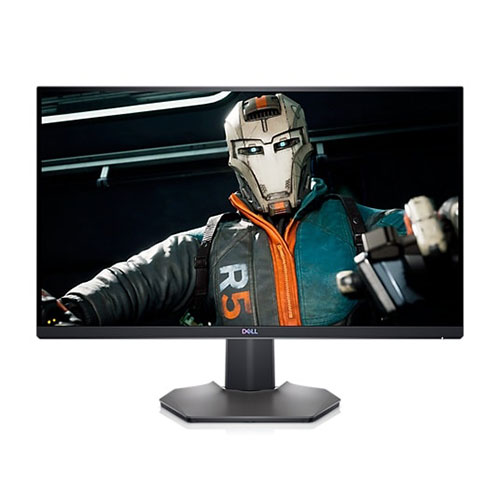
Dell 27-inch gaming monitor (S2721DGF) | AU$799 AU$359 on Dell eBay (save AU$440)

This gaming monitor just got much more affordable, with Dell slashing AU$440 off the RRP. It’s a 27-inch IPS panel, with a 165Hz refresh rate to keep fast-moving visuals looking clear. It’s also got support for AMD FreeSync Premium Pro to minimise screen tearing. This already discounted monitor has been reduced further, just enter the code PLUSMONITOR to snag the full discount.

[EBAY PLUS EXCLUSIVE]

Xiaomi Mi 34-inch curved gaming monitor | AU$539 AU$489 on eBay (save AU$50)

This curved gaming monitor stretches 34 inches, offering up plenty of screen real estate. With 1440p screen resolution, a 144Hz refresh rate and FreeSync support, you can enjoy games at a high frame rate without being tripped up by tearing. Screen brightness comes in at up to 300 nits for a clear, vivid picture. Plus members can save AU$50 when using the code PLUSCC1.

[EBAY PLUS EXCLUSIVE]

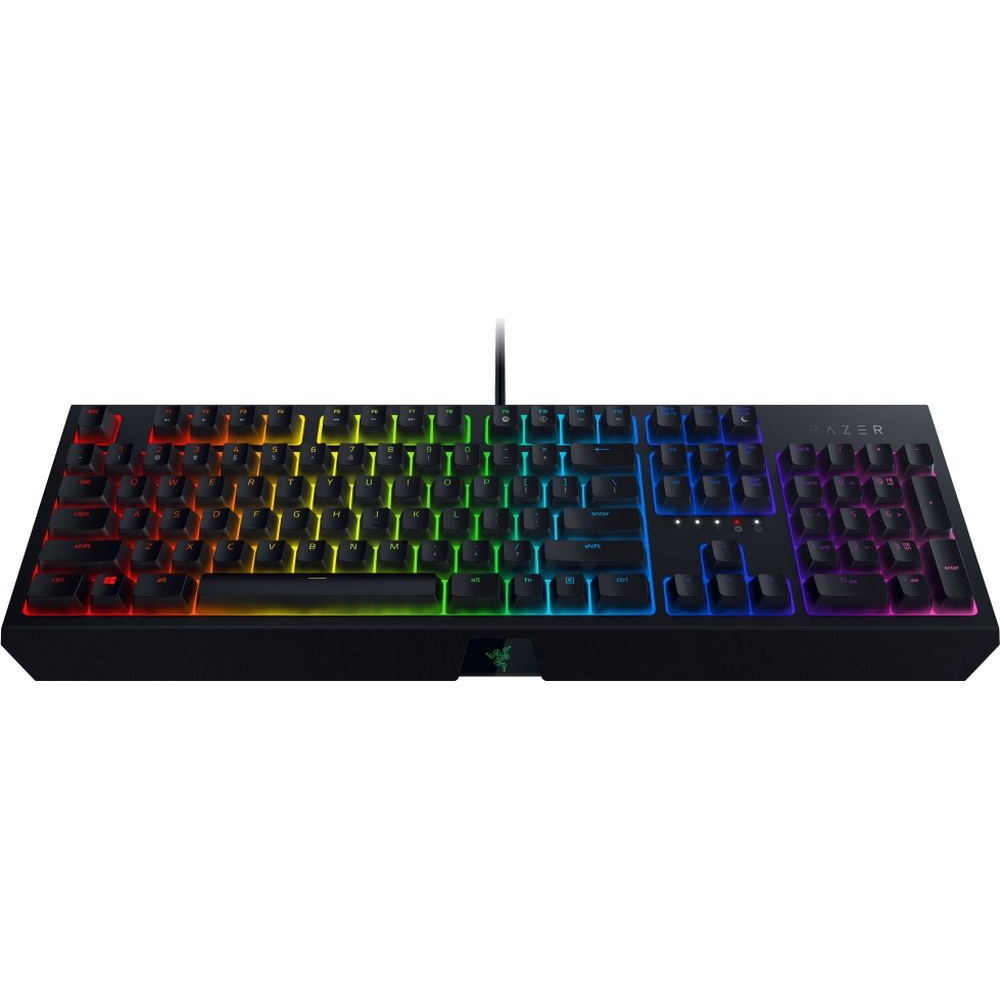
Razer BlackWidow Chroma | AU$149 AU$95.40 on Razer eBay (save AU$53.60)

This is the 2019 edition of Razer’s BlackWidow mechanical gaming keyboard, and it comes with tactile and clicky green switches. The keys are fully customisable, and Razer promises they have an 80 million keystroke lifespan. There’s now a huge saving to be had for eBay Plus members, just enter the code PLUSTI20 at checkout to save just over AU$50.

[EBAY PLUS EXCLUSIVE]

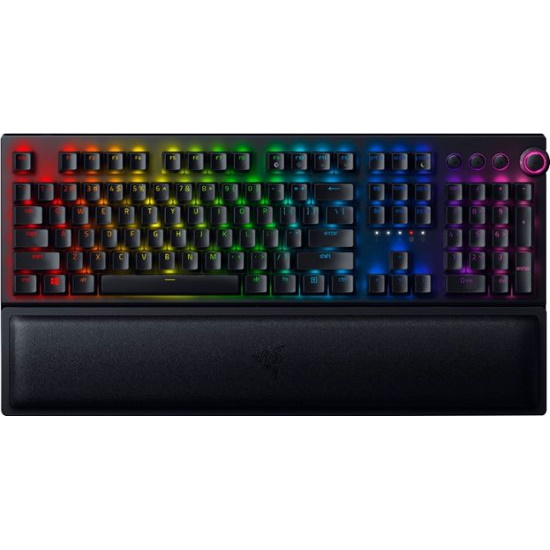
Razer BlackWidow V3 Pro | AU$299 AU$191.40 on Razer eBay (save AU$107.60)

This is a premium wireless mechanical keyboard, with flashy Razer RGB on display. It's available with green switches or yellow switches, and while it can connect to your PC via Bluetooth or Razer's own HyperSpeed wireless tech, you can also use USB-C, if you fancy it. Plus members can save a huge AU$107 by using the code PLUSTI20.

[EBAY PLUS EXCLUSIVE]

Razer DeathAdder V2 Pro | AU$159 AU$101.80 on Razer eBay (save AU$57.20)

Here's an excellent deal on this wireless gaming mouse, which we gave 4.5 stars in our review. It has impressive battery life and feels good in the hand, though there's no left hand option available. It uses Razer's excellent HyperSpeed wireless tech, so you'll be primed for first-person shooters and esports-level performance. Plus members just need the code PLUSTI20 to save.

[EBAY PLUS EXCLUSIVE]

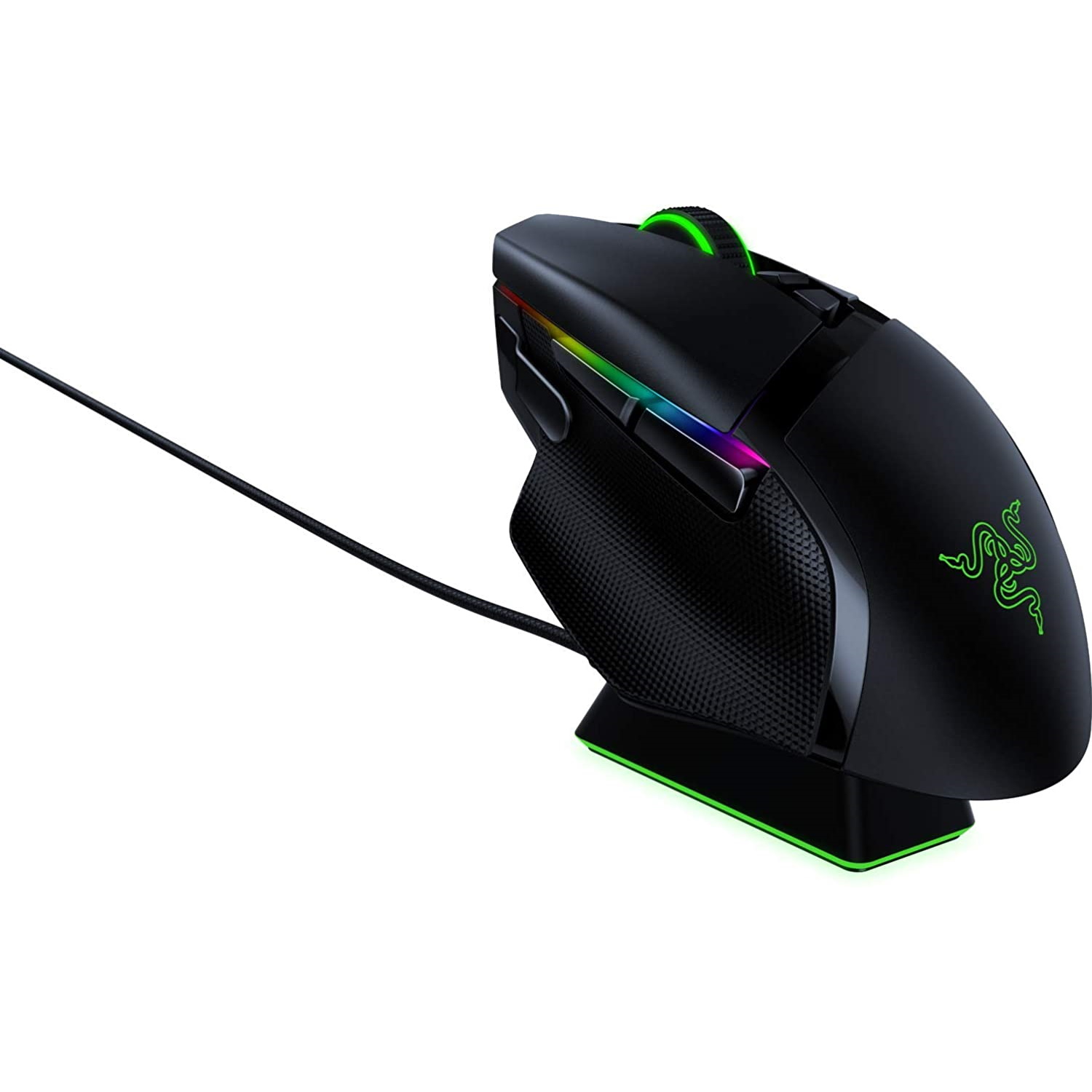
Razer Basilisk Ultimate | AU$199 AU$127.40 at Razer eBay (save AU$71.60)

The Razer Basilisk Ultimate is a premium wireless mouse which comes with a charging dock, and now Plus members can save AU$71 on the clicker. It's got incredible 20,000 DPI sensitivity and plenty of programmable buttons. Grab this gaming mouse with the code PLUSTI20.

Smartphones

[EBAY PLUS EXCLUSIVE]

Samsung Galaxy S20 FE 5G (128GB) | AU$829 AU$699 on Allphones eBay (save AU$130)

The S21 series is the latest from Samsung, but if you want a much more affordable phone from the tech giant, you could turn to the S20 Fan Edition (FE). It has a few of the S20’s winning features including a brilliant camera array, a smooth 120Hz refresh rate and a powerful processor, packaged at a cheaper price point. This discount comes on the 5G model, and is available in all colours. Plus members just need the code PLUSGALAXY.

[EBAY PLUS EXCLUSIVE]

Samsung Galaxy S21 5G (128GB) | AU$1,249 AU$959 at Allphones eBay (save AU$290)

Currently one of the best handsets in the world, the Samsung Galaxy S21 5G offers class-leading performance, ample storage and a brilliant camera within an absolutely gorgeous package. eBay Plus members can get the stunning handset in purple, pink, white and grey colour options from AU$959 (128GB) by entering the code PLUS5G at checkout.

Audio

[EBAY PLUS EXCLUSIVE]

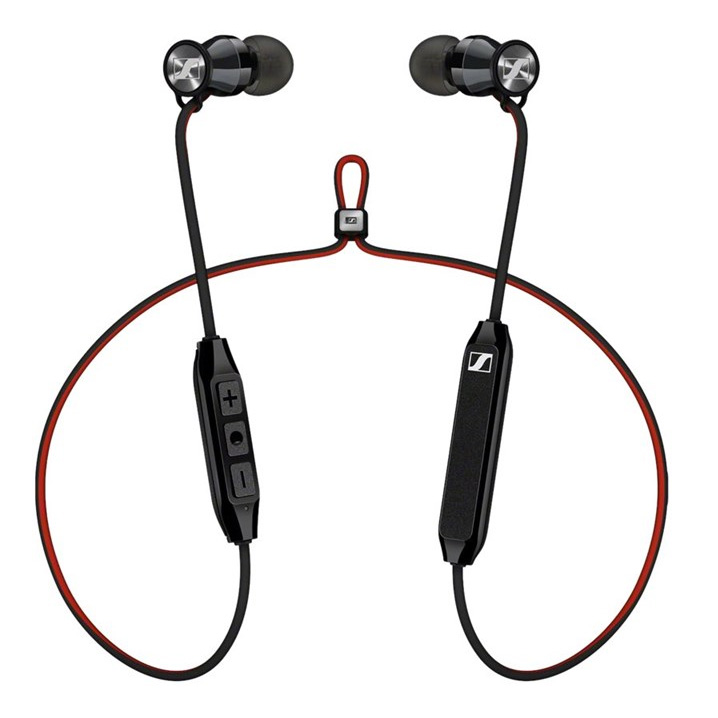
Sennheiser Momentum Free | AU$99.95 AU$59 on Sennheiser eBay (save AU$40.95)

Sennheiser has brought its fantastic sound signature to this set of Bluetooth headphones. They’re designed with a neck band to keep you from losing a ‘bud while you’re out and about, though our review found they weren’t well-suited for workouts, so consider other options if that’s essential to you. Plus members just need to enter the code PLUSMOM to save.

[EBAY PLUS EXCLUSIVE]

Sony WH-1000XM4 headphones | AU$499 AU$292 on eBay (save AU$207)

Sony's flagship headphones are no doubt its best – and by all accounts some of the best you can buy. With industry-leading noise cancellation, solid battery life, clear and detailed sound quality and plenty of other neat features. The Sony XM4's are sure to please the everyday listener and audio purists alike. Use the code PLUSTI20 to score the discount, but you'll need to be an eBay Plus member.

[EBAY PLUS EXCLUSIVE]

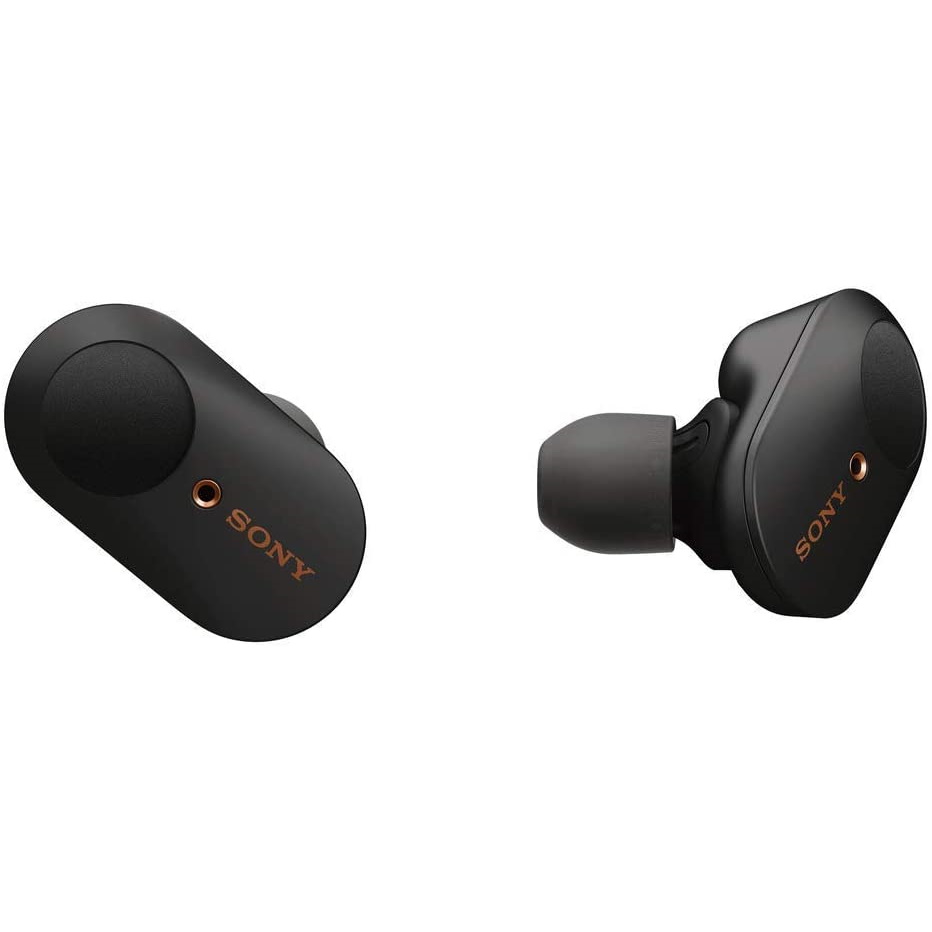
Sony WF-1000XM3 | AU$299 AU$174.80 at eBay (save AU$124.20)

These are our favourite true wireless earbuds at TechRadar. They have best-in-class noise cancellation, a six-hour battery life and an excellent sound quality for a pair of earbuds. This is also the lowest price we can remember seeing on them. eBay Plus members can score a set in black for less using the code PLUSTI20.

[EBAY PLUS EXCLUSIVE]

Apple AirPods Max | AU$899 from AU$733.60 at Sydney Mobiles eBay (save up to AU$165.40)

The Apple AirPods Max are among the best-sounding headphones we've ever tested, but their high price tag will be a sore-spot for many. If you’re keen to buy though, eBay Plus members can save up to AU$165 with the code PLUSTI20. Note that the seller is listing a price higher than Apple's RRP, but the final price is definitely better than paying AU$899 a piece. Prices vary depending on colour – pink, green and blue are AU$733.60, while grey and silver are AU$760. Another eBay seller is selling all colours for AU$759 each when using the code PLUSAIRPOD.

[EBAY PLUS EXCLUSIVE]

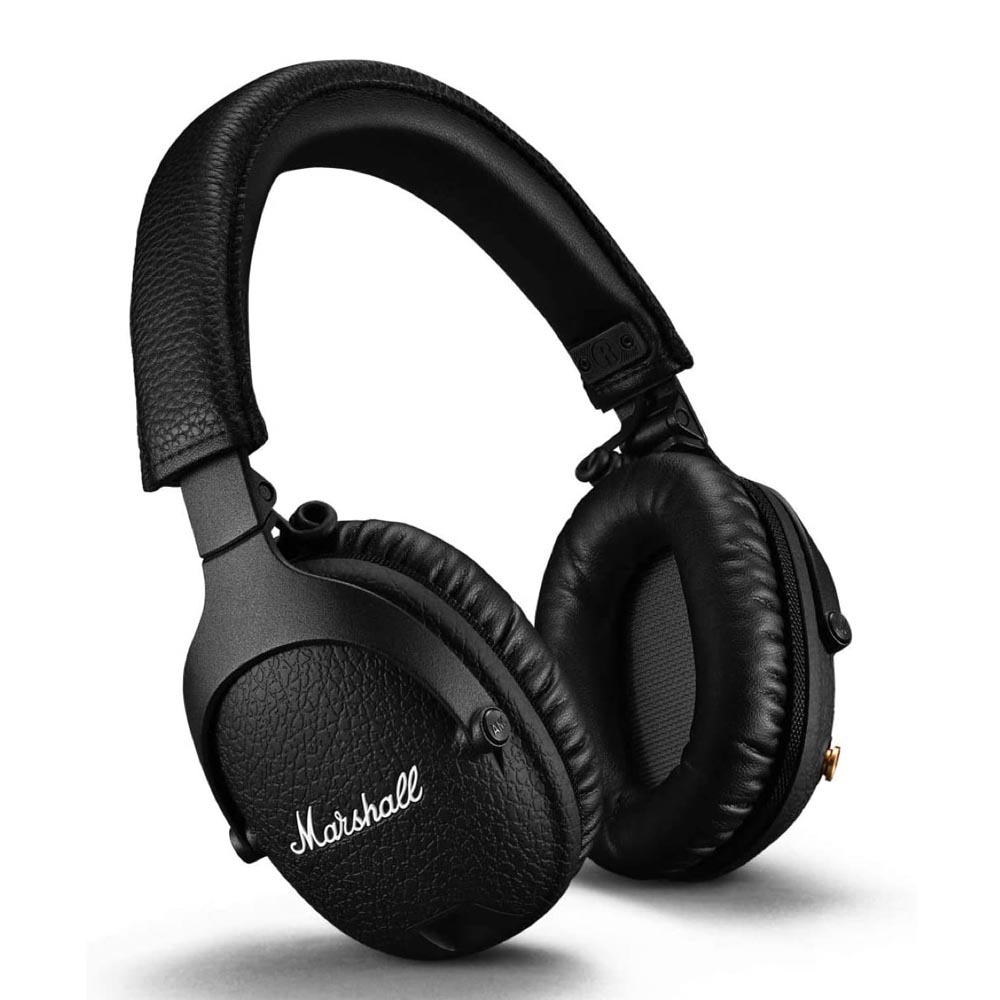
Marshall Monitor II ANC | AU$499 AU$319.20 from eBay (save $179.80)

If the modern look of Sony's WH-1000XM4 isn't your jam, then consider these noise-cancelling headphones from Marshall. They boast active noise cancellation, great sound and a super comfortable design. We even went so far as to say these are "Marshall's best headphones yet". If you're an eBay Plus member, enter the code PLUSTI20 to pick them up for AU$319.

[EBAY PLUS EXCLUSIVE]

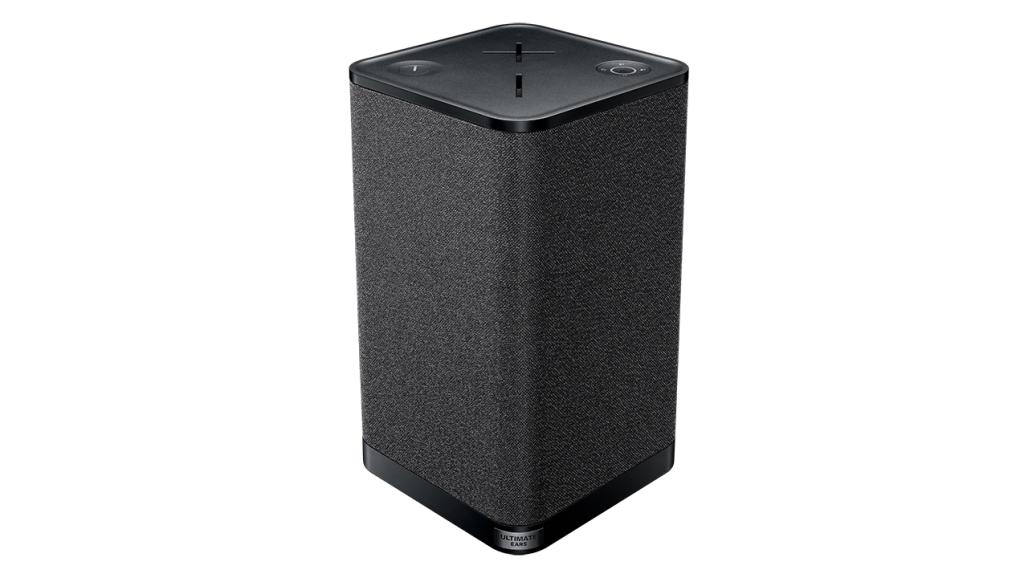
Ultimate Ears Hyperboom | AU$599.95 AU$492 on eBay (save AU$107.95)

UE's biggest Bluetooth speaker to date is one that definitely pushes the definition of 'portable', but with that huge size comes fantastic sound with powerful bass, ample volume and some neat app-driven smarts. It's made it onto our list of the best Bluetooth speakers for good reason, and by applying PLUSTI20 you can score one for the lowest current price in Australia.

[EBAY PLUS EXCLUSIVE]

Ultimate Ears Boom 3 | AU$199.95 AU$133.60 at Sydney Mobiles eBay (save AU$66.35)

The UE Boom 3 is waterproof and dustproof, making it a strong contender if you want a portable speaker for the outdoors. It's possible to find this Bluetooth speaker regularly on sale for as low as AU$149, but here's your chance to snag it for a little cheaper. Plus members just need to use the code PLUSTI20 at checkout.

Smart home

[EBAY PLUS EXCLUSIVE]

Google Nest Hub (2nd gen) | AU$149 AU$110 on Mobileciti eBay (save AU$39)

The second-gen Google Nest Hub is a smart display that can track your sleep, and it also has some neat features to help you wake up in the morning and wind down at night. You can also use its 7-inch display to watch Netflix or YouTube, and when it’s not in use, it makes for a great digital photo frame. Plus members can score it in chalk or charcoal using the code PLUSNEST to save AU$39.

TVs & soundbars

[EBAY PLUS EXCLUSIVE]

LG OLED55BX 55-inch OLED TV | AU$2,795 AU$1,895 at The Good Guys eBay (save AU$900)

LG's clearing out its 2020-model OLED tellies, which means you can find this 55-inch BX model widely discounted – although this AU$1,895 price from The Good Guys eBay store is the lowest we've seen anywhere. This is a fantastic set (as we've said in our 4.5-star LG BX OLED review) for a very nice price – choosing delivery will add AU$35, but that's still a fantastic bargain. Use the code PLUSCC1 at checkout to score this deal.

[EBAY PLUS EXCLUSIVE]

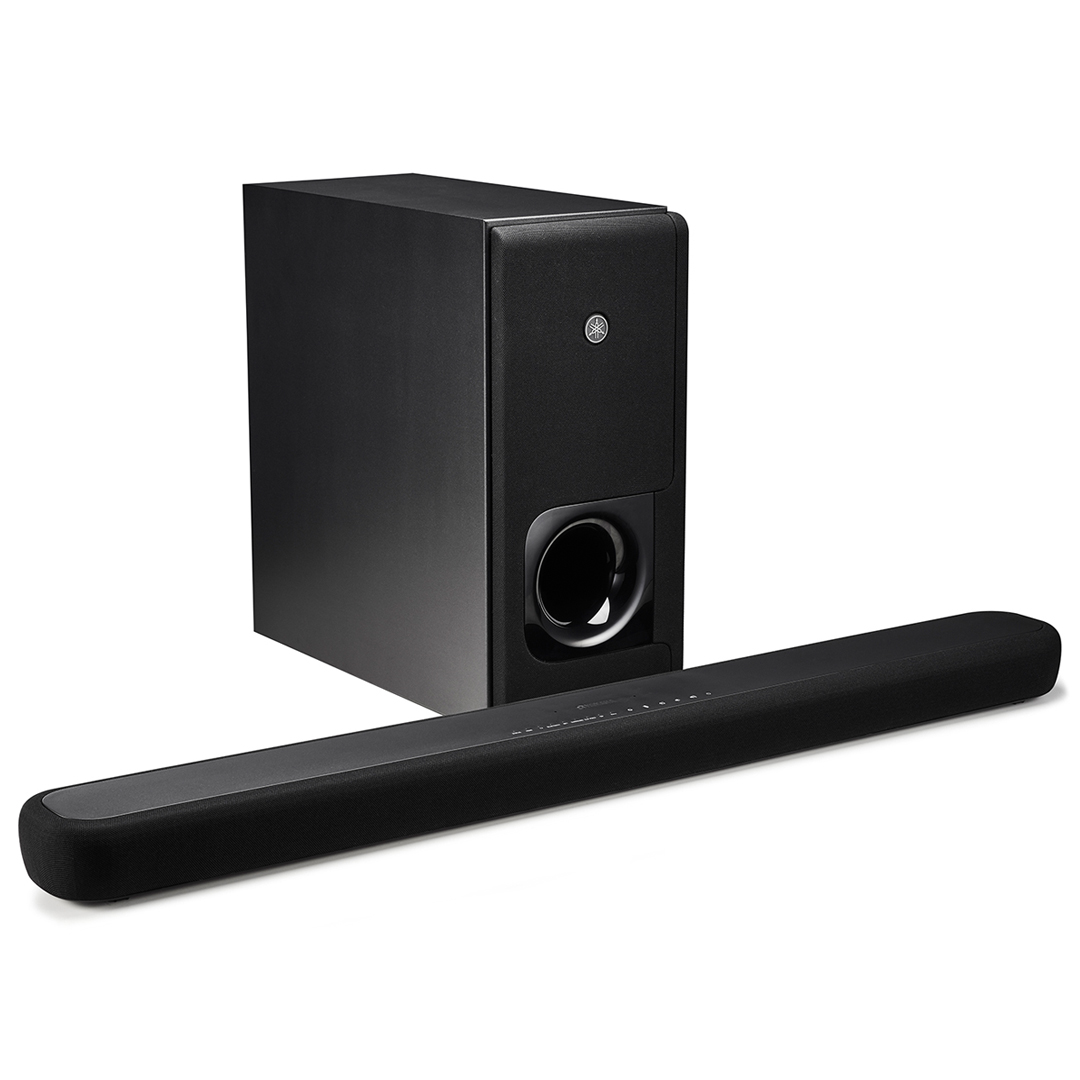
Yamaha YAS 209 soundbar + subwoofer | AU$649 AU$420.80 on eBay (save AU$228.20)

Yamaha's YAS-209 soundbar and subwoofer combination has a surprisingly big soundstage, and we gave it a strong four-star review. It's equipped with DTS Virtual:X and Amazon Alexa capabilities, rounding out the package. For eBay Plus members, use the code PLUSTI20 to save.

Cameras

[EBAY PLUS EXCLUSIVE]

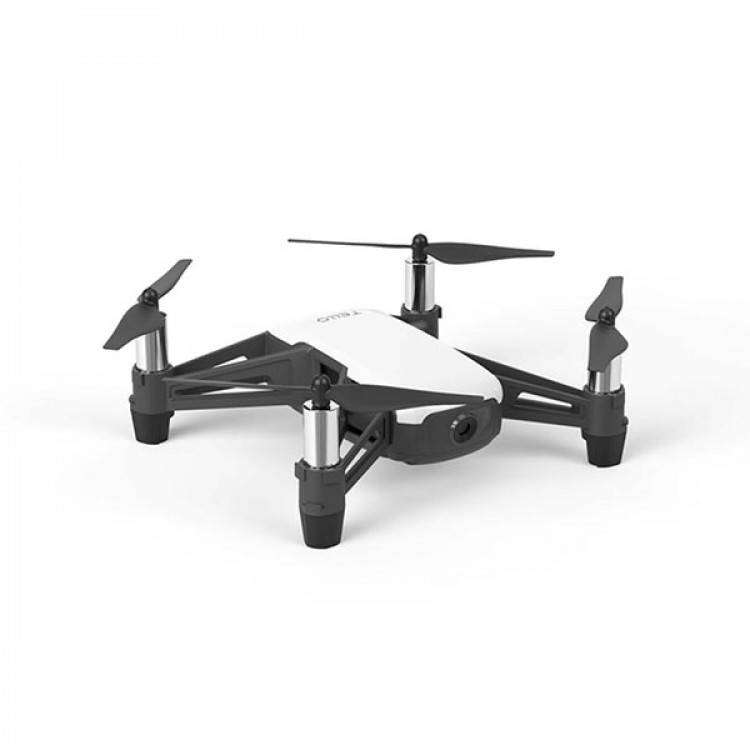
DJI Tello | AU$169 AU$119 on DJI eBay (save AU$50)

The DJI Tello – also known as the Ryze Tello – is a choice drone for beginners. It’s compact and lightweight, and our review found the flight controls to be nice and responsive. We found it lacked stability in the wind though, with even the slightest gust sweeping it away. It can take 5MP stills and 720p HD video, so while recording quality isn’t great, it should satisfy those who just want the basics. Use the code PLUSDRONE to save AU$50.

Wearables

[EBAY PLUS EXCLUSIVE]

Fitbit Sense | AU$449 AU$416.10 on eBay (save AU$32.90)

The Fitbit Sense is the brand’s most advanced smartwatch to date. What makes the Sense standout is its emphasis on mental wellbeing, with mindfulness and meditation tools as well as physical workout tracking. While this isn't a big discount, eBay Plus members can save just under AU$33 with the checkout code PLUSF5.

Appliances

[EBAY PLUS EXCLUSIVE]

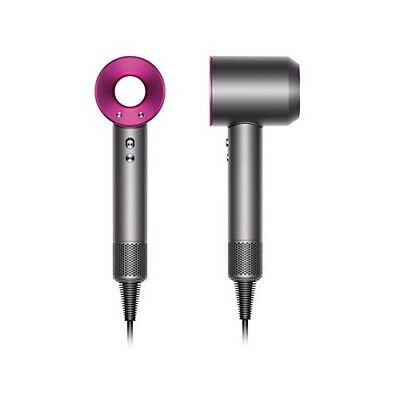
Dyson Supersonic Hair Dryer | AU$549 AU$449 on Mobileciti eBay (save AU$100)

The Dyson Supersonic is simply an excellent hair dryer, which comes with a suitably hefty price tag of AU$549. It’s comfortable to hold with easy-to-use settings, but most importantly, it has a powerful airflow (that’s quiet too). Plus members can bring the price down to AU$449 when using the code PLUSHAIRDRY at checkout.

[EBAY PLUS EXCLUSIVE]

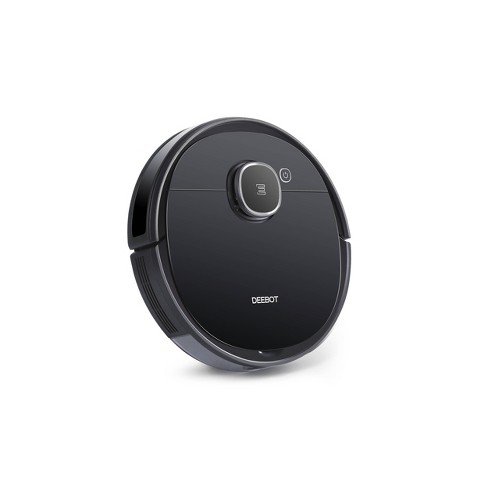
Ecovacs Deebot Ozmo 920 | AU$799 AU$489 on Ecovacs eBay (save AU$310)

This robot vacuum cleaner can bust dust, dirt and debris, then give your floors a passable mop. The little droid will also map your home using its smart navigation capabilities, so it’ll know what parts of your home it's cleaned and what still needs doing. Plus members will save a huge AU$310 by entering the code PLUSVACUUM at checkout – one of the cheapest prices we have seen on this robot vac.

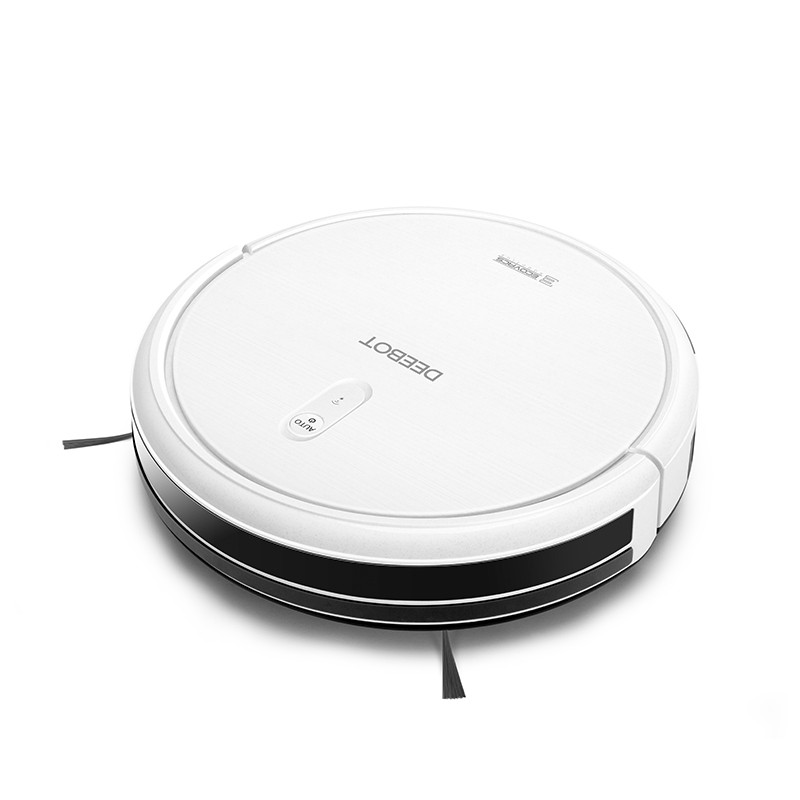
Ecovacs Deebot N79t | AU$279 AU$199 on Ecovacs' eBay (save AU$80)

Looking for a robot vacuum cleaner that's capable of some general cleaning, but won't cost you an arm and a leg? Ecovacs Robotics' Deebot N97t is one of the most affordable bots on the market today, and it comes with Alexa and Google Assistant support, so you can control it with some simple voice commands. It doesn't have the navigation smarts of the newer Deebots, but it'll do just fine for those everyday jobs. And at AU$199, it's a steal! No code needed to get that discount.

Miscellaneous

[EBAY PLUS EXCLUSIVE]

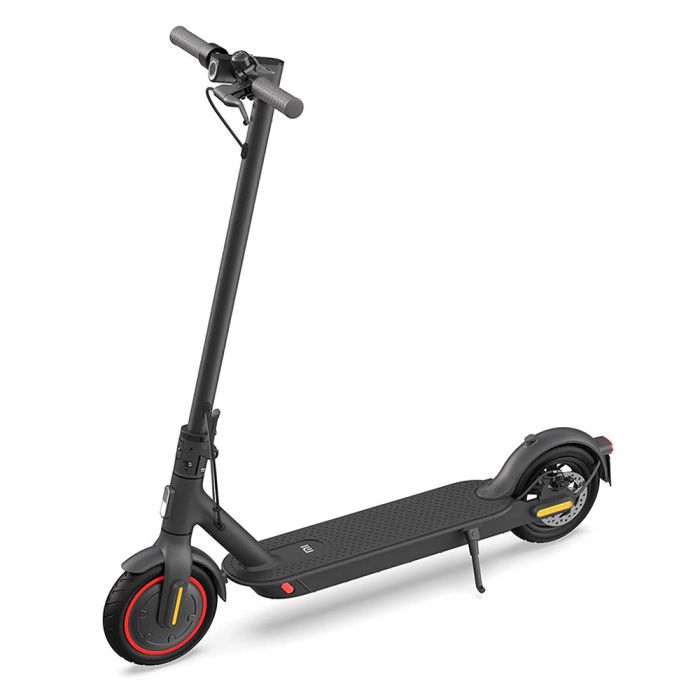
Xiaomi Electric Scooter Pro 2 | AU$999 from AU$584 on eBay (save up to AU$415)

This electric scooter has a 45km range and a powerful 600W motor, so it can handle a lengthy daily commute. It’s also built well and folds easily, though our colleagues at T3 found it was a little bulky to store in their review. Xiaomi’s official eBay store has discounted it down to AU$649 when you use the code PLUSSCOOT, but we also found another seller offering it for AU$584 with the code PLUSTI20.

Plus-exclusive daily deals

Here’s the confirmed list of Plus-exclusive daily deals:
Day Time Product eBay Plus deal
Thu, May 27 12pm AEST Dyson Supersonic AU$449
Thu, May 27 12pm AEST Healthy Choice 5L Digital Air Fryer AU$39
Thu, May 27 12pm AEST Adidas X9000L3 running shoes AU$29
Fri, May 28 12pm & 5pm AEST SodaStream Spirit AU$29
Fri, May 28 12pm AEST Golf G80 power bank AU$0.99
Fri, May 28 12pm AEST 12x Vibrant Harvest Barossa Valley Shiraz 2016 AU$89
Sat, May 29 12pm AEST Samsung Galaxy S21 Plus (128GB) AU$959
Sat, May 29 12pm AEST Ugg boots AU$29
Sat, May 29 12pm AEST New Pokémon Snap AU$45
Sat, May 29 12pm AEST Apple AirPods Max AU$759
Sat, May 29 12pm AEST Paw Patrol Dino Patroller AU$69
Sat, May 29 12pm AEST Nespresso Vertuo Next Coffee Machine AU$189
Sun, May 30 12pm AEST FIFA 21 (PS4) AU$15
Sun, May 30 12pm AEST FIFA 21 (Xbox One) AU$15
Sun, May 30 5pm AEST Dell 27-inch gaming monitor AU$359


from TechRadar - All the latest technology news https://ift.tt/3vwuygA

Latest Tech News

iQoo Z3 launch in India has been officially confirmed by the series of teasers on the social media channels as well as the official listing on the e-commerce platform. The device has already cleared multiple certifications as well. 

The iQoo Z3 will be launched in India as the first phone to feature Qualcomm’s Snapdragon 768G chipset. The device is currently listed on Amazon which reveals and confirms several features of the upcoming mid-range device. 

iQoo Z3

(Image credit: iQoo)

The iQoo Z3 will be a mid-range 5G phone powered by the Snapdragon 768G chipset. The processor has secured over 450k points in the AnTuTu benchmark. The device also supports an extended RAM feature which means the phone utilized the existing ROM to use as RAM. For instance, the 8GB LPDD4x RAM on the iQoo Z3 will act as 11GB(8GB + 3GB). On paper, the Snapdragon 768G is more powerful than the Snapdragon 750G and 732G. 

Going forward, the company will be revealing specs such as charging speed, camera specs, gaming experience, and design and display in the coming days. We are expecting the company to announce the launch date of iQoo Z3 in India soon. The iQoo Z3 has been launched in China already and we do know the full specs of the device. 

iQoo Z3 specs

iQoo Z3

(Image credit: iQoo)

The iQoo Z3 comes with a 6.58-inch Full HD+ LCD screen with a 120Hz screen refresh rate. In China, the device comes in three configurations  - 6GB + 128GB, 8GB + 128GB, and 8GB + 256GB. It is also being marketed as a budget-gaming phone as it comes with a five-layer liquid cooling system that can reduce up to 10-degree. The device also features a side-mounted fingerprint scanner. 

The iQoo Z3 runs off a 4,400mAh battery with 55W Flash charge support which takes just 15 minutes to charge from 0 to 60%. In the camera department, the iQoo Z3 comes with a 64MP f/1.79 sensor, an 8MP ultra-wide lens and a 2MP macro lens. On the front is a 16MP selfie camera. 

Check out iQoo Z3 on Amazon

Launching soon

Follow TechRadar India on TwitterFacebook and Instagram!


from TechRadar - All the latest technology news https://ift.tt/3uB8vUy

Latest Gadgets News

Fitbit could introduce a new feature on its smartwatch and fitness band models that have a microphone, which would allow them to detect snoring and ambient sound. The feature is said to be a major drain on the device's battery.

from Gadgets 360 https://ift.tt/3p5fXWJ

Latest Gadgets News

The Intel 5G Solution 5000 will enable laptop OEMs to bring 5G-enabled laptops to market this year, and new faster Tiger Lake 11th Gen CPUs will help users get a bit more performance.

from Gadgets 360 https://ift.tt/3yOq5rw

Intel 5G M.2 module, faster light-laptop CPUs arrive - CNET

Intel hopes to speed the adoption of 5G connectivity in notebooks.

from CNET https://ift.tt/2TvjYIv

Latest Tech News

AMD has unveiled laptop versions of its Radeon RX 6000-series graphics cards, which aim to take on Nvidia’s mobile RTX 30-series GPUs.

The lineup is headed by the AMD Radeon RX 6800M, which sees AMD making a long-awaited return to high-end mobile gaming. The graphics card is based on a Navi 22 GPU with 40 CUs - putting it on par with the full-fat AMD Radeon RX 6800.

AMD claims the mobile GPU, which also features 12GB GDDR6 memory and a 145W TGP, will render on average 120 frames per second, and is promising major performance gains over a 2019 gaming laptop packing an Nvidia RTX 2070 graphics card. The Radeon RX 6800M will deliver a 1.7x improvement in Resident Evil: Village, according to AMD, and a 1.4x boost in Cyberpunk 2077

More interestingly, AMD is also claiming its high-end mobile GPU will outperform the Nvidia RTX 3070 and, in some cases, the Nvidia RTX 3080. The AMD Radeon RX 6800M averaged 141 fps in Resident Evil Village compared to 132 and 137 fps, respectively, and managed to beat out both of Nvidia’s mobile GPUs in Borderlands 3 and Assassin’s Creed Valhalla. 

AMD is claiming even more impressive gains when it comes to gaming on battery, suggesting the AMD Radeon 6800M will offer 1.4x the performance of the RTX 3080 in both Resident Evil: Village and Dirt 5.

AMD has also unveiled two lesser-powered mobile GPUs - the AMD Radeon RX 6700M and Radeon RX 6800M. The former, which packs 36CUs, 10GB GDDR6 memory and a TGP of up to 135W, promises up to 100fps gaming at 1440p, while the latter features takes aim at the Nvidia’s mobile RTX 3060 with its 26CUs, 8GB memory and TGP of up to 100W.

According to AMD, the Radeon RX 6800M will deliver impressive gains over the Nvidia RTX 3060 in a number of 1080p games including Borderlands 3 and Dirt 5. However, according to AMD’s own benchmarks, it failed to match the Ampere GPU in Call of Duty: Black Ops Cold War or Cyberpunk 2077. 

AMD says its new GPUs, which it’s touting as the fastest “AMD Radeon Graphics for laptops” are available starting now - the Radeon RX 6800M and RX 6600M are shipping starting today, with the RX 6700M set to follow soon. 

The first laptops to pack AMD’s new graphics have also started shipping. The all-AMD ROG Strix G15, which pairs an AMD Radeon RX 6800M mobile GPU with a Ryzen 9 5900HX processor, is available today. 

  • This year, Computex is going virtual, but we'll still be bringing you all the breaking computing news and launches as they happen, so make sure you check out all of TechRadar's Computex 2021 coverage.


from TechRadar - All the latest technology news https://ift.tt/3uCCOdk

Nearly half of US states are ending bonus unemployment benefits early. Here's what's happening - CNET

Twenty-four states will cut off enhanced federal jobless benefits as soon as June 12. We'll tell you what you should know about $300 weekly bonus checks, unemployment tax refunds and more.

from CNET https://ift.tt/2S0KWHk

AEW Double or Nothing: Results, live updates and match ratings - CNET

Live on B/R Live right now.

from CNET https://ift.tt/3c2XFA4

Why you should never increase the sharpness on your TV - CNET

Turning up the sharpness control can hinder rather than help the fine detail you're looking for.

from CNET https://ift.tt/348ohLJ

Child tax credit payments start in July: Will you get up to $300 per kid each month? - CNET

We'll tell you the timeline for the upcoming 2021 child tax credit payments, how to opt out of the monthly checks and more.

from CNET https://ift.tt/3vDNU3b

You're not using iPhone portrait mode correctly: Here's how to fix that - CNET

We walk you through all the tools Apple has to make your portrait photos look amazing.

from CNET https://ift.tt/3uzr3EG

Latest Tech News

For PC gamers there is one defacto operating system: Windows 10. It’s pretty easy, really, you build or buy a swanky gaming PC, slap Windows 10 on it, and go get a coffee while Steam downloads your library. Then you just load up and off you go. 

It’s not exactly that straightforward, but you get the picture. The price of hardware isn’t the only reason that Mac gaming isn’t a bigger deal. But on PC you can also install Linux, and in recent times Linux gaming has strong support from the likes of Valve alongside the thriving community. 

For me, I’m in the position of trying to learn Linux but also love gaming. So how hard can it be to combine the two? Not nearly as bad as you might be thinking.

Linux Mint

(Image credit: TechRadar)

Which Linux distro to choose?

Unlike with Windows 10 and macOS, when it comes to Linux you’re spoiled for choice. All the best Linux distros have active communities, which makes going in fresh less daunting since there’s a huge resource out there to help when you inevitably need it. 

For gamers, in particular, there are some which are considered the best Linux distros for gaming, with certain tweaks and preloaded software tools to help PC gamers get going much quicker. 

I’m using Linux Mint, for no reason other than I started using it when I first jumped into Linux and it’s what I’m comfortable with. It’s based on Ubuntu and is very beginner-friendly.

Linux gaming hardware and drivers

This is the part that really surprised me the first time I started looking seriously at using Linux to game on. Drivers are enough of an issue on Windows 10 at times, but surprisingly the situation on Linux could be considered better. 

Take my gaming PC, for example. At the moment it’s running an AMD Radeon GPU, and I don’t even have to install drivers. An open-source driver, Mesa, is built into Linux Mint (and many other distros) and it just works out of the box. There are newer drivers out there, but updating to these isn’t difficult with access to a web browser and a search engine. 

Nvidia graphics cards are a little different, but there are both open source and proprietary drivers to use with these. Trying Linux Mint on a gaming laptop with an Nvidia RTX 2060, imagine my delight when the built-in driver manager popped up at first boot with a choice between the latest versions of each. It just knew what I needed on that specific machine and made it easy to install. 

Hades on Linux

Hades from the Epic Games Store running through WINE (Image credit: TechRadar)

What about PC game support on Linux?

When you look at the tiny percentage of Steam users that are running Linux compared to Windows 10, it does make you question why Valve is so behind the platform. But since Steam is the biggest PC games provider out there, the fact they are behind it is good news for us. 

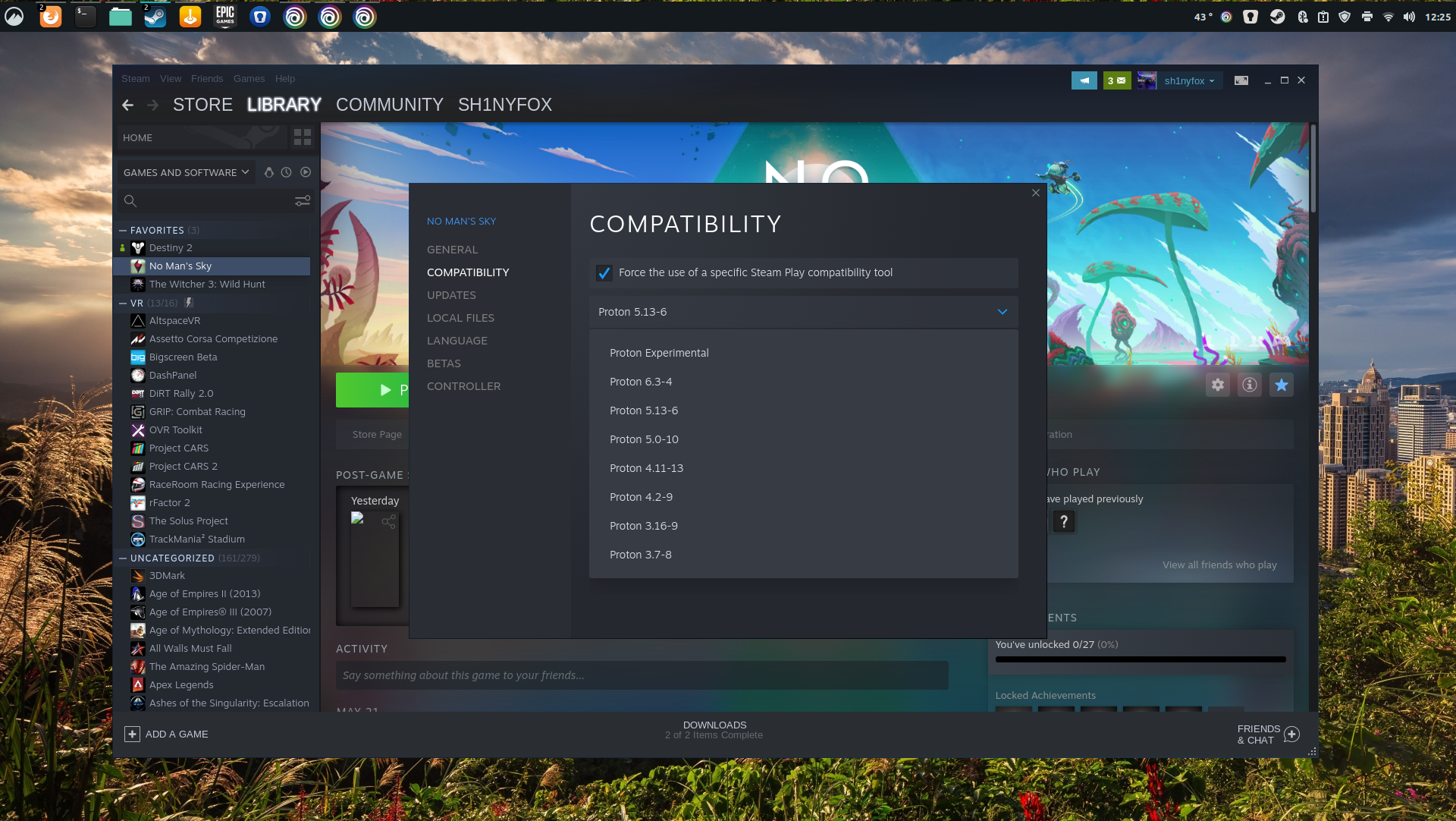
There are a lot of games on Steam that are Linux native, perhaps a surprising number, but the real magic is Proton. This compatibility layer allows gamers to play Windows-only titles on Linux, admittedly with varying degrees of success. Steam has a whitelist of officially supported titles, but you can tell Proton to try and play anything in your library and it will. 

There are limitations though. As good as Proton is, it’s still a fix. And some games just won’t run at all, in many cases because of anti-cheat software baked in. Destiny 2, for example, flat out won’t start because of its anti-cheat system which just isn’t supported on Linux.  But, for most games, there’s a third-party resource, ProtonDB, which is a must-use. Link it to your Steam library and it’ll tell you what you can expect. 

Proton on Steam for Linux

(Image credit: TechRadar)

Proton also isn’t limited to one version, either. Older versions can be used, and you can force specific games to run different versions. The ProtonDB community is fantastic at reporting back issues and fixes, and sometimes just using an older version of Proton is the answer. Or if you’re in the mood, there’s a popular custom Proton called Proton GE (GloriousEggroll named after its creator) which in many cases is even better. 

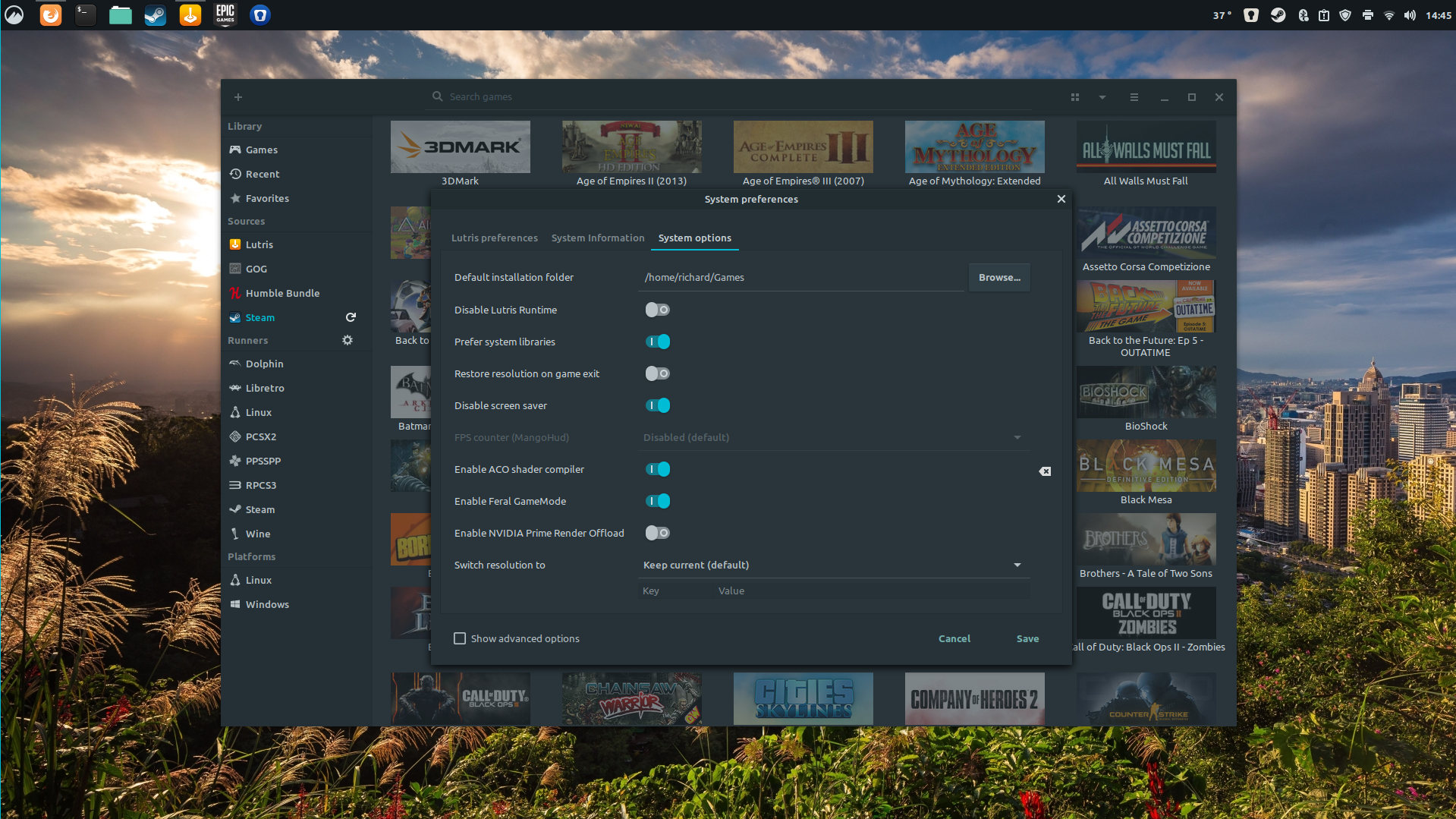
Away from Steam, it’s perfectly possible to play games from services like Epic Games, Ubisoft Connect, and EA Origin, too. Using the magic of WINE (Wine Is Not an Emulator), Windows-only programs can run on Linux and it’s remarkable how good it is. I’ve been using a third-party platform called Lutris to access Epic and Ubisoft and playing games it’s almost impossible to tell I’m actually on Linux. 

Lutris on Linux

(Image credit: TechRadar)

PC gaming is all about tinkering

One thing most might be thinking about PC gaming on Linux is that there will be a lot of necessary tinkering. I thought that, too, but then again, how much time do we all spend tinkering with games and settings and what not to get that perfect performance anyway? It’s no different here. 

Because a lot of the games being played on Linux aren’t native, there will usually be a performance difference to Windows. Running through compatibility layers just isn’t the same as running a game natively, so it’s to be expected. 

But Linux being Linux there are some truly incredible tools out there to make gaming better. Lutris, mentioned earlier, uses WINE at its core, but can also be used to set other tools to work without any terminal use at all. Feral Gamemode is a popular one, built into some games that Feral has ported to Linux, but can be used with any game to try and improve performance. In Steam, you add a command to the game settings, in Lutris just a toggle needs turning on. The same story goes for the ACO compiler. Vulkan works great in Linux, and for folks who want to see granular performance data, there are tools like MangoHud to put a full-featured overlay on the screen. 

And with OBS built natively for Linux, streaming to Twitch isn’t even an issue, either. 

No Man's Sky on Linux

No Man's Sky for Windows running perfectly on Linux (Image credit: TechRadar)

PC gaming on Linux isn’t hard, it’s a lot of fun

If you like to tinker with things, you should try Linux. I’m not here to say you should ditch Windows 10 immediately, but I am here to tell you not to be afraid to try it. I wanted to learn how to use it, and while I’ve barely scratched the surface, I do get an immense feeling of satisfaction making tweaks and seeing the results. Right after the rage because, as a beginner, I broke something. 

There are things you need to be wary of, though. For example, because I was using an NTFS formatted SSD to store my Steam library, none of the games loaded that weren’t Linux native. Reformatting the drive to ext4, the preferred format for Linux, everything was fine. 

There is a lot to learn, and it’s easy to get lost down a rabbit hole. But there’s a ton of resources that make that learning easy and fun, and the community knowledge is staggering. But it’s equally surprising that you don’t really need to do any of this. Sure, if you want to use Epic or another non-Steam platform, you need to do a little work, but it’s hardly difficult. 

If your library is primarily in Steam you only have to check a couple of boxes and you’re away. There’s nothing more difficult to live with than with Windows 10, with the added bonus that an OS update isn’t likely to completely ruin everything you have set up.


from TechRadar - All the latest technology news https://ift.tt/3vBOf6n

NASCAR 2021: How to watch the Coca-Cola 600 today without cable - CNET

You don't need cable TV to watch the racin' and rubbin' on Fox.

from CNET https://ift.tt/3cmyglp

Today's Wordle Hints, Answer and Help for May 10, #1786

Here are hints and the answer for today's Wordle for May 10, No. 1,786. from CNET https://ift.tt/FztnkY5