It's no secret that Sony phones don't sell too well anymore - the company reported selling only a million mobiles in the financial quarter ending 31 December 2020, which is down 22% from the previous year. While sales figures for the whole year aren't in yet, that paints a sour picture of phone sales for the Japanese tech company that reportedly sold 100 million phones in 2007.
So why aren't people buying Sony phones anymore? The burgeoning abundance of phone brands doesn't help, with myriad Chinese companies taking bigger and bigger bites of the market pie, but another big issue is the price.
In our reviews of the Sony Xperia 1 and Xperia 5, the brand's top-end and mid-range entries respectively for 2019, we called out the high costs of each phone; for our Xperia 1 II and Xperia 5 II reviews, we went so far as to list the high prices in the 'cons' list of the reviews, signifying the high price was a major issue for the smartphones.
While Sony phones can be great, with powerful processors and good-looking screens, smartphone fans are always after value for money, something you're not necessarily getting if you're shelling out huge amounts for a device. That's something Samsung realized, and it's something Sony needs to figure out too for its upcoming Xperia 1 III.
Samsung Galaxy S21 sales are in
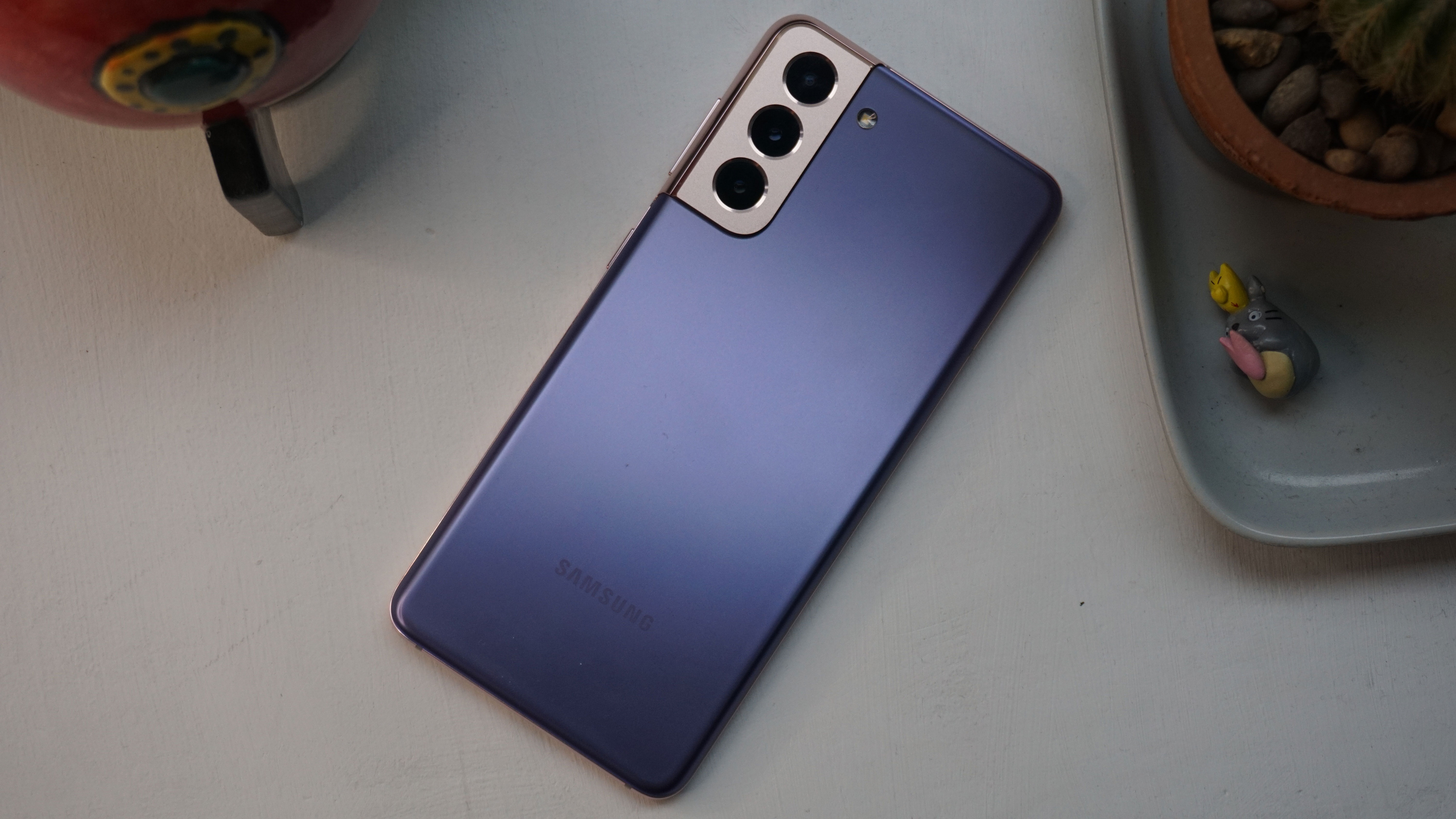
Samsung Galaxy S21(Image credit: TechRadar)
When you compare the Samsung Galaxy S20 and Galaxy S21 on paper, you realize the company's newest flagship for 2021 doesn't offer many upgrades on its 2020 predecessor. The big change for the newer device was a lower asking price, and that seems to have made all the difference.
Speaking to the Korea Herald, Samsung reports that its Galaxy S21 sales are up 30% year-on-year in South Korea - the company was specifically talking about sales in the phone's first two weeks of existence, suggesting there is a lot more initial excitement for the newer, more affordable devices.
Furthermore, a statement from Samsung UK confirms the S21's sales have also beaten those of the Samsung Galaxy S10 from 2019, at least in the UK. Over half the series' pre-orders were for the Galaxy S21 Ultra, but that too is cheaper than its predecessor.
So, Samsung's new, more affordable smartphone sells better than its predecessors, despite not bringing many changes? It seems hard to deny, then, that the lower price is directly responsible for these improved sales.
What Sony can learn
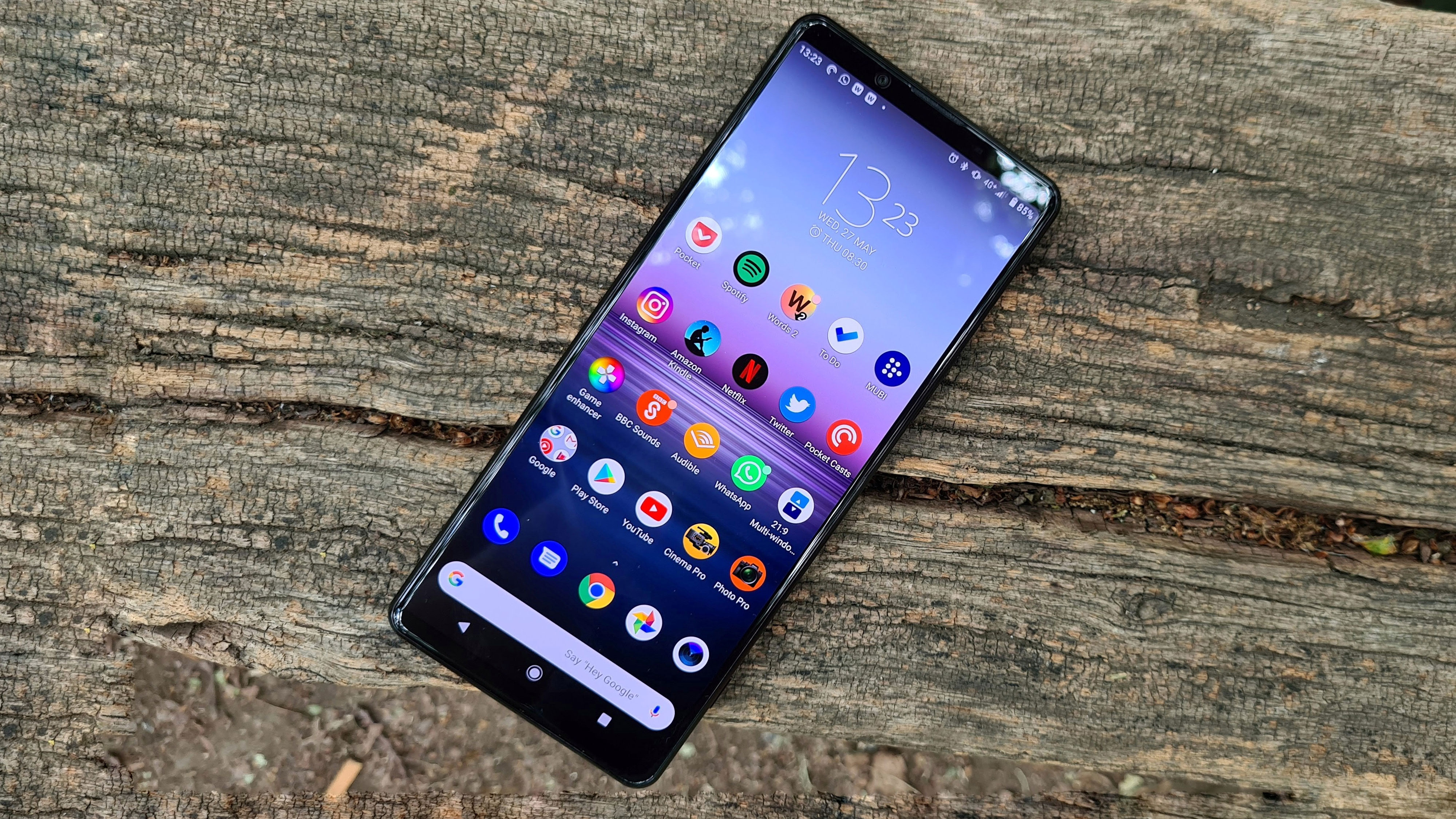
Sony Xperia 1 II(Image credit: TechRadar)
Samsung's success with selling lower-cost smartphones should send a message to all phone makers, but particularly to Sony, which is seemingly struggling with phone sales at the moment.
Hypothetically, if Sony's focus for the Xperia 1 III wasn't in making a movie-watching and game-playing powerhouse, as it seems the brand's focus was for the previous Xperia devices, but instead on making a similar phone to the Xperia 1 II but at a lower cost, it could win customers over.
There may be reasons the company has shied away from such a move in the past - Sony products in many categories tend to be high-priced ones, with its Alpha A1 camera, PlayStation 5 games console and WH-1000XM4 headphones all costing top dollar. However, there's no point in the company single-mindedly putting out top-price products if no-one's going to buy them, no matter how premium the resultant phone.
Lots of the older smartphone brands are giving up the ghost - reports suggest LG will stop making smartphones, HTC pumps out about one phone a year, Blackberry has been gone so long it's primed for a nostalgic revival, and even Nokia, though still putting out devices (albeit through HMD Global), has become rather spotlight-shy.
Sony needs to make some changes to ensure it doesn't go the same way as its contemporaries, and while putting out more affordable smartphones wouldn't totally save it, it would be a good first step.
While the sprawling iPhone 12 family has garnered all the attention of late, Apple has quietly assembled its most comprehensive range of affordable smartphones yet.
The second generation iPhone SE launched the very same year as the iPhone 12, while the highly capable iPhone XR continues to be sold as new on the Apple website. And we’re not even considering the still-available iPhone 11 here.
More choice can mean more confusion, of course. So which of Apple’s two price-conscious phones is the better buy? Let’s take a closer look at what both have to offer.
iPhone SE (2020) vs iPhone XR price and availability
The iPhone SE is the newer phone of the two, having landed in shops on April 24, 2020. The 64GB model starts from $399 / £399 / AU$679, but you can upgrade to 128GB for $449 / £449 / AU$759 and 256GB for $549 / £549 / AU$929.
While the iPhone XR was released way back on October 26, 2018, it’s still being sold as new on the Apple website - albeit at a reduced price. You can currently buy the 64GB model for $499 / £499 / AU$849 and the 128GB model for £549 / $549 / AU$929.
As you can see, the iPhone XR is a full $100 / £100 more expensive than its iPhone SE equivalent. Interestingly, however, it doesn’t offer you more for your money in every respect.
Design
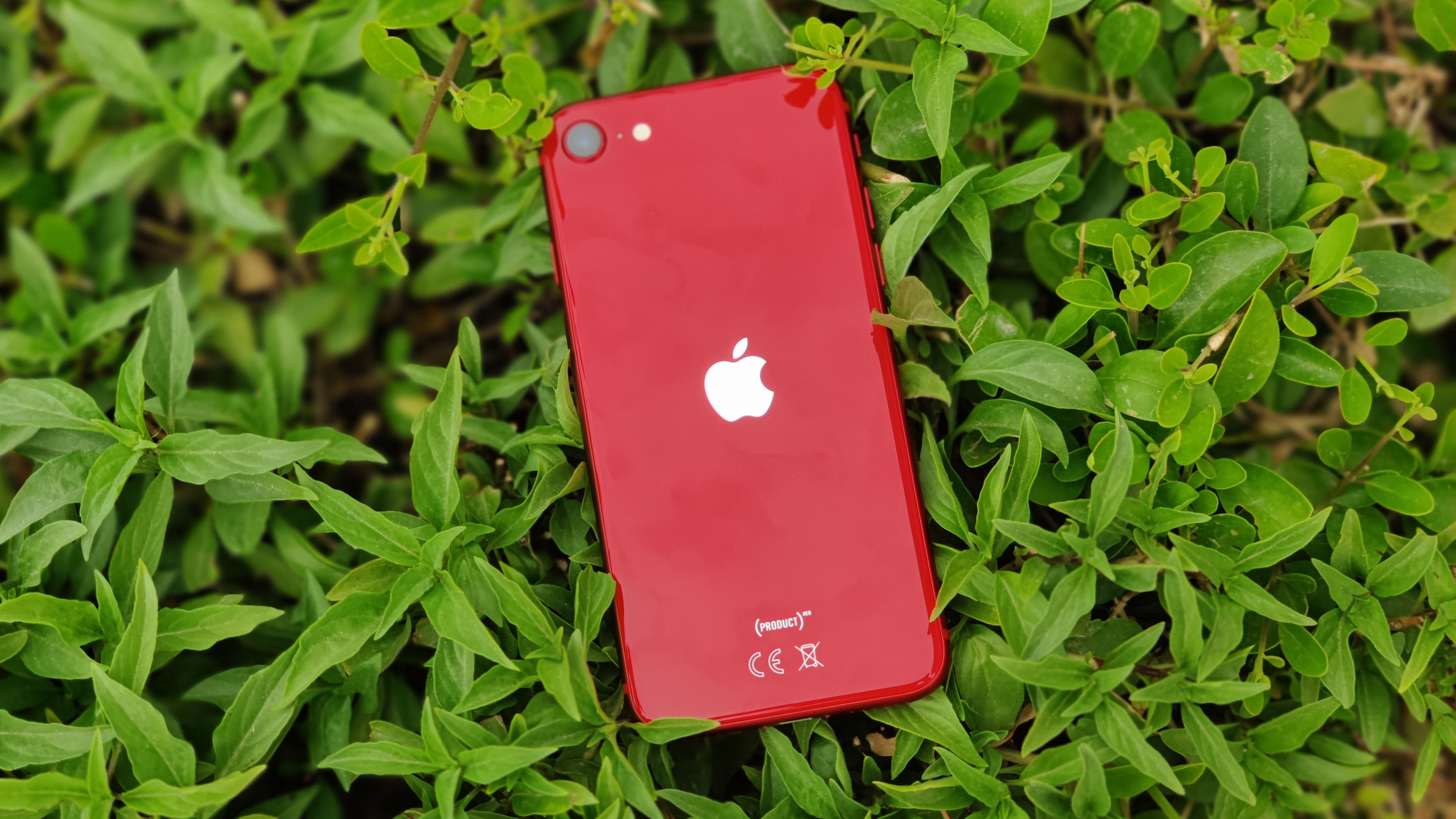
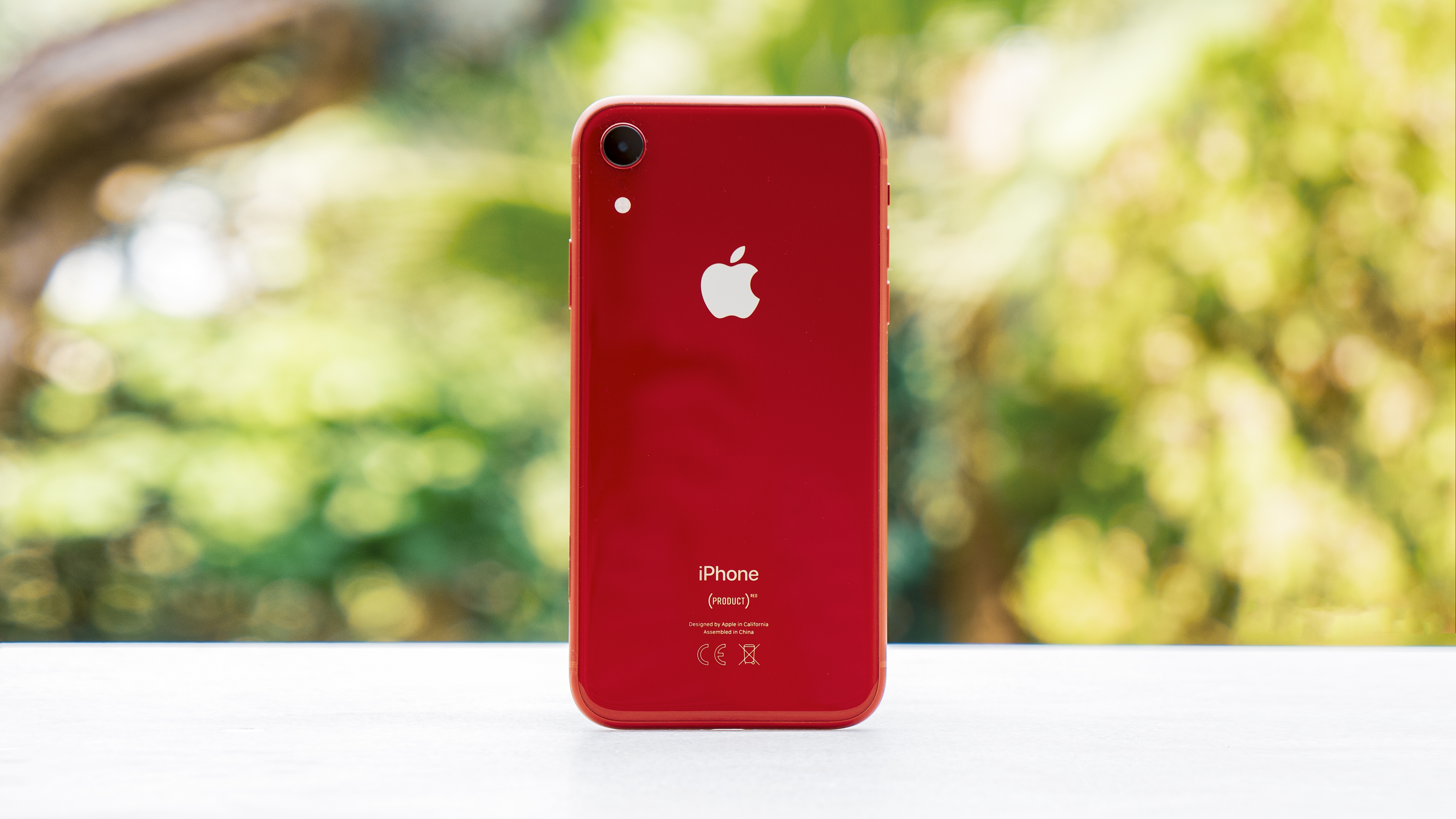
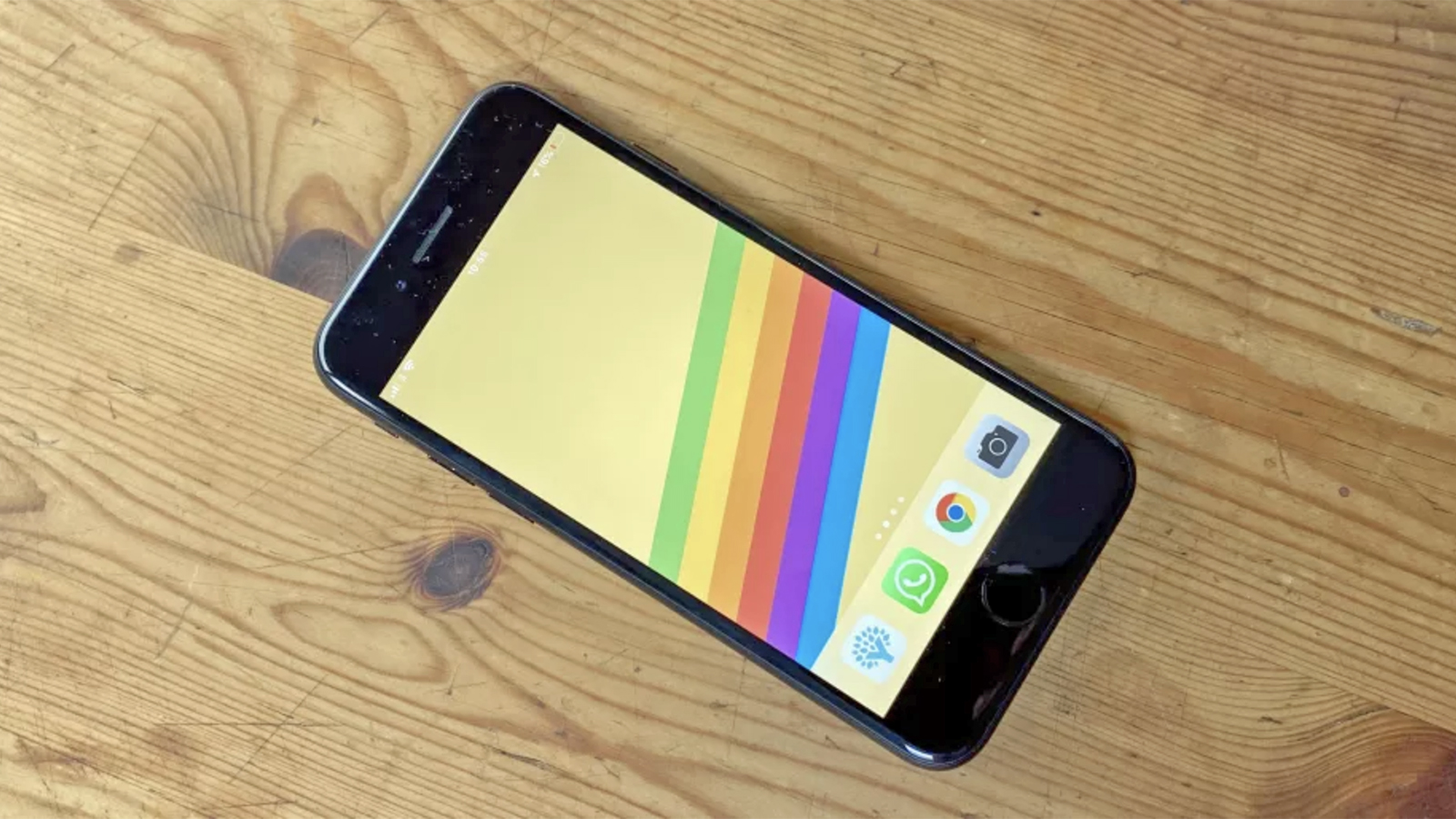
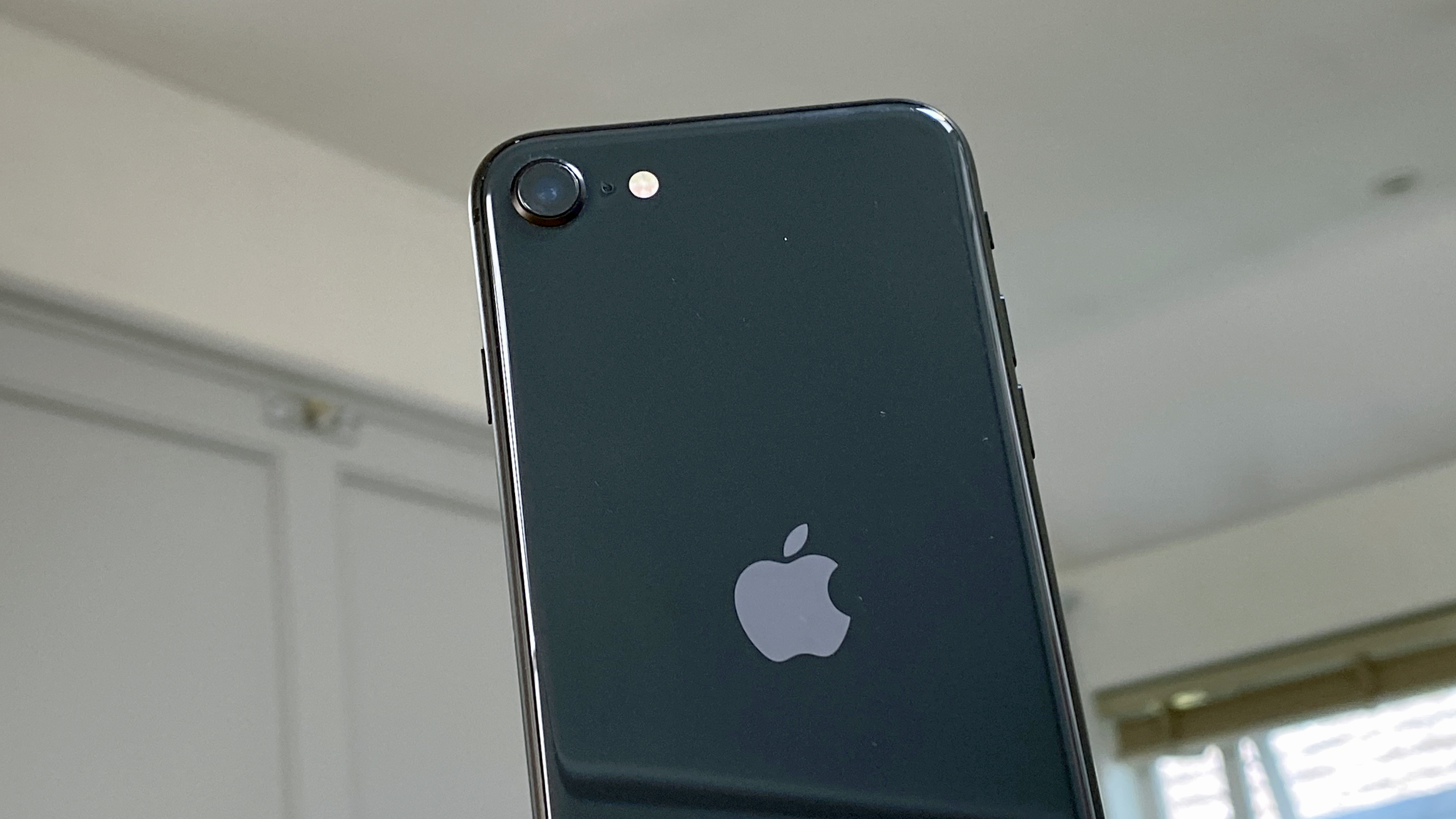
Neither of these phones sports the freshest design on the block, and there’s a fair amount of shared DNA between them. Glance at the two phones separately from behind and you might struggle to tell which was which. They have the same rounded aluminum edges, singular camera modules, and shiny glass backs.
You could argue that both phones owe their looks to Apple’s 2017 vintage - the iPhone XR to the iPhone X and the iPhone SE to the iPhone 8. But while the iPhone X was a brand new design at the time, the iPhone 8 was drawing from the 2014 iPhone 6 template.
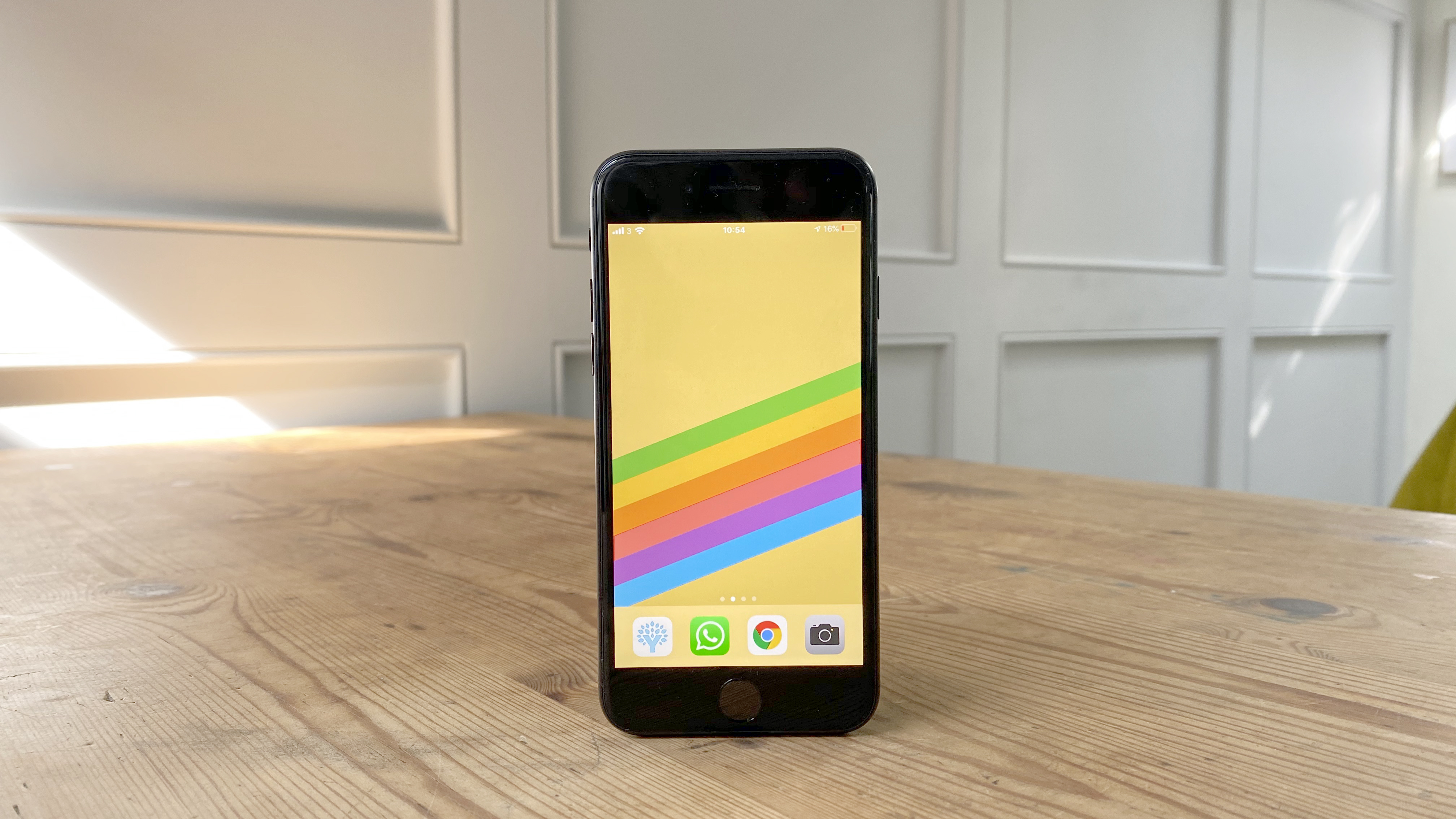
Flip these two phones over to view their front surfaces, and the distinction is plain to see. The iPhone SE has a squat display, large bezels, and a huge forehead and chin for a 65.4% screen-to-body ratio. That chin houses a Touch ID sensor, which is something of a relic of Apple’s biometric past.
Image 1 of 2
iPhone SE (2020)(Image credit: Future)
Image 2 of 2
iPhone XR(Image credit: TechRadar)
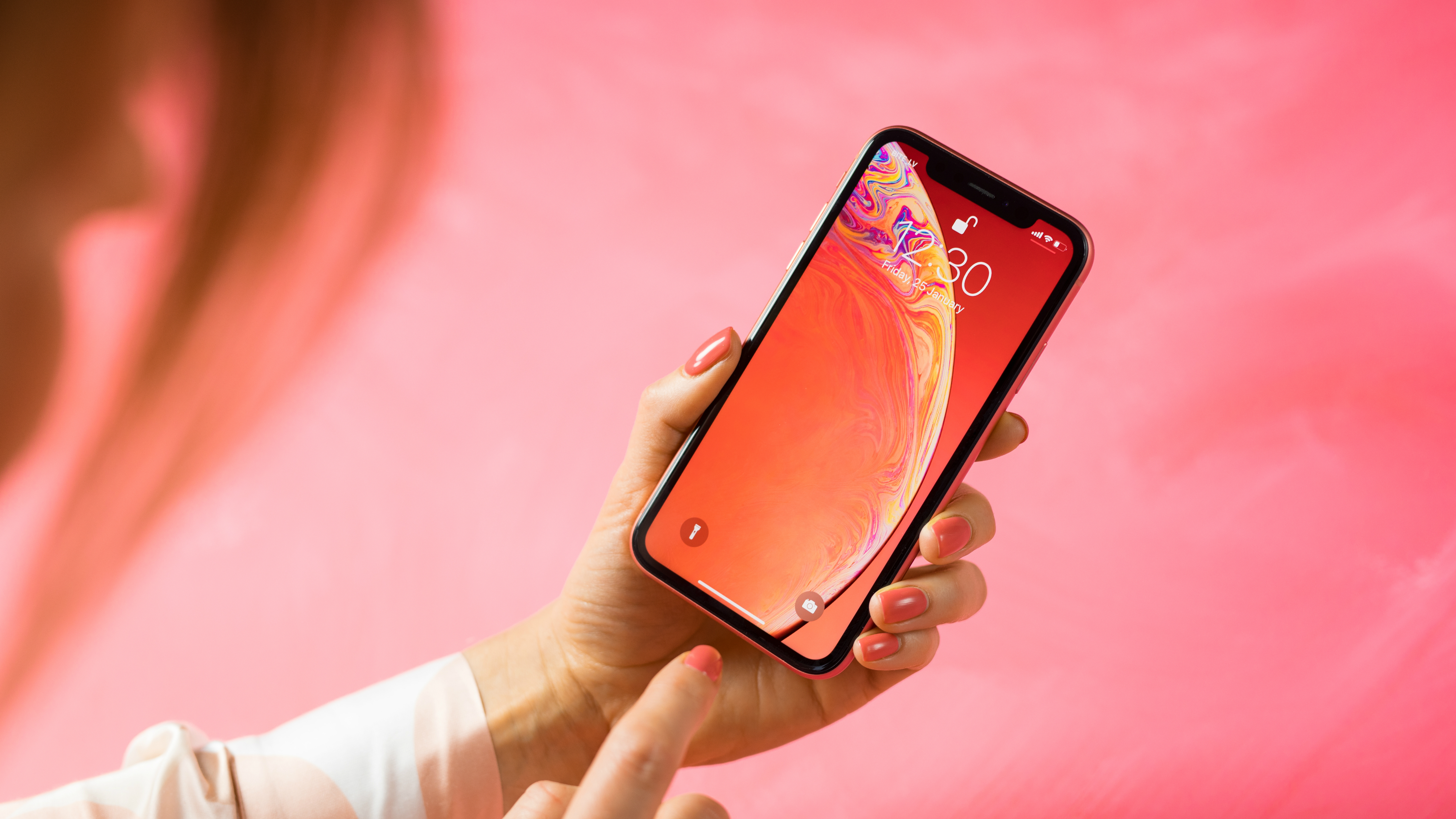
Conversely, the iPhone XR pushes those bezels back with a front-filling display and a 79% screen-to-body ratio. Its display is cut into at the top by Apple’s signature notch, which houses the company’s slick Face ID facial recognition system.
Of course, if you were to hold a phone in either hand, the difference would be obvious without having to open your eyes. The iPhone XR is significantly larger than the iPhone SE (2020).
The XR’s dimensions of 150.9 x 75.7 x 8.3mm dwarf the SE’s 138.4 x 67.3 x 7.3mm in every respect, while the larger phone weighs 194g versus the iPhone SE’s 148g.
Both phones are rated IP67 dust/water resistant, however. Also, while we’re tying up loose ends, both pack stereo sound and neither has a 3.5mm headphone jack.
Display
As we’ve already covered, there’s a considerable size difference between these two phones. That extends to the displays, where the iPhone XR enjoys a sizeable 6.1-inch canvass as opposed to the iPhone SE’s tiny 4.7-inch offering.
The XR screen is longer, too, with a stretched-out aspect ratio of 19.5:9. You get a stumpier 16:9 view with the iPhone SE, which is another telltale sign that it’s a recycled design. Again, though, we should point out that the iPhone XR suffers from that intrusive notch, whereas the SE’s screen is unblemished.
Image 1 of 2
iPhone SE (2020)(Image credit: Future)
Image 2 of 2
iPhone XR(Image credit: Shutterstock)
Beyond these fundamental dimensional differences, however, the two screens are surprisingly similar. Both use IPS LCD panels rather than the superior OLED technology of the iPhone 11 Pro and iPhone 12, so contrast and black levels are inferior. Both can hit the same typical 625 nits of brightness, too.
Another similarity is that both of these screens reach an identical pixel density of 326 ppi. In the iPhone XR’s case, that comes about from a 828 x 1792 resolution, while the iPhone SE hits 750 x 1334. Neither is what you’d call particularly sharp by modern standards.
Qualitatively, then, there’s nothing between these two displays. Any choice you make is more a matter of size and shape.
Camera
A look at the camera specs of these two phones reveals a superficially similar setup. Both give you a single 12-megapixel wide sensor with an f/1.8 aperture.
Interestingly, given that the iPhone SE is 18 months younger than the iPhone XR, it actually utilizes older camera hardware. Its image sensor and optics are essentially lifted directly from the iPhone 8.
The iPhone XR’s newer sensor captures larger 1.4µm pixels versus the iPhone SE’s 1.19µm pixels. Because of this it’s able to make use of focus pixels, which enables the XR to collect better depth information in the absence of a secondary camera.
The iPhone SE(Image credit: TechRadar)
The iPhone SE has to utilize machine learning techniques to achieve something approximately similar. Counterbalancing its camera hardware shortfall, however, is the iPhone SE’s A13 Bionic CPU, which contains a superior image signal processor to the iPhone XR’s A12.
As a result, the iPhone SE is smarter about choosing and calibrating its shots. Sometimes the phone can overcompensate for its limited hardware, overexposing certain shots. But in other scenarios, we found that the SE could hold its own against the iPhone 11 family.
That said, neither of these phones benefits from Apple’s brilliant Night Mode, so low light shots aren’t a strength in either case.
Another example of the iPhone SE’s greater camera smarts comes with video capture. While both phones can capture 4K video up to 60 fps, the iPhone SE has extended dynamic range.
All in all, while the iPhone SE is smarter, the difference in image quality between these two cameras isn’t all that great. Certainly not to the extent that it should be the determining factor in an either/or purchase decision, at any rate.
Specs and performance
As we’ve discussed, in purely visual terms, the iPhone SE would seem to belong to an older vintage than the iPhone XR. When it comes to performance, however, the iPhone SE leapfrogs its brother.
Apple’s crucial move with the iPhone SE was fitting it out with the A13 Bionic CPU, which it shares with the iPhone 11 family. The iPhone XR runs on the previous generation A12 Bionic.
While both the A13 and A12 are built using a similar 7nm standard, the A13 is 20% larger and packs in 23% more transistors for a 20% speed boost.
In one feel swoop this makes the iPhone SE relevant to a modern audience, with a degree of performance that will keep it feeling fresh and fast for at least another couple of years to come. It’s a startling amount of performance in a $400 / £400 phone, even with the advent of the A14 Bionic in the iPhone 12.
By contrast, the iPhone XR’s A12 Bionic is a whole generation behind. Apple’s advantage in the processor game, as well as its ongoing support, mean that the phone will still feel snappy, and there’s no app or game available on the App Store that won’t run well here.
Still, the iPhone SE is simply the faster and more capable device. You’ll particularly notice this with intensive tasks like exporting iMovie videos, not to mention 3D gaming. But more pertinently, you’ll find that the iPhone SE remains speedy and supported for longer.
You also get more storage options with the iPhone SE. Besides the 64GB and 128GB models, which the iPhone XR also offers, there’s a sizeable 256GB model on the market.
Neither phone benefits from 5G network support, so buying either will mean settling for 4G at a time when we’re on the cusp of an exponential increase in download speeds. Still, that time isn’t quite here yet for most of us.
Battery life
If there’s one resounding victory for the older iPhone XR, it comes from battery life. The phone packs in a 2,942 mAh battery, which is significantly larger than the 1,821 mAh unit in the iPhone SE.
While it’s true that the display is also much larger in the XR, that doesn’t offset such a huge capacity advantage. Rather tellingly, we listed battery life in the ‘For’ column in our iPhone XR review, but listed it in the ‘Against’ column in our iPhone SE review.
At the time of its release, the iPhone XR’s stamina blew all previous and contemporary iPhones away. Anecdotally our reviewer managed to clear a full intensive day of usage amounting to six hours of screen on time with 22% left in the tank.
With the iPhone SE, by contrast we found that a day of light usage would leave us with around 30%. Attempting a similarly intensive day to the one mentioned above would leave us needing to recharge before bed time.
While judging battery life isn’t a precise art, it’s fair to say that the iPhone SE’s stamina isn’t even in the same ballpark as the impressive iPhone XR. Recharging is a doddle whichever phone you choose. Both phones support Qi wireless charging, courtesy of those glass rear panels.
Takeaway
The iPhone SE(Image credit: TechRadar)
While Apple’s pricing would suggest a linear upgrade path from the iPhone SE to the iPhone XR, the reality isn’t quite so straight forward.
In the iPhone XR’s favor it has a larger display, a more modern design (from the front at least), and massively superior battery. On the other hand, the iPhone SE gains much better performance thanks to a newer processor, which lends it an extra dose of future proofing.
The SE’s A13 Bionic chip and its superior ISP arguably gives it the slight edge in the camera stakes too, with Apple’s formidable algorithms coming to the fore. That said, the the iPhone XR camera’s newer image sensor balances things out somewhat.
Ultimately, the iPhone XR’s all-round performance shortfall and subsequently lesser future proofing makes us lean towards its younger brother - especially given the iPhone SE’s lower price tag. There isn’t a great deal between these two distinctly retro phones in the hand, but the iPhone SE represents a smarter buy.
If you get SSDI or SSI, here's what you need to know about third stimulus check eligibility and what to do if your first or second check never arrived.
With the widespread transition to remote working, communication and collaboration has become all the more important.
A problem many businesses face, however, is that they are required to juggle an impractical number of tools to benefit from all functionality needed to support remote work: text chat, email, video calling, file-sharing, cloud storage etc.
We caught up with Frank Karlitschek, founder and CEO at Nextcloud, to find out why doing all this in a secure and simple manner might require a different approach to that of traditional SaaS providers.
Here's our list of the best antivirus services right now
In Nextcloud 20, you announced integration with over a dozen third party platforms and the move was dubbed “a major shift”. What changed, and is integration the next major focus area for Nextcloud?
Since its founding, Nextcloud has aimed to provide a complete collaboration platform for the average office, with the difference to competitors that it should be self-hosted and open source. We introduced video chat, document collaboration and more recently tools like Forms and task management capabilities like Deck. Of course, you can't do everything. We generally look at a function and say, hey, is this something most users use? Then they would benefit from it being part of a consistent, predictable work flow, integrated in Nextcloud.
But, some things are simply only used by a small sub-set of employees in a company. Or only by a small sub set of organizations. For example, the HR department has its specialized tools to handle taxes, and schools have specialized software for e-learning. We can not provide all those, of course. Yet those applications can still benefit from integration! Having a work flow that goes across applications can make a big difference in productivity. Think of at school, where you get your assignment via a e-learning tool, then work in it with your class mates using Nextcloud's document editing and chat tools, and then turn in the resulting paper in the e-learning platform! Thanks to Moodle integration in Nextcloud, this process is much more seamless. Perhaps not as seamless as it were if Moodle were a true Nextcloud component, of course, but a lot better thanks to our collaboration.
When it comes to components like Slack and Teams, for which Nextcloud has a native alternative in Talk, the benefits of integration are slightly different. Organizations often face a need to interface with other applications than what they opted to use in-house, or in one department. It can be that, for compliance and security reasons, the European division of a company uses Nextcloud Talk, while the US division is on Microsoft Teams. Thanks to our integration efforts, common chat rooms can be set up so employees don't need to have both tools running.
As we also can't integrate every possible tool under the sun into Nextcloud ourselves, we've made sure our documentation on using our integration capabilities is easy to find, helping third parties integrate their apps in Nextcloud.
Frank Karlitschek, founder and CEO at Nextcloud(Image credit: Nextcloud)
You’ve recently introduced the one-click migration tool to ferry over data encapsulated within several online services. How is this different from the Simple Signup program you introduced a couple of years back?
It is more of a complement, I would say. Simple Signup allows users to sign up with a hosting provider as quickly and as easily as they would using a centralized service like Google, Microsoft or Dropbox: install an app, click 'sign up', enter an email and password, and you're logged in. But, unlike with typical public cloud solutions, you would not have signed up at a single, global hosting provider. Instead, through these steps, you will have signed up with a local provider! Nextcloud will have pre-selected a provider for you based on your location. Of course, you can choose another if you prefer, as well. But with every provider, you'll get a free account with 2 to 5 gigabyte of storage for an unlimited time - and very affordable upgrade options in case you'd like more storage!
But once you have a Nextcloud account at a provider you can trust, you still are likely to have much data at one of the big cloud vendors. And that is where the migration tool comes in - it offers an easy way to move over data from one of those cloud monopolists to your local hosting provider! We support Google, Dropbox and OneDrive, migrating over calendars, contact data and more when we can. Unfortunately, Google and OneDrive don't make this easy and require the administrator to first go through some complicated steps before users can use the migration. They are clearly not interested in making it easy for our distributed platform model to help users move!
The new dashboard (and unified search) were welcome additions in the latest release. What are the other major items in Nextcloud’s to do list?
Communication is becoming more and more 'real time', so we invest in making collaboration round-trip times shorter. That is a matter of performance and UI optimizations, but also features in Talk and our document collaboration tools. For example, we will soon introduce an addition to the collaboration tools you have available during a video call.
Another area of attention over the coming year will be in automating and supporting a variety of workflows. We will continue to expand Nextcloud Flow, and also work on integrating it more with third party tools. Being able to, for example, act on data when a form in Nextcloud Forms is filled in could be very powerful.
(Image credit: Shutterstock / fizkes)
Nextcloud Hub has been one of the most revolutionary changes for Nextcloud. What kinds of Nextcloud Hub features particularly stand out against the offerings of your proprietary peers?
Of course, in the end the most compelling advantage of Nextcloud is the control you have over it as you deploy it on your own infrastructure or at a local provider you can trust. It's open source nature and self-hosting are key here.
We pride ourselves particularly in a consistent user experience. Rather than buying up companies and integrating their technology, which can create a jarring and disjointed experience, we focus on building as much of the front-end ourselves while using common open source technology on our back-end.
Could you explain some of the features that help make Nextcloud useful for setups that work with highly sensitive data?
For Nextcloud, Virtual Data Room is kind of a 'meta feature'. As Nextcloud is itself an on-premises digital file exchange platform with many collaboration and communication features built in, it can be configured in a very secure way and thus function as a VDR.
A few key features here are the ability to block downloading of any documents for guests, only providing them access to a watermarked browser view of documents; the ability to use the Nextcloud Outlook add-in to send emails and documents to guests via Nextcloud without any leaking of email content; and a few powerful security features. Of those security features, let me mention Video Verification, where access to a share is granted only after the identity of the recipient is verified through a video call.
(Image credit: Shutterstock / La1n)
What is the Private Cloud Security scan, and how much does it cost?
It is free! It is a scan we built some years ago in response to the large numbers of badly secured private clouds at the time. It probes the URL of a private cloud server, determining a number of security features as well as whether the version running there is up to date.
What are the benefits of Nextcloud Enterprise, given the fact that it runs the same open source Nextcloud version? Is it just about priority support?
Just like Red Hat Enterprise Linux vs Fedora, this is the enterprise-optimized version of Nextcloud. It comes with long term support, features come a bit slower as it gets more testing. It does get critical security and stability updates before the community version and we optimize it for large scale installations. We help customers deploy and scale it up, provide help with security audits and training and so on. In short, Nextcloud Enterprise is all you need to run Nextcloud in production for a large number of users.
The Nextcloud Box was a wonderful all-in-one solution to deploy your own cloud. Any plans to reintroduce it or another similar device given the popularity on SBCs like the Raspberry Pi?
The Nextcloud Box was indeed a great project. Our purpose was never to become a hardware company, but to inspire others and that succeeded! There are now a half dozen dedicated Nextcloud devices you can find on our website (nextcloud.com/devices) and new ones regularly pop up. Just as we do not provide hosting ourselves but work with and support a wide range of hosting options for Nextcloud, we have no plans to directly develop hardware ourselves but we continue to work with partners.
A couple of years back, there was news that you were working with NEC to equip their routers with Nextcloud. What’s the latest on that front? Are you working with other device manufacturers as well?
This is an ongoing project and we are happy to see that there are now also other hardware router manufacturers looking at Nextcloud devices.
You’re working with Open-Xchange and Univention to create the Sovereign Productivity suite for the German government. Will some of the work trickle down to the open source Nextcloud?
These three solutions are already widely deployed in government organizations and with an integrated platform, a government organization does not have to mix and match vendors but have a single SLA and can just purchase them in one place. The fast movement in the IT market makes it harder for government organizations which require stable, reviewed and certified products from known and approved vendors, and that is exactly what we aim to provide here. Our plan is to integrate the products from the three companies, with OX providing their groupware solution with mail and calendar and the collaboration platform from Nextcloud. Univention adds their identity management.
The integration features we develop will certainly become a part of Nextcloud and the OX and Univention products. An Open Exchange integration app, for example, is likely to appear in our app store.
You’ve just announced the use of Nextcloud by Harvard Medical School and Kiel University of Applied Sciences. What are some of the biggest Nextcloud deployments that you are aware of?
There are large customers in various areas. We have a large telecommunications company mostly active in the Middle and South Americas which scales up to 20 million users, split across four continents thanks to our Global Scale architecture. Additionally we work with some of the biggest telecom providers in Europe including Deutsche Telekom, IONOS and several others that could grow to similar numbers.
The way this hosting is done varies wildly - some create a single, massive, cross-continent Nextcloud instance, others create one instance for each of their customers.
Another important group of customers tend to be nation-states, like the German and French federal governments with each over 300.000 users on contract. There are some others in this size range, but we are not yet at liberty to talk about them.
Among our customers are many dozens of universities, often in the 20-80K user range, like the university of Kyoto in Japan, TU Berlin in Germany or North West University in South Africa. Then there are the NREN's, National Research and Education Networks, several of which are customers - like in Sweden and France. Those offer their services to all the universities and research institutes in their countries, reaching up to millions of students.
A recent project we hope to talk about soon in public (we are working on a case study) is a migration of 40.000 users at a German university from a competitor to Nextcloud, consisting of over 60 Terrabyte of data. We managed the migration without any data or meta-data loss.
Stimulus check eligibility isn't set in stone until a final bill is passed, but here are the qualifications, based on the current proposal -- plus requirements for the second check, if you're still waiting on your money.
The APEX Center in Las Vegas welcomes back top drawer UFC action this weekend with a mouth-watering welterweight title showdown - here's how to find a UFC 258 live stream and watch the drama unfold online, plus the start time and much more.
Pitching current title holder Kamaru Usman against his old sparring partner Gilbert Burns, the fight brings with it a huge clash in styles.
Previously scheduled for last summer, the fight has been put on the back burner three times thanks to Burns testing positive for COVID-19 and Usman being forced to withdraw after suffering an injury.
Watch UFC 258: live stream Usman vs Burns
Date: Saturday, February 13
Estimated Usman vs Burns main card time: 10pm ET / 7pm PT / 3am GMT / 2pm AEDT
Now finally set to take place in Vegas, this fight stands as one of the most eagerly anticipated UFC match ups for some time.
Usman is currently on a seemingly unstoppable 16-fight win streak. Since claiming the welterweight title from Tyron Woodley in 2019 the 33-year-old has notched up career-defining wins over Colby Covington and Jorge Masvidal.
Burns has chalked up six wins in a row on his way to this, the biggest fight of his career thus far.
The jiu jitsu specialist is fast building a reputation as one of the more lethal strike attack fighters within MMA, and with his darting style in contrast to Usman's more considered wrestling moves, it could prove a very tricky night for the champ.
With the pair having trained together for years at the famed Sanford MMA gym in Florida - Usman even turning up in Burns' corner for some of his fights, it adept to be an unmissable match-up.
Follow our guide below as we explain how to get a Usman vs Burns live stream and watch UFC 258 online - plus key details like the Usman vs Burns time, and the cheapest way to get a UFC 258 live stream tonight.
Don't miss out: get aUFC live streamfor every Fight Night and PPV event
How to watch Usman vs Burns from outside your country
Read on for specific information on who is showing a UFC 258 live stream on TV and PPV in different countries including the US, UK, Canada, New Zealand and Australia.
But the first thing worth mentioning is that anyone who finds themselves abroad for the event can still watch via their usual home broadcaster or service by using a VPN.
Otherwise known as a Virtual Private Network, it's a nifty bit of software that lets you access content from your home country completely legally. Crucially, this means you and won't have to loiter around the internet's sketchier corners for a stream.
Watch a UFC 258 live stream from anywhere
ExpressVPN is the world's top VPN right now We've tested all of the major VPN services and we rate ExpressVPN as the absolute best. It's compatible with loads of devices including iOS, Android, Amazon Fire Stick, PlayStation, Apple TV and such, and we found it secure, speedy and simple-to-use. Express is a do-it-all service that also benefits from 24/7 customer support.
Once you've registered and downloaded the software, just follow the prompts to install it then select the location you want to relocate your IP address to - it really is that easy.
Can I watch a free Usman vs Burns live stream online?
We've researched the Usman vs Burns fight extensively, and there just aren't any ways to watch UFC 258 online free that are legal out there. As ever, anything that proports to be a free Usman vs Burns live stream should be avoided, as in addition to falling foul of the law, it's also liable to infect your device with all kinds of nasties (especially if you don't have decent online security).
UFC 258 live stream: how to watch Usman vs Burns in the US right now
You'll need to be subscribed to ESPN+ in order to watch UFC 258 in the US. However, if you aren't already a subscriber, there's an easy way to save cash on your membership and PPV fight at the same time.
You can buy a year's subscription to ESPN+ and access to this weekend's fight for just $89.98. Considering members usually have to pay $69.99 for this fight on top of their subscription (that comes in at $59.99 a year), that's an excellent offer. If you're already a member you can pick up that PPV ticket by itself for the usual price of $69.99.
Early prelim coverage starts at 6.30pm ET / 3.30pm PT, followed by the main card at 10pm ET / 7pm PT, with Usman and Burns expected to enter the Octagon some time from 12am ET / 9pm PT - depending on the pace of the other fights.
A subscription to ESPN+ also opens up access to live UFC Fight Nights, alongside original content including Dana White’s Contender Series, UFC Destined, and Ariel & The Bad Guy, plus classic fights, replays, and there’s also the perk of fewer commercials.
How to watch Usman vs Burns: live stream UFC 258 in the UK tonight
BT Sport has exclusive broadcast rights to UFC events right now, and the great news is that this weekend's UFC 258 action won't be a PPV event in the UK!
You'll need to tune into BT Sport 1 for all the action from Vegas, with coverage beginning on the channel with their build-up preview show at 12.30am followed by prelims starting at 1am on Sunday ahead of the main show at 3am. Usman and Burns are expected to enter the Octagon from 5am, just after the Maycee Barber vs Alexa Grasso fight.
The broadcaster's coverage of UFC is also available via the BT Sport app and on its website, so you can live stream UFC on most devices these days - and don't forget that you can now get BT Sport without a massive commitment thanks to a BT Sport Monthly Pass.
You can also access your BT Sport subscription or monthly pass from overseas if you're away from home. To do that you'll need a VPN to relocate your IP back to the UK as per our guide above.
Usman vs Burns: live stream UFC 258 in Canada tonight
There are a host of pay-per-view providers offering a Usman vs Burns live stream in Canada this month.
You can head to the likes of Shaw, Bell, Rogers, SaskTel, Videotron, Telus , Eastlink with pricing at CAD$64.99. It's also available on the UFC Fight Pass PPV.
Tune into the main card from 10pm ET / 7pm PT on Saturday, February 13.
UFC 258 live stream: how to watch Usman vs Burns online in Australia right now
You'll find UFC 258 and Usman vs Burns available on PPV in Australia, with the main providers being Foxtel Main Event and - for streamers and cord-cutters - Kayo Sports.
For those looking for a streaming-only option, Kayo is the way to go and you can now pre-order the PPV card here - it costs AUD$54.95, the same as on Main Event.
The main Usman vs Burns card is set to take place at 2pm AEDT on Sunday, February 14 which should mean that you won't have to get up early to catch the main event.
Usman vs Burns are expected to make their way toward the Octagon around 4pm.
You can also catch all the prelims and the main card using UFC Fight Pass .
Usman vs Burns live stream: how to watch UFC 258 in New Zealand now
Sky Arena is offering New Zealand viewers a Usman vs Burns live stream - with the PPV priced at NZ$39.95 for all the main card action.
You'll want to make sure you're watching from at least the 4pm NZDT main card start time on Sunday, February 14 to get all the action.
The headline Usman vs Burns is expected any time from 6pm NZDT, depending on how the rest of the card plays out.
When is Usman vs Burns? UFC 258 date and time
Usman vs Burns takes place at UFC 258, which is scheduled for Saturday, February 13. The UFC 258 early prelim card is scheduled to begin at 6.30pm ET / 3.30pm PT / 11.30pm GMT, 10.30am AEDT, with the prelims kicking off at 8pm ET / 5pm PT / 1am GMT (Sunday), 12pm AEDT (Sunday)
This leaves main Usman vs Burns card slated to start at 10pm ET / 7pm PT / 3am GMT , 2pm AEDT - with the two MMA stars expected to enter the Octagon from around 12am ET / 9pm PT / 5am GMT / 4pm AEDT.
Who is Kamaru Usman?
Born in Auchi, Nigeria, Usman emigrating with his family to the US at the age of 8. Showing early promise as as a wrestler at college he came close to representing his adopted country at the 2012 Olympics only for injury to intervene.
A move to mixed martial arts was an obvious and ultimately successful career change, with the 6ft fighter coming to prominence as the winner of The Ultimate Fighter 21 in 2015.
Having made his UFC debut later that year, he has since gone to notch up a 17-1-0 record, taking the Welterweight from Tyron Woodley in March 2019 at UFC 235 via unanimous decision.
Defending his 170-pound title for the third time tonight, Usman is now one of the sport's main draws, with his successful defence against Jorge Masvidal generating a whopping 1.3 million pay-per-view buys in the United States alone - the most since UFC 229.
Who is Gilbert Burns?
Born in Rio de Janiero, Gilbert "Durinho" Burns initially made his name as a three-time World Champion and World Cup gold medalist in Brazilian Jiu-jitsu.
Switching to MMA, Burns made his UFC debut in July 2014 and has gone on to build up an impressive 19-3-0 record.
His display against Tyron Woodley, which saw him dominate for five rounds to pick up a unanimous decision win, put the Brazilian on the road to this title challenge against his former spar partner.
Usman vs Burns latest odds: who is the favorite to win?
Usman's champ status alongside his clinical showings in his previous two defences of his title mark him out as clear favourite, with odds hovering around 4/11 with most bookies at the time of writing.
Usman vs Burns: recent results
Usman's last outing and second defence of his title came at UFC 251 on in Abu Dhabi last July, which saw him grind his way to a unanimous decision over fan favourite Jorge Masvidal - a last gasp stand-in for a Covid-19 stricken Burns - to retain his welterweight belt.
Burns, meanwhile, made his last appearance in the Octagon in May last year with an impressive win over former welterweight champion Tyron Woodley via a unanimous points victory, scoring 50-45, 50-44 and 50-44 with the judges.
UFC 258 full card and highlights
The main supporting fight is an eye-catching match-up between flyweights Maycee Barber and Alexa Grasso. All eyes will be on how Barber responds after she suffered her first pro defeat and a huge upset in her most recent bout to Roxanne Modafferi in January last year.
Full UFC 258 card for Saturday, February 13
Main card
Preliminary card
from TechRadar - All the latest technology news https://ift.tt/3peHxiJ
If you are trying to decide between Google Home or Apple Home for your smart home system, we’ve researched and compared the two platforms to help you decide which is the best smart home system for your home.
What is Apple Homekit?
Apple Home, also known as Apple Homekit, is Apple’s smart home control system that gives you control over your smart thermostat, lights, locks and more with your Apple smartphone. HomeKit is an excellent starting point for Apple fans who are beginning their smart home journey.
What can Apple Homekit do?
Homekit compatible devices are controlled through the iOS Apple Home app on your iPad, iPhone or Mac, or by using Siri. You can use Apple Homekit to adjust the thermostat, turn lights on/off, lock doors, adjust light levels and colors (with compatible products), control plugs, and more.
Apple Homekit shines when it comes to creating and executing “scenes”, a series of automation commands that let you control multiple devices at once with the push of a single button. For example, you can create a “Good Morning” scene that opens the dining room blinds, turns on the bedroom and kitchen lights, raises the temperature and starts your morning playlist – just by saying, “Hey Siri, good morning.”
While HomeKit isn’t compatible with as many devices as Google Assistant or Amazon’s Alexa, Apple focused on simplicity, making it easier for smart home novices to control and expand their smart home ecosystem. Apple continues to add more supported locks, lights and plugs to its compatible device list, which can be accessed here.
What is the difference between Google Home and Google Assistant?
(Image credit: Google)
Google made things a little trickier to understand with their smart home system, so let’s clear up some confusion. First, Google Home generally refers to the hardware (devices) Google Assistant runs on, while Google Assistant is the software program that users interact with.
The family of Google smart home hardware includes Google Home, Nest Mini, Home Max, Nest Hub and the Nest Hub Max.
Just like Apple Home, Google Assistant can be used to operate compatible smart devices and create automation scenes. Google Assistant claims it features more than a million actions, with the caveat that they include all possible queries from both first- and third-party offerings. Google’s expansive apps/actions make it easy to branch out beyond home automation functions, while Homekit is more stunted in this area.
Apple Home vs. Google Assistant: Smart Home Compatibility
Apple and Google are both expanding their smart home capabilities, but as mentioned above, Apple is slower to bring on compatible devices.
Google works with a huge breadth of connected products, including many—if not most—third-party products. This includes a plethora of TVs, switches, plugs, thermostats, speakers and more. Apple has fewer compatible brands and devices in these categories, so if you didn’t purchase smart products with the “Works with Apple Homekit” endorsement, it may be a while, if ever, before it is supported by Apple Home.
However, Apple’s narrower focus gives it an edge over Google Assistant, though, as Google Assistant is not as beginner friendly and setting up devices and getting them to work with each other can be a chore.
Winner – Number of Compatible Devices: Google
Winner – Easiest to Use: Apple
Apple Home vs. Google Assistant: Price
This is where reality sets in for those on a budget. While the Apple Home app is free, Apple Homekit’s entry point is much more expensive, and depending on how much automation you want to control with Homekit, you can expect to pay $1,000 or more to get all the devices you need. You can get smaller compatible devices like a single iHome iSP6X Control Smart Plug for around $27, but a Brilliant home controller costs $299. Additionally, you’ll need to get an iPad, Apple TV or HomePod if you want to control your smart home remotely or set up advanced automations.
Google, on the other hand, has its Google Home Mini ($29), and on the other end of the spectrum, one with better sound quality, the Max ($299). Google also offers two smart displays, the Nest Hub ($89) and Nest Hub Max ($229); the latter model has a larger screen and includes a camera for video-calling support. Google Home Mini is often on sale, especially around Black Friday and Cyber Monday, and promotions for discounts run occasionally throughout the year as well. Additionally, with so many third party devices of various prices, it is much more affordable overall to build your smart home around Google Assistant compatible devices.
Winner: Google
Conclusion
We’ll make this easy on you. Do you eat, sleep and breathe Apple? Do you own an iPhone, iPad, Mac, AirPods and/or Apple TV? Get Apple Homekit.
Are you more open to using operating systems and devices you don’t control with an Apple product? Get Google Home.
While these recommendations may seem like a cop out to some, they are our expert recommendations. If you are an Apple aficionado, you’ll be more at home with Apple Homekit products, as you will already most likely own potential controllers and compatible devices. If you’re looking for a system that is less cluttered with “smart home fluff” like trivia game skills or Jurassic Bark and you’re willing to pay the elevated entry cost, then pick Apple.
However, Google Home does win over Apple in affordability and compatibility. And no one says you can’t own both. Well, maybe your wallet says you can’t.
from TechRadar - All the latest technology news https://ift.tt/3rNwjn9
Nvidia's $40bn proposed acquisition of the UK-based chip designer Arm has already come under scrutiny from regulators and now US chipmaker Qualcomm has weighed in on the deal.
The company is against the acquisition and it recently voiced its concerns to the US Federal Trade Commission, the European Commission, the UK's Competition and Markets Authority and China's State Administration for Market Regulation. However, the Competition and Markets Authority as well as the European Commission have both already launched investigations into the matter.
Meanwhile, the FTC's investigation has moved to a “second phase” and the regulator has asked SoftBank, Arm and Nvidia to provide more information on the deal, according to two sources that spoke with CNBC.
Providing the information needed by the FTC will likely take some time as several large documents will need to be produced and the regulator will also ask other companies about the deal before making its decision.
Qualcomm's objection
Qualcomm decided to contact regulators around the world regarding the Nvidia-Arm deal because it believes they will end up playing a significant role in whether or not it gets approved.
However, in a statement to CNBC, Nvidia explained that it is confident regulators will come to see the benefits of the acquisition once their investigations are complete.
Arm's chip designs are currently used in 95 percent of the world's smartphones and Qualcomm and other chipmakers worry that it will be much more difficult using the company's intellectual property if the acquisition ends up getting approved.
Qualcomm isn't the only chipmaker objecting to the deal though as the AI chip startup Graphcore has also raised concerns with the UK's Competition and Markets Authority.
We won't know if Nvidia will be able to acquire Arm until regulators finish their investigations and this process could certainly take some time due to the implications of allowing the GPU maker to acquire the chip designer.
Of all the entry-level smart home devices on the market, making the decision between Amazon Alexa and Google Home can be a tough one. Both systems have evolved considerably over the past few years and more devices are compatible with the voice recognition assistants. We took a hard look at the pros, cons and differences between the two smart home heavyweights in the top three use cases namely Smart Home compatibility, Voice Recognition and Apps/Skills to help you decide which is the best smart home system for your home.
Google Assistant vs. Alexa: Apps/Actions vs. Skills
What is Amazon Alexa?
(Image credit: Amazon)
According to Amazon.com, Alexa is Amazon’s cloud-based voice service available on hundreds of millions of devices from Amazon and third-party device manufacturers. Using “Skills”, which are like apps for Alexa, customers can engage content or services naturally with their voices to check the weather, listen to music or news, play games and more. Installing Alexa skills is easy, and there are currently more than 100,000 Alexa-compatible smart home products from more than 9,500 brands, and more than 100,000 Alexa skills.
Of course, not every skill is a winner, but with such a wide range, you’ll most likely find a skill to suit your needs. But if you can’t find one, Amazon Blueprints offers templates for simple skills so you can create your own game show or provide information for houseguests, for example. Additionally, you can create basic integrations using the IFTTT web service or create your own simple routines via the Alexa app.
What is the difference between Google Home and Google Assistant?
(Image credit: Google)
Google made things a little trickier to understand with their smart home system, so let’s clear up some confusion. First, Google Home generally refers to the hardware (devices) Google Assistant runs on, while Google Assistant is the software program that users interact with.
The family of Google smart home hardware includes Google Home, Nest Mini, Home Max, Nest Hub and the Nest Hub Max.
Google does offer the best integration with IFTTT, letting you create custom actions without any real knowledge of programming.
Just like Alexa, Google Assistant can be used to operate smart devices, answer questions, play music and games and more. While Alexa uses “Skills”, Google calls them apps or actions. Statista.com reports that, as of January 2019, there were 4,253 apps that could be used by Google Assistant – but Google Assistant claims it features more than a million actions, with the caveat that they basically include all possible queries from both first- and third-party offerings. This can make it difficult to effectively compare the two services in the Skills/App category. Fortunately, both companies are making great strides to work with as many products as possible and you can usually find the same apps/skills on both platforms.
Winner: TIE
Alexa vs. Google Assistant: Smart Home Compatibility
Amazon and Google continue to expand their smart home capabilities, and with third party developers and manufacturers adding Alexa and Google Assistant compatibilities to their products daily it’s easier than ever to integrate the smart home devices you already own. But which system comes out on top?
Alexa and Google both work with a huge breadth of connected products, including many—if not most—third-party products. At time of publishing you can do more through Alexa than linked through Google Assistant. An example of the expanded ability of Alexa is you can set your smart lights to turn on if Alexa hears a window breaking or a fire alarm; or, you can activate smart home devices based on your location. With few exceptions, Google Assistant only lets you control individual smart home devices by creating a schedule or by speaking a command.
The smart home experts from our sister site, Tom’s Guide, have conducted testing of both systems and weighed in on this section, noting that Amazon also has the most third-party partners for Alexa, since you can buy a cheaper speaker, like a model from Anker. Or, if you need better sound quality, you can purchase the Sonos One, which has both Alexa and Google Assistant built in. Both assistants are available via an app you can download on iOS and Android devices.
Google has released smaller versions of the Home, including a cheaper unit (the Mini) and one with better sound quality (the Max). Google also offers two smart displays, the Nest Hub and Nest Hub Max; the latter model has a larger screen and includes a camera for video-calling support. Google Assistant also works with a handful of third-party smart displays, such as the Lenovo Smart Display.
Winner: Alexa
Alexa vs. Google Assistant: Voice Recognition
Reliable voice recognition is extremely important when it comes to modern smart homes, and while both Alexa and Google Assistant do well understanding voice commands, Google pulls ahead in this category with their sophisticated Google’s Voice Match, which offers personalized calendars, flights, payments, photos and more. On the other hand, Alexa hasn’t caught up yet, only currently offering personalized shopping, calling and messaging, and limited media options.
Both Google and Amazon provide multiple voice profiles, so you can train the device to recognize your specific voice and provide some degree of personalized response – a great option, especially in homes with multiple occupants who will be using the smart home system frequently throughout the day.
Our Tom’s Guide experts also point out that Alexa and Google Assistant have two voice-related features worth noting: First, both have an optional “follow-up” mode, in which they remain active for a few seconds after answering your query, so you can issue another command without saying the wake word again. This mode is off by default in both cases, since it can lead to some false positives. Secondly, both can understand “and” both in commands and in items, so you can say “turn off the lights in the office and turn on the lights in the living room” or “add milk and bananas to my shopping list” without, say, getting a single item labeled “milk and bananas.”
Alexa does have one advantage over Google in that its language support is more complex. Alexa can speak English (both U.S. and U.K.), and German and Japanese support is available in limited trials. Additionally, a great feature of Alexa is it also offers multilingual mode in some countries, allowing you to use pairs of languages, such as Spanish and English in the U.S., English and Hindi in India, and English and French in Canada.
While we’re impressed with the multilingual offerings of Alexa in this category, Google pushes past with its personalization and assistant options.
Winner: Google
Conclusion
After our evaluations and comparing the results you may be thinking there isn’t a big enough difference between the two smart home systems. But wait! There’s more. Upon closer examination, choosing the best smart home system comes down to two additional factors you have to decide between – cost and use case.
Cost Recommendation: Consider what smart devices you currently own and what they work with. Will it be easier to expand on that system and still do what you want with your smart home, or is budget not a concern?
If your wallet sighs every time you open it, we recommend going with Amazon Alexa if you are looking for affordable devices to start your smart home journey, or the system with which you already own the most devices. Fortunately, Amazon regularly drops prices on its smart home devices, especially on Amazon Prime Day.
If budget is not a problem, then take the next step and look at your majority use cases to narrow your decision.
Use Case Recommendation
What do you want your smart home to do? Are you going all in and planning on heavy smart home use beyond just wanting to control a couple lights and your media?
Majority Use Media/TVs, Light Smart Home Use: We recommend Amazon Alexa
Majority Use Automation, Personal Assistant: We recommend Google Home
It’s nearly impossible to utter her name without waking up a nearby speaker, TV, or some other newly attentive device. According to Strategy Analytics, Alexa-enabled devices hold a 61 percent share of the smart speaker market in the U.S., followed by Google Assistant at 34 percent. IDC estimates that Alexa can control more than 20,000 devices and Google only around 6,000.
“This is because Amazon has first-mover advantages with its release of Echo devices, and also making its Alexa Voice Service SDK broadly available to device makers,” explained Adam Wright, IDC’s consumer IoT senior research analyst. “Both Google’s and Microsoft’s SDKs are still being previewed to select developers and are not generally available, and Apple’s ecosystem is much more restrictive by comparison.”
But Alexa’s voice-assistant market domination of a category still experiencing hockey stick growth may be short-lived.
According to Parks Associates, Google Home sales grew by more than 165 percent year over year for the first three quarters of 2018, compared with the first three quarters of 2017. During the same period, however, global Echo sales were relatively flat, with an estimated growth of only 5 percent.
Two factors could tilt the voice assistant balance of power one way or the other.
First, Google’s potential long-term advantage may be its “integration with other widely adopted Google products, particularly the Android operating system, Gmail, YouTube and Chromecast,” explained Kristen Hanich, Parks Associates research analyst.
“Google has access to over 20 years of search data and access to more than 50 million voice samples, leveraged from its Android platforms, which can ultimately be used for machine learning,” opines Jonathan Collins, research director at ABI Research. “The Google knowledge graph is the most extensive created, providing access to approximately 70 billion facts that have been collectively grouped for link prediction. This extensive database drives the Google Assistant, along with Google’s extensive knowledge of interpreting textual search data that allows the Google Assistant to interpret semantics so well.”
“Google’s pace of developing localized language versions of its assistant, coupled with its duopoly on search and advertising, should result in it being about to scale its platform much larger than Amazon in the future,” added David Watkins, director of intelligent home practice for Strategy Analytics.
The second factor that could potentially reshape the voice assistant war is the growing interest in shop-by-voice, currently dominated by Amazon. “Shop-by-voice has more potential in terms of subscriptions, digital goods and consumables, and gaming experiences than physical products,” Hanich asserted.
But, “voice shopping has yet to really take off,” Watkins admitted. “When it does, Amazon will be in a very strong position to offer an ultimate end-to-end shopping experience thanks to its Cloud infrastructure, Prime delivery service and recent acquisitions in home access and security companies such as Ring.”
However, in August 2017, Google added Walmart as a shopping partner. “Voice command shopping capabilities, as well as automatic repetitive orders — e.g., coffee and razor blades — are quickly becoming key differentiators among leaders in the market,” noted IDC’s Wright, “and Google’s partnership with Walmart will likely strengthen its position in this respect.”
And earlier this year, Google introduced its Shopping Actions program, which makes it easier to search and add items to a shopping cart, now optimized for Google Home smart speakers. “Google now has more than 50 store partners in the U.S., so it’s clearly trying to build an alternative voice shopping platform to Amazon,” Watkins argued.
One overarching voice assistant concern is consumer data security and privacy. According to a recent IDC consumer IoT survey, 30.4 percent of respondents cited privacy and security concerns as a voice-assisted device purchase inhibitor.
“Consumers have a misunderstanding of how voice assistant devices are listening. Rather than always listening, these devices are always listening for a wake word. Once the wake word is uttered, that is when the device begins to listen and process the voice query,” explained Parks Associates research analyst Dina Abdelrazik. “Companies must be able to convey this to ease consumers’ privacy and security concerns. Transparency and control of the data that is collected as well is important for consumers to feel like they are in control and feel a sense of trust.”
from TechRadar - All the latest technology news https://ift.tt/37arxrZ