Opinions often differ when it comes to the humble spreadsheet - some of us are traumatized by complex formulae and others celebrated as Excel savants - so word that spreadsheets have entered the third dimension is likely to split the room.
Researchers from Coburg University, Microsoft Research and the University of Cambridge have ported popular spreadsheet applications Microsoft Excel and Google Sheets to virtual reality (VR).
The project is designed to improve upon the cumbersome spreadsheet experience on mobile devices, as well as boost productivity and introduce new functionalities.
The spreadsheets are rendered into a virtual space, where menus, charts and individual cells can be visualized in 3D. Users can also position multiple sheets above, below and to the sides of their display for better multitasking.
Meanwhile, the increased field of view allows spreadsheets to spill beyond the bounds of the screen, meaning users can more easily grapple with large amounts of data.
3D spreadsheets
The researchers’ set-up consisted of an HTC Vive Pro headset, Microsoft Surface Pro 4 tablet and a stylus used for navigation and input. Both the tablet and pen were “spatially tracked” and rendered into the simulation.
In theory, this combination of gadgets and technologies could allow business users to interact with spreadsheets in a more fruitful and engaging way.
“VR can enhance the display and interaction of mobile knowledge work and in particular, spreadsheet applications. While spreadsheets are widely used yet are challenging to interact with, especially on mobile devices, using them in VR has not been explored in depth,” explains the research paper.
“Combining the precise on-screen input of a pen with spatial sensing around the tablet, we propose tools for the efficient creation and editing of spreadsheet functions such as off-the-screen layered menus, visualization of sheets dependencies, and gaze-and-touch- based switching between spreadsheet tabs.”
The researchers also celebrate virtual reality’s ability to de-limit the space in which workers can operate. The opportunity to work beyond the bounds of the tablet screen effectively expands the user’s work surface, which could prove particularly handy for anyone working out of a cramped home office.
The project is very much in its nascent stages, though, and the kit could prove prohibitively expensive for most businesses (costing $1,500+ per person). This means you’re unlikely to be faced with a 3D spreadsheet any time soon, which could be good news or bad, depending on your perspective.
However, this proof-of-concept demonstrates there could be value in conducting certain business tasks in virtual reality, where physical space is no concern and software is given an extra dimension to work with.
The watchOS 7 public beta is finally live, giving Apple Watch owners an early look at the software update coming later this year. Chief among the new perks is the new Sleep app, which will purportedly bring long-awaited Apple-branded sleep tracking to the smartwatch. And yet, after a few days of testing, I’m not too impressed – instead, I’m more excited about the sleeptime advancements coming in iOS 14.
Let’s get the usual caveat out of the way: this is beta software, so we could be using an imperfect or incomplete version of what will eventually be released in watchOS 7 proper (which we’re expecting in September alongside the release of the Apple Watch 6).
But the Sleep app we’ve used tracks the most basic data – just hours slept and weekly totals – that could’ve been done by, well, any of the existing sleep tracking apps. Where’s all the advanced data we expected from an Apple-quality sleep app?
In fact, the watchOS Sleep app feels more like an extension of iOS 14’s enhanced Bedtime feature (heck, it even has the same app icon). Which isn’t to say it’s useless – just that I had different expectations, and you might, too. So here’s what watchOS 7’s sleep app does do.
watchOS 7 Sleep app: turning your Apple Watch into a hand alarm
Understandably, the Sleep app coordinates with the alarms you set on your iPhone, but you can tweak them yourself on your Apple Watch. Admittedly, this is handy, especially if you’re the kind of person who tucks their phone away at night lest full screens wake you up. You could do all this before when setting simple alarms, of course, but now there’s a more robust way to set up sleep schedules.
Yes, sleep schedules pretty much mimic the iOS alarm functionality (with options to customize which days it’s active) – but now you can set a ‘bedtime.’ Once past that, your watch dims into a proper sleep mode, with brightness set low and just big numbers on the screen (which you can opt to remove, if you want). It’s kind of like a low-power mode that you have to twist your Apple Watch’s crown to dismiss.
This works a lot like iOS 14’s new Bedtime function: when activated, your iPhone’s screen dims, doesn’t show notifications, and only allows access to a few apps (selected by the user beforehand). To get past that, you’ll have to hit a couple on-screen buttons. It’s clear Apple is inserting a soft barrier between your sleepy eyes and bright screens. This, we’re a fan of.
(Image credit: Future)
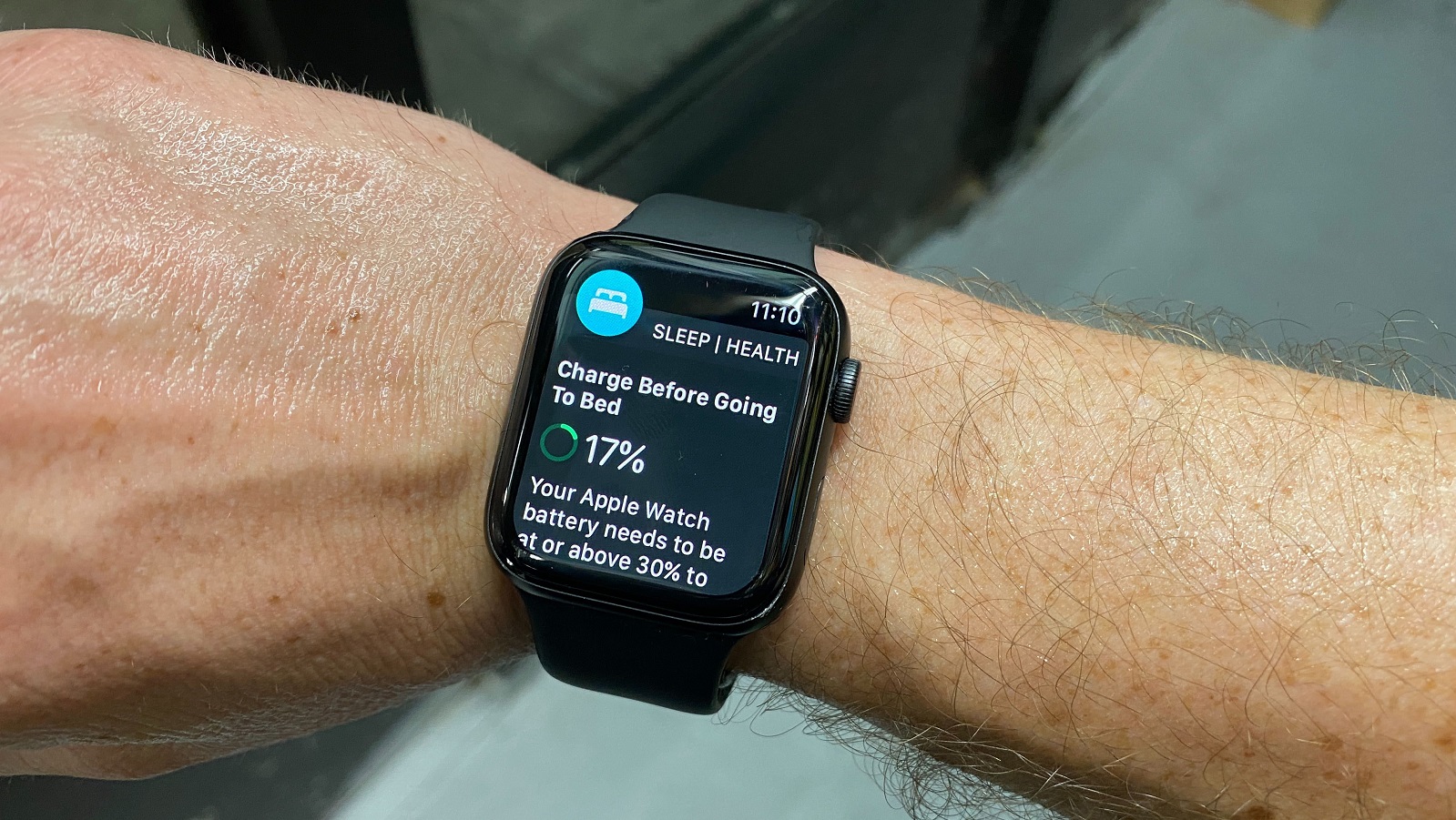
We’re also surprisingly fond of the Watch’s battery check: if you have less than 30% battery left on a night before an alarm is scheduled, you’ll get a reminder to charge your Apple Watch, ensuring your sleep is tracked and you’ll wake without a nearly-dead smartwatch (in our testing, the Apple Watch lost around 10% through the night while Sleep was activated).
One of our major worries was that sleep tracking would be hindered by the Apple Watch line’s limited battery – most last less than a day on a full charge – but this reminder helps. Best of all, your iPhone will even add a silent notification that your Apple Watch has been recharged, which reminds me to put it back on before bed.
(Image credit: Future)
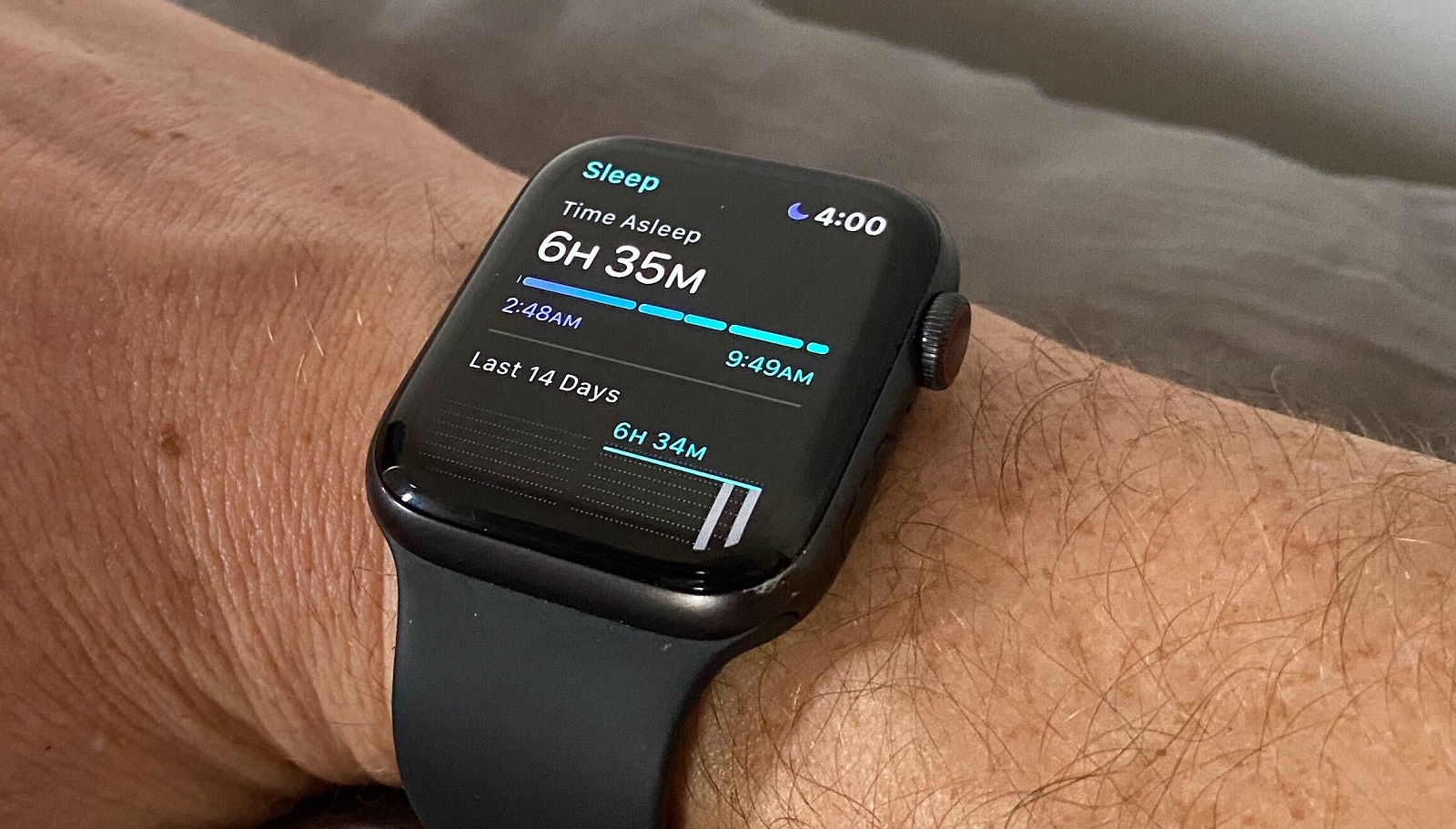
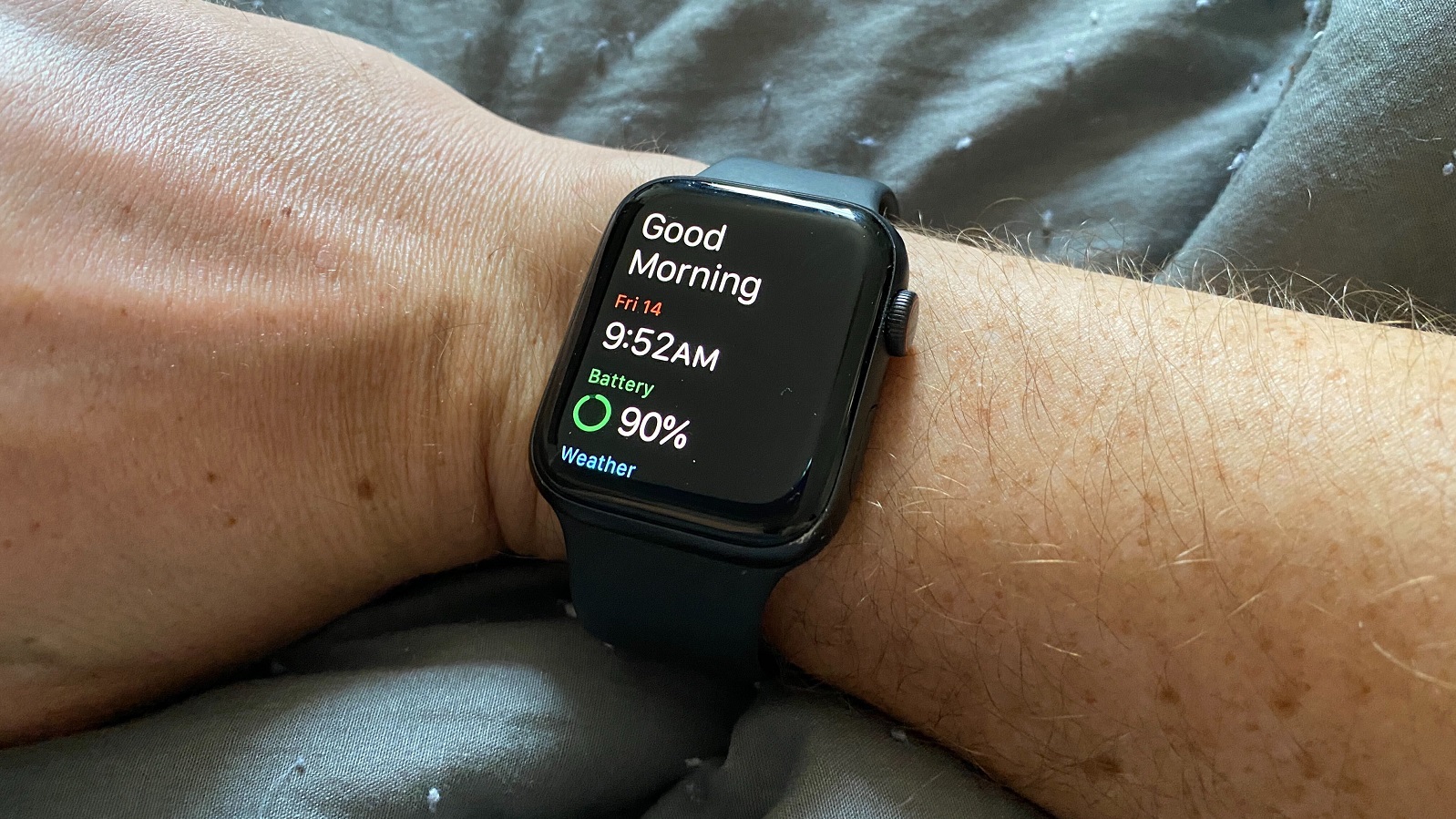
And in the morning – after your Apple Watch vibrates you awake – the Sleep app will greet you with a ‘Good morning’ screen showing the time, your Apple Watch’s battery life, the weather, and a basic graph showing last night’s sleep patterns (duration and how many times you woke up). Simple.
That’s...about all the watchOS 7 Sleep app does, at least from what we’ve seen. Ergo, don’t expect dynamic and informative sleep-tracking. Instead, think of it as an extension of the enhanced bedtime experience coming with iOS 14 – which you should be excited for instead.
What’s cool about iOS 14 Bedtime?
If you’ve used your iPhone to set alarms on particular days, or weekends, or make half a dozen alarms set five minutes after the other to desperately wake up – good news, none of that has changed. The improved version of Bedtime just augments that with a little UX TLC.
In the Alarm section of your native Clocks app, iOS 14 has added a section titled ‘Sleep | Wake Up.’ If you’ve set up an alarm for the next day, this will show what time it’s set to go off. Click the big ‘change’ button on the right to tinker with this night’s alarm only – which is a remarkably easy way to fiddle with your wake-up time thanks to an easy-to-tweak dial that you tap-and-hold to alter. Easy!
Some time before your scheduled bedtime (an internal the user sets), your iPhone will nudge you to start preparing for bed and start limiting your lock screen in a feature called ‘Wind Down.’ It hides all notifications and gives shortcut access to a handful of pre-selected apps, essentially closing off intrusions so you can, well, Wind Down.
Once past your set bedtime, the lock screen dims to a deep slate gray and notifications remain hidden with a ‘Shortcuts’ button, which is a godsend when all you want to do is check the time and not get informed of stray emails or texts that can wait until morning. Even when you hit ‘Dismiss’ to see said notifications, the phone remains dimmed in ‘Do Not Disturb’ mode, saving your eyes from whatever bright background you normally have.
Best of all, you can switch on Bedtime whenever you want – upgrade to iOS 14 and the bed-shaped shortcut button is already added to your Control Center. Click it, and your Apple Watch switches on its Sleep app.
That kind of ease-of-use is what gets us far more excited for iOS 14 than the watchOS 7’s Sleep mode, though they’re kind of inextricable anyway. And did we say the Apple Watch doesn’t provide any sleep data? That’s not entirely true – navigate to iOS Health app, look at the revamped Sleep section, and you’ll see that the watchOS 7 Sleep app feeds in heart rate and sleep length data, which is visualized in graphs.
In other words, watchOS 7 and iOS 14 contribute to a more robust understanding of your sleep patterns, and provide the tools to help you fall asleep on a more regular schedule. That’s pretty exciting – though if the rumors are true, the blood pressure and blood oxygen tracking coming in the Apple Watch 6 could add so much more to the tech giant’s sleep-tracking capabilities.
BMAX Y11 2-in-1 laptop -$286 at Banggood
(£241/AU$441) With coupon code BGBmax002, you can bring the price of this impressive 2-in-1 down to under $300. It packs some very decent hardware indeed, so grab it while you can.View Deal
There’s a lot to like about convertible laptops; their versatility means they can be used for a variety of use cases, which is especially important today now devices are used for both work and play.
The was format popularised nearly a decade ago by Lenovo with its Yoga brand, which wowed the world with its 360 degrees acrobatics, but there are now plenty of excellent alternatives on the market.
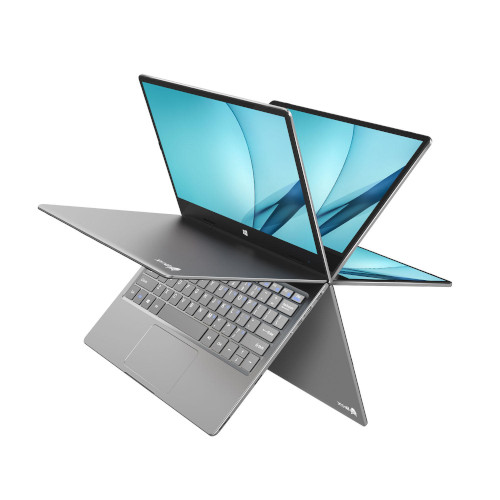
Meet the BMAX Y11 laptop, for example, available with Chinese online retailer Banggood at $283 for new customers (with code BGBmax002new) and $286 for existing customers (with code BGBmax002).
That’s actually a really good price for a laptop that packs some very decent hardware and has a finish worthy of a tier-1 vendor.
Open it up and you'll find an Intel Celeron N4120, which is roughly equivalent to a 7th generation Intel Core i3 CPU (based on Passmark’s numbers). There’s also an 11.6-inch Full HD IPS touchscreen display, 8GB LPDDR4 memory configured in dual-channel mode, a 256GB M.2 SSD, 802.11ac, Bluetooth 5.0 and a 26.6WHr battery.
The device has an aluminum alloy chassis, which looks smart enough and keeps the weight low (circa 1kg).
The only issue we have is the fact that there's a microUSB 3.0 port - in addition to one Type-C and microHDMI slot - instead of an extra Type-C, which would have been preferable.
Note, we also reviewed a few similar devices last year, including the Teclast F5 and the Jumper EZbook X1.
If this product comes from mainland China, it will take at least a month to reach either the US or the UK (and potentially more). You may be levied a tax either directly or through the courier.
If you've managed to get hold of a cheaper product with equivalent specifications, in stock and brand new, let us know and we'll tip our hat to you.
from TechRadar - All the latest technology news https://ift.tt/30ZrWdX
While a second direct payment from the IRS still seems possible, some big questions remain unanswered. We can look to the original CARES Act to check for clues.
Stipe Miocic and Daniel Cormier have already served up tow brutal encounters for MMA fans, and today sees them bring the trilogy to a crashing conclusion in Las Vegas. Read on as we explain how to live stream UFC 252 and catch Miocic vs Cormier 3 exclusively on ESPN+.
UFC 252: Miocic vs Cormier live
UFC 252 sees the MMA carnival return to the USA, with the UFC Apex in Las Vegas the venue for another behind-closed- doors event. The main card is expected to begin at around 10pm ET / 7pm PT - and and American readers wanting to cut to the chase need only know that ESPN+ will be the place to watch the fight.
The highly-anticipated clash between the two Americans sees Miocic put his heavyweight title on the line and finally settle the argument as to who the greatest UFC heavyweight of all time is. The first meeting between the two was back in July 2018, with Cormier taking initial bragging rights after delivering a first-round knockout to take the heavyweight championship. Miocic went on to made amends in their rematch last August with a devastating fourth-round TKO to take the title back.
This fight is the culmination of their historic rivalry, with UFC honcho Dana White going so far as to say the winner will earn the right to be called the promotion's heavyweight GOAT.
The fight could mark Cormier's last appearance in the octagon. The 41-year-old, who stands as the first UFC fighter to win and defend both the light heavyweight and heavyweight titles, has suggested in the run up that he'll retire following this trilogy bout.
Read on as we explain how to get a UFC 252 live stream and watch Miocic vs Cormier 3 online tonight.
Don't miss out - get aUFC live streamfor every Fight Night and PPV event
UFC 252 live stream: watch Miocic v Cormier online
UFC fans in the US will likely know that ESPN+ has the rights to all of the biggest MMA fights around. That means it's your one and only place to watch UFC 252 tonight in the US, with that massive Miocic v Cormier trilogy fight the main event slated to start at around 10pm ET (7pm PT) .
Your options for watching the event depend on whether or not you have already dived in and bought a subscription to ESPN+. If you haven't, then the obvious way to go is with a UFC Bundle, costing you $84.98 - orders are already open. While that might sound like a lot, it's not just getting you the UFC 252 PPV, but you’ll get a year-long subscription to ESPN+ (that would normally cost $50 alone) - a savings of over 25% in total. View Deal
What does a UFC fan get with their ESPN+ subscription?
Quite a lot, as it happens - On top of being able to stream July's big event, a subscription to ESPN+ opens up access to over 20 exclusive live UFC Fight Nights, alongside original content including Dana White’s Contender Series, UFC Destined, and Ariel & The Bad Guy, plus classic fights, replays, and there’s also the perk of fewer commercials.
UFC 252 full card
MAIN CARD
Stipe Miocic vs Daniel Cormier (C) Heavyweight title fight
Sean O'Malley vs Marlon Vera; Bantamweight
Junior Dos Santos vs Jairzinho Rozenstruik; Heavyweight
John Dodson vs Merab Dvalishvili; Bantamweight
Magomed Ankalaev vs Ion Cutelaba; Light heavyweight
Who are Stipe Miocic and Daniel Cormier?
Nicknamed "The Baddest Man On The Planet", 37-year-old Stipe Miocic is widely regarded as one of the best strikers in the whole of UFC, with his speed, right cross and hooks, alongside his peerless counterpunching his strongest attributes
The part-time firefighter paramedic is the only fighter in UFC history to successfully defend the Heavyweight division title three times in a row. He also holds the record for most strikes landed in a single fight, after hitting the target an astonishing 361 times against New Zealand's Mike Hunt during their Fight Night 65 showdown in Adelaide, Australia back in 2015.
Lafayette, Louisiana's Daniel Cormier may be one of the smallest fighters in both the Heavyweight and Light Heavyweight divisions, but his explosive mix of superior boxing skills and devastating wrestling throws has worked to excellent effect, leading him to become only the second fighter to hold titles in both weight classes simultaneously. The 41-year-old has overall record of 22 wins, two losses and a no contest over the course of his mixed martial arts career.
Who is the favorite to win the Miocic vs Cormier fight?
The bookies appear to be split down the middle on this fight with no clear favourite among those offering odds. While a draw would leave many UFC fans unsatisfied, an honours-even result would provide a fitting end to one of most well-matched rivalries in the sport's history and maybe the smartest bet.
When did Stipe Miocic and Daniel Cormier last step into the ring?
The two fighters will be stepping into the octagon for the first time since their rematch fight in in August 2019 at UFC 241 at the Honda Centre in Anaheim, California. That fight saw Miocic eventually prevail in the fourth round after landing a flurry of clean left hooks to Cormier's body before following it up with punches to the head to end the encounter and reclaim the title.
While Miocic took back the belt, it came at a price, with the reinstated heavyweight champ suffering retinal damage due to multiple eye pokes received in the fight - an injury that has kept him out of action up until this weekend's main event.
What are the other highlights from UFC 252?
Much of the focus beneath the main event will be on rising star Sean O'Malley and his Bantamweight face-off against Marlon Vera and whether the enormous hype surrounding the undefeated 25-year-old from Montana is justified.
The night's most entertaining fight could potentially come in the form of Junior Dos Santos heavyweight division showdown Jairzinho Rozenstruik, which looks set to be close run battle between two of UFC's most mighty hitters.
Stipe Miocic and Daniel Cormier have already served up tow brutal encounters for MMA fans, and today sees them bring the trilogy to a crashing conclusion in Las Vegas. Read on as we explain how to live stream UFC 252 and catch Miocic vs Cormier 3 from anywhere in the world.
UFC 252: Miocic vs Cormier live
UFC 252 sees the MMA carnival return to the USA, with the UFC Apex in Las Vegas the venue for another behind-closed- doors event. The main card is expected to begin at around 10pm ET / 7pm PT / 3am BST. It's a PPV event in most countries, but folks in the UK have it good thanks to BT Sport - and folk abroad need only grab a top-quality VPN to access the streaming service just like they would at home.
The highly-anticipated clash between the two Americans sees Miocic put his heavyweight title on the line and finally settle the argument as to who the greatest UFC heavyweight of all time is. The first meeting between the two was back in July 2018, with Cormier taking initial bragging rights after delivering a first-round knockout to take the heavyweight championship. Miocic went on to made amends in their rematch last August with a devastating fourth-round TKO to take the title back.
This fight is the culmination of their historic rivalry, with UFC honcho Dana White going so far as to say the winner will earn the right to be called the promotion's heavyweight GOAT.
The fight could mark Cormier's last appearance in the Octagon. The 41-year-old, who stands as the first UFC fighter to win and defend both the light heavyweight and heavyweight titles, has suggested in the run up that he'll retire following this trilogy bout.
Read on as we explain how to get a UFC 252 live stream and watch Miocic vs Cormier 3 online anywhere in the world.
Don't miss out - get aUFC live streamfor every Fight Night and PPV event
How to watch UFC 252 from outside your country
UFC fans wanting to watch Miocic vs Cormier and all the rest of the card may find they run into trouble if they're abroad. This is because geo-blocking restrictions are likely to prevent you from accessing your usual streaming service if you're not in its country of origin - but there is a solution.
It comes in the form of a VPN - a nifty piece of software that helps you get around digital borders and regain access to the services you normally use and pay for at home. But which one is right for you?
We've tested all of the major VPN services and we rate ExpressVPN as the absolute best. It's compatible with loads of devices including iOS, Android, Amazon Fire Stick, PlayStation, Apple TV and such, and we found it secure, speedy and simple-to-use.
Those are just some of the reasons it's the best all-round Virtual Private Network for streaming events like UFC 252 live from abroad. Another is the fact that it comes with a 30-day money back guarantee and 3-months FREE, so you can see if it's right for you with no strings attached.
Once you've registered and downloaded the software, just follow the prompts to install it then select the location you want to relocate your IP address to - it really is that easy. View Deal
How to watch UFC 252: Miocic vs Cormier live stream and UK start time
In the UK and Ireland, BT Sport has the exclusive broadcast rights to UFC events - including UFC 252: Miocic vs Cormier.
The great news for subscribers is that tonight's card is being shown on the BT Sport 1, which means unlike most other countries, you won't have to splash out a hefty PPV fee to watch the action.
The main event is due to start at 3am BST. Subscribers can stream all the action online via the broadcaster's website or app.
And as you've no doubt heard, BT now offers the option of watching BT Sport without locking yourself into a lengthy contract by way of its £25 Monthly Pass.
This not only gets you access to tonight's full event, but will also cover all forthcoming UFC events. It's also got exclusive coverage of the Champions League and the Europa League, so grab a great value BT Sport Monthly Pass today.
if you're from the UK but happen to away from home right now, you can still live stream your usual UFC coverage from abroad - but you'll need a VPN to relocate your IP back to the UK as per our guide above.
UFC 252 live stream: watch Miocic v Cormier and today's full card online
UFC fans in the US will be well aware by now that ESPN+ has exclusive rights to all of the biggest MMA fights around for the US market. That means it's your one and only place to watch UFC 252 tonight in the US, with that massive Miocic v Cormier trilogy fight the main event slated to start at around 10pm ET (7pm PT) .
Your options for watching the event depend on whether or not you have already dived in and bought a subscription to ESPN+. If you haven't, then the obvious way to go is with a UFC Bundle, costing you $84.98 - orders are already open. While that might sound like a lot, it's not just getting you the UFC 252 PPV, but you’ll get a year-long subscription to ESPN+ (that would normally cost $50 alone) - a savings of over 25% in total.
A subscription to ESPN+ also opens up access to live UFC Fight Nights, alongside original content including Dana White’s Contender Series, UFC Destined, and Ariel & The Bad Guy, plus classic fights, replays, and there’s also the perk of fewer adverts.
How to watch a UFC 252: Miocic vs Cormier live stream in Canada
In Canada, the Miocic v Cormier trilogy decider is scheduled to be a PPV event, with most major cable providers now offering the fight for purchase - Shaw Direct, for instance, currently has it live for CA$64.99, and you can find a full list of Canadian providers of the fight here.
Start times for the main card are the same as in the US, so 10pm ET/7pm PT.
How to watch UFC 252: live stream Miocic v Cormier 3 in Australia
For anyone over in Australia, the place to head for UFC 252 is Foxtel Main Event, priced at AUS$54.95. Orders are now open, with the action set to get underway in Australia on Sunday, July 12 from 12pm AEST.
However, you'll also be to watch selected parts of the UFC 252 card for much less via over-the-top streaming service Kayo Sports, which offers a FREE 14-day trial and is also home to every AFL and NRL match Down Under.
Miocic v Cormier live stream: how to watch UFC 252 in New Zealand
Fans based in New Zealand are able to catch this much anticipated match-up over on Sky Arena, which is now taking bookings. Similar to most other TV platforms, UFC 252 is a pay-per-view and costs NZ$39.95 for access to the main card (prelims aren't included).
The UFC 252 start time in New Zealand is set for 2pm local time on Sunday, August 16.
UFC 252 full card
Stipe Miocic vs Daniel Cormier (C) Heavyweight title fight
Sean O'Malley vs Marlon Vera; Bantamweight
Junior Dos Santos vs Jairzinho Rozenstruik; Heavyweight
John Dodson vs Merab Dvalishvili; Bantamweight
Magomed Ankalaev vs Ion Cutelaba; Light heavyweight
Who are Stipe Miocic and Daniel Cormier?
Nicknamed "The Baddest Man On The Planet", 37-year-old Stipe Miocic is widely regarded as one of the best strikers in the whole of UFC, with his speed, right cross and hooks, alongside his peerless counterpunching his strongest attributes
The part-time firefighter paramedic is the only fighter in UFC history to successfully defend the Heavyweight division title three times in a row. He also holds the record for most strikes landed in a single fight, after hitting the target an astonishing 361 times against New Zealand's Mike Hunt during their Fight Night 65 showdown in Adelaide, Australia back in 2015.
Lafayette, Louisiana's Daniel Cormier may be one of the smallest fighters in both the Heavyweight and Light Heavyweight divisions, but his explosive mix of superior boxing skills and devastating wrestling throws has worked to excellent effect, leading him to become only the second fighter to hold titles in both weight classes simultaneously. The 41-year-old has overall record of 22 wins, two losses and a no contest over the course of his mixed martial arts career.
Who is the favorite to win the Miocic vs Cormier fight?
The bookies appear to be split down the middle on this fight with no clear favourite among those offering odds. While a draw would leave many UFC fans unsatisfied, an honours-even result would provide a fitting end to one of most well-matched rivalries in the sport's history and maybe the smartest bet.
When did Stipe Miocic and Daniel Cormier last step into the ring?
The two fighters will be stepping into the octagon for the first time since their rematch fight in in August 2019 at UFC 241 at the Honda Centre in Anaheim, California. That fight saw Miocic eventually prevail in the fourth round after landing a flurry of clean left hooks to Cormier's body before following it up with punches to the head to end the encounter and reclaim the title.
While Miocic took back the belt, it came at a price, with the reinstated heavyweight champ suffering retinal damage due to multiple eye pokes received in the fight - an injury that has kept him out of action up until this weekend's main event.
What are the other highlights from UFC 252?
Much of the focus beneath the main event will be on rising star Sean O'Malley and his Bantamweight face-off against Marlon Vera and whether the enormous hype surrounding the undefeated 25-year-old from Montana is justified.
The night's most entertaining fight could potentially come in the form of Junior Dos Santos heavyweight division showdown Jairzinho Rozenstruik, which looks set to be close run battle between two of UFC's most mighty hitters.
That time has rolled back around, the time to choose a new SIM only deal. But the question is... which SIM is best for you? With a massive amount of providers and plans now available, it can be hard to find the best picks.
The big four networks - EE, Three, O2 and Vodafone - are always going big on offers and providing some great prices, but now there are is a wide range of MVNOs who can also offer competitive rates.
Luckily, we're here to help narrow down your choices. Below we've picked out the top five SIM only deals currently available, with options from Three, EE, Vodafone and more, so you can find one that works for you.
If you don't find the perfect deal below, our SIM only deals guide compares all of the UK's top options.
Still looking for a new phone? Check our bestSIM-free phoneprice guide
Our top 5 best SIM only deals this week:
1. Unlimited data, calls and minutes with Three:
SIM only from Three |12 month contract | Unlimited data | Unlimited calls and texts | £18 a month
This really is just the best SIM only deal around right now. It's a 12 month contract, offering unlimited calls, texts and data - and you're only having to pay £18 a month to get it. Somehow, Three has been running this deal for ages and it seems like it won't be stopping anytime soon. View Deal
SIM only from EE |18 months | 80GB data | Unlimited calls and texts | £20 per month
EE is extremely hit or miss with its SIM plans but right now, it is going big with this offer. It costs just £20 a month but rewards you with a pretty impressive 80GB of data. That's plenty to get you through a month's worth of streaming, gaming and more. View Deal
4. Three has scored the perfect cheap SIM:
SIM only plan from Three |12 months | 8GB data | Unlimited calls and texts | £8 per month
Three has been the top performer recently when it comes to cheap SIM plans. With this one, you are paying just £8 a month while scoring 8GB of data. That will be plenty for most people's data needs, giving you enough to do a bit of light gaming, streaming and lots of social media usage. View Deal
5. Drop the price with mega cashback
SIM only plan from Vodafone |12 month contract | 60GB data | Unlimited calls and texts | £20 per month
Don't mind relying on cashback? This deal will land you with 60GB of data on the Vodafone network. While it does cost £20 a month to get, there is £138 in cashback up for grabs which means an effective monthly price of just £8.50.
If you’re running Windows 10, should you get an antivirus app? There are certainly some good reasons to do so, as we’ll explore in this article, not the least of which is that Microsoft’s operating system is so popular that it makes a seriously tempting target for malware authors in terms of the potential spoils to be gotten.
Looking for even more protection? Grab a great VPN for PC
See why we rate Bitdefender so highly in our testing
Big target
Windows 10 is the most widely used desktop operating system in the world, and as the OS of choice for many PCs everywhere, it represents a broad and juicy target for malware authors.
Quite simply, if someone writes a piece of malware that exploits Windows 10, then there are a lot of potential targets out there that the malicious software might end up on. So, it’s no surprise that Windows users (including the unwise folks who remain on Windows 7) are the biggest targets for malware authors.
Now, it’s true that in recent times, malicious actors are giving Apple’s Mac platform more attention, but Windows is still the operating system which is most under threat, of course. Particularly when it comes to malware, with Mac threats tending to be the likes of potentially unwanted programs (known as PUPs) or adware. The vast majority of the really malicious stuff is hurled at Windows machines.
(Image credit: Andriano.cz / Shutterstock)
Threat level
Going by the latest ‘state of malware’ report covering 2019 from Malwarebytes [PDF], the amount of malware detections may be remaining at the same level as the previous year, but it’s still a large quantity – and what’s worrying is that these threats are becoming more sophisticated in general. (Note that other security outfits have pointed to a growth in malware over the course of 2019, like Kaspersky).
Clearly, there’s no shortage of perils out there online, with Malwarebytes observing that adware and Trojans (apps that look like legitimate programs, but deliver a malware payload) remain a major problem for Windows machines. Furthermore, there’s a disturbing increase in the use of ‘HackTools’, which as the name suggests are tools facilitating hacking into PCs, and are now being used against consumers (rather than just businesses), with a 42% year-on-year increase.
The likes of ransomware remain a threat to your files, exploiting crises in the real world to try to trick unsuspecting users, and so broadly speaking, the nature of Windows 10 as a big target for malware, and the growing sophistication of threats are good reasons why you should bolster your PC’s defenses with a good antivirus.
Windows Defender?
So, having established the need for an antivirus on Windows 10 – and elsewhere, we’ve addressed the broader question of whether antivirus software is necessary at all in 2020 (the answer being ‘yes’, in a word) – let’s come onto another point that some folks might argue.
Namely that with Windows 10, you get protection by default in terms of Windows Defender. So that’s fine, and you don’t need to worry about downloading and installing a third-party antivirus, because Microsoft’s built-in app will be good enough. Right?
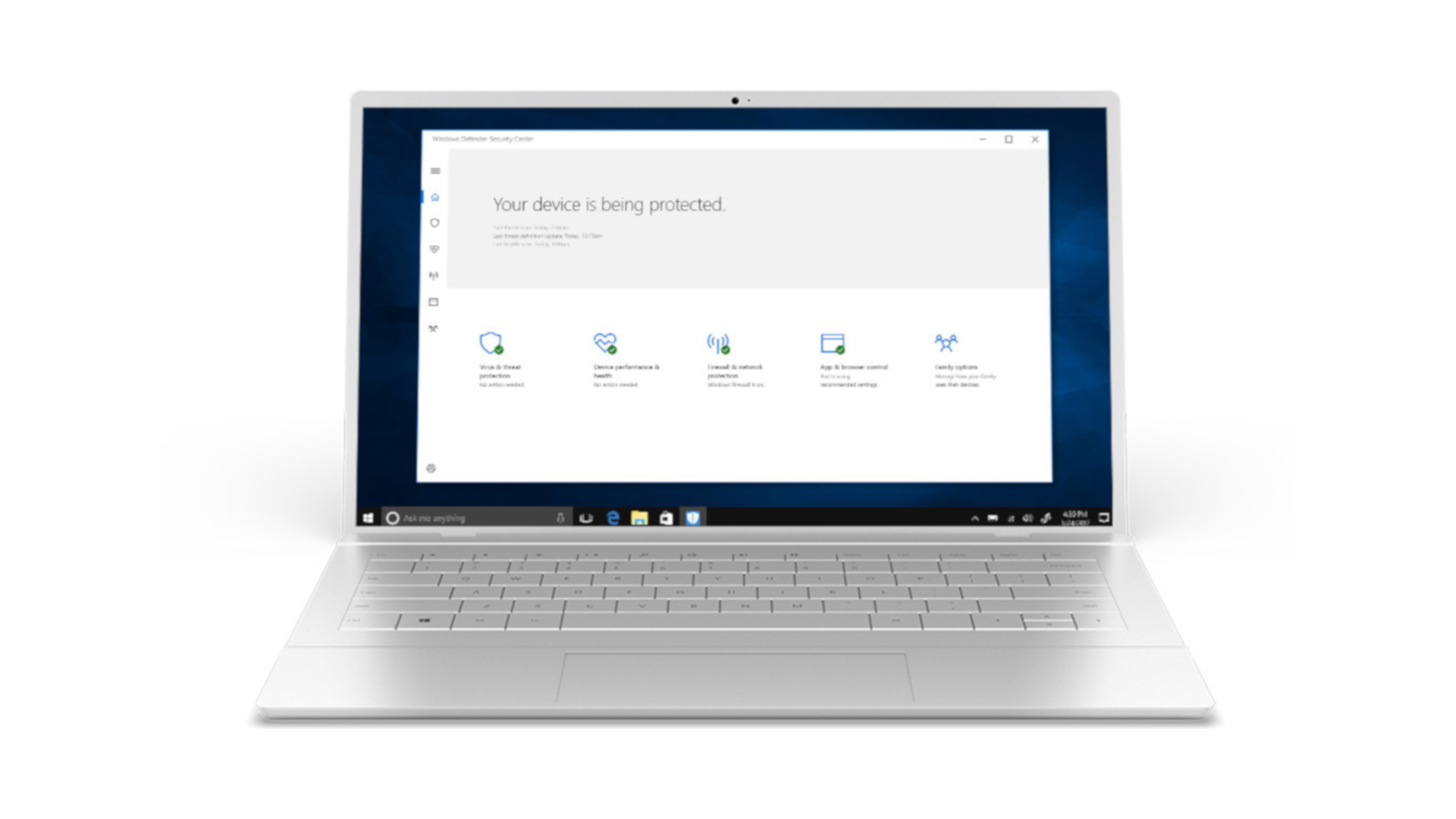
Well, yes and no. Windows Defender used to be something of a laughing-stock in security circles, but all that’s now in the past. The Defender of today is actually a robust app that can indeed defend your PC true to its name, and has actually achieved some impressive rankings in the reports from independent test labs.
So if you can take a little time out, it’s worth installing one of the leading free antivirus apps to replace Windows Defender in order to get more features and better security still – and indeed avoid a potential fly in the ointment in terms of Microsoft breaking Defender, which has happened a couple of times in the recent past.
It’s also worth considering that if you want to considerably beef up the levels of security on your PC with extra layers of defense like anti-ransomware shields or added web browsing protection, you might even want to consider a paid antivirus.
Do I really need antivirus for Windows 10?
Whichever way you dice it, it would seem to be a wise choice to get an antivirus for Windows 10, and make the effort to upgrade from the default levels of security provided by Windows Defender. After all, it’s easy enough to grab a decent free app to help keep you even safer online.
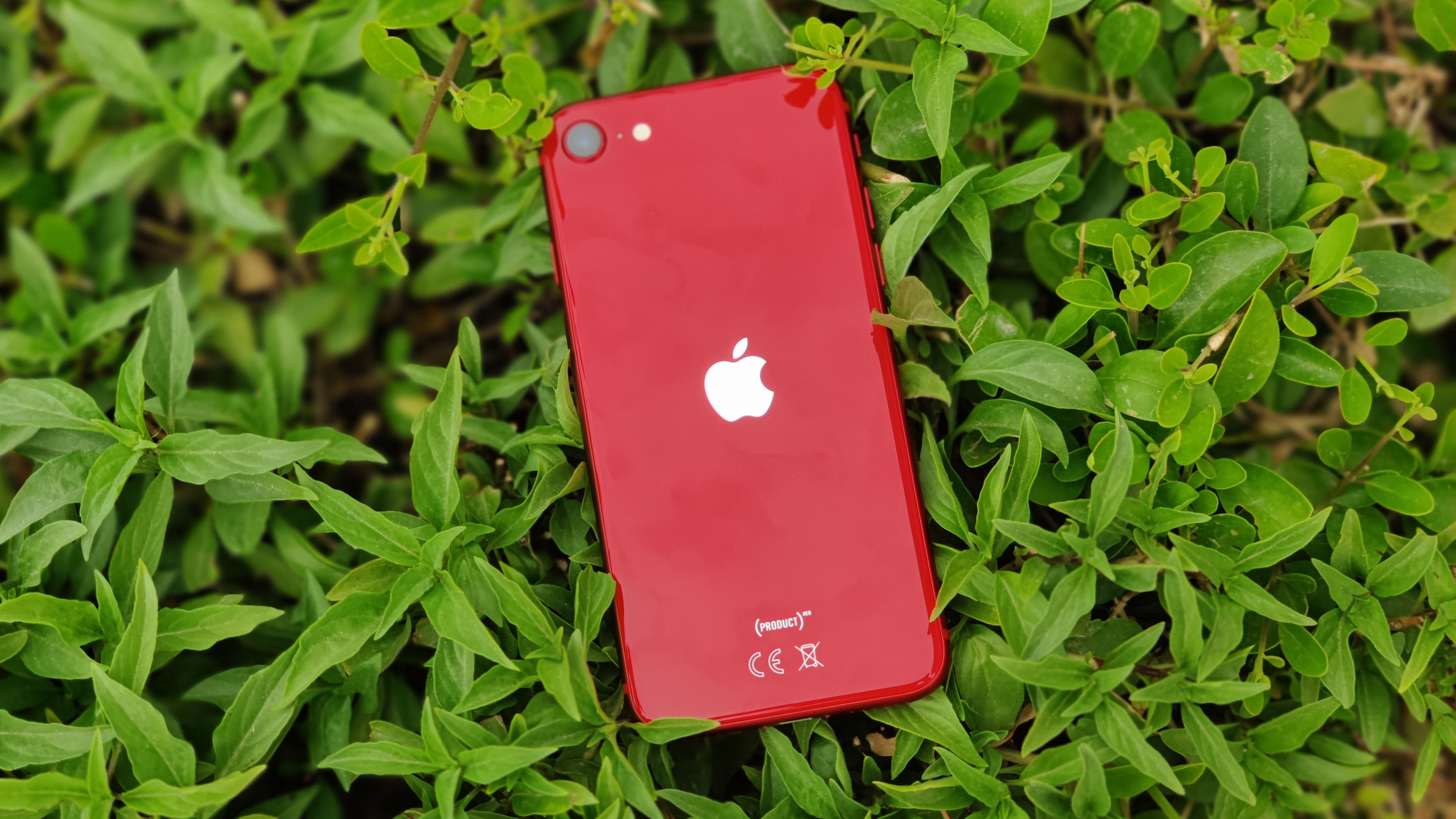
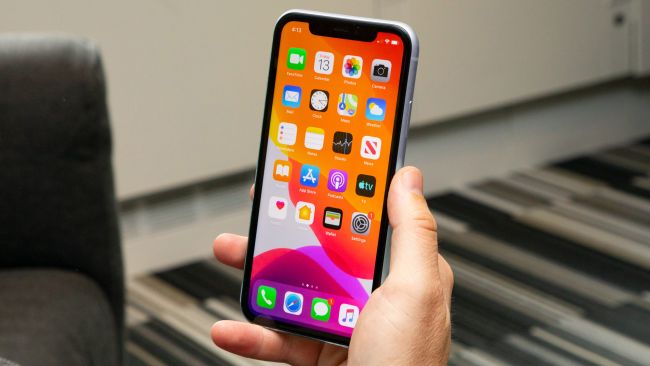
There are some great iPhone models available, such as the flagship iPhone 11 Pro, the more affordable iPhone 11, and the compact iPhone SE (2020), but if you’re thinking of upgrading to any of them, you might want to hold off.
There are a few reasons for that which we’ll get into below, but combined they mean that right now is basically the worst possible time to buy a new iPhone.
So unless your current phone is completely broken, it’s really worth waiting a little longer, even if your current handset is old, worn out, or you’re just bored of it and due an upgrade. In fact, it’s worth waiting a while even if you don’t want the upcoming iPhone 12. Below we’ll explain why.
1. The iPhone 12 is landing soon
The most obvious reason to hold off on buying a new iPhone is that the iPhone 12 range is expected to launch very soon, so any iPhone you buy now will very shortly be a bit more outdated.
Buying a current iPhone model rather than one of the iPhone 12 range also means you’ll miss out on new tech, features, and improvements.
While we don’t know for sure what the iPhone 12 range will feature, it’s certainly going to have a faster, more powerful chipset, and rumors point to other upgrades, such as the addition of a LiDAR scanner on some models, which could improve the camera’s portrait mode and augmented reality abilities.
Plus, the iPhone 12 range is almost certainly going to support 5G, which no current iPhone does, and which will make the new phones much more future-proofed.
We don’t know exactly when the iPhone 12 range will land – usually new models arrive in September, but Apple itself has suggested there will be a delay this year. Still, a launch sometime in October seems likely, and that’s not far off at all.
2. We’re expecting more choice than ever
After a small phone? There should soon be a higher-end option than the iPhone SE (2020)(Image credit: Future)
Not only will you be missing out on 5G and other features if you upgrade to one of the current models, you’ll also likely have less choice about which handset to buy.
That’s because Apple is strongly rumored to be launching four iPhone 12 models, when usually we only get three new phones.
This means some new sizes, including reportedly a 5.4-inch basic iPhone 12, which could be ideal for anyone who wants a compact model with higher end specs than the iPhone SE (2020).
There’s then thought to be two 6.1-inch models (one of which would be a higher spec iPhone 12 Pro), and at the top end a 6.7-inch iPhone 12 Pro Max – which is a larger size than any current iPhone. So if you want an especially big or small iPhone it’s definitely worth waiting.
3. Prices drop
The iPhone 11 could soon be a lot cheaper(Image credit: TechRadar)
There are compelling reasons to wait for the iPhone 12 range even if you don’t actually want one of the upcoming models, the most significant of which being that the older models will almost certainly see a price drop.
For example, when Apple launched the iPhone 11 range it kept the iPhone XR on sale, but dropped its starting price from $749 / £749 / AU$1,229 to $599 / £629 / AU$1,049. And while the company stopped directly selling the iPhone XS range, many other shops still stocked those phones at a significant discount.
So even if you specifically want to buy one of the iPhone 11 models, waiting a little longer could see the price drop dramatically.
The one exception to this price lowering is the iPhone SE (2020) – that phone only landed earlier this year, and isn’t going to be directly superseded by any of the iPhone 12 models, so that will probably remain the same price.
If you're a student who relies on Adobe's creative apps to help with your design or art work, then now is a good to time to sign up to Creative Cloud. Right now, students are eligible for a massive 65% discount on the full software suite, which includes the likes of Photoshop and InDesign.
Sadly, Adobe has now halted its temporarily free Creative Cloud licenses, which it offered in March to students who were forced to study from home during the early days of the global pandemic. But this discount still represents a huge saving on the usual monthly or annual subscription fee for Creative Cloud.
If you go for monthly payments, it'll save you $33/£33.70/AU$55 per month compared to the standard price for an 'All Apps' subscription. And the savings are almost identical if you opt for a pre-paid annual plan, with the student discount slashing $360 /£400/AU$607.20 off the usual price of $599.98/£596.33/AU$871.07 for the whole year.
But what are the benefits of signing up to Creative Cloud and what's the best way of getting the discount? In this guide we'll answer both questions, as well as showing you what you get with Adobe's 'All Apps' subscription, so you can decide if it's the right thing for you.
As the name suggests, Creative Cloud is a collection of over 20 desktop and mobile apps that give you professional tools for design, photography, video and UX creation, among other things. Basically, if you want to create anything visual, for print or the web, Creative Cloud will likely have the tools to help you make it.
(Image credit: Adobe)
The cloud subscription aspect means that you don't own the software you're using, and if you cancel the payments you'll no longer have access to those apps. But the system has benefits too, with Adobe pushing out regular updates to the apps and also giving you 100GB of cloud storage for the likes of Adobe Spark, Adobe Fonts and Adobe Portfolio.
Creative Cloud apps are also very nicely integrated with each other, which means it's easy to switch between the many in the 'All Apps' subscription. Here's the full list of apps you get – not bad for $19.99/£16.24/AU$21.99 p/month with the 65% student discount:
Photoshop
Illustrator
InDesign
Adobe XD
Lightroom
Lightroom Classic
Acrobat Pro
Animate
Dreamweaver
Premiere Pro
Premiere Rush
After Effects
Dimension
Audition
InCopy
Media Encoder
Character Animator
Prelude
Fuse
Bridge
How do I qualify for Adobe Creative Cloud student discount?
Naturally, you need to be a current student to qualify for the 65% off Creative Cloud discount. According to Adobe's terms and conditions, you need to be at least 13 years old and enrolled in one of these three institutions:
University or college: an accredited public or private university or college (including community, junior, or vocational college) that grants degrees requiring not less than the equivalent of two years of full-time study
Primary or secondary school: an accredited public or private primary or secondary school providing full-time instruction
Home school: as defined by state home schooling regulations
Fortunately, this is relatively easy to prove. Adobe says that "if you provide a school-issued email address during purchase you are instantly verified", and these include .edu or .k12 in the US, .ac.uk in the UK, or "other email domains sponsored by educational institutions".
If you don't have one of those email addresses, then you'll likely need to prove your eligibility after you've signed up to Creative Cloud with another document – these include a school ID card, report card or a tuition bill.
(Image credit: Adobe)
One other thing to bear in mind is that the 65% discount is only for the first year – after that, Adobe automatically renews your contract at $29.99/£25.28 p/month, which is still between 44%-50% off the usual price, if not quite as juicy as the first-year discount. If you want to try the full suite of apps before diving in, you can also sign up to a free 7-day trial.
How do I get the Adobe Creative Cloud student discount?
If you've got your student email address handy, you can sign up for the Creative Cloud student offer at the links below.
You can pay for the subscription monthly or in one lump sum, and the cost for each is pretty much identical over the course of a year. It's also possible to get the pre-paid annual student discount through Amazon, where it's fractionally cheaper, so we've included links to those deals too.
Get this special 60% discount on Adobe Creative Cloud (All Apps) for US students, which includes full access the likes of Photoshop, Premiere Pro and Illustrator. For the first year you'll pay $19.99 p/month or $239.88 (pre-paid lump sum), compared the usual price of $52.99 p/month or $599.98 (pre-paid).View Deal
Get this 65% discount on Adobe Creative Cloud (All apps) for UK students. For the first year you'll pay £16.24 p/month or £196.30 in one lump sum if you go for the pre-paid option. Without the discount, subscribers pay £49.94 p/month (or £596.33 for the prepaid option), showing what a fantastic deal it is for students who want access to the likes of Photoshop, InDesign and Premiere Pro.View Deal
Even better than the equivalent US and UK offers, students in Australia can get 70% off Creative Cloud (All apps). During the first year, you'll pay AU$21.99 p/month or AU$263.87 in a prepaid lump sum. That's down from the usual price of AU$76.99 p/month or AU$871.07 for the prepaid option.View Deal
It's also possible to get Adobe's student discount for slightly less if you fancy going the prepaid route with Amazon – this deal costs $239 for the year, and includes all of the same apps including Photoshop, Lightroom and Illustrator.View Deal
For prepaying customers in the UK, it's also slightly cheaper to get the Adobe Creative Cloud student discount through Amazon UK. This costs just £190.55, compared to the standard price of £596.33 for non-students, making it a great option for students who might regularly use apps like Photoshop, Premier Pro and Illustrator.View Deal
The UK’s recent decision to phase out Huawei infrastructure from UK telecoms networks has brought concerns around 5G deployment back to the top of the news agenda. There are a wide-ranging list of reasons, varying in legitimacy, of why different groups are concerned about 5G - whether this is over privacy and data sharing, the cost and logistics of implementing such a major change to the telecoms industry, or even wild conspiracy theories. In the most extreme case, this has resulted in attacks on engineers and the destruction of masts.
However, there is a pressing challenge inherent in 5G that is being drowned out by this noise around network rollouts and the Huawei furore. 5G brings with it unprecedented levels of connectivity, particularly as it extends well beyond mobile devices and into the objects around us, the Internet of Things (IoT). This brings an unprecedented shift to mobile networks as we know it - providing service for phones will no longer be the primary function, instead it will be to provide service for IoT devices.
Already, IoT is by no means a niche market - but with the greater bandwidth that 5G allows these devices will become fully integrated into our daily lives. The smart homeIoT devices market is expected to expand revenue generation from $24.8 billion per annum in 2020 to $108.3 billion in 2029. In response, the traditional mobile ecosystem is set to expand exponentially. With 43 billion IoT devices connected by 2023, 5G networks will be handling unparalleled levels of communication between devices.
Advantages of IoT
There are major advantages to the rollout of IoT devices. In homes around the world, IoT is already in use, whether it be a fridge that tells you, you’re running out of milk or a thermostat that reacts to the weather forecast. But the potential of IoT extends well beyond domestic gimmicks - it is set to have a transformative effect on countless industries. For instance, manufacturing can be made significantly more efficient using the Industrial Internet of Things (IIoT) where processes are automated and streamlined, reducing human error, enhancing product quality and reducing production time and costs.
The applications of IoT do not stop there - it is likely that it will play a role in critical infrastructure in cities around the world. Take for example the city of Santander in Spain: the municipal government has rolled out an app which enables citizens to use services such as a parking search function, environmental monitoring and a live digital city agenda through a network of over 10,000 sensors, communicating in real time and responding to changes instantly.
Inevitably this unprecedented connectivity comes with some major risks. The stakes in terms of security are much higher - 5G networks going down will no longer mean just smartphone disruption - these devices are incorporated into critical infrastructure, and thus could quickly become a matter of national security.
This is an issue as, with standalone 5G networks still in development, the majority of mobile operators are deploying non-standalone 5G, which are still reliant on previous generation networks and all of the security vulnerabilities they hold.
Network protocols
These networks run off inherited signaling protocols (SS7, Diameter and GTP), which are flawed, which means 5G and the IoT that runs on it can be exploited as well. Many of the protocols are decades old and, with operators adopting a ‘connect first, secure later’ approach, they leave themselves exposed to attacks which have been plaguing previous generations for years. In practice, this means that attackers could use a DoS (Denial of Service) attack to interfere with network equipment and leave an entire city without communications, defraud operators and customers, impersonate users to access various resources, and make operators pay for non-existent roaming services.
The issues by no means stop there - another fundamental problem is that greater connectivity means more points of access for a potential hacker, and thus an increased potential for catastrophic damage, as the impact of attacks could be far more extensive than ever before. These attacks don’t just come with financial consequences - the collapse of IoT in critical metropolitan infrastructure, hospitals or industrial manufacturing comes with the very real risk of loss of human life. Indeed, a denial of service attack becomes so much bigger than simply a slow internet connection stopping you from posting a picture on Instagram. It can cripple cities which are beginning to use IoT devices in various ways from national infrastructure to industry to defense.
Mitigating attacks
There are, however, steps that operators can take to mitigate these attacks. Security must be a priority during network design. This is truer now than ever before, as operators begin to roll out 5G networks. Attempts to implement security as an afterthought at later stages may cost much more: operators will likely need to purchase additional equipment, especially when integrating them into complex IoT systems. In addition, signaling traffic must be monitored and analysed as it crosses the network border to identify potential threats and configuration errors.
Such monitoring is encouraged by GSMA guidelines (the GSMA is an industry organisation that represents the interests of mobile network operators worldwide). To implement this, operators need to employ special threat detection systems that can analyse signal traffic in real time and detect illegitimate activity by external hosts. Coupled with filtering or firewalling functionality, these solutions block illegitimate messages without impacting network performance or subscriber availability. This is especially crucial when it comes to IIoT, as a down network for any period of time could have considerable ramifications.
Aside from the practical steps operators can take, it is crucial that government policy adapts to the changing environment around 5G and IoT. Just this week, the Department for Digital, Culture, Media and Sport (DCMS) and the National Cyber Security Centre (NCSC) are unveiling details of proposed legislation that will mandate specific cyber security requirements for smart devices into law. This is a considerable step, and would mean the UK Government has the right to ban and confiscate products which do not have sufficient security in place.
IoT and 5G will become immersed in society at all levels, but governments, businesses and individuals must be conscious that with all of the advantages and convenience that these technologies bring, there are extensive consequences if they are not used securely.