Google's latest feature drop might be a big win for summer travel
As with flights, you can now track prices and set alerts for hotels
Google Maps can also now pull potential places to visit from screenshots
If you’re a fan of Google Flights, especially for the price tracking data and how the current prices you’re seeing rank against other days, you’re in for a treat. As part of a drop of features fit for upcoming summer travel, Google aims to do for hotels what it’s done for flights.
And yes, it’s as good as it sounds. Now, when you search for hotels on Google, you’ll have the option to ask the search giant to track prices. Essentially, you turn on the feature and then get an alert if there is a price drop.
Similar to flights, you can be a bit descriptive, setting a price range or a 'don’t bother me if it doesn’t fall' here. It will even factor in a star rating if you have one selected and the general area where you were searching for a hotel.
(Image credit: Google)
Google is rolling out this new hotel price tracking feature globally on desktop and mobile. Once it’s available, you’ll find it right in search, complementing the historical knowledge of hotel pricing history.
This hotel-focused feature is launching alongside some other new functionality from Google, all billed under getting ready for summer travel. The ability to set up price alerts for hotels is undoubtedly the most user-friendly feature and could have the most significant impact. It could potentially help you save on a stay.
Another new feature that could help you better prepare for a trip is screenshot support within Google Maps. If you enable it, Google Maps will look through photos and deliver a list of places you've screenshotted.
So, if you've been screenshotting TikToks about the best places to eat in New York City or maybe a list of the best ice cream spots in Boston, you won't need to dig through all of them to find every place mentioned.
Instead, with some AI help, Google Maps will look through your screenshots, find those spots, and list them well in a handy list for you. It'll live in the app in a list titled "Screenshots," and this feature is entirely optional.
(Image credit: Google)
This feature could prove helpful, but considering that screenshots aren’t just used for travel or remembering specific spots, this could also be a bit of a privacy concern.
It is opt-in only and not on by default, but it is rolling out now to mobile devices with U.S. English on iOS first, with Android following shortly.
This Dreame L10s Ultra robot vacuum and mop combo is now a massive $490 off, thanks to Amazon's Big Spring Sale. Act fast to grab it at its lowest price ever.
Look, I love Windows, I do, I really do. It's one of those things that I just can't live without at this point. I've tried MacOS, I've tried Linux, I've even dabbled in the world of Android and Chromebooks during my time, and yet, none of it compares to Windows; it just doesn't.
There's a certain amount of familiarity, of indoctrination into that Microsoft cult that's rife in me. I grew up using Windows 98, and onwards, it was what I gamed on, what I studied on, what I made lifelong friends on—you name it. 98, 2000, XP, Vista, 7, 8, 10, and finally we're here at Windows 11, at least until Microsoft inevitably tells us that its "final" operating system isn't its final operating system.
The thing is though, it really is a bag of spanners at times, and I've kinda developed this habit of going thermonuclear on my own machine at quite regular intervals over my lifetime.
Mostly by flattening and reinstalling Windows onto my PC every other month or so. Why? I'm glad you asked.
The need for an occasional refresh
Well, the thing is, although Windows gives you a lot of freedom and has broad compatibility with more programs than any other operating system out there, it does make it somewhat susceptible to bugs. Lots of them.
These can be inflicted by Microsoft directly through Windows Updates or drivers accidentally corrupting files or programs, or well, any number and manner of avenues.
The worst culprit, of course, is the classic "upgrade from the previous Windows version to this version." Just don't; it's never worth it.
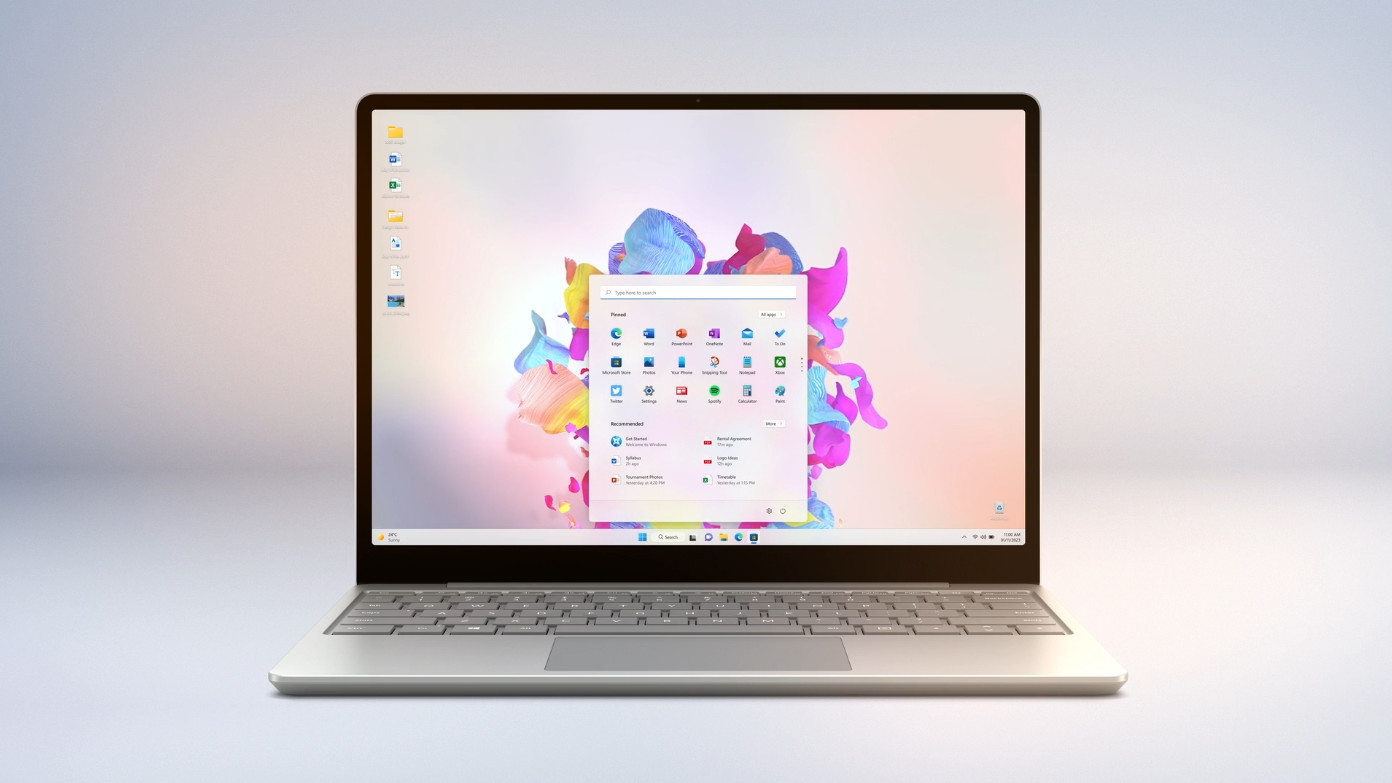
Windows is great, but no operating system is designed to run perfectly forever.(Image credit: Microsoft)
See, registry files corrupt, file directories get mislabelled, and inevitably you'll end up with programs you forget about sitting in the background sucking up critical resources. It's just a bit crap like that, and ironically, although I do have a massive disdain towards macOS, I can't deny its closed-off ecosystem does avoid a lot of these pitfalls.
Whenever anyone asks me about a system bug or help with troubleshooting, my first and often instant reaction is to suggest just flattening the machine entirely and reinstalling a fresh version of Windows on top.
That's why I advocate tying a full-fat Windows license to your Microsoft account so you can easily reinstall and activate Windows 11 on your machine on a dime.
An arduous task
It does require some getting used to this salting-the-earth kind of strategy, but the benefits are just too great to ignore.
The first thing I recommend is splitting up your storage solution. In every build I've ever done, I've almost always recommended a two-storage drive system. The first and fastest of the two should be used as your main OS drive, and the second, usually slower, cheaper, and larger, being your media/games/back-up drive. Any valuable documents, assets, or big downloads live here.
What that allows you to do is keep all your games and important files on your D: drive, and then, whenever that re-install time comes a-calling, allow you to quickly flatten and re-install Windows on your C: drive.
If you've got slow internet or just can't be bothered to re-download everything, it is a huge time-saver doing it this way. You can get away with partitions, but it's far easier to accidentally delete the wrong one on your next Windows install.
Laptop, desktop; it doesn't matter, just give your hardware an OS break now and then.(Image credit: Sergey Kisselev / Behance.net / Microsoft)
It also helps really reduce program and document clutter and encourages good back-up practice too. If you know you're going to flatten a machine every 2-3 months, then the likelihood is you'll keep all of your important files and documents safely stored in the cloud, or off-site, backed up with solid authentication procedures as well.
You'll end up with a minimal desktop that's stupidly rapid, clean, up-to-date, and as error-free as Microsoft can muster. If you're building a new PC or transferring an old one to updated hardware, save yourself the hassle and just back up and move your most important files, download a fresh USB Windows Installer, and get cracking. I promise you it's worth it.
A new lease on (virtual) life
With that, and good internet education and practice, plus a solid VPN, you can then dump aftermarket antivirus as well and rely on good ol' Windows Defender. It's one of the best antivirus programs out there, and lacks the resource vampirism many third-party solutions have.
Worst-case scenario, you get tricked into opening a dodgy email or land on an odd website, and your machine gets whacked with some crypto-scam; just flatten it. Job done. Although again, I'd highly recommend just being a bit more internet savvy first.
The only thing I'd say if you do go this route, be careful on the device you do it on and prep accordingly. Some motherboards won't support ethernet or wireless connectivity without drivers too.
Grab your USB stick, get the Windows Installer setup on it, and then stick a folder in it called DRIVERS. Head to your motherboard's product page, grab the relevant drivers, then once you're finally on the desktop, you should be able to install all your chipsets and drivers and get that internet connectivity back, no sweat.
If you do get stuck on the "need to connect to the internet" Windows 11 install page, hit Shift + F10, click the command window, type OOBE\BYPASSNRO, and hit enter. The installer will reboot, and you'll now have the option to tell Microsoft you "don't have the internet" and continue with the installation regardless.
So yeah, PSA complete. I got 99 problems, and most of them are Microsoft-related. At least for about 20 minutes anyway.
from Latest from TechRadar US in News,opinion https://ift.tt/Bd8OuqN
Rubin Ultra GPUs previewed at Nvidia GTC 2025 with Kyber rack mockups
Each NVL576 rack may include 576 GPUs across four internal pods
Projected power draw reaches 600kW with performance targets of 15 EFLOPS
At Nvidia GTC 2025, the company gave a preview of what its future data center hardware could look like, showcasing mockups of its Rubin Ultra GPUs housed in the Kyber-based NVL576 racks.
These systems are expected to launch in the second half of 2027, and while that’s still some way off, Nvidia is already laying the groundwork for what it describes as the next phase of AI infrastructure.
A single NVL576 rack, according to Jensen Huang, co-founder, president, and CEO of Nvidia, could draw up to 600kW. That's five times more than the 120kW used by current Blackwell B200 racks, suggesting a steep rise in power per rack going forward.
Powering the future
Tom’s Hardware reports, "Each Rubin Ultra rack will consist of four 'pods,' each of which will deliver more computational power than an entire Rubin NVL144 rack. Each pod will house 18 blades, and each blade will support up to eight Rubin Ultra GPUs - along with two Vera CPUs, presumably, though that wasn't explicitly stated. That's 176 GPUs per pod, and 576 per rack."
The Kyber rack infrastructure will support these systems, along with upgraded NVLink modules which will have three next-generation NVLink connections each, compared to just two found in existing 1U rack-mount units.
The first Rubin NVL144 systems, launching in 2026, will rely on existing Grace Blackwell infrastructure. Rubin Ultra arrives in 2027 with far more density.
Tom’s Hardware says that the NVL576 racks are planned to deliver “up to 15 EFLOPS of FP4” in 2027, compared to 3.6 EFLOPS from next year's NVL144 racks.
During the GTC 2025 keynote, Jensen Huang said future racks could eventually require full megawatts of power, meaning 600kW may only be a stepping stone.
As power climbs toward the megawatt range, questions are inevitably growing about how future data centers will be powered.
Nuclear energy is one obvious answer - The likes of Amazon, Meta, and Google are part of a consortium that has pledged to triple nuclear output by 2050 (Microsoft and Oracle are notably missing for the moment) and mobile micro nuclear plants are expected to arrive in the 2030s.
Microsoft pulled out of a $12bn deal with CoreWeave, citing delays
OpenAI took over the contract, backed by Microsoft’s own investment funds
AI sector remains a closed loop driven by a few dominant players
CoreWeave is eyeing a huge (potentially $2.5 billion) IPO in the coming weeks, but it has also had a few unflattering news stories to contend with recently.
Jeffrey Emanuel, whose viral essay described Nvidia as overpriced and led to it losing $600 billion in a single day, has described CoreWeave as a turkey and called it the “WeWork of AI”.
More recently, Microsoft chose to walk away from a nearly $12 billion option to buy more data-center capacity from the AI hyperscaler.
OpenAI to the rescue
The Financial Times (FT) reported sources familiar with the matter saying Microsoft had withdrawn from some of its agreements “over delivery issues and missed deadlines” which shook the tech giant’s confidence in CoreWeave.
The FT added that despite this, Microsoft still had "a number of ongoing contracts with CoreWeave and it remained an important partner.”
Microsoft is CoreWeave’s biggest customer, and the AI hyperscaler refuted the FT's story, saying “All of our contractual relationships continue as planned – nothing has been cancelled, and no one has walked away from their commitments.”
Shortly after that news broke, it was reported that OpenAI would be taking up Microsoft's nearly $12 billion option instead, helping CoreWeave avoid a potentially embarrassing setback so near to its closely watched IPO.
Rohan Goswami at Semafor made a couple of interesting observations on the news, noting, “This isn’t a sign that Microsoft is pulling back on AI - “We’re good for our $80 billion,” Satya Nadella said on CNBC - but an indication that the company is being more tactical about exactly when and where it spends. At the same time, OpenAI’s biggest backer is Microsoft, meaning that OpenAI is paying CoreWeave with money that is largely Microsoft’s to begin with.”
He described this as the rub, saying, “The AI economy is currently a closed loop and will stay that way until a broader swath of economic actors like big and medium-sized companies start spending real dollars on AI software and services. Until then, nearly all the money is coming from a few companies - chiefly Nvidia and Microsoft - which themselves depend on the goodwill of their public shareholders to keep underwriting it all.”