Oracle has begun auditing the algorithms of social media giant TikTok in order to ensure they are not being manipulated by Chinese authorities.
As reported by Axios, the US cloud giant has already started examining both TikTok’s algorithms and content moderation models following long-running concerns about collusion between the Chinese government and TikTok parent company ByteDance.
A TikTok spokesperson told Axios that the new partnership would allow Oracle to carry out, "regular vetting and validation" of the company's content recommendation and moderation models.
Past reports had claimed that TikTok blocks or marks down certain videos critical of the Chinese government, as well as censoring videos that mention subjects such as Tibetan independence or the Tiananmen Square massacre.
The reviews should mean Oracle can examine how TikTok's algorithms surface content "to ensure that outcomes are in line with expectations and that the models have not been manipulated in any way," the spokesperson added.
Providing Oracle with such visibility, "will ensure that content continues to be flagged and actioned appropriately based on our Community Guidelines and no other factors."
The move is the latest in a line of TikTok attempts to help reassure the US government over fears that user data was being manipulated.
The Trump administration had taken a hard line against TikTok and ByteDance, with a 2020 ruling by a US national security panel ordering the company to divest its US operations, alleging that the data of US users could find its way into the hands of the Chinese government.
However, the Biden administration has looked to work with the company, which has launched Project Texas, a wide-ranging attempt to persuade US lawmakers that user data is safe.
Along with moving US user data to Oracle's facilities, TikTok has also separated its US operation backend functions and code as part of Project Texas.
Microsoft is preparing to release a new cloud-based workstation service for developers, dubbed Microsoft Dev Box.
The new managed service will allow developers to create a pre-configured machine in the cloud, without the need to set up a physical workstation.
The new service has been in private preview since May 24, but is now widely available in public preview.
Microsoft Dev Box
Microsoft Dev Box supports any developer IDE, SDK, or tool that runs on Windows, and allows developers to target any development workload that can be built on Windows, including desktop, mobile, IoT and web applications.
Further, Microsoft Dev Box allows users to build cross-platform apps using Windows Subsystem for Linux and Windows Subsystem for Android. And developers can also use remote access virtual desktop tools to run dev boxes from devices running non-Windows operating systems such as macOS, Android, iOS or a web browser.
Customers have the option to choose from 4 vCPU / 16GB to 32 vCPU / 128GB SKUs, depending on the size of the applications they are working with.
Using Azure Active Directory groups, IT admins also can grant access to sensitive source code and customer data on a project-by-project basis, which Microsoft claims will eliminate the need to ship hardware to short-term contractors and help keep development more secure.
Microsoft hasn't yet indicated when the tool is set to hit general availability or how much it will ultimately cost.
However, during the current trial period, organizations will get the first 15 hours of the 8vCPU and 32 GB Memory SKU for free every month, along with the first 365 hours of the Storage SSD 512 GB SKU.
Beyond that, Microsoft says organizations pay only for what they use with a consumption-based pricing model.
A new strain of dangerous ransomware has evolved to target Android devices, researchers are warning.
Experts from Cleafy have analyzed the fifth and latest version of the popular Android banking trojan SOVA, and discovered multiple new features, including the ability to encrypt locally stored files.
According to the researchers, the malware uses AES encryption to add the .enc extension to all files and prevent the user from accessing them.
Developing the trojan
"The ransomware feature is quite interesting as it's still not a common one in the Android banking trojans landscape. It strongly leverages on the opportunity arises in recent years, as mobile devices became for most people the central storage for personal and business data," Cleafy says.
The fifth version of the trojan is not fully developed, the researchers added, but warned it is nevertheless ready for mass deployment.
SOVA’s owners have been aggressively developing their product for the past couple of months. So far this year, the tool has seen numerous new tools introduced, including two-factor authentication interception, as well as new injections for multiple global banks. It has also seen virtual network computing (VNC) capabilities for on-device fraud. This feature, however, still seems to be under construction.
SOVA is currently capable of targeting more than 200 banks worldwide, as well as numerous cryptocurrency exchanges, and digital wallets. It is capable of taking screenshots, performing taps and swipes, stealing files from compromised endpoints, and adding overlay screens for various apps. It can also steal cookies froM Gmail, Gpay, as well as Google Password Manager.
So far, ransomware was only reserved for desktop devices and servers, as its operators were mostly interested in targeting companies and corporations. It seems as the threat actors are looking to diversify, as businesses get better at protecting their premises and keeping airgapped backups.
GMR Hyderabad International Airport (GHIAL) will roll out the DigiYatra platform for three months from August 18 onwards passengers as a proof of concept through the DigiYatra platform, the airport announced on Tuesday. With DigiYatra, passengers will be automatically processed based on a facial recognition system at select checkpoints.
In 2022, Social Security recipients got their biggest boost in four decades. Experts predict next year's cost-of-living adjustment will be even higher.
Apple has become the latest tech company to require its workers to return to the office.
As of September 05, the Cupertino-based firm will require its corporate workers visit the office on Tuesdays and Thursdays, as well as a third regular day that should be determined by workers and their supervisors.
Silicon Valley-based employees will be among the first to be affected, before the company’s policy rolls out more widely.
Previously, Apple had decided that the third day should be a Monday, however it appears that the company is willing to extend a certain level of flexibility to its employees.
Apple return to office
Apple first expressed an interest in returning to the workplace back in June 2021, when it toyed with the idea of implementing a three-day-a-week policy, however rising Covid-19 cases reduced this to a two-day hybrid working policy.
News of the new three-day policy comes just weeks after the company relaxed its office common area face mask policy, and several months after the relaxation of face masks at individual desks.
These changes, and June’s WWDC event, signal some return to normal for the company, though rumours suggest that Apple’s September event, which is expected to reveal new iPhones and Apple Watches, is being pre-recorded.
Overall, Apple’s return to work policy has proven more strict that those of Microsoft, Amazon, and Google’s parent Alphabet, which have until now been fairly open to remote working setups.
In May, a group of employees published an open letter expressing their distaste and accusing Apple of being driven by a "fear of worker autonomy" and a "fear of losing control". Later, the company's head of AI made for the exit, reportedly over a connected dispute.
Apple’s plans remain far less strict than those of Tesla’s Elon Musk, though, who a couple of months ago told all workers to return to the office or face the sack.
Microsoft Office users have reported seeing a raft of sneaky adverts for Microsoft 365 appearing in their work.
Several users contacted BleepingComputer with shots of a new pop-up advertising Microsoft 365 Family subscriptions within Microsoft Word documents.
The "Limited Time Offer" promotes three months of Microsoft 365 for "$$0.99" leading some to think it is a scam, with other users reporting different wording that claims signing up to Microsoft 365, "is like getting six subscriptions in one."
Microsoft 365 ads
However what has particularly annoyed users is that the advert uses the same format and style as that seen when asking users to enable macros, possibly meaning some absent-minded users may click without knowing.
It remains to be seen if the advert is part of a wider-running promotion, or just affecting a few users, but TechRadar Pro has contacted Microsoft to ask for more details.
The news is the latest issue to affect Microsoft 365 and Office users in recent months as the company looks to drive more users towards its platform.
The company also recently had to row back on some plans to cut off some generations of Office software, with support originally set to end for Office 2016 and Office 2019 from October 2023, meaning users would be unable to use the software to connect to Microsoft 365 services, including Exchange Online.
Microsoft is also rolling out a new dashboard that will highlight metrics like usage, in-product feedback, and Net Promoter Score values to help make monitoring easier for IT admins.
The tech giant has responded to comments that large organizations find it challenging to monitor the deployment of cloud services like Microsoft 365, because data was either housed in different locations or not even available.
As we all get ready for the start of the new school year in the next few weeks, a lot of parents (and students) are getting ready to buy their back-to-school supplies and tech, and a new laptop is increasingly part of that decision, especially for those about to start a new level of schooling, whether that's secondary/high school or university.
I'm heading into the final semester of a graduate program myself, and in the many years I've been in school over the past decade picking up both undergrad and graduate degrees, I've also bought a lot of tech along the way, from graphing calculators for calculus classes (actually the same calculus class that I kept failing miserably) to laptops for general and computer science coursework.
And while I made exactly one mistake buying the wrong calculator (which is totally why I failed calculus, I swear), I went through no less than four laptops in my time in school, three of which were an absolute waste of money.
Not because the laptops were particularly bad, mind you. In fact, one of those laptops was actually one of the best student laptops around when it was released back in 2015. No, the problem was me, and specifically the way I approached technology at the time, and I made a few costly mistakes in my college career.
Now, here I am, a sadder and a wiser man, pulling you aside on your way into your local retailer to tell you my tale in the hopes it might help you avoid the same tragic fate.
Don't buy into hype
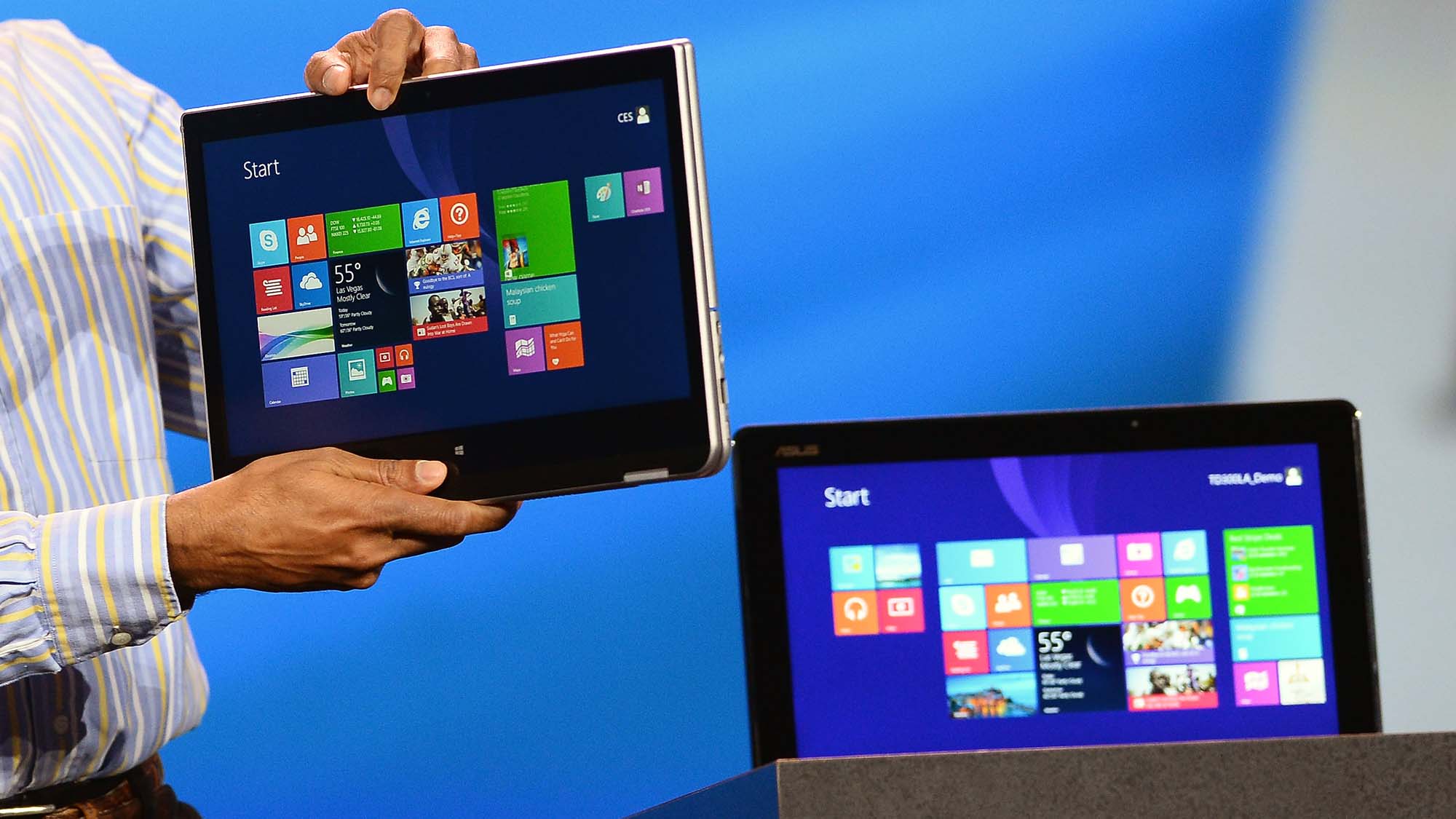
In 2014, 2-in-1 laptops sucked, I just didn't know that when I bought one.(Image credit: Ethan Miller/Getty Images)
When I made the decision to go back to school in 2014, I was still rocking an old school Acer Aspire One netbook that served me very well. I wish I had just stuck with it, because it was the best laptop I ever owned. Instead I kept hearing about these new fangled 2-in-1 laptops that seemed to be everywhere in those days.
Well, I thought, it would be pretty awesome to take notes on a 2-in-1 and save myself the trouble of dealing with paper notebooks, so I plunked down close to a grand on a Samsung 2-in-1 that would surely make my second time in college easier than my first.
Have you ever tried to take notes on a 16:9 2-in-1 laptop like it was a notebook? If you have, you already know it's a huge hassle. The screen just isn't nearly wide enough to really be useful, and even the best 2-in-1 laptops in 2014 were unwieldy abominations by today's standard.
And, tragically, they were even unwieldy then, especially the larger screen laptop I had bought. At over an inch thick, there was no way to comfortably hold the laptop on my desk and take notes like I'd planned on doing. Not to mention the fact that the style of "stylus" we had back then had a bulbus tip as thick as a pencil eraser, so all my notes looked like they'd been written with a magic marker.
In the end, I gave up and went out and bought an actual paper notebook and just wrote in it with a pen, defeating the purpose of buying a 2-in-1 in the first place. And worse still, the laptop sucked as a laptop, so it ended up sitting there while I just ended up using my trusty netbook instead and left my bulky, underpowered 2-in-1 laptop to collect dust at home. I pretty much set that money on fire for all the good it did me.
Think carefully about your needs
(Image credit: David Paul Morris/Bloomberg via Getty Images)
Not long after that, I hadn't learned my lesson about buying into hype, and I bought one of the early-generation Chromebooks when I saw them on display in a Best Buy. The experience turned me off from Chromebooks for nearly half a decade.
The problem wasn't that the Chromebook failed to do what it promised, it absolutely did. I just hadn't thought about the kind of things I needed it to do when I bought it. By this point, Chromebooks were still just a dedicated way of accessing Google apps like Docs and Sheets, and if you weren't connected to the internet, it was useless.
I'd started with my double major in English and Computer Science at that point, and while it was fine for writing papers, my netbook easily dis the same despite being several years old by this point. There were no C++ compilers on Chrome OS at the time and this was before Chromebooks came with an integrated Linux kernel, so I couldn't do any of the work with Linux that I needed to do.
And while I could, theoretically, write code in Google Docs, coding with rich text formatting is a disaster waiting to happen, so I once again ended up letting that laptop sit on top of the 2-in-1 I'd bought a year earlier. Chromebooks did get a lot better in the year or two afterwards, but by then I was making an even more costly mistake than I'd already made.
Buy the least expensive option that gets the job done
In 2016, I decided I was going to try one last time to get a laptop that would replace my netbook, which I thought was "showing its age". I decided to get aboard the hype train again and went with a MacBook Air. It wasn't all that great for programming unless you were programming for a Mac, which I definitely wasn't, but it still worked well enough. It was also one of the best laptops for writers (and still is), so it worked great for typing up papers for my literature classes as well as doing my own writing work.
It was also way more expensive than it needed to be for what I was doing, which ultimately could have been done on a much cheaper laptop at the time. I got some good use out of my MacBook Air before I finally ended up giving it to my mom who needed a new computer after her decade old netbook finally died.
What this ultimately taught me is twofold: first, netbooks were incredible and we really didn't appreciate them enough at the time; and second, the cheapest option that can get the job done is often a good bet. Just be sure that it can get the job done, and do your research on what the best cheap laptops can offer before going that route.
But my $400 netbook from 2010 is ultimately what got me through an entire undergraduate degree, and I damn near cried when it finally called it quits on me after several years of honest labor, so don't feel like you've got to go big to get a great laptop for school.
from TechRadar - All the latest technology news https://ift.tt/UY6KMlT
A flaw discovered in some Xiaomi phones could have cost users their hard-earned money.
Cybersecurity experts from Check Point Research (CPR) found a flaw in the devices’ mobile payment mechanism, which threat actors could have used to sign fake payments, essentially stealing people’s money.
“We discovered a set of vulnerabilities that could allow forging of payment packages or disabling the payment system directly, from an unprivileged Android application,” commented Slava Makkaveev, Security Researcher at Check Point.” We were able to hack into WeChat Pay and implemented a fully worked proof of concept.”
According to CPR’s report, the flaw was found in Xiaomi’s Trusted Environment, a tool that stores and manages sensitive information, such as passwords, or security keys. There were two ways to go about stealing people’s cash: by having them install malware, or by stealing and tinkering with the device itself.
Fixing the problems fast
In the first instance, the malware would extract the keys, and send fake payment packets to steal the money. In the second instance, the attacker would need to root the smartphone, downgrade the trust environment, then run the code to create a fake payment package without an application.
In both cases, however, the endpoint would need to be running on MediaTek processors.
After finding the flaw, CPR notified Xiaomi, which seems to have worked fast to address the issue: “We immediately disclosed our findings to Xiaomi, who worked swiftly to issue a fix,” Makkaveev noted.
“Our message to the public is to constantly make sure your phones are updated to the latest version provided by the manufacturer. If even mobile payments are not secure, then what is?”
Mobile payment systems seem to be the next big frontier. According to Fortune Business Insights, the market is expected to hit $11.83 trillion in 2028, with a compound annual growth rate of 29.1%. That also makes it a major target for cybercriminals, who’ve been increasingly targeting payment systems, cryptocurrency wallets, and similar.
Linus Torvalds has announced the latest Linux update - version 6.0 - has arrived for testing.
In a public statement, Torvalds explains that “there's nothing fundamentally different about this release” despite taking on the new 6.0 number, which primarily serves as a tool to help distinguish releases.
While it may not quite be the same jump as macOS users will experience with Ventura which is due later this year, Torvalds says “there's about 13.5k non-merge commits in here,” and a further 800 or so merges.
Linux 6.0
Almost two-thirds of the updates, he says, are down to driver updates, including GPU, networking, and sound. The remaining updates include filesystems, tooling, and “just random changes all over,” which is typical of any OS refresh.
Phoronix uncovered some performance enhancements on performance-oriented Intel Xeon, AMD EPYC, and AMD Threadripper processors, along with plenty of other improvements elsewhere.
The Rust for Linux patches were not merged in this release, which Torvalds had hoped would have been the case, but we expect developers are on the case and later releases could fix this.
Eligible participants are being asked to test Linux 6.0-rc1, which landed yesterday 14 August 2022, so that a full release can be pushed out later this fall alongside macOS Ventura. Current hopes are set for an early-October 2022 launch.
Overall, Linux 6.0-rc1 contains “13,099 files changed, 1,280,295 insertions, [and] 341,210 deletions,” which Torvalds calculated out of curiosity.