Manually extracting data from complex documents at scale can be a time consuming process which is why Google Cloud has announced its new Document AI (DocAI) platform.
The unified console for document processing enables businesses to use the power of AI and machine learning to automate the process of transforming documents into structured data.
With the DocAI platform, which is currently available in preview, organizations can ensure their data is accurate and compliant, make better business decisions and use their data to better meet customer expectations.
Also check out our roundup of the best CRM software
In a blog post announcing DocAI, Google revealed that one of its customers was able to increase data capture accuracy by 250 percent and lower the TCO of procure-to-pay processing costs by up to 60 percent using the new platform.
Using DocAI
With Google Cloud's new DocAI platform, organizations can quickly access all parsers tools and solutions including Lending DocAI and Procurement DocAI with a unified API that allows for effortless creation and customization of document processing workflows.
To get started using the new platform, users will first need to create a document processor. While you can use the company's general processors such as Form Parser, you can also take advantage of specialized processors such as Google's W9 Parser for domain-specific documents. After creating a processor, they can be viewed in a unified dashboard and tested by uploading your own document directly in the console.
In their blog post, product manager of Document AI Lewis Liu and product marketing manager Yang Liang provide several examples of how the platform can be used to extract data from a W9 form as well as from an invoice. When it came to the invoice, DocAI was able to extract the supplier name, invoice date, payment terms and other data from the document automatically.
Currently general parsers such as OCR (Optical Character Recognition), Form parser and Document splitter are publicly available but users can also request access to specialized parsers for a number of documents including W9, 1040, W2, 1099-MISC, 1003 and other forms as well as for invoices and receipts.
Apple doesn't allow any developer to make iOS game streaming apps, unless they make it available through a mobile web browser. So Nvidia created a version of GeForce Now that streams on iPhones through the Safari browser app, and this may be the loophole that Fortnite fans have been waiting for.
Fortnite developer Epic Games is currently embroiled in a months-long legal battle with Apple, arguing that it has the right to sell in-game currency (V-Bucks) on Fortnite for iOS without Apple taking a cut. Apple responded by removing Fortnite from the app store, so iPhone owners can no longer update or redownload the app.
Enter Nvidia GeForce Now, the game streaming platform that currently supports Fortnite. According to BBC News, this will allow gamers to stream the latest PC version of Fortnite on their iPhones without needing the defunct iOS app — and allow Epic Games to reap 100% of the profits without violating Apple's rules.
However, there is no guarantee that Nvidia will bring Fortnite to the iPhone, or if Epic Games will allow them to do so. It's possible that this could in some way undermine Epic's legal case against Apple.
In a statement to the BBC, Nvidia said that 'Fortnite is not confirmed for GeForce Now on platforms beyond PC, Mac and Android,' and that it would not comment on 'any new clients coming to the service, or on the availability of any game on unannounced or unreleased platforms.'
The future of Apple gaming is browser-based
Nvidia isn't the only company that has turned to a browser-based streaming solution for offering mobile streaming on iOS. According to sources at Microsoft, EVP Phil Spencer told employees that Game Pass would stream on iPhones and iPads using a 'direct browser-based solution' in 2021.
Amazon Luna, a new game streaming service currently in beta, also allows you to stream its 50+ titles on Safari using iOS 14 or iPadOS 14.
The main issue with this system is simply that many iPhone and iPad users will consider it less convenient and intuitive to access games through a browser, compared to a dedicated app. Particularly if Safari isn't their typical browser of choice.
Yet Apple has given no sign that it plans to bend on this policy, so it's the best that Apple owners can expect in the immediate future.
Telstra has dominated the rankings in a recent report on the Australian telco industry, but a surprise runner up suggests a shake up among the three major providers.
Independent crowdsourced data company Tutela conducted the study, and found that Telstra consistently delivered the best mobile experience in Australia overall. The provider also came out on top for fastest download speed and best coverage.
But Telstra wasn’t the winner in every category – Vodafone snuck into second place for having the fastest upload speed in Australia, and having the best latency result among the big three.
The survey analysed data from common coverage areas – parts of the country where Telstra, Optus and Vodafone were present – to see how they compared head-to-head.
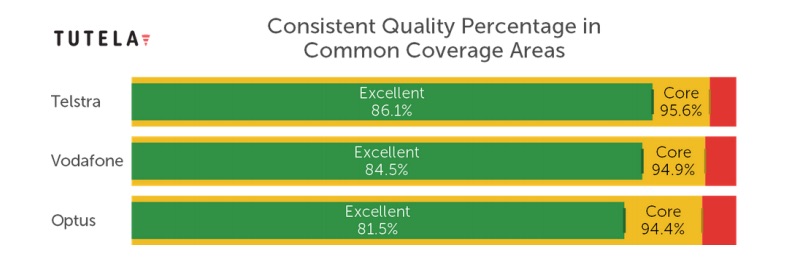
Telstra was number one for consistent quality in these areas, offering 'excellent' coverage 86.1% of the time. Vodafone trailed slightly behind with a figure of 84.5%, while Optus had a 4.6% difference in performance to Telstra, finishing with 81.5%.
(Image credit: Tutela)
When it comes to download speed, Telstra again takes the cake with a median speed of 27.8Mbps, outpacing the competition by 4.1Mbps. Optus came in second with a median download of 23.7Mbps, with Vodafone fractionally behind with 23.4Mbps.
It was a different story for median upload speed in common coverage areas though – despite ranking last place in the download speed test, Vodafone forged ahead and came in with the fastest upload speed at 12.8Mbps.
Telstra came in with the second-fastest upload speed at 12.5Mbps, and Optus slipped to last place with a median upload speed of 9.8Mbps. Tutela attributes Optus’ slower upload speed to its use of time-division duplex (TDD) technology, which can be configured to prefer download throughput at the expense of upload throughput.
The findings were a little surprising, and when it comes down to Optus and Vodafone, the latter is arguably better if you live in a 'common coverage area' and don't mind the lack of 5G coverage.
See what other providers are out there with a SIM-only plan
from TechRadar - All the latest technology news https://ift.tt/2HXbXGZ
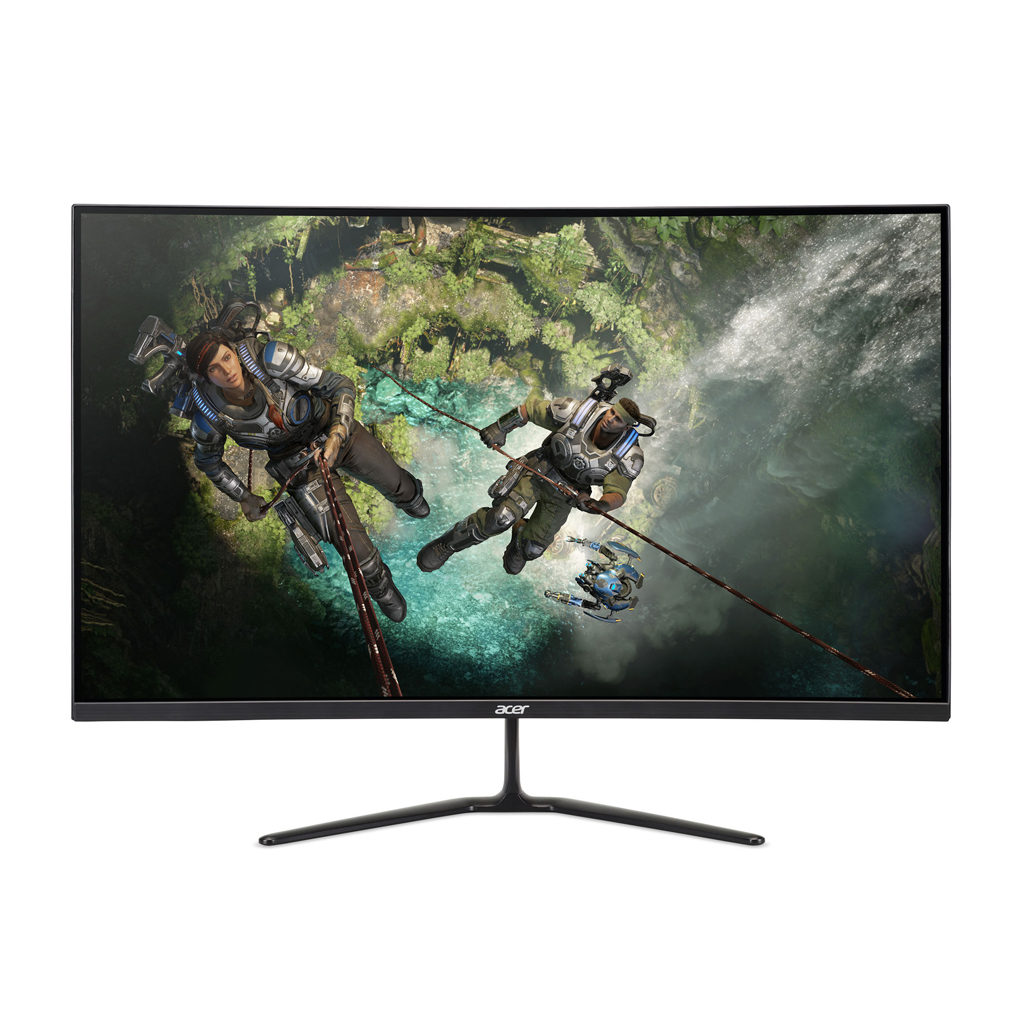
Curved gaming monitors are all the rage, so it's always good when you can find an early Black Friday deal like this one on an Acer ED320QR 32-inch curved gaming monitor for $94 off over at Walmart (Not in the US? Scroll down to find deals in your region).
Acer 32-inch ED320QR curved gaming monitor:$249.00 $155.00 at Walmart
This 32-inch Acer curved gaming monitor features a curved, full HD display, AMD FreeSync technology, a 165Hz refresh rate, and a lightning fast 1ms response time, making your games run especially smooth and fluid. View Deal
The Acer ED320QR 32-inch curved gaming monitor features a 1920x1080p resolution, a rapid 165Hz refresh rate, a 1ms VRB response time, and AMD Radeon FreeSync technology.
FreeSync, when partnered with an AMD Radeon graphics card, syncs up the refresh rate of the monitor to that of the graphics card, eliminating screen tearing and stuttering. If you have an Nvidia graphics card, however, you won't be able to benefit from FreeSync, so make sure you have the right graphics card for your monitor.
Meanwhile, the nearly bezel-less design means that you can easily create multi-monitor setups with virtually no border between them - something made even easier now with this price cut.
Acer ED320QR gaming monitor deals in you region
Not in the US? You can still get great deals on this Acer 32-inch curved gaming monitor no matter where you are.
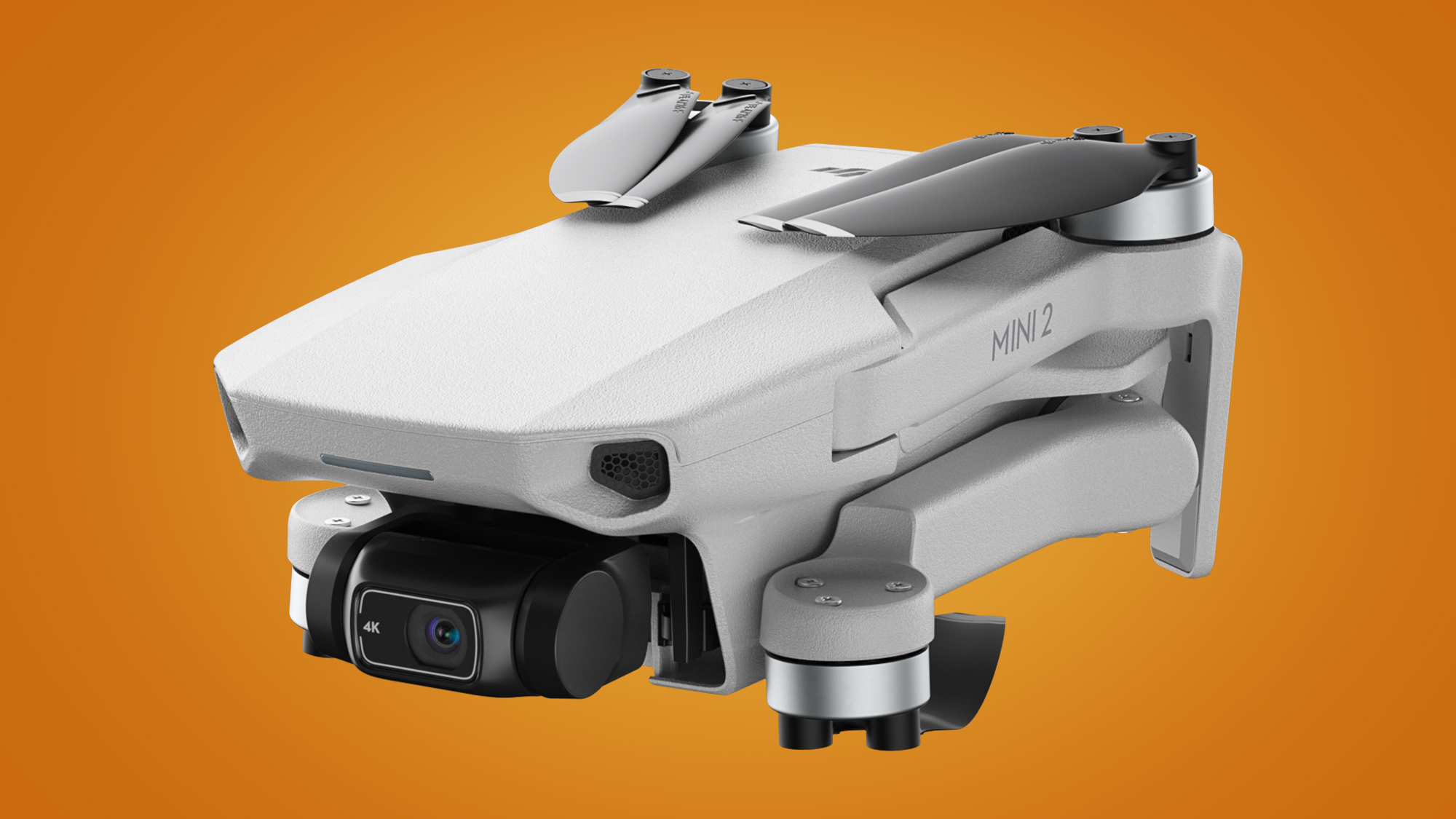
The DJI Mini 2 has officially touched down to become one of the least surprising launches in tech history, following weeks of spectacular leaks and unboxings.
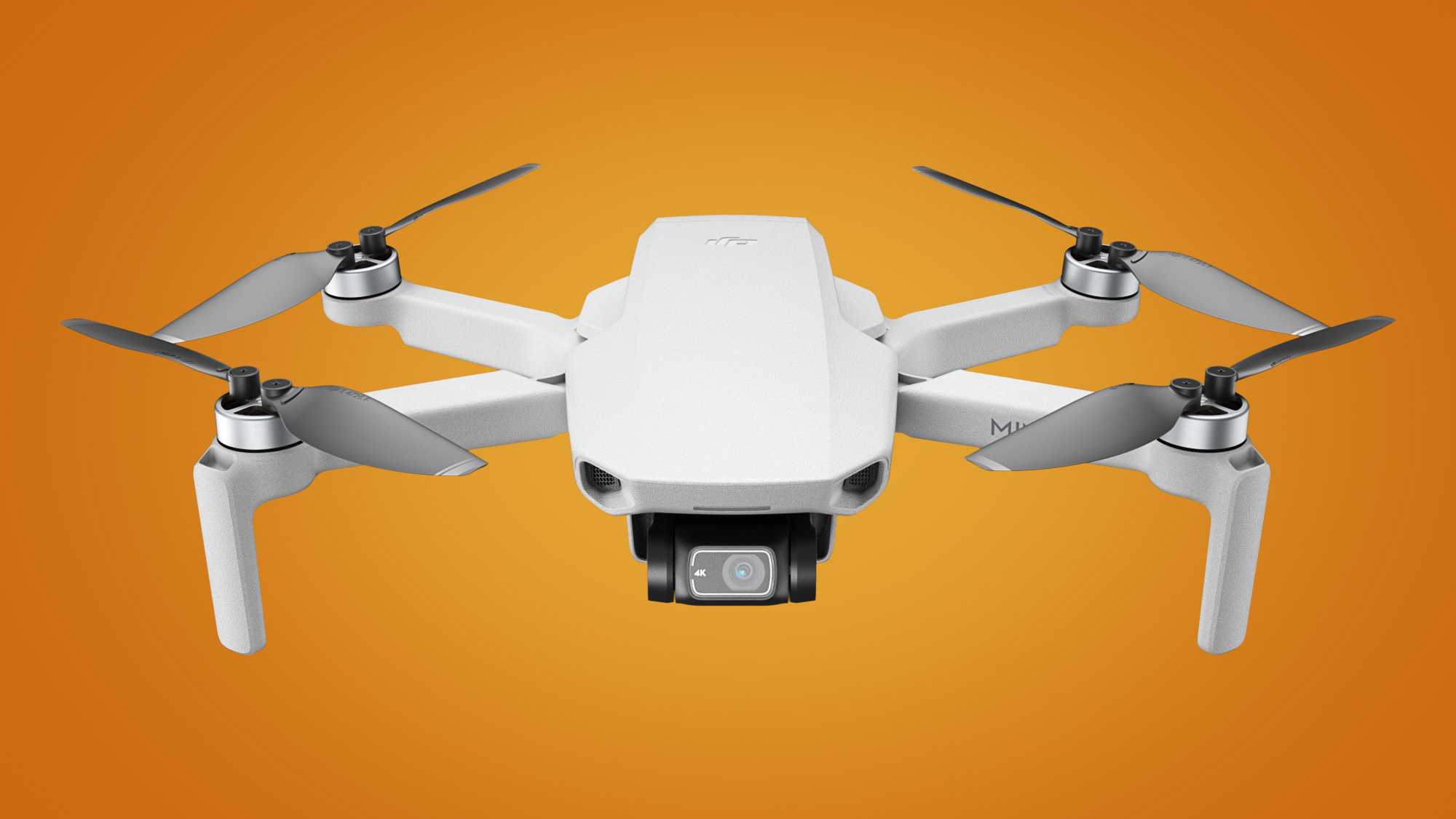
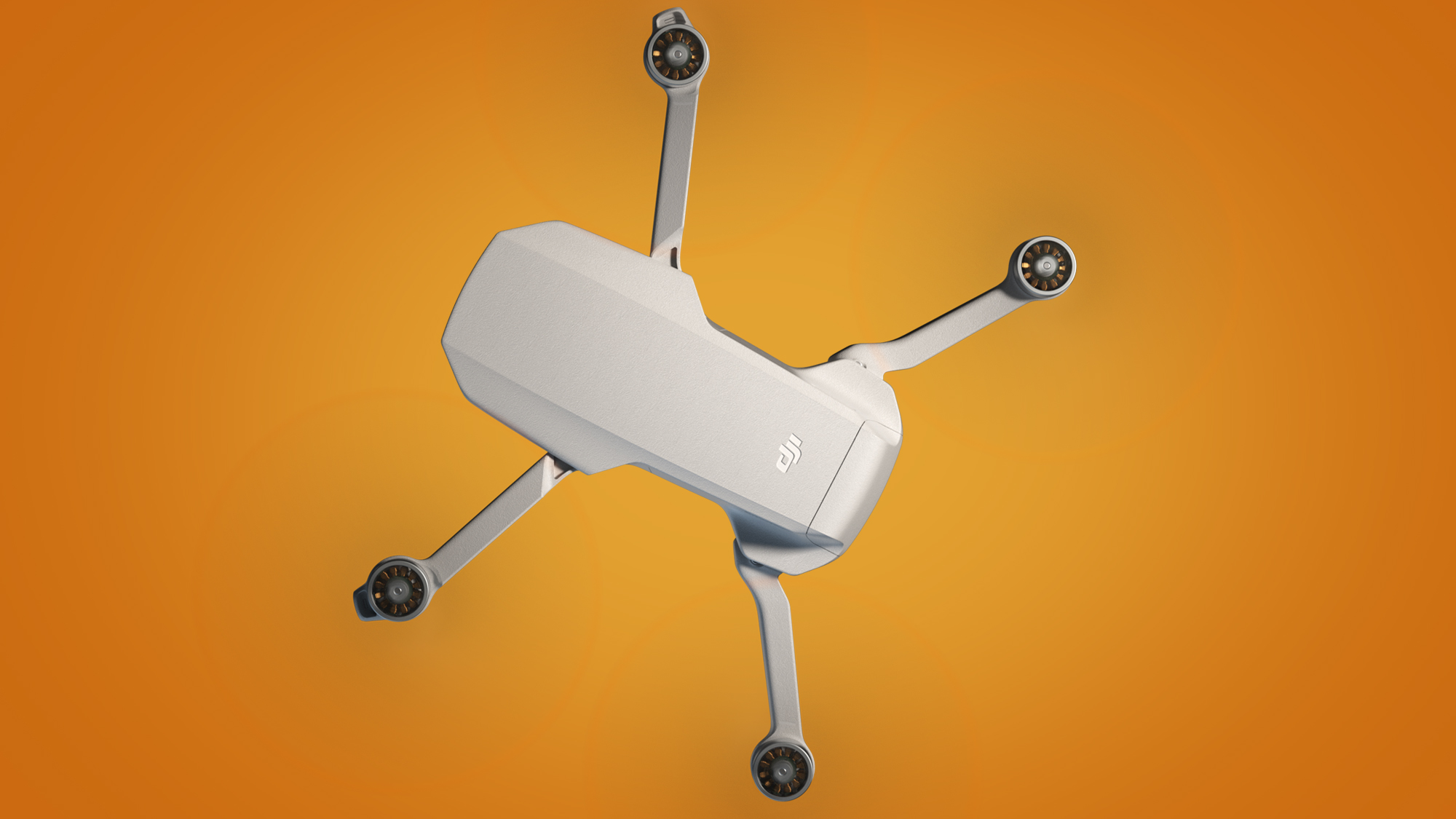
The successor to the DJI Mavic Mini, which arrived in 2019 to become DJI's smallest and cheapest drone, the Mini 2 shares an almost identical design, but adds some crucial upgrades that could make it a prime candidate for Christmas stockings.
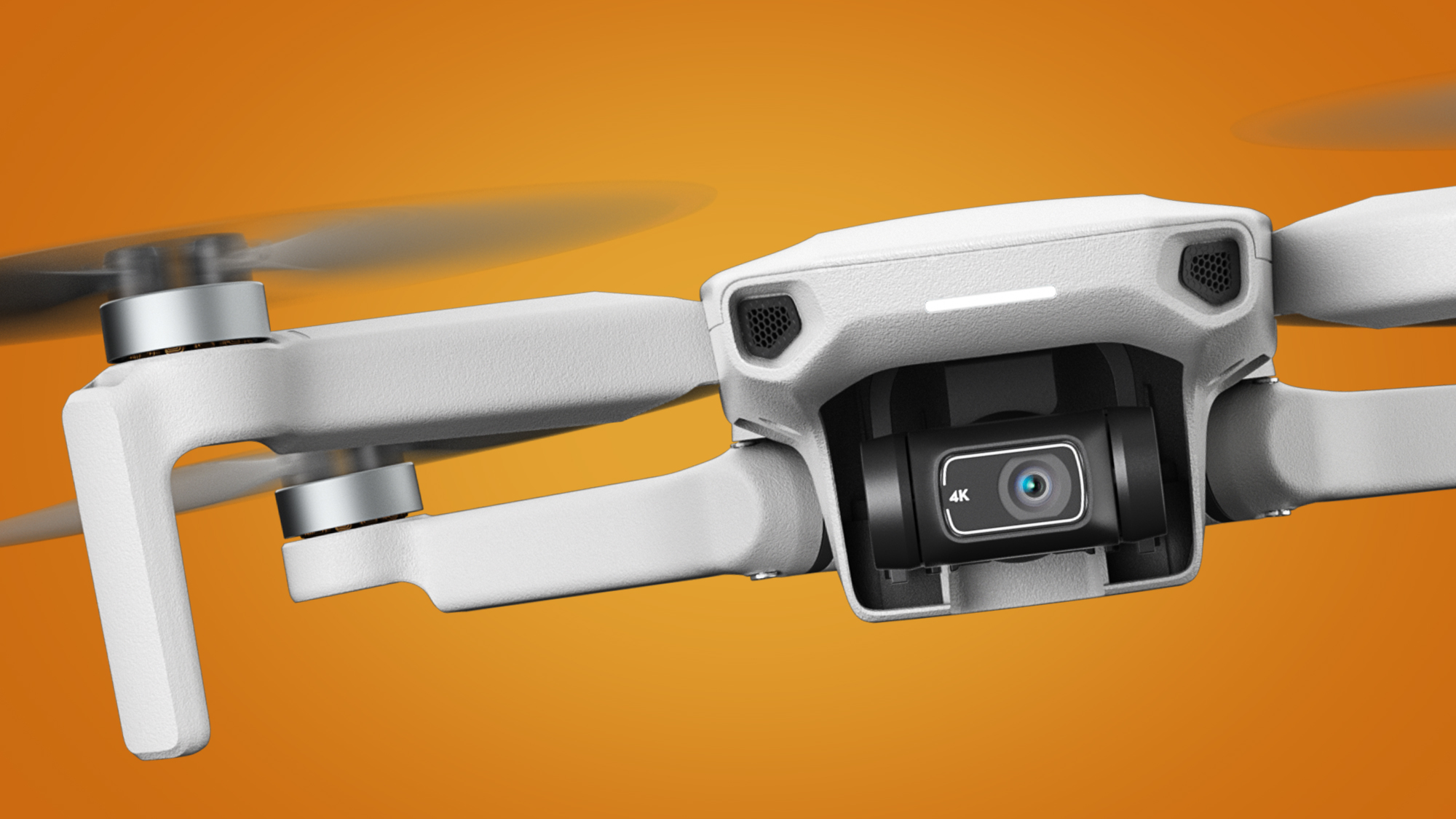
The big headlines are the inclusion of 4K/30p video shooting, a boosted 100Mbps video bit-rate, and the surprise inclusion of Ocusync 2.0 transmission, which significantly expands the drone's flying range.
(Image credit: DJI)
But there some omissions too, including the lack of the strongly rumored 'Follow Me' mode or 2.7K/60p shooting.
That's a slight shame for those who were hoping for a tiny drone that could automatically follow them around, but otherwise the DJI Mini 2 is shaping up to be the best beginner drone you can buy. Even with the DJI Mavic Mini confirmed to be remaining on sale.
We've been pouring over the Mini 2's specs sheet to bring you this breakdown of what new things DJI's diddy drone brings to the aerial filmmaking table. But first, the important question of how much it costs and when you can buy it...
The DJI Mini 2 is available to buy right now for $449 / £419 / AU$ 749 for its basic bundle. This includes the drone, remote controller, battery, smartphone cable (USB-C, Lightning and Micro USB) and extras including propellers and control sticks.
We usually recommend going for the Fly More Combo bundles on DJI drones, though, just because they offer good value on useful accessories. The DJI Mini 2's Fly More Combo costs $599 / £549 / AU$949 includes everything in the basic bundle, plus two extra batteries, a two-way charging hub, a carry case and propeller guards.
(Image credit: DJI)
How does this compare to the DJI Mavic Mini's pricing? That drone arrived for $399 / £369 / AU$599, which is about 14% to 20% cheaper (depending on which country you live in) than the Mini 2.
DJI says the Mavic Mini will also remain on sale, so that's a potentially cheaper option if you don't need 4K video or Ocusync connectivity – and there's always the chance that retailers might give the Mavic Mini a slight discount in time for Christmas.
Still, there's no doubt that the DJI Mini 2 is a better all-rounder overall, thanks to the addition of these new upgrades and features...
DJI Mini 2 specs and features
Shoots 4K video at 30p/25p/24p
Now has Ocusync 2.0 connectivity for an increased flying range
Also features a slightly boosted 31-minute flight time
Most of the DJI Mini 2 leaks, which included two unboxing videos and a listing on a German retailer, turned out to be correct, although a couple of rumored features sadly didn't make it onto the drone.
As expected, the big news is that the Mini 2 is a capable of shooting 4K video at 30p/25p/24p, which trumps the Mavic Mini's top 2.7K/30p mode. The new Mini also has a maximum video bit-rate of 100Mbps, quite a leap over its predecessor's 40Mbps.
(Image credit: DJI)
The combination of these two things should give the Mini 2 a noticeable boost in video quality, particularly if you tend to shoot for bigger screens rather than social media.
That said, both drones have identical 1/2.3-inch sensors and three-axis gimbals, so the leap probably won't be drastic either. It's also a slight shame to see there's still no 2.7K/60p mode on the Mini 2.
Beyond the video quality upgrade, the biggest new feature on the Mini 2 is that has Ocusync 2.0 transmission, thanks to its new controller.
What is Ocusync 2.0? DJI uses different transmission systems (which is the way the drone and controller communicate) for different drones, and Ocusync 2.0 is its most recent one. We saw the same connectivity recently on the more expensive DJI Mavic Air 2.
(Image credit: DJI)
The main benefit of Ocusync 2.0 is improved flying range. The Mavic Mini uses 'Enhanced Wi-Fi' to connect to its controller, which limits its range to a maximum of 4km. That's still a long way for a beginner drone, though, particularly when most drone laws state that you must fly it within the line of sight. So it's something of a surprise to see the Mini 2 upgraded to Ocusync 2.0.
In theory, this means you'll be able to fly it via a reliable HD video feed from up to 6km away (in Europe) or 10km in FCC-compliant countries like the US and Australia. The real-world ranges are likely to be shorter than that, particularly in places with competing signals. But it again shows that the DJI Mini 2 is way more advanced than a 'toy drone'.
(Image credit: DJI)
Two other upgrades over the Mavic Mini are some slightly more powerful motors and the ability to shoot raw photos.
DJI says the new motors give the Mini 2 slightly faster acceleration (5m/s, up from 4m/s) and a higher top speed, while also allowing it to withstand stronger winds of up to 24mph.
We'll have to see how this stands up in reality, but it's a relatively minor upgrade that doesn't change the fact that this is a drone that prefers flying in calm conditions.
A sample photo taken on the DJI Mini 2(Image credit: DJI)
More interesting for aerial photographers is the inclusion of raw photo shooting. This was a much-requested feature from fliers who felt too restricted by the JPEG-only shooting of the Mavic Mini, and it promises to give you more editing flexibility for the photos you take with the Mini 2.
The same flexibility hasn't been extended to the Mini 2's video, though, which you can still only shoot in MP4 (with H.264 or MPEG-4 AVC codecs). More advanced drones like the DJI Mavic Air 2 let you shoot in video profiles like D-Cinelike, so if you like to color grade your videos, you may want to consider DJI's mid-range drone instead.
Controller-free connection to the DJI Fly app for downloading footage
Includes five QuickShot video modes, including Boomerang
No 'follow me' or ActiveTrack subject tracking
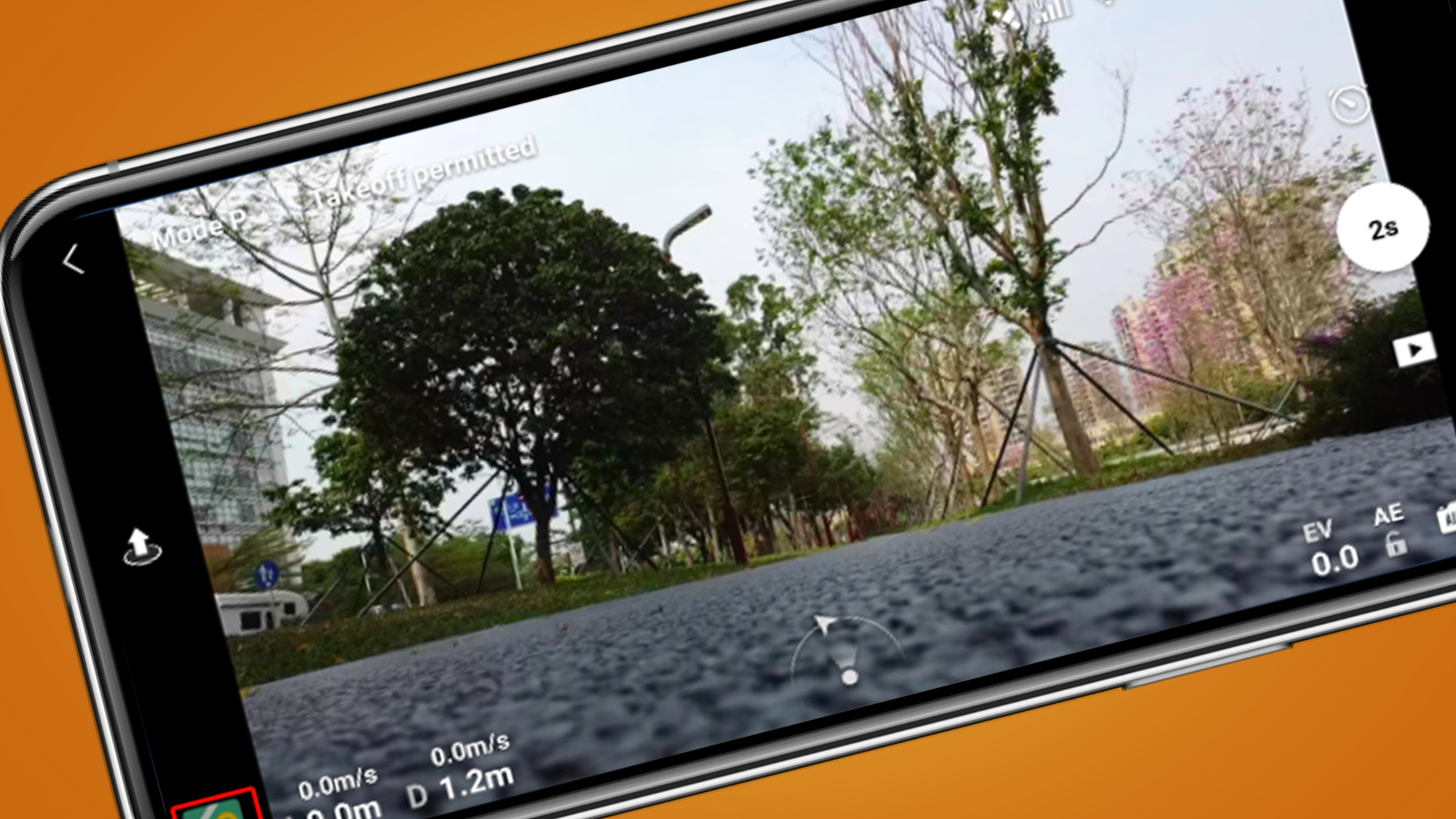
DJI says that its Fly app has been improved to make sharing your Mini 2 videos and snaps easier.
The main difference is that you can now directly connect your Android or iOS phone to the drone without needing the remote controller. From there, you can download images at 20MB/s.
Once they're on your phone, you can also do basic editing with a couple of new tools. Enhanced Photo applies automatic edits to make the image 'pop' (so expect the saturation to be cranked up), while Trimmed Download lets you make basic trims before you download them to your camera roll.
(Image credit: DJI)
What kind of flying modes does the Mini 2 offer via its app? These are all pretty similar to the Mavic Mini, which means you get Geofencing and Return-to-home, along with an altitude limit that allows you to set a maximum if you're handing the controller to a novice flyer.
Like before, you also get a range of 'QuickShots', which are pre-programmed flying maneuvers that give you cinematic shots. These include Dronie, Helix (our personal favorite), Rocket, Circle and the new addition of Boomerang, which promises to see the Mini 2 fly a boomerang-like oval flight path around a subject.
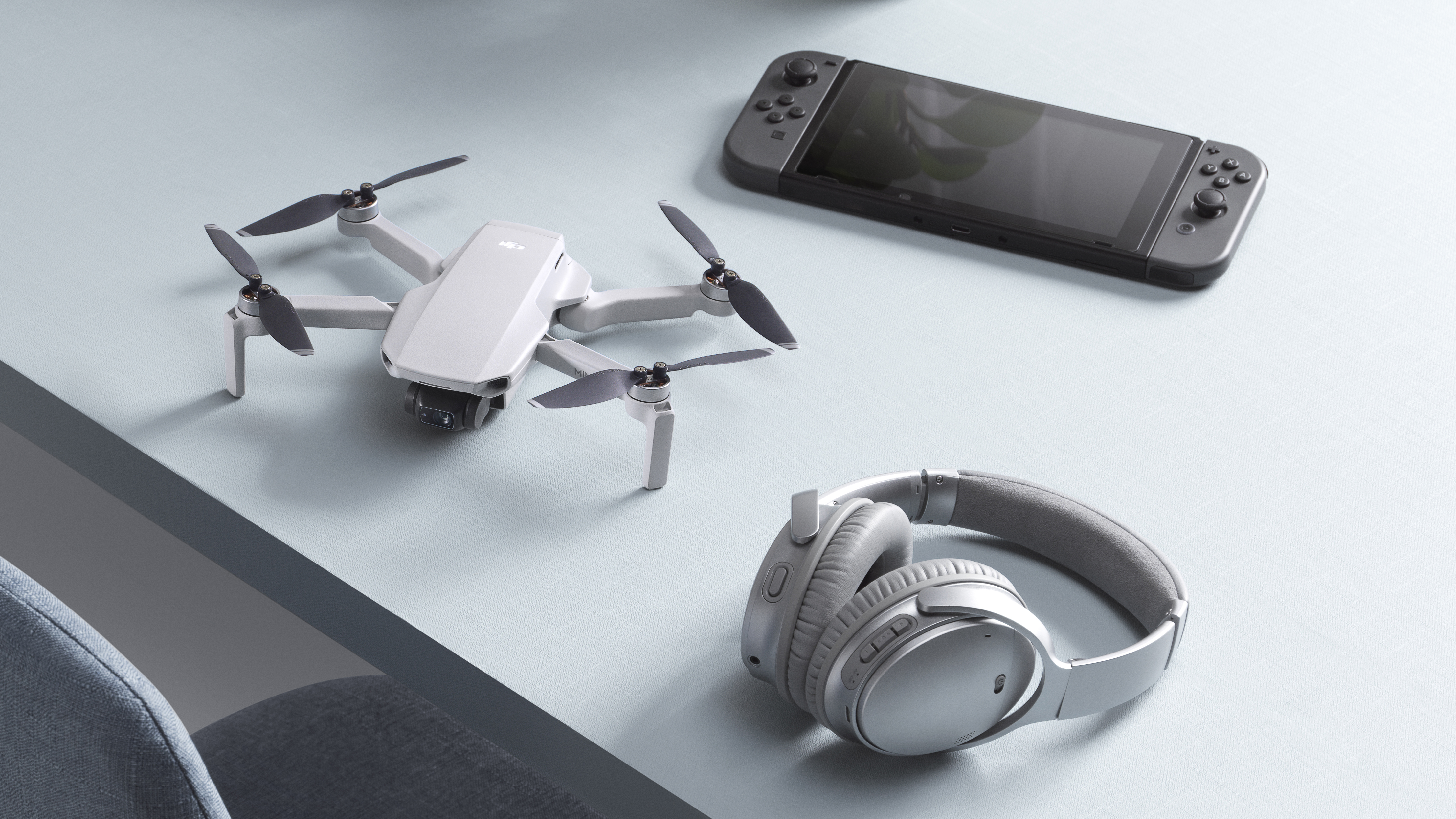
A DJI Mini 2 size comparison with a Nintendo Switch (this isn't its controller) and a pair of headphones.(Image credit: DJI)
There is one big omission on the Mini 2, though, which was rumored to be on board – a 'Follow me' function. On other DJI drones, this uses GPS to automatically follow whoever is holding the controller, which is very handy if you're a solo filmmaker.
The DJI Mini 2's lack of a 'Follow me' mode or 'ActiveTrack' is a shame and may push some towards more advanced DJI Mavic Air 2. That said, there is some hope of a workaround with third party apps like Litchi.
DJI recently opened up the SDK for the Mavic Mini, which allows apps like Litchi (currently in beta) to add additional features like 'Follow Me' to compatible drones. Interestingly, DJI told us that there will be also be a Mini 2 SDK available, but not at launch. So while there might be a wait for developers to get their hands on it, it is en route. You can get updates on this via DJI's Developer page.
(Image credit: DJI)
DJI Mini 2 early verdict
On paper, the DJI Mini 2 fixes most of our main criticisms of the Mavic Mini, including the lack of 4K video shooting. It also has a much longer range, the ability to shoot raw photos, and slightly more powerful motors to make it a more confident flier.
We're looking forward to testing the Mini 2 to see how much of a difference the latter makes, but when you add these features to the Mavic Mini's existing strengths – its tiny size, affordable price tag, and user-friendly flying – you get a very compelling new option for beginners looking to dip their toes into aerial filmmaking.
We're disappointed to see that there's still no 'follow me' mode or ActiveTrack subject tracking, though, and it's worth noting that in some countries (like the UK) even the DJI Mini 2 will need registering with civil aviation authorities from next year, because it has a camera. This has previously been something that this drone's 249g weight exempted it from.
Still, that's not currently the case everywhere, and the DJI Mini 2 otherwise has all of the tools needed to take the top spot in our best beginner drones guide. We'll let you know if it does indeed earn that number one ranking in our full review soon.
UK drone laws: where can and can't you fly your drone?
from TechRadar - All the latest technology news https://ift.tt/3jZ7qk6
Walmart Black Friday deals are landing early today, and with that, a whole bevy of awesome sales on handy small appliances - especially this half-price deal on an Instant Pot Viva for just $49 (was $99).
We've only seen the Instant Pot Viva reach this low once before - way back in March, where it was featured for the same price at Best Buy. Even though Instant Pot's in general do go on sale quite often, to see one reach this low is a pretty rare deal indeed, especially at half price.
The Instant Pot VIVA is one of the more popular offerings from InstantPot recently and has a couple of upgraded features, namely a Sous Vide mode and an easy-seal lid. That's of course alongside the easy-to-use programmable modes that all Instant Pot's feature, which they call 'Smart programs'.
Subsequently, alongside that Sous Vide mode, you can cook pretty much anything in these great little small appliances - Rice, Stews, steamed vegetables, and even baked goods. If you're short on space in your kitchen and need that ultimate convenient way to serve up nutritious meals to your family and loved ones, you can do a lot worse than the Instant Pot Viva - especially at this price.
Of course, this Instant Pot is just one of the many featured deals in today's Walmart Black Friday deals. We've rounded up a few more of our favorites just below, and, if you're interested, we'd also recommend checking out our main Black Friday deals page.
Walmart Black Friday Instant Pot deals
Instant Pot Viva 9-in-1 Programmable Pressure Cooker:$99.99$49 at Walmart
This online-only deal discounts one of the many Instant Pot cookers down to a very reasonable $49. We also saw the VIVA take a drop at Best Buy for about the same price earlier this year – and this is a great discount. View Deal
Walmart - see all of today's Black Friday deals on Instant Pots
Also worth checking out is our guide to the Black Friday Instant Pot deals, which has our predictions on what's going to be available from other retailers too.
from TechRadar - All the latest technology news https://ift.tt/3k0GtfI
The first wave of Walmart Black Friday deals – known as the Deals for Days sales event – has kicked off. This staggered deals event has begun with online-only deals on TVs, AirPods and appliances – and if you're in the market for a robot vacuum, we're seeing steep discounts on those too.
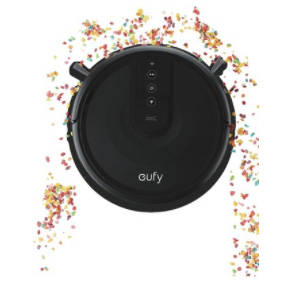
Two options are available right now with a big price cut. The Anker Eufy 25C wi-fi-controlled RoboVac is only $99, down from $149. You'll want to spend more than that if you want a top-of-the-line model – check our best robot vacuums list for more buying advice on that front – but for less than $100, you get 0.6l capacity for picking up dirt, and up to 100 minutes of cleaning time. Finally, as well as including touch controls, you can link it to your smart speaker for voice control, according to the manufacturer.
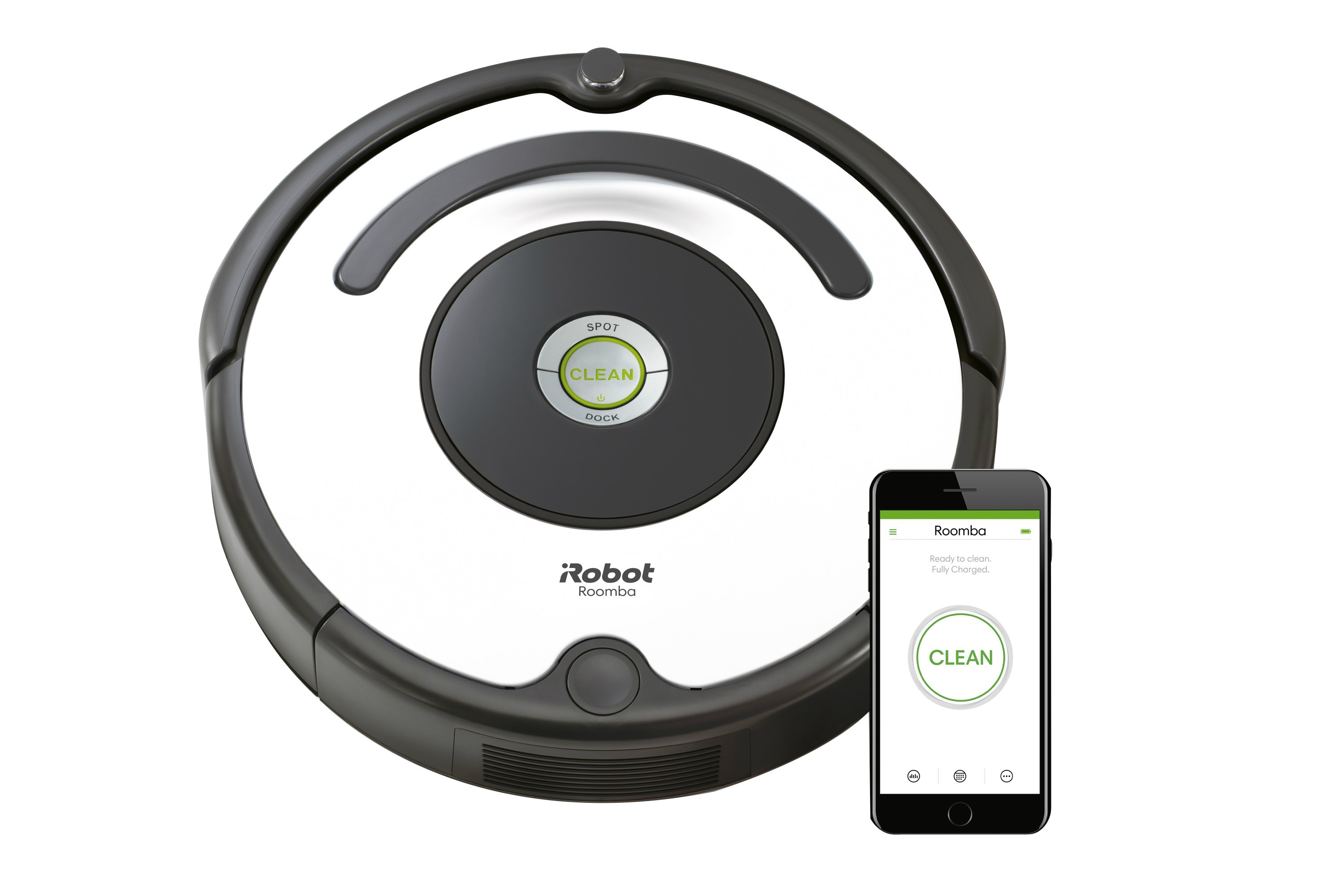
Elsewhere, robot vacuum king iRobot has one of its mid-range models, the Roomba 670 robot vacuum, discounted by $67. We've previously described this as a 'mid-range' model, and it features what iRobot calls a three-stage cleaning process to pick up dirt from your carpet. It's also "good for pets", apparently, if they're getting hairs all over your home. Take advantage of these early Black Friday deals, if one fits your household needs.
Not in the US? Compare prices on robot vacuums below where you are.
These are the deals, which run until November 8:
Walmart Black Friday robot vacuum cleaner deals
Anker Eufy 25C Wi-Fi RoboVac:$149$99 at Walmart Robot vacuums always get steep discounts around these busy sales periods – this is very much a budget option, and you can control your new robotic pal with wi-fi.
iRobot Roomba 670 Robot Vacuum:$244$177 at Walmart A big discount for this robot vacuum cleaner, which boasts a number of powerful tidying features: you can schedule when it cleans using the iRobot Home app, and it uses what the manufacturer calls a three-stage cleaning system to loosen, lift and suction your floors. It's also compatible with Alexa and Google Assistant, and it features 'Cliff Detect' to stop it from falling down stairs.
If you, like us, have a holiday gift list that contains gaming laptop deals, you'll definitely want to check out Walmart's early Black Friday sale. It's ongoing right now until the 8th and has a couple of great options for budget gamers specifically.
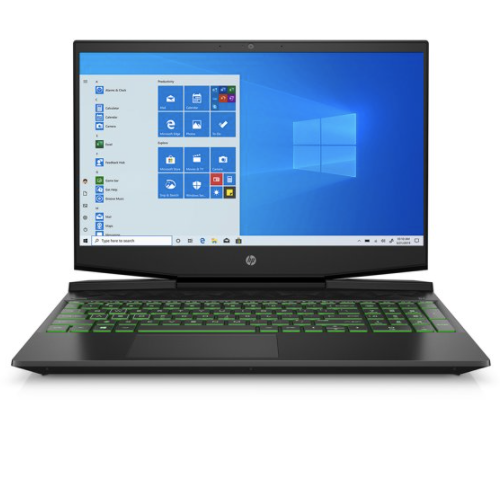
First up is this 15.6-inch HP Pavilion on sale for $449, down from an original price of $589. This one's firmly in the camp of 'budget gaming laptops', but if you're looking for an inexpensive machine that'll handle more casual games like Fortnite and Minecraft, it's a great option. With a GTX 1650, Intel Core i5-9300H, 8GB of RAM and a 256GB SSD, you've got everything you need here to get you started in the world of PC gaming.
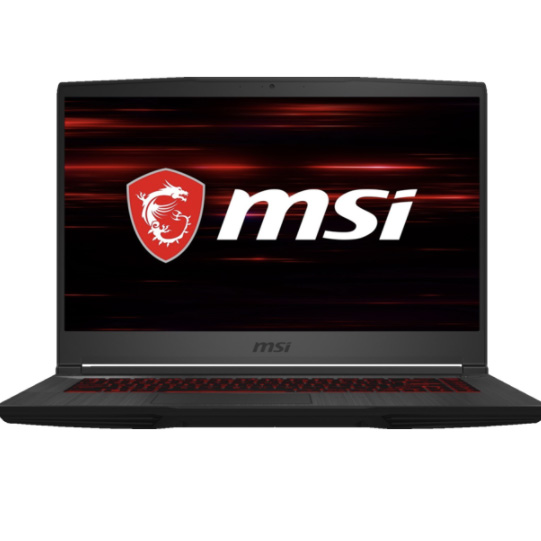
The second of our highlighted Walmart Black Friday gaming laptop deals is this more powerful MSI GF65 - currently on sale for $799 (was $979). This particular machine has an Intel i7-10750H, GTX 1660Ti, 8GB of RAM, and a GTX 1660Ti - specs that you normally see on gaming laptops in the range of $1,000, so you're getting great bang for the buck here.
This MSI is a better bet for those who want something with a bit more power; a machine that's capable of good 1080p performance with the majority of modern games on Steam. It's also got a 120Hz refresh rate screen as well, which is a feature that some manufacturers like to pass over to squeeze out some extra savings.
Of course, these are just a couple of today's Walmart Black Friday deals. Just below you'll find a couple more of our favorites from today's sale and we'd also recommend checking out our main Black Friday deals page for even more.
Gaming laptop deals at Walmart today
HP Pavilion 15.6-inch gaming laptop | i5-9000H CPU | GTX 1650 | 256GB SSD:$589$449 at Walmart If you're looking for that cheap gaming laptop that'll cover the basics, like Minecraft or Fortnite for example, this HP Pavilion is a great option. With a GTX 1650, Intel Core i5-9000H, 8GB of RAM and a 256GB SSD, you've got a modestly powerful machine that's coming in at an even more modest budget this week. View Deal
MSI GF65 Gaming Laptop | Intel i7-10750H | GTX 1660Ti | 512GB SSD:$979.00$799 at Walmart Alternatively, for those looking for a more powerful machine, this MSI GF65 is more than capable of putting out good performance on the majority of steam games at 1080p. With a powerful i7 processor, expansive 512GB SSD and a GTX 1660Ti, this machine has a well-rounded set of specs that'll last you a good few years. View Deal
Walmart- see all of today's best gaming laptop deals
Also recommended is our guide to this year's Black Friday laptop deals, where you'll find our top predictions and plenty more early bird deals. For more gaming specific information, check out the best cheap gaming laptop deals, where we've got options ranging all the way to $1,000 this week.
from TechRadar - All the latest technology news https://ift.tt/3ep2gwG