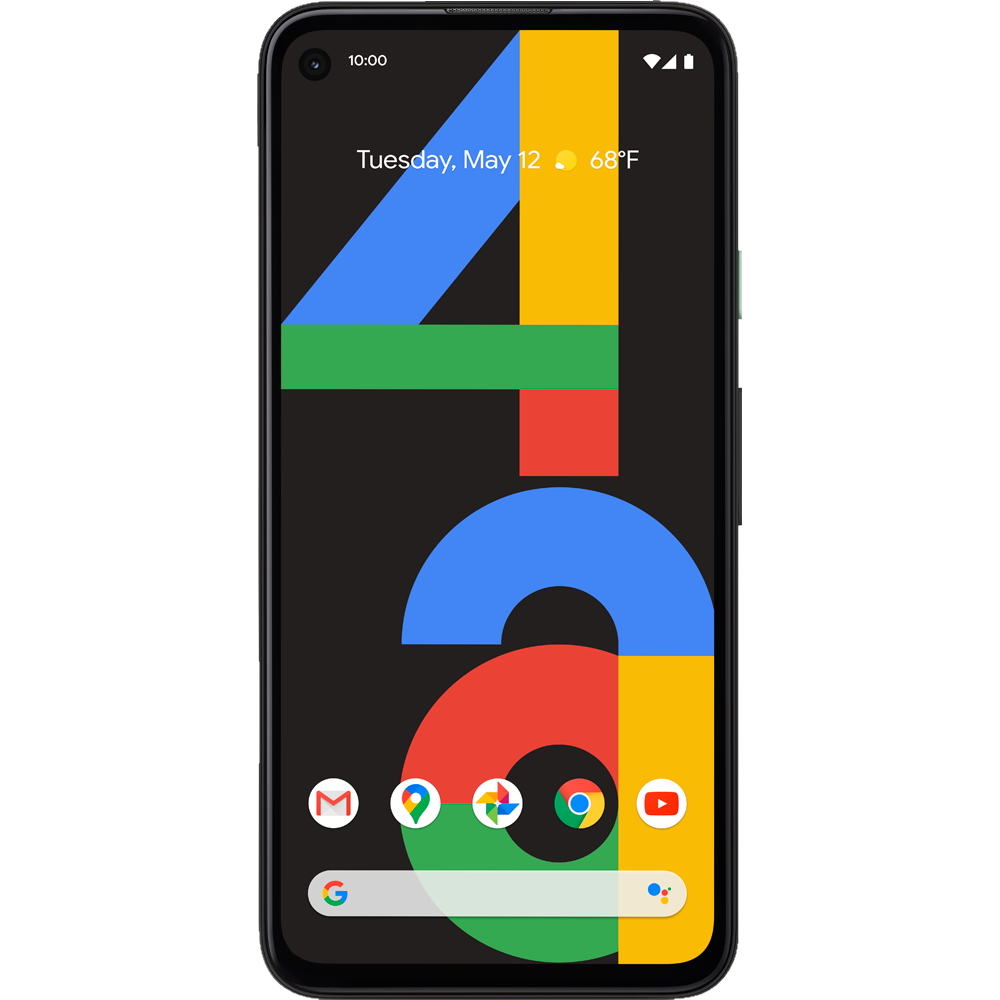
Update(November 4): The Google Pixel 4a will go on sale again today at 8 PM on Flipkart.
Google announced the Google Pixel 4a and Google Nest Audio in India a few weeks back. The Google Pixel 4a went on sale during the Flipkart Big Billion Days and was completely sold out during the sale. The Pixel 4a will be back in stock today and you will be able to purchase the device on Flipkart.
The Pixel 4a which was launched for Rs 29,999 as introductory special price during the Big Billion Days has now got a Rs 2,000 hike and the device will go on sale for Rs 31,999. However, if you own Axis Bank card, you can get a 10% instant discount and get the Google Pixel 4a at a discounted price.
The Google Pixel 4a is on sale from 12 noon today on Flipkart. It is available in only one colour option - Just Black.
Google Pixel 4a unboxing
Google Pixel 4a specs
The Google Pixel 4a offers a 5.81-inch 1080 x 2340 OLED screen that’s fairly compact for a 2020 smartphone. It has a 19.5:9 aspect ratio. The device is powered by a mid-range Snapdragon 730G octa-core chipset, which is paired with 6GB of RAM and 128GB of storage. The battery meanwhile is 3,140mAh, which isn’t massive. It supports 18W fast charging, but there’s no wireless charging.
Since its a Pixel phone, the camera is the USP of the device. It has a single-lens 12.2MP shooter with an f/1.7 aperture and optical image stabilization on the rear. The front camera meanwhile is an 8MP in a punch-hole, and there are stereo speakers along with a plastic back with a fingerprint scanner in the centre. The device runs on Android 10 out of the box and the Android 11 update is already out for the same.
Arguably the most exciting feature offered by Apple's new iPhone 12 range is the ability to charge wirelessly over a magnetic MagSafe connection.
While every model in the iPhone 12 line-up is compatible with the Cupertino company's optional MagSafe charger, it's been revealed that the iPhone 12 mini will receive a slightly downgraded charging experience, as spotted by MacRumors.
According to a support page found on Apple's website, the MagSafe charger can deliver "up to 12W of peak power delivery" via USB-C Power Delivery compatible adapter for the iPhone 12 mini at a wattage of 9V/2.03A, as opposed to a peak power delivery of 15W at a wattage of 9V/2.56A or above for its larger siblings, iPhone 12, iPhone 12 Pro and iPhone 12 Pro Max.
Apple's website states that the "actual power delivered to the iPhone will vary depending on the wattage of the power adapter and system conditions," with such factors as "temperature and system activity" taken into consideration.
We'll be sure to offer a full rundown of the iPhone 12 mini's charging times when we get our hands on the device, so keep an eye out for our in-depth review in the near future.
Ransomware continues to be a growing threat against both individuals and businesses. More than 200,000 organisations in the US experienced ransomware attacks in 2019 alone, a 41% increase from 2018. Attacks have become increasingly diversified and sophisticated, targeting organisations and businesses of all sizes.
Ransomware is a type of malicious software that compromises a user’s device, encrypts and blocks the user from accessing their files and then demands a ransom in exchange for restoring the files. Traditional forms of ransomware simply encrypt files, while more modern variants go one step further by also transferring potentially sensitive data to the attackers, who then threaten to release them.
Preventing ransomware attacks is no longer as simple as just avoiding suspicious email attachments and installing antivirus software. Threat actors have been increasingly successful at exploiting organisations through phishing, social engineering, and exploiting unpatched or zero-day software vulnerabilities.
Being prepared for ransomware attacks will help minimise any damage to systems and data.(Image credit: Getty Images)
Establishing security awareness and systematic planning
Though ransomware attacks pose an existential threat to businesses, more often than not, little is done to protect against them. Fortunately, there are some easy ways to mitigate risks.
1. Block and monitor
IT teams are the first line of defense against ransomware and can block many attacks before they reach end users or critical systems. Modern security practices leverage multiple "layers" of protection. Starting at the outermost layer, using a well-configured firewall and Intrusion Detection/Protection System (IDS/IPS) can help block large portions of low-level attacks. Additional network monitoring and analysis tools can then be set up to check for unusual and suspicious traffic patterns, with containment plans in place should the need arise.
2. Stay up to date
On endpoints and servers, IT should ensure that deployed software, operating systems, and anti-malware solutions are up-to-date. Additionally, user accounts should be well thought out, with each account configured to only allow access to what that user needs and nothing more. The same concept applies to system administrator accounts; avoid using a single account that has access to everything. Partitioning access to different systems and minimising access to only what is needed can help drastically reduce the damage inflicted if credentials are leaked.
3. Educate employees
Maintaining good security also requires all end users to be well-educated on potential threats, as many breaches have been caused by users falling prey to phishing and social engineering tactics. Training programs should be in place to provide examples of modern phishing attacks and how social engineering can happen. Additional best-practice knowledge should be shared on handling suspicious emails, identifying spoofed websites, and most importantly, how to report a security incident.
4. Plan, practice and be prepared
Crisis management plans should be well documented and rehearsed. For example, who should handle communications, internally and externally? What processes will be used to conduct auditing, damage analysis, and customer and authority notification, should the need arise? Internally, IT should always maintain up-to-date deployment maps of which systems are doing what, and which are dependent on one-another. Contingency plans should be in place should a total site shutdown be required to contain and/or remove the malware.
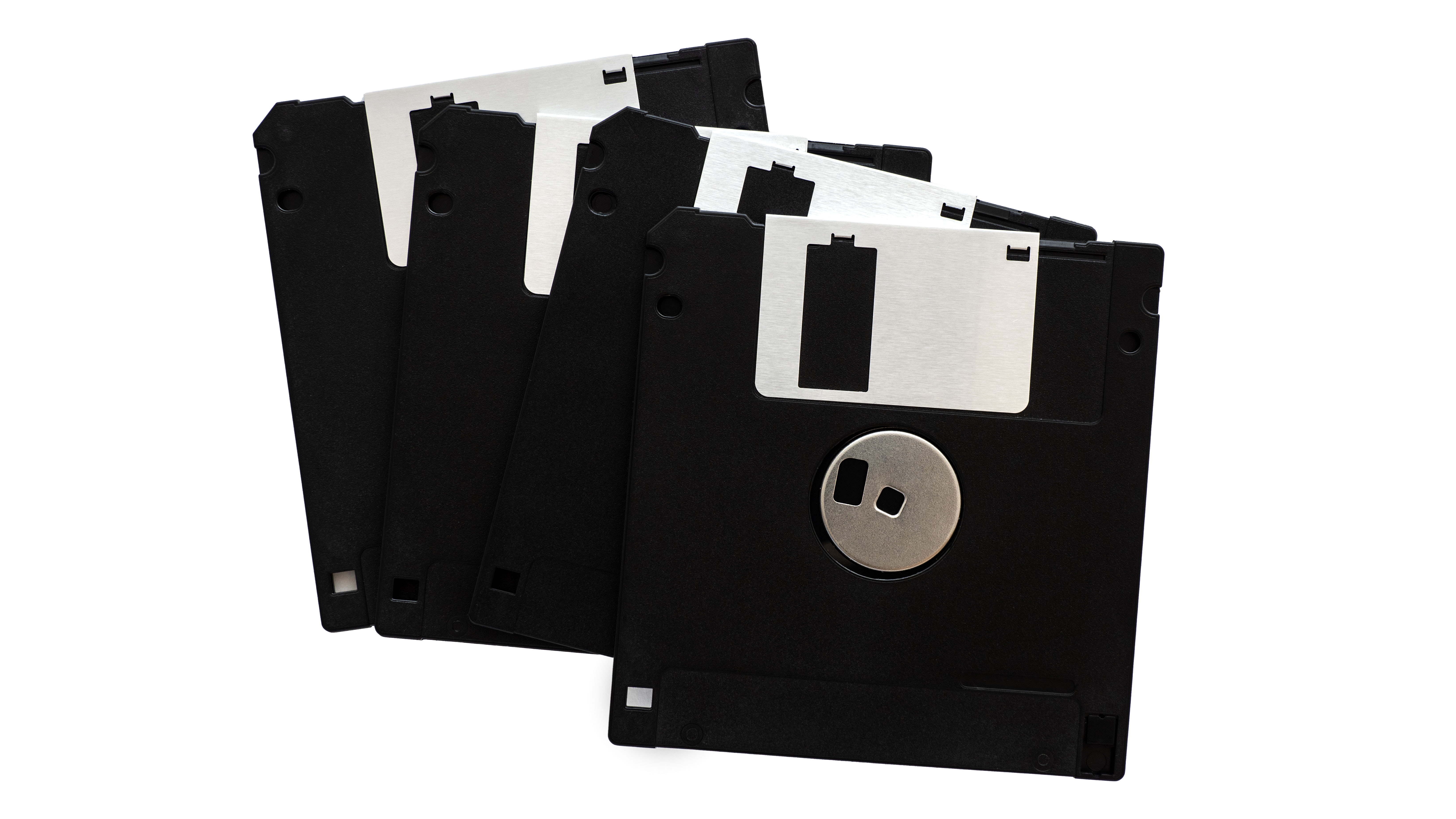
If you're still backing up to floppy disks, it's time to rethink your strategy.(Image credit: Getty Images)
Set up multi-version, offsite backups and real-time recovery mechanisms
While employee education and IT teams can mitigate ransomware attacks to a large extent, due to the unpredictable nature of attacks, systems can never be 100% protected.
The only fail-safe way to completely protect digital assets is to have a comprehensive backup strategy in place from the start. This will ensure that if systems are compromised, there will always be a clean version of data to recover from.
One popular backup methodology is the 3-2-1 backup strategy. Simply put, this is 3 copies of your data, across 2 different mediums, with 1 copy offsite. An example of this could be storing your data on an on-premise server, with two backups, one on-site and another located on the cloud or at a remote site.
To take a real-world case as an example, network-attached storage company Synology successfully helped a government entity to streamline and backup large-scale content creation projects produced by its subsidiary render farm. With 300 virtual machines (VMs) running multiple tasks, the render farm ultimately leverages Synology’s Active Backup for Business to back up its running VMs onto another onsite Synology NAS, while utilizing Snapshot Replication and Hyper Backup to automate additional onsite and remote backup tasks. With this structure in place, the rendering farm can preserve multiple data backups at both onsite and offsite locations, drastically mitigating the risk of data loss. There are many more success stories where clients utilise Synology solutions to build their information security and backup strategies. In an era of ever-evolving ransomware, Synology believes that proactively backing up files regularly is a critical step in protecting important business data and preserving digital assets.
Ransomware continues to be a growing threat against both individuals and businesses. More than 200,000 organisations in the US experienced ransomware attacks in 2019 alone, a 41% increase from 2018. Attacks have become increasingly diversified and sophisticated, targeting organisations and businesses of all sizes.
Ransomware is a type of malicious software that compromises a user’s device, encrypts and blocks the user from accessing their files and then demands a ransom in exchange for restoring the files. Traditional forms of ransomware simply encrypt files, while more modern variants go one step further by also transferring potentially sensitive data to the attackers, who then threaten to release them.
Preventing ransomware attacks is no longer as simple as just avoiding suspicious email attachments and installing antivirus software. Threat actors have been increasingly successful at exploiting organisations through phishing, social engineering, and exploiting unpatched or zero-day software vulnerabilities.
Being prepared for ransomware attacks will help minimise any damage to systems and data.(Image credit: Getty Images)
Establishing security awareness and systematic planning
Though ransomware attacks pose an existential threat to businesses, more often than not, little is done to protect against them. Fortunately, there are some easy ways to mitigate risks.
1. Block and monitor
IT teams are the first line of defense against ransomware and can block many attacks before they reach end users or critical systems. Modern security practices leverage multiple "layers" of protection. Starting at the outermost layer, using a well-configured firewall and Intrusion Detection/Protection System (IDS/IPS) can help block large portions of low-level attacks. Additional network monitoring and analysis tools can then be set up to check for unusual and suspicious traffic patterns, with containment plans in place should the need arise.
2. Stay up to date
On endpoints and servers, IT should ensure that deployed software, operating systems, and anti-malware solutions are up-to-date. Additionally, user accounts should be well thought out, with each account configured to only allow access to what that user needs and nothing more. The same concept applies to system administrator accounts; avoid using a single account that has access to everything. Partitioning access to different systems and minimising access to only what is needed can help drastically reduce the damage inflicted if credentials are leaked.
3. Educate employees
Maintaining good security also requires all end users to be well-educated on potential threats, as many breaches have been caused by users falling prey to phishing and social engineering tactics. Training programs should be in place to provide examples of modern phishing attacks and how social engineering can happen. Additional best-practice knowledge should be shared on handling suspicious emails, identifying spoofed websites, and most importantly, how to report a security incident.
4. Plan, practice and be prepared
Crisis management plans should be well documented and rehearsed. For example, who should handle communications, internally and externally? What processes will be used to conduct auditing, damage analysis, and customer and authority notification, should the need arise? Internally, IT should always maintain up-to-date deployment maps of which systems are doing what, and which are dependent on one-another. Contingency plans should be in place should a total site shutdown be required to contain and/or remove the malware.
If you're still backing up to floppy disks, it's time to rethink your strategy.(Image credit: Getty Images)
Set up multi-version, offsite backups and real-time recovery mechanisms
While employee education and IT teams can mitigate ransomware attacks to a large extent, due to the unpredictable nature of attacks, systems can never be 100% protected.
The only fail-safe way to completely protect digital assets is to have a comprehensive backup strategy in place from the start. This will ensure that if systems are compromised, there will always be a clean version of data to recover from.
One popular backup methodology is the 3-2-1 backup strategy. Simply put, this is 3 copies of your data, across 2 different mediums, with 1 copy offsite. An example of this could be storing your data on an on-premise server, with two backups, one on-site and another located on the cloud or at a remote site.
To take a real-world case as an example, network-attached storage company Synology successfully helped a government entity to streamline and backup large-scale content creation projects produced by its subsidiary render farm. With 300 virtual machines (VMs) running multiple tasks, the render farm ultimately leverages Synology’s Active Backup for Business to back up its running VMs onto another onsite Synology NAS, while utilizing Snapshot Replication and Hyper Backup to automate additional onsite and remote backup tasks. With this structure in place, the rendering farm can preserve multiple data backups at both onsite and offsite locations, drastically mitigating the risk of data loss.
There are many more success stories where clients utilise Synology solutions to build their information security and backup strategies. In an era of ever-evolving ransomware, Synology believes that proactively backing up files regularly is a critical step in protecting important business data and preserving digital assets.
Another Samsung Galaxy S21 leak has pointed to a mid-January release date for the Samsung S21 line of phones – which would be novel, since the S-series of phones have launched in February for several years.
Also novel is the source of the leak – Jon Prosser, known far more for his Apple predictions. He states that the Galaxy S21 will be announced alongside the Galaxy S21 Plus and Galaxy S21 Ultra on January 14, 2021 with a launch (and presumably, release date) on January 29.
Samsung Galaxy S21, S21+, S21 Ultra 👀Announcement: January 14, 2021Pre-order: January 14, 2021Launch: January 29, 2021Black, White, Grey, Silver, Violet and PinkNovember 3, 2020
The tweet also noted six Samsung Galaxy S21 colors the phone line will come in: black, white, grey, silver, violet, and pink. Keep in mind that not all hues may be available in all phones, as the higher-end models may have the more demure and ‘professional’ colors like black, white, grey, and silver.
And while Prosser may have less of a track record with Samsung leaks, his tweeted claim seems to have been supported by another noted leaker, Max Weinbach, who reaffirmed the January launch window in a reply message.
The Galaxy S21 will surely hit our best phones list
S21 Ultra? It will probably take great inspiration from the Galaxy Note 20 Ultra
Samsung's S-series have never debuted in January
The Samsung Galaxy S20 series was announced in late February 2020 with a release in the first week of March. While S-series handsets have ranged in release dates from March to June, their launches have gotten earlier and earlier until their current February window timed to coincide with Mobile World Congress, the annual phones show in Barcelona.
MWC 2020 was the first big technology show to be cancelled due to concerns of the coronavirus outbreak, and nearly every subsequent tech event followed suit through the rest of the year. Now that phonemakers have adapted to put on their own individual digital launches, there’s less reason to schedule releases during an MWC 2021, should it be held next year in some format.
In other words, without a big show to schedule around, Samsung has little reason to hold off on launching the Galaxy S21 line until February. The company had revealed its Galaxy S10 Lite and Galaxy Note 10 Lite mid-range phones during CES 2020, so perhaps they’ll just use that window to show off their new flagship handsets and beat everyone else to the punch as the first big phone to land right after CES 2021.
Content delivery networks (CDN) are a critical part of getting frequently used content to users quickly and cost-effectively which is why Google Cloud has unveiled new, more flexible controls for Cloud CDN in preview.
The company is now rolling out three new features in preview that will allow users to enable Cloud CDN as part of their HTTP(S) Load Balancer and make it possible to start caching content with just one click.
The first is a new concept called cache modes that allows the CDN to automatically cache common static content types without further origin configuration. Next up is the ability to set and/or override cache TTLs (“time to live”, or “expiration”) so that users can fine tune how long Cloud CDN caches their responses, when Google revalidates expired objects in its caches and define client-facing TTLs in order to make the most of browser caches.
Finally, Google Cloud is bringing custom response headers to Cloud CDN which allows users to reflect the cache status to their clients, geographic data and/or their own static response headers such as Cross-Origin Resource Sharing (CORS) policies or web security headers when serving a page from Cloud Storage or Compute Engine.
Using Cloud CDN's new features
All customers can begin testing out these new features and to do so, they can use either the Google Cloud Console or the gcloud SDK on their existing Cloud CDN-enabled backends.
For users that already have a backend with Cloud CDN enabled, they can turn on the new “Cache All Static” cache mode which automatically caches common static content types and fine tunes the TTLs used to determine cache lifetime and behavior. Backends that enable Cloud CDN via the Google Console now default to caching all static content, so users can just check a box to take advantage of Google's global network of caches.
Customers using the company's Cloud Storage backends can also now use custom response header features to set both static and dynamic response headers.
In order to use all of these new features though, customers will have to be using the beta channel as well as gcloud version 309.0.0 or greater.
Up until now, if you wanted to use Spotify on your Apple Watch, the app would only act as a glorified remote – you’d have to do the actual streaming from your paired smartphone.
Now, the streaming giant has started rolling out a server-side update to its watchOS app, with 9to5Mac reporting that several users have had their Apple Watches display a message telling them it was ready to stream directly from Spotify.
While you won't need your connected phone to stream the music itself, you will still need your Apple Watch to have internet access for it to stream live, whether it be LTE or Wi-Fi.
It appears that selecting the option to stream Spotify from your Apple Watch will function much in the same way as currently choosing between devices, with a menu item in the bottom right corner of the UI allowing you to cycle between your devices that actively have the app running.
With limited screen real estate to work with, the watchOS version of the app won’t allow you to search via typing, but Siri will be able to help you out there in the usual fashion.
Instead of searching, you’ll be able to access your recently played items, as well as your library full of artists, albums and playlists.
If you aren’t seeing the update yet, we expect it will roll out to your device in the coming days, but without any official word from Spotify, there’s no promise on the timeframe.
It’s even possible that it’s just another trial group of users that are receiving the functionality at present, although this is doubtful as the feature has been undergoing testing since September with a set of select users.
When Spotify makes an announcement, we'll update this article with more details on exactly how fully-featured the Spotify watchOS app has become.
Get excited because Amazon is shaving the price off some amazing products in the lead-up to Black Friday. One of the hot ticket items that’s already been discounted ahead of the big day is Sony’s newly released cans – the WH-1000XM4 – which have been reduced by a decent 21%.
We’ve rated the Sony WH-1000XM4 the best headphones of 2020 for its excellent delivery in noise cancellation and high-caliber sound quality which is conveniently wrapped in a lightweight and snug design.
Whilst the design of the WH-1000XM4 doesn’t differ much from its predecessor, there are a number of new features including multipoint pairing, DSEE Extreme upscaling, conversational awareness and auto-play/pause using a built-in sensor.
Sony’s newest and best headphones, which we’ve currently ranked the number one wireless cans of 2020, have been discounted by a reasonable 21%. With a number of new features, including multipoint pairing and DSEE Extreme upscaling, there’s no wonder why these cans are some of the best. Visit Amazon to snag these cans at a bargain price.View Deal
Micromax In series launch is set for today. After much anticipation and a series of teasers, the Indian vendor is making a comeback in the smartphone market by launching its In smartphone series.