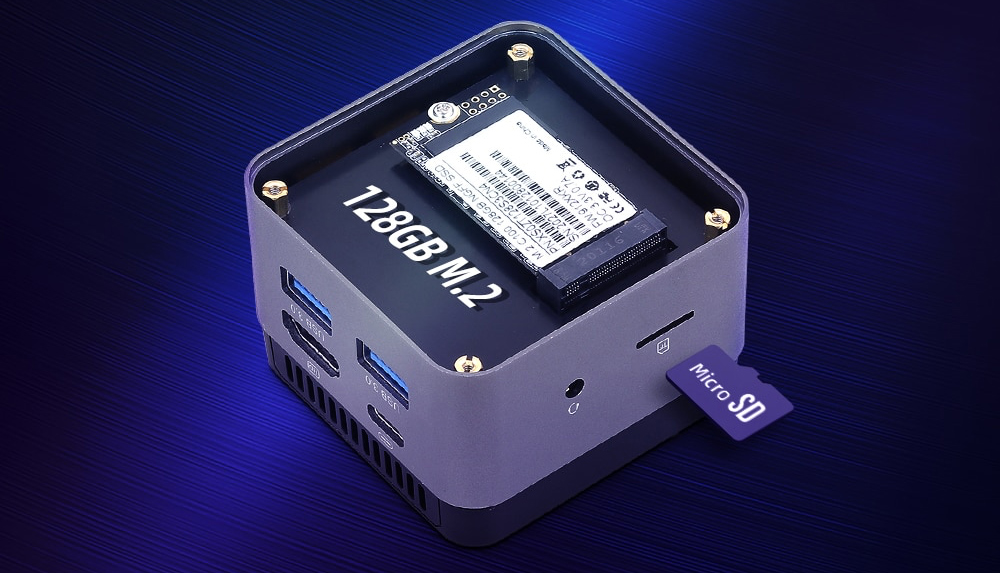
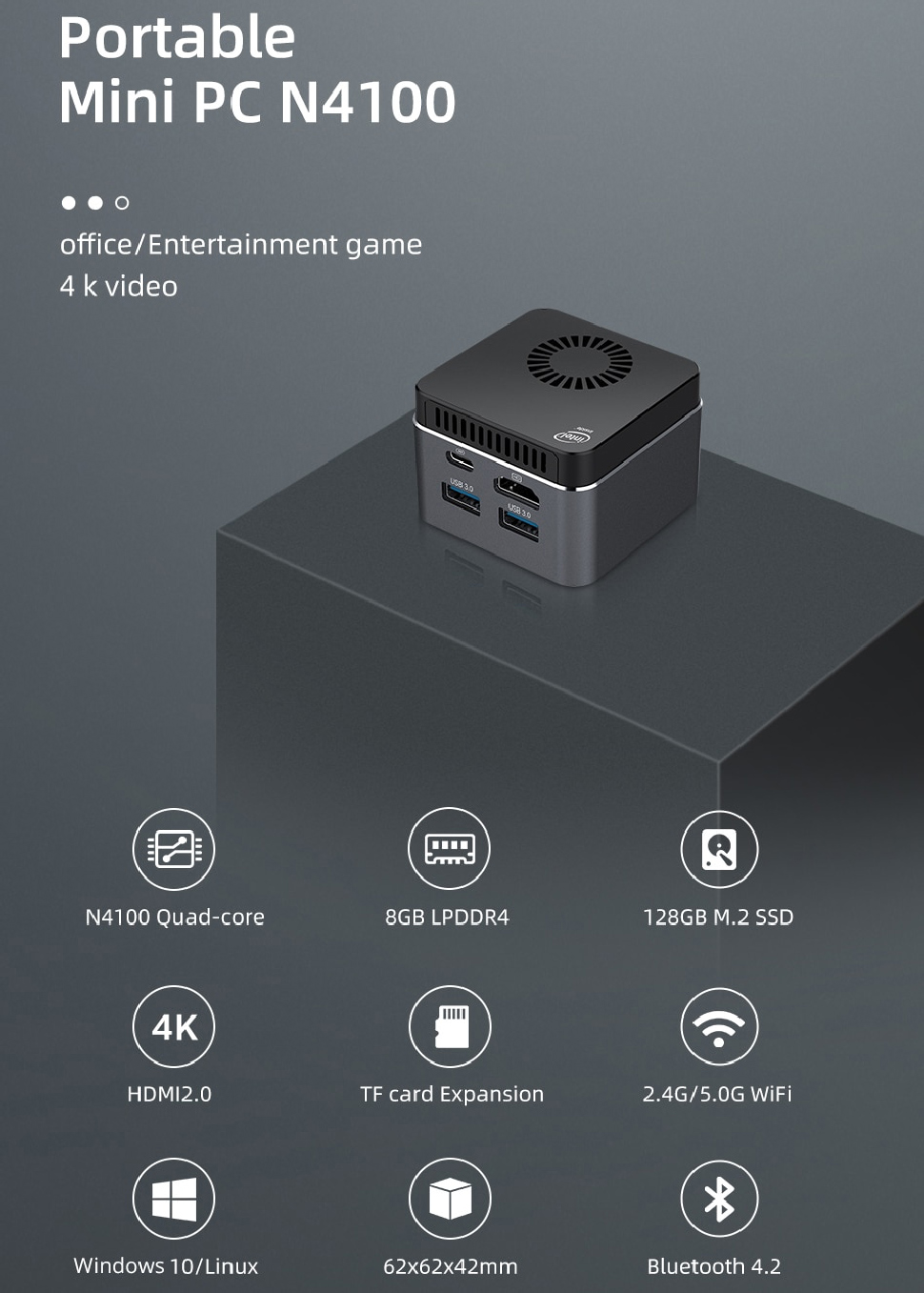
XCY has started sales of its ultra-compact form-factor (UCFF) Portable Mini PC N4100 that fits in the palm of your hand. The XCY Portable Mini PC N4100 has enough horsepower for things like web browsing, email, office productivity as well as music and video streaming applications.
The egg-sized system is now available for $179 at AliExpress and can even be upgraded, a rare feature for UCFF PCs.
Measuring 62×62×42 mm (2.4×2.4×1.7 inches), the tiny XCY Portable Mini PC N4100 is based on quad-core Intel Celeron N4100 ‘Gemini Lake’ system-on-chip that is paired with 8GB of LPDDR4 RAM as well as a 128GB M.2-2242 SSD that can be upgraded. The unit is not only compact, but also lightweight: its mass is only 121 grams (4.3 ounces), which is comparable to a modern smartphone, meaning you can easily carry it in your pocket.
The Celeron N4100 SoC in the XCY Portable Mini PC N4100 is cooled using an active cooling system, so the product produces some noise. Meanwhile, active cooling also means that the processor never overheats and always delivers its maximum performance.
(Image credit: XCY)
However XCY has not sacrificed connectivity for portability. The Portable Mini PC N4100 supports Wi-Fi 5 and Bluetooth 4.2 wireless technologies as well as has a USB Type-C for power (i.e., it can use almost any decent USB-C power adapter available today), two USB 3.0 Type-A ports, an HDMI 2.0 output, a microSD slot, and a 3.5-mm connector for headsets.
The UCFF PC from XCY generally targets the same market segments as various compute sticks. In a nutshell, the Portable Mini PC N4100 can enable low-cost office PCs and be used by those, who need to carry the same system around home or office, but do not exactly need a laptop.
You may have heard: there’s a new kind of memory card in town, and it’s called CFexpress.
CFexpress cards look like a pocket-drainer at first glance, starting at $199.99 / £210 for 80GB. But they’re important if you want to take advantage of the latest camera features, including 8K video capture, in-camera uncompressed video recording and ultra-rapid burst modes.
New cameras like the Sony A7S III and Canon EOS R5 have put CFexpress in the spotlight, but it’s not a brand-new format. It was announced in 2016, and the first cards came out in 2017, with the Nikon Z6 and Z7, and Canon EOS C500 Mark II video camera among the first models to have a CFexpress slot.
There’s a little more to learn about CFexpress cards, other than that they cost more than SD cards, though. Here’s everything you need to know.
Do we really need another camera memory card format?
The concept of bottlenecks explains why we need CFexpress cards. When a new camera comes along and offers fast-than-ever burst modes or higher-resolution video at greater frame rates, the processor or sensor’s raw capabilities usually get the credit.
However, the image buffer, the storage wafer in your memory card, and the storage controller all need to be up to the job too, and the CFexpress format handles the last two of these.
Its cards use PCIe 3.0, the same interface used by laptop and desktop SSDs – and these are radically faster than the SD cards most of us use today.
SD cards use a different interface. A high-spec UHS-III card has a maximum theoretical speed of around 624MB/s, while the UHS-II cards you can readily buy tap out at 312MB/s.
(Image credit: Future)
CFexpress raises that to 4GB/s for the fastest, Type C variant, in line with the speed of the main storage drive of a high-end laptop.
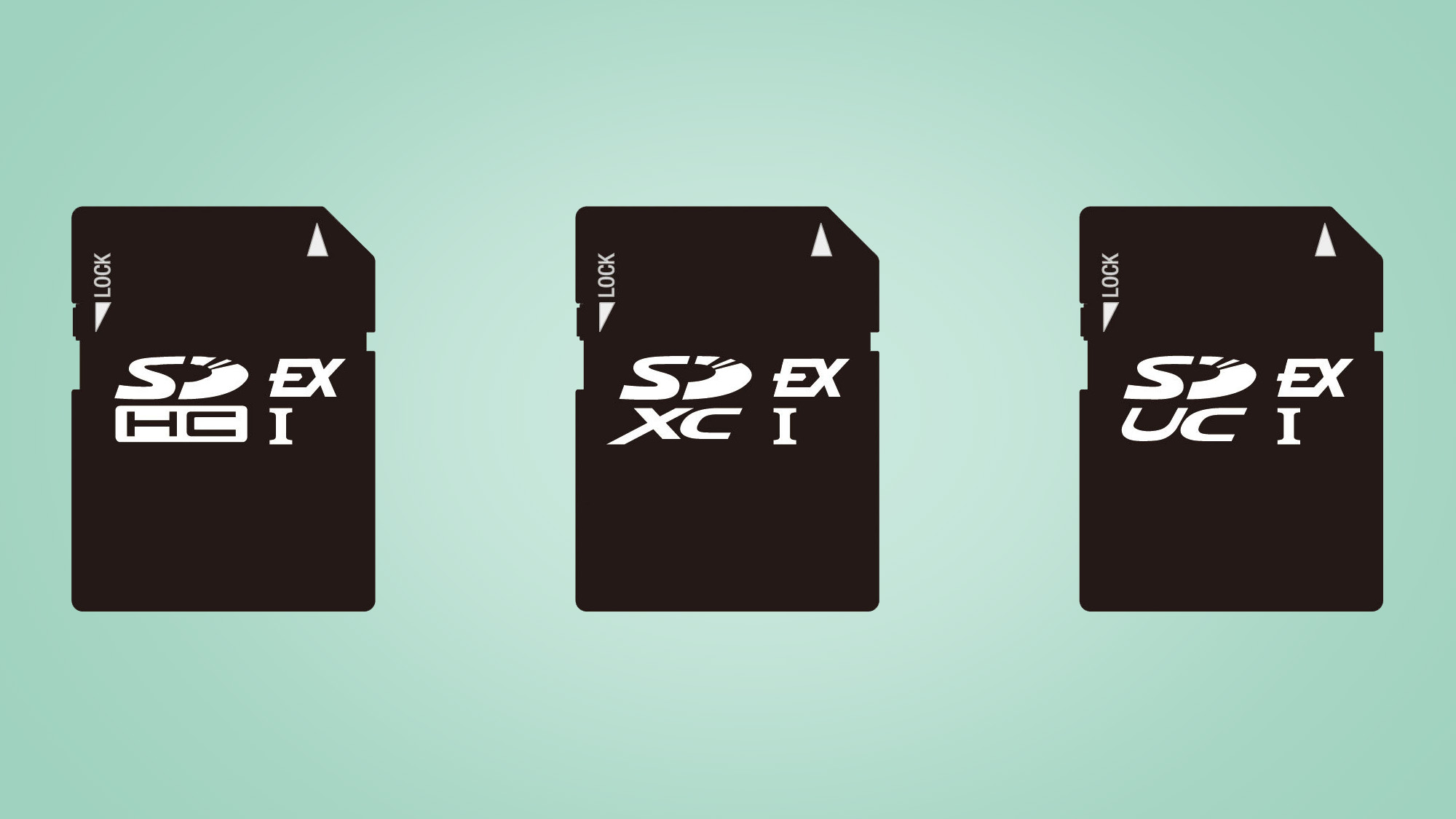
The SD Association, the organization that administers SD card standards, has come up with an alternative to CFexpress. It’s called SD Express, and uses the same PCIe 3.0 interface while offering similar max speeds of 4GB/s.
But just as SD more or less steamrolled Compact Flash for years, it seems that CFexpress has already won this fight – and its use in cameras like the Sony A7S III is proof enough.
SD Express also arrived three years after CFexpress, giving the latter a significant head start.
What kind of CFexpress cards are there?
CFexpress cards are faster – and that’s the big takeaway, if it’s all your brain has space for. But things are about to get a little more complicated.
There are three CFexpress variants: Type A, Type B and Type C. The two newer ones, A and C, were introduced when the CompactFlash Association revised the standard to ‘2.0’ in 2019.
Type A has one PCIe 3.0 pipeline, for a maximum 1GB/s speed, Type B has two pipelines, doubling the headroom to 2GB/s, and Type C has four pipelines for, you guessed it, that headline-grabbing 4GB/s maximum data transfer rate.
(Image credit: Future)
You can currently buy Type A and Type B cards. And, like SD cards, you should also look at their sustained write speeds, rather than just those printed on the card and its packaging.
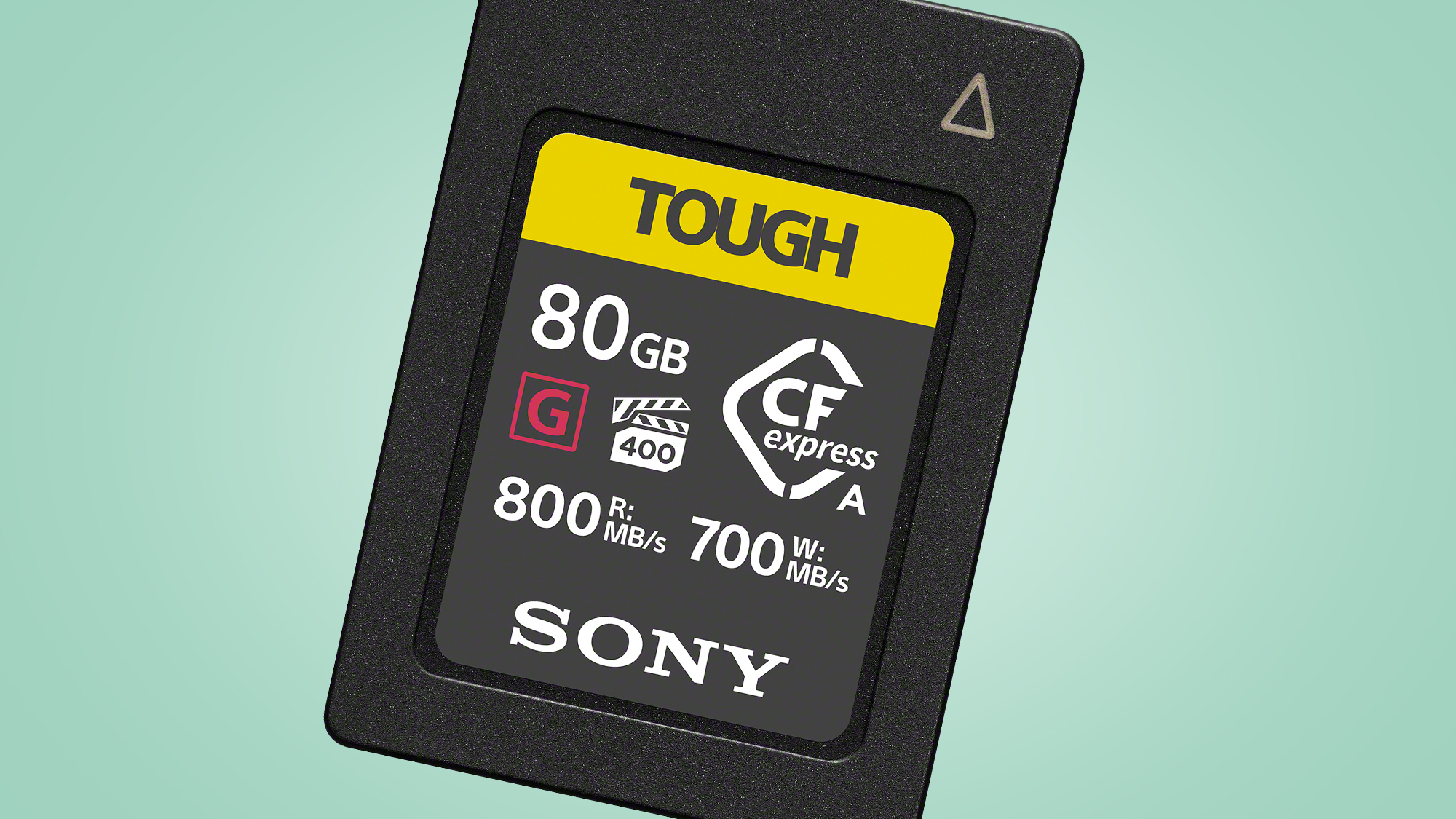
For example, the Sony Tough UHS-II series of SD cards is rated for 299MB/s write speeds, but only provides (minimum) 90MB/s sustained write speeds. Meanwhile, the Sony Tough CFexpress series, based on the Type A standard, offers burst write speeds of 700MB/s, and sustained writes at 400MB/s.
Speed losses when doing something like shooting video are much lower in a well-designed CFexpress card.
But if CFexpress Type C is faster, why wouldn’t you pick it every time?
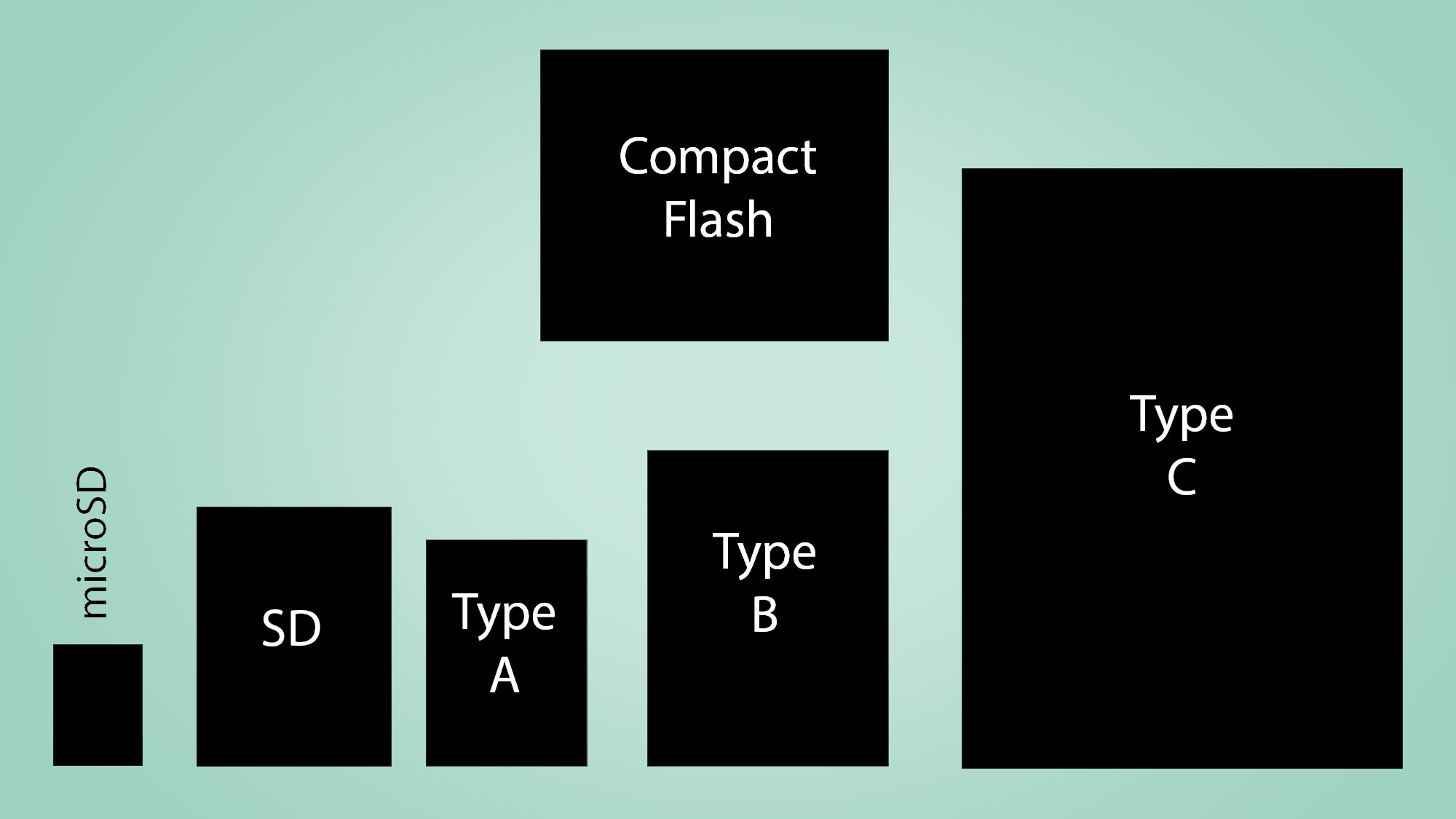
As you can see in the diagram above, the three types of CFexpress card are not the same size. Type A cards are the smallest at 28mm x 20mm x 2.8mm, which is slightly smaller and slightly thicker than a standard SD card.
Type B cards measure 38.5 x 29.8 x 3.8mm, the same shape as XQD memory cards, while Type C cards are much larger at 54 x 74 x 4.8mm – that’s far larger and thicker than even the classic CompactFlash card of years gone by.
At present, no cameras use the CFexpress Type C standard. Several support Type B, including the Nikon Z6 and Z7. Most cameras with XQD slots can also use some Type B cards, but naturally you’ll be limited to the lower speed of that format’s interface.
(Image credit: Future)
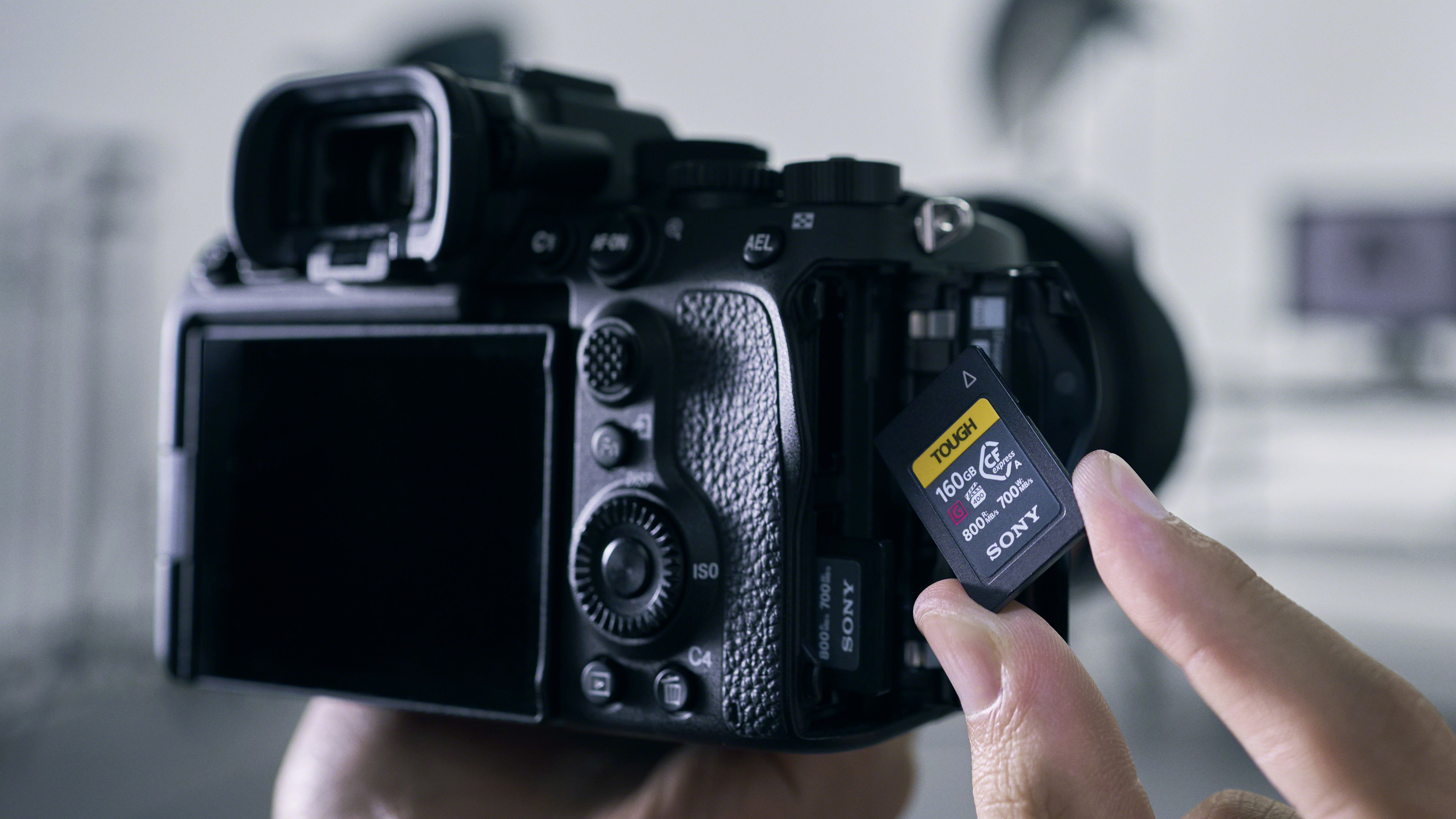
The Sony Alpha A7S III (above) is the first camera to support CFexpress Type A, and this the most interesting format of the moment. Yes, it may offer the lowest performance of the lot, but these cards can fit into a combi slot that will also take SD cards.
The A7S III has two card slots, both of which will accept SD and CFexpress cards.
As for the kinds of photographers who will adopt CFexpress in the next couple of years, pros and enthusiasts with money to spend are likely to increasingly choose CFexpress, while SD will still be there for those with a lower-end camera, or those who don’t need top-tier write performance.
Who makes CFexpress cards and how much do they cost?
There’s no getting away from the fact that many photographers will find CFexpress cards prohibitively expensive.
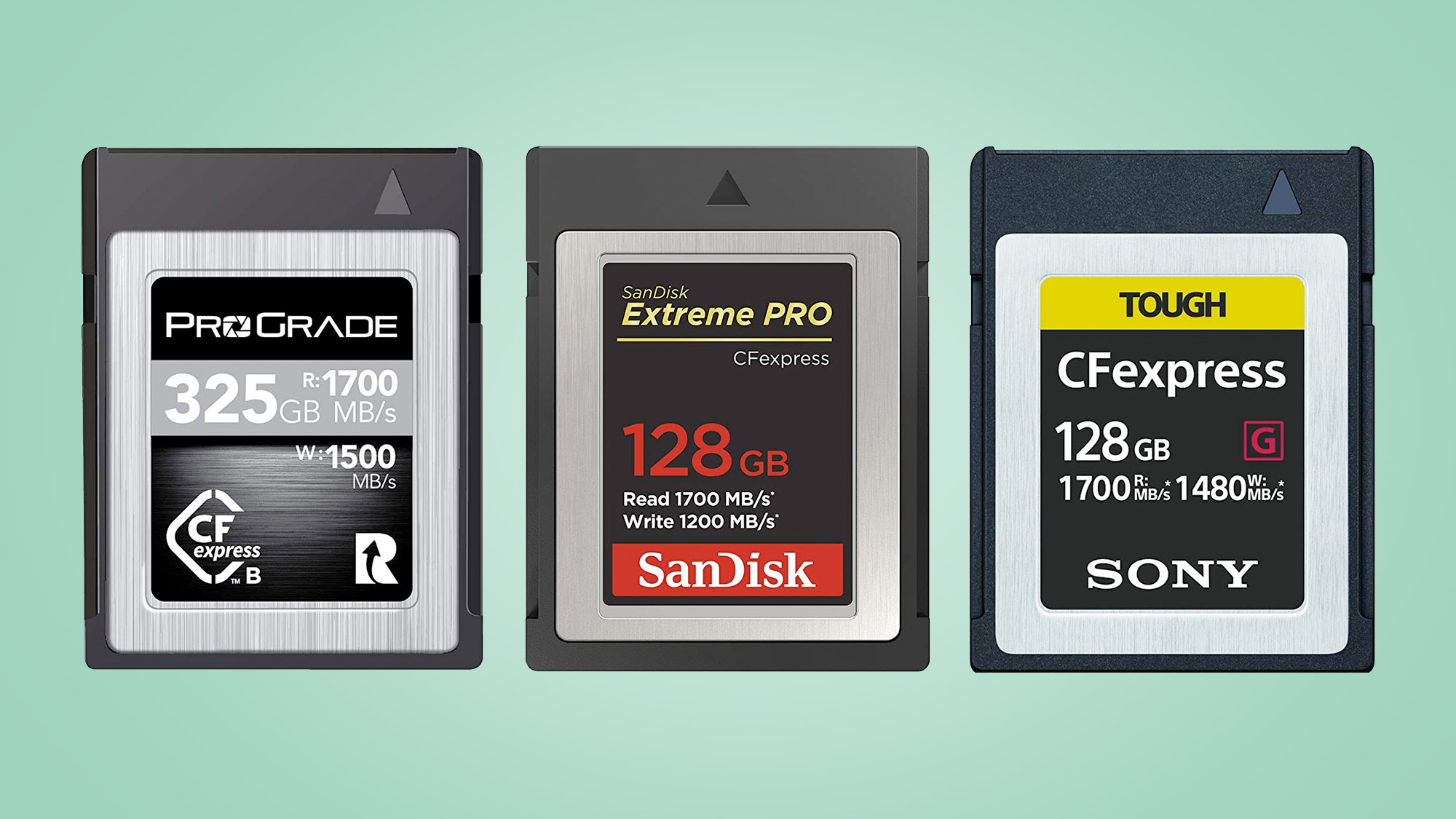
Most of the big names in SD cards are already on-board with this newer format, with Sony, Delkin, SanDisk, Lexar, ProGrade and Integral all producing CFexpress Type B cards.
There’s a significant difference in the prices of cards from these different brands. Integral and ProGrade provide the cheaper options, but may miss a feature or two; for example, ProGrade cards tend not to have an IP rating, which tells you the water and dust resistance of a product, although we have no complaints about their speed specs.
(Image credit: Future)
ProGrade Gold cards claim 400MB/s sustained write speeds, and its Cobalt range offers incredible sustained writes of 1400MB/s or 1500MB/s – it varies between storage levels – and you won’t find better in a Type B card, as of mid-2020.
Ultra-high performance Cobalt cards are $359 / £389 (325GB) and $899 / £799 (650GB). These appear to be the fastest CFexpress Type B cards money can buy at the moment.
Integral CFexpress cards are among the cheapest around, but make no ruggedisation claims, and only appear to cite burst speed figures. However, at around £165 for the 128GB card (integral cards are much easier to find in the UK and Europe than the US), they’re pretty attractive.
Sony’s Tough CFexpress series is the top choice for travel use. They are made to three times the strength of the CFexpress standard according to Sony, and tested to withstand 70 newtons of bending force and 5-meter drops. An IP57 rating also means they’re highly water and dust resistant.
A Sony Tough card costs $219 / £299 (128GB), $399 / £483 (256GB) or $649 / £999 (512GB).
(Image credit: SanDIsk)
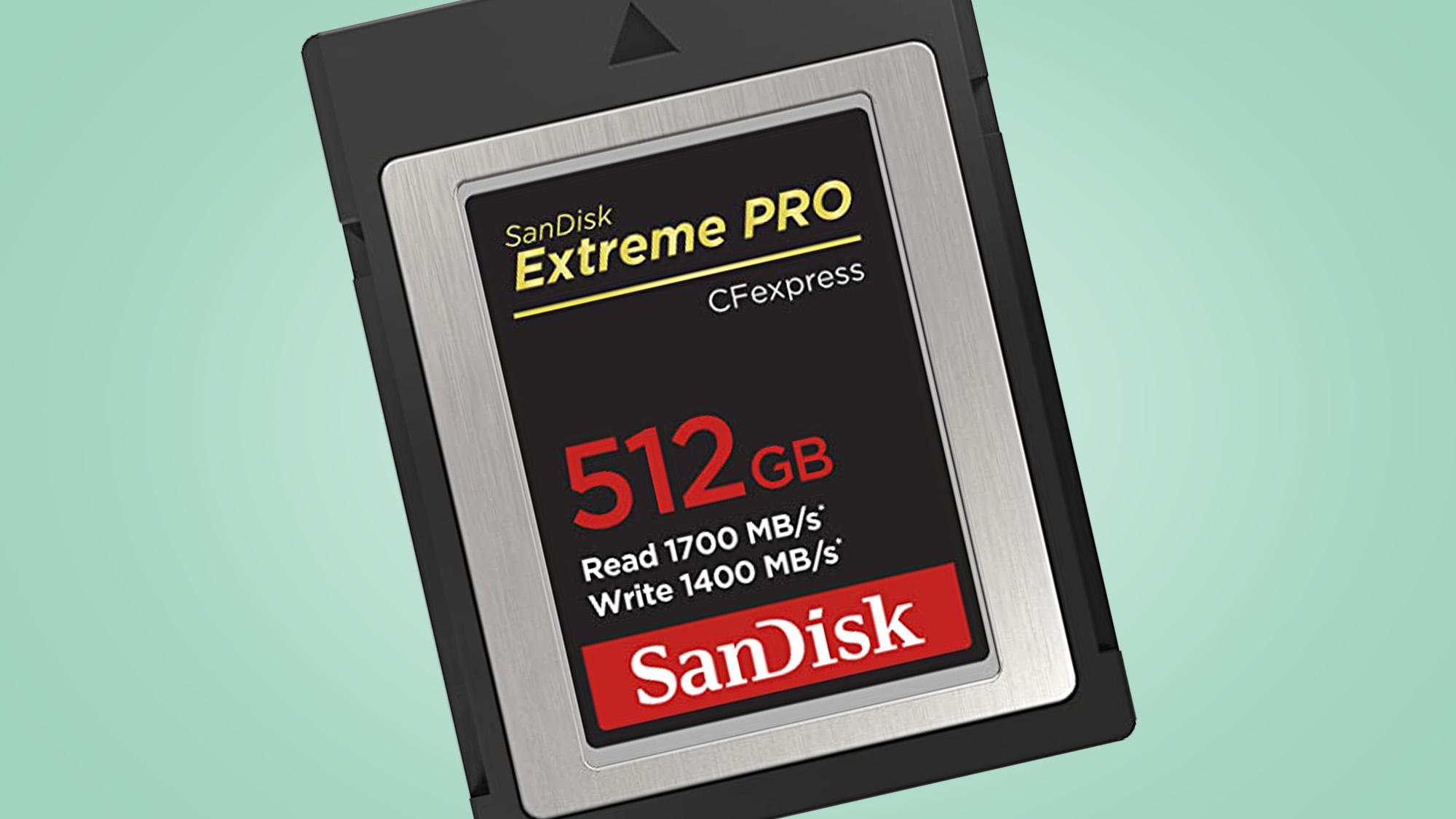
SanDisk’s highly regarded Extreme Pro series are a solid mid-price option, and will be the first choice for many. These cost $199 / £279 (128GB), $399 / £449 (256GB) or $599 / £699 (512GB), and come with a ‘lifetime’ limited warranty that covers failure, but not wear-and-tear or you accidentally snapping them.
Sony is the only company making CFexpress Type A cards at the time of writing, and these are, sadly, even more expensive than the Type B kind, at $199 / £209 for 80GB, rising to $649 for 512GB.
What’s the takeaway here? Prices vary between countries quite significantly at higher capacities, and ProGrade’s Cobalt series CFexpress cards appear to offer the best continuous write performance available in 2020.
What’s next for CFexpress?
The next stage for CFexpress is PCIe 4.0, which may come with the format’s next big revision. This would double the bandwidth per lane, so a theoretical CFexpress 3.0 card might offer 2GB/s speed for Type A sizes, 4GB/s for Type B, and 8GB/s for Type C.
We’re highly likely to see this announced at some point, because arch CFexpress-rival the SD Association has already announced PCIe 4.0 integration for a future version of SD Express cards; however, don’t expect to see these cards on sale for a couple of years at least.
There’s still a question mark over Type C cards in general, before we even think about the next CFexpress standard. You can’t buy them yet, and you have to wonder which cameras, or other devices, might take the size hit in terms of design as a trade-off in order to benefit from its 4GB/s maximum speed.
(Image credit: SD association)
Even more intensive video capture modes are the obvious use, but do we really need 4GB/s? The efficiency of the HEVC encoding format means you won’t need anything like that data rate even at 8K 120fps.
Storage of uncompressed video is a much more obvious use case for all that bandwidth. This is normally done over HDMI, as a 2.1-version connector has 48Gbps bandwidth (6GB/s). So while a CFexpress Type C card isn’t quite as fat a pipe as HDMI, it comes much closer than the cards we have today, and would let you store incredibly high data-rate footage in-camera.
What we’re really waiting for is something much simpler: lower prices.
We hope the cost of 64-256GB CFexpress cards will start to drop as manufacturing scales up, but don’t expect miracles – a 256GB UHS-II SD card with a V90 rating (continuous 90MB/s write speed) can still cost around $250, so there’s less pressure for CFexpress prices to freefall in the next 12 months.
The SpaceX Crew Dragon spacecraft shoved off from the International Space Station on Saturday with two US astronauts on board, beginning their journey back to Earth despite a storm threatening Florida.
11.6-inch SZYIYUN laptop -$249.00 from AliExpress
(£195.27/AU$350.20) Chinese manufacturer SZYIYUN has attempted to revive the famous Netbook with this tiny 11.6-inch laptop. The machine packs plenty of firepower - with an Intel Celeron J4105 CPU, 8GB RAM and 512GB SSD - but other features betray its budget nature.View Deal
About 13 years ago, ASUS kickstarted the Netbook revolution that saw the launch of a pint-sized laptop (with an equally small price tag) able to run Linux or Windows XP. The EEE PC was the first of a series of devices that introduced the joys of untethered mobile computing to millions.
Fast forward to 2020 and a small Chinese company, SZYIYUN, wants to do the same with a curious unnamed machine. The device's price tag ($249.00/£195.27/AU$350.20) is reminiscent of the first Netbooks, but its innards are significantly more powerful.
The laptop packs 8GB of RAM and a 512GB SSD, compared to the 512MB RAM and 8GB onboard storage that featured in the first EEE PC. The SZYIYUN processor, a Celeron J4105, is also an order of magnitude faster than the Celeron CPU that powered ASUS’ pioneering laptop.
Available in pink, black and white, the SZYIYUN machine draws further comparison to the Netbook thanks to its 11.6-inch screen, which has a rather large bezel - like its forebears - and weighs less than 1kg (similar to the LG Gram 14).
The rest of the specification includes a TN display with a 1366 x 768 pixel resolution (probably the only weak spot), two USB ports, an HDMI connector, audio jack, 802.11n, microSD card reader and battery life of up to five hours.
Just bear in mind, this laptop is stereotypically entry level, made entirely of plastic, and features a rather small touchpad that could frustrate some users.
If this product comes from mainland China, it will take at least a month to reach either the US or the UK (and potentially more). You may be levied a tax either directly or through the courier.
If you've managed to get hold of a cheaper product with equivalent specifications, in stock and brand new, let us know and we'll tip our hat to you.
from TechRadar - All the latest technology news https://ift.tt/3hY8Ydp
Redmi 9 Prime is coming, and the smartphone will be unveiled on August 4 as Xiaomi’s latest budget smartphone. Given Amazon is touting its launch as one of the Prime Day launches, the phone is pretty much confirmed to go on sale during the Prime Day sale event on August 6-7.
If you've got Verizon Unlimited, Fios and 5G Home, you can get a free year of Disney Plus. US Mobile customers are also eligible. Here are the best options for getting Disney's streaming service on the cheap.
Some of the best phones in the world come from Chinese brands like Huawei, OnePlus or Oppo. Here's what you need to know to decide if one is right for you.
Traditionally, the Mac has been regarded as a safe and secure haven compared to other desktop platforms – particularly Windows – and a common line of thinking has been that Apple computers don’t need antivirus defenses, because security is tight enough anyway, and threats are relatively scarce.
But is that still true today? The latter point most certainly isn’t…
Our definitive list of today's Mac antivirus software
Looking for even more protection? Grab the best VPN
See why we rate Bitdefender so highly in our testing
Growing threat level
Mac threats might once have been far thinner on the ground than malware targeting other operating systems, but that’s no longer the case. Just a quick glance at a recent security report will tell you that.
Malwarebytes found in its latest annual report detailing the current ‘state of malware’ that over the course of 2019, Mac threats increased by 400% year-on-year, and for the first time ever, more threats were found per endpoint (ie Mac) than with Windows machines.
If any statistic will make a Mac user sit up and take notice on the security front, it’s the revelation that there were 11 threats per endpoint compared to 5.8 with Windows – in other words, nearly double the amount with Apple machines.
That stark headline isn’t the full story, though. The big caveat here is that much more malware is still aimed at Windows PCs, with the Mac getting hit more with adware and potentially unwanted programs (PUPs), or ‘malware light’ as Malwarebytes dubs it. These kind of efforts aren’t nearly as serious or dangerous as the full-fat malware out there, but they can certainly be unpleasant in at least some cases, hijacking your browser, changing your default search engine or perhaps serving up sponsored results to the benefit of the author.
Of course, we must also bear in mind that this is just a single report, and it’s unwise to put too much emphasis on any one source in isolation. However, we’ve also seen a regular drip of articles about Mac malware hitting the headlines. Witness, for example, the recent revelation of a new strain of Mac ransomware (the first such sighting in some four years).
So given this, and the apparent increase in Mac threats – which is doubtless tied into Apple’s machines becoming more popular – anyone who has been following all this will likely have become more concerned about Mac security, and rightly so.
(Image credit: Shutterstock; Apple)
But isn’t my Mac secure by design anyway?
Despite these growing dangers, you may well ask: but isn’t my Mac secure by design anyway?
It is true that macOS is built to be seriously secure, and Apple implements a number of measures within the operating system to that end. The firm incorporates features such as XProtect antivirus protection, and the likes of Gatekeeper, insisting that all software is digitally signed (or notarized, in other words, checked by Apple for issues or malicious code). All this helps protect those downloading software from outside of the official App Store.
There’s no doubting that the level of security provided by Apple is sterling stuff – but nonetheless, these systems aren’t fool-proof, and we have seen ways to get around Gatekeeper in the past, or attempts to trick users and foil this built-in security. Vulnerabilities at a hardware level can be another dangerous potential attack vector against Mac systems, too, as we’ve seen in the past with the likes of ZombieLoad.
Besides, as Malwarebytes points out, Apple’s integrated security measures aren’t so great about picking up the ‘malware light’ efforts we mentioned above. As the security company notes: “macOS’ built-in security systems have not cracked down on adware and PUPs to the same degree that they have malware, leaving the door open for these borderline programs to infiltrate.”
And as we’ve noted, those ‘borderline’ apps may not wreak havoc on your system like a traditional piece of malware, but you still don’t want those kind of things hanging around on your Mac.
Do I really need antivirus for Mac?
When you weigh everything up, given the increasing amounts of Mac malware – albeit with much of it not as serious as the malicious software targeting Windows – and the possibility of exploits managing to get around Apple’s (admittedly good) security, there is certainly a valid argument for backing up the core protection provided by macOS with a second layer of defense in the form of an antivirus.
Particularly considering that you can easily get the best Mac antivirus app these days, and they don't even have to cost that much.
Realme 10W Wireless Charger has quietly made its way to India and is available for purchase with a price tag of Rs. 899. In addition to the new launch, India chief Madhav Sheth announced the launch of the 65W and 50W Realme Ultra-thin SuperDart Charger models in the country.
Government’s surprise move to restrict imports of TVs, announced on Thursday, will boost local manufacturing, strengthening Prime Minister Narendra Modi's flagship 'Make in India' drive, an industry body said.
Another $1,200 stimulus check is just one piece of the next stimulus bill that could help you. Here are the other proposed ideas to offset the worst financial effects of the coronavirus crisis.
The Samsung Galaxy Note 20 is almost certainly going to be unveiled at the Samsung Unpacked virtual product launch event on August 5, but there are still several things we don’t know about the Android phone.
Samsung has traditionally releases its stylus-packing phones in August, and it always seems to incorporate the features introduced in that year’s S-series phones from six months prior. But there’s still plenty to wonder about the Note 20.
Will the Note 20 pack all of the Samsung Galaxy S20's cameras and specs? Will it be as big, or bigger, than the Galaxy S20 Plus? Will there be a top-specced Note 20 Ultra model?
Then there are all the other Note-specific questions we have for the next phone in the stylus line: will there be more features for the S Pen? Will the display be even bigger than last year’s models? Will productivity tools like DeX get improvements, too?
We’ve still got plenty of questions, but we’re going to narrow them down to the five biggest things we still don’t know about the next flagship Samsung phone line.
(Image credit: Future)
Will there be a Note 20 Ultra in addition to a Note 20 Plus?
Perhaps the biggest question is whether we’ll see a Note 20 corollary to the Samsung Galaxy S20 Ultra with an appropriately huge screen and extreme specs.
At this point, it’s hard to be certain – heck, early rumors strongly suggested we might not even see a Note 20 Ultra. Given we’ve seen more and more leaked images of the supposed extra-large model, we suspect that rumors we initially assumed referred to the Note 20 Plus were, instead, about the Note 20 Ultra – especially since a recent specs leak referred to just the base and Ultra models, with no mention of the Plus.
We could still see a Plus model, but Samsung might be splitting the difference and dividing its choices between a smaller, more basic model and a max-specced Ultra version.
(Image credit: TechRadar)
Will the Note 20 come in a 4G version, too?
Given most 2020 flagship phones support 5G, we’re expecting the Note 20 line to follow suit – especially since it will most likely pack the leading Snapdragon 865 or 865 Plus chipset, which require a discrete 5G modem. But given the nominal price bump we’ve seen to get 5G phone connectivity, is there a cheaper 4G-only Note 20 phone in the works?
We’ve seen pricing leaks that deliberately call out a 4G version – and recent certifications from US and Thailand regulatory agencies (FCC and NBTC, respectively) have surfaced revealing a 4G-only device is at least registered in those markets. Whether they’ll end up coming to more regions is another question, as phonemakers don’t always release all variants of their phones globally – or might wait some time to do so, like with the Samsung Galaxy Note 10 Lite.
(Image credit: Future)
Will it have all the S20's cameras? Or have even more advanced tech?
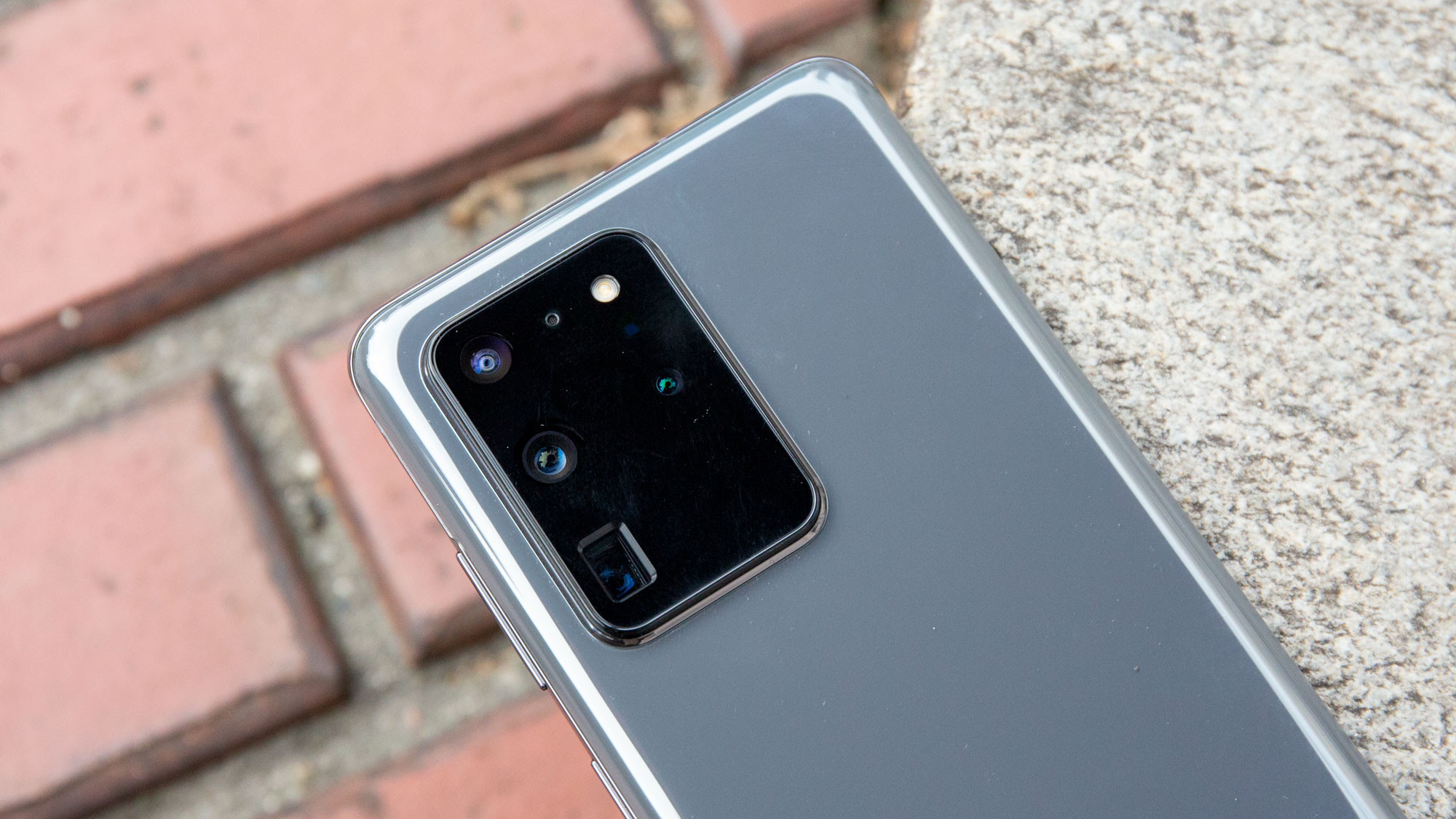
The Galaxy S20 line has a well-rounded suite of rear cameras, with a main 12MP f/1.8 shooter, 64MP telephoto with 3x optical zoom, and 12MP f/2.2 ultra-wide camera, along with 8K at 24fps video recording and its new Super Stabilization feature. The S20 Ultra even packed a 108MP main camera, which enabled its staggering 100x ‘Space Zoom’ feature.
Is all that coming to the Note 20 line? Hard to say: leaks claim that the Plus or Ultra will have a 108MP main, 12MP ultra-wide, and 13MP telephoto lens with periscope tech, though another rumor suggests it won’t reach the 100x maximum zoom of the S20 Ultra. Instead, expect a more modest 50x zoom, but it’s unclear whether this will come to both the standard Note 20 and the Ultra.
What’s more interesting is that the Note 20’s selfie camera could ditch the punch-hole for an under-display camera, according to rumor and even a video tease by Samsung itself. While it could be a pop-up camera, that’s not really Samsung’s style (not outside of the Samsung Galaxy A80’s pop-and-flip cameras, anyway). But again, will such a prestigious feature come to both the standard Note 20 and its pricier sibling?
(Image credit: Future | Amit Mishra for TechRadar India)
What about the Note 20 chipset and specs?
We’re still not certain about the Note 20’s set of specs: given the line’s productivity focus, we expect more battery but not exactly show-stopping internals.
Some rumors presume the Note 20 will get the same Snapdragon 865 chipset as the Galaxy S20 line, while a leaker believes it will instead opt for the slightly more powerful Snapdragon 865 Plus chipset instead. While the Note 10 and Note 10 Plus didn’t upgrade its processor over the Galaxy S10 (both go the Snapdragon 855), including one would give the Note 20 an edge to compete with other mid-year flagships that have launched with the Snapdragon 865 Plus, like the Asus ROG 3.
Outside the US, we’ve heard the Note 20 will get Samsung’s Exynos 992 chipset, which would be a slight upgrade on the Exynos 990 appearing in the Galaxy S20 line, though another leak suggests the new phone could just stick with the Exynos 990, too. We love conflicting rumors!
The rest of the Note 20 specs are even less known, with one source claiming a baseline 128GB of storage, while that Exynos 990 leak also suggests the phones will come with 12GB of RAM.
There’s been more chatter about Note 20 battery life, though, with estimations from a minimum of 4,000mAh capacity in the standard Note 20, a more recent leak suggesting 4,300mAh, and up to 4,500mAh in the Note 20 Plus/Ultra. At least we have a range.
(Image credit: Future)
Will there be more S Pen gestures and productivity software?
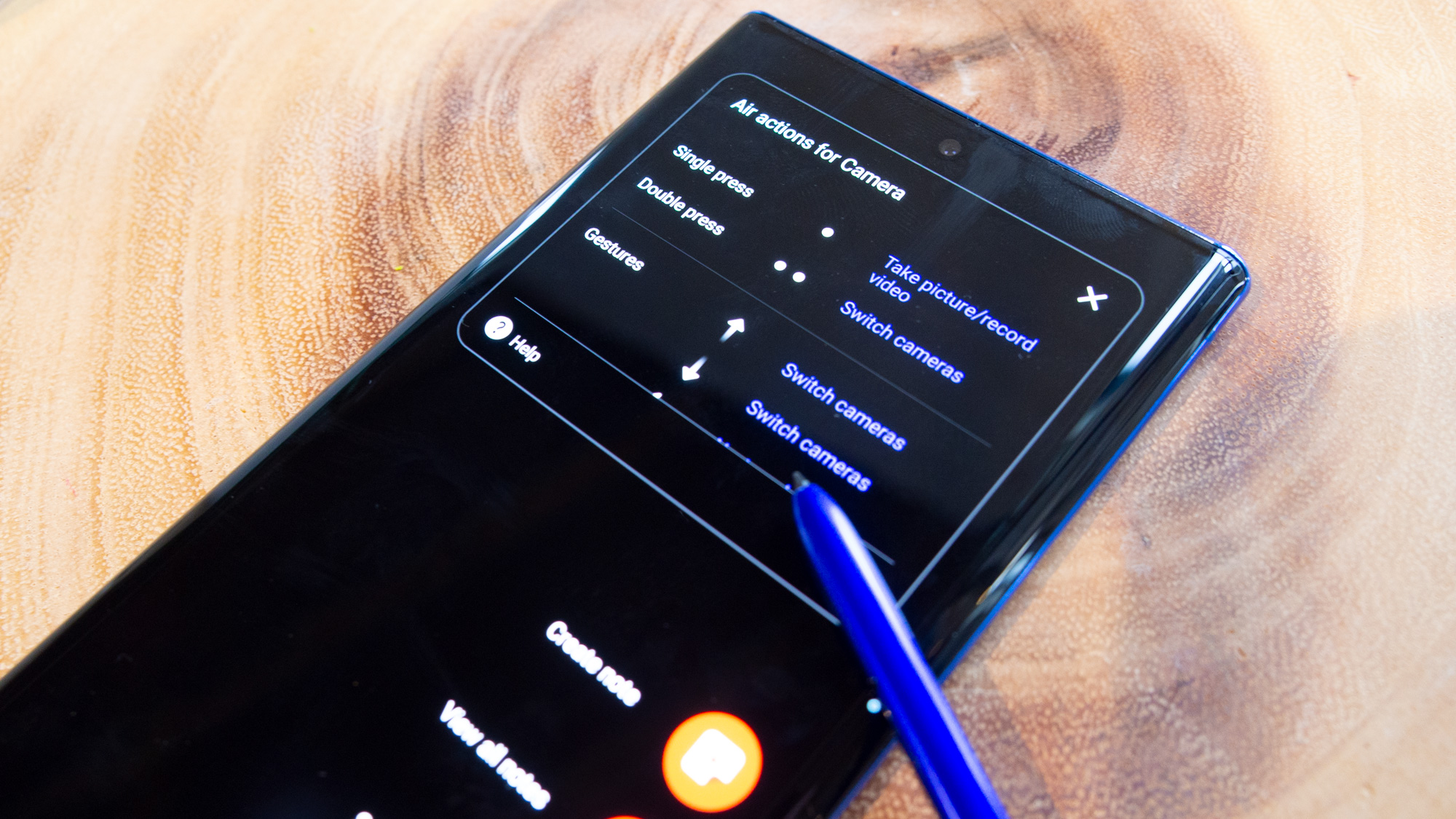
Sadly, there’s even less we know about improvements that might come for the Note 20’s signature feature, the S Pen stylus.
We have heard rumors that you’ll be able to use the S Pen as a more proper pointer with mid-air gestures allowing navigation around the interface, which could iterate on some similar (and rather clumsy) way to get around with the Samsung Galaxy Tab S6 S Pen.
What’s more exciting for the productivity-minded user: DeX, the Samsung feature that used its smartphones and tablets to power a desktop-computing experience through an external monitor, may finally be going wireless. Instead of requiring a dedicated dock and/or cord, you may be able to fire up the PC experience (with a Windows-like file system) wirelessly, according to this rumor.